
Introduction
This manual provides detailed instructions for the assembly, operation, and maintenance of your Vigosit Gaming Chair PRO. Please read this manual thoroughly before assembly and use to ensure proper function and safety. Keep this manual for future reference.
Safety Information
- Weight Capacity: This chair is designed to support a maximum weight of 350 lbs (approximately 158 kg). Do not exceed this limit.
- Assembly: Ensure all components are correctly assembled and all screws are tightened securely before use. Periodically check and re-tighten all fasteners.
- Movement: Avoid sudden movements or standing on the chair. Use the recline and height adjustment mechanisms smoothly.
- Children: Keep children away from the chair during assembly. Do not allow children to play on or with the chair.
- Placement: Use the chair on a flat, stable surface. Avoid placing it near heat sources or in direct sunlight for prolonged periods.
Package Contents
Verify that all components are present before beginning assembly. If any parts are missing or damaged, please contact customer service.
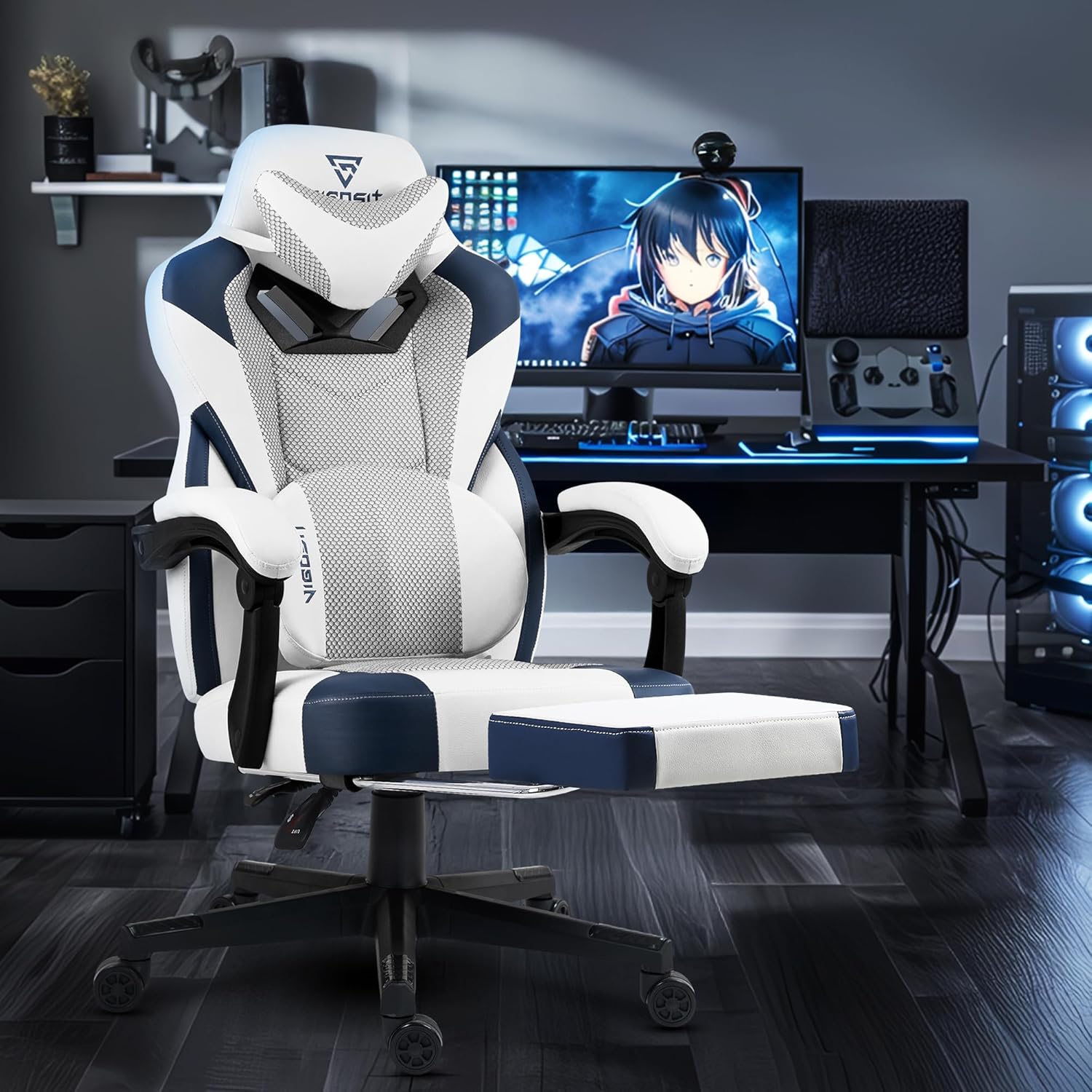
Image: All chair components including base, seat, backrest, armrests, and hardware.
Assembly Instructions
For a visual guide, please refer to the official installation video below. The following steps outline the assembly process.
Video: Official Vigosit Gaming Chair PRO Installation Guide. This video demonstrates the step-by-step assembly process for the chair.
- Assemble the Chair Base: Attach the five legs to the central hub of the chair base using the provided screws. Ensure they are securely fastened. Insert the casters into the ends of each leg until they click into place.
- Install the Gas Lift: Insert the gas lift cylinder into the central hole of the assembled chair base. Place the gas lift cover over the cylinder.
- Attach the Mechanism to the Seat: Position the seat mechanism onto the underside of the seat cushion, aligning the screw holes. Secure it with the provided screws and tighten them using the Allen key.
- Assemble the Footrest: Attach the footrest cushion to its metal frame using the provided screws. Then, attach the footrest assembly to the underside of the seat mechanism using the designated screws.
- Attach the Backrest to the Seat: Align the metal brackets on the backrest with the corresponding holes on the seat mechanism. Secure the backrest to the seat using the provided screws.
- Attach the Armrests: Secure the armrests to the sides of the seat and backrest using the provided screws. Ensure they are firmly attached.
- Connect Seat to Base: Carefully place the assembled seat and backrest onto the gas lift cylinder, ensuring it is centered and stable.
- Install Lumbar and Headrest Pillows: Attach the massage lumbar pillow and headrest pillow to the chair using their adjustable straps. Adjust their positions for optimal comfort.
Operating Instructions
Your Vigosit Gaming Chair PRO offers several adjustable features for personalized comfort.

Image: Key adjustable features of the Vigosit Gaming Chair PRO.
- Height Adjustment: To adjust the chair height, pull the lever located on the right side of the seat upwards while applying or releasing body weight. Release the lever at the desired height.
- Recline Function: The backrest can be reclined between 90° and 155°. Pull the recline lever (typically on the right side, below the seat) to adjust the backrest angle. Release the lever to lock it in position.
- Retractable Footrest: To extend the footrest, pull it out from underneath the seat. To retract, push it back in until it is fully stored.
- Lumbar Massage Function: The adjustable lumbar pillow features a built-in massager. Connect the USB cable from the lumbar pillow to a power source (e.g., USB port on a computer or a USB wall adapter) to activate the massage function. Adjust the pillow's position for targeted relief.

Image: Lumbar support pillow with massage function.
- Linked Armrests: The armrests are designed to move in conjunction with the backrest when reclining, providing continuous arm support.
Maintenance
- Cleaning: For PU leather and mesh fabric surfaces, wipe with a damp cloth and mild soap. Avoid harsh chemicals or abrasive cleaners.
- Fasteners: Periodically (every few months) check all screws and bolts to ensure they are tight. Re-tighten as necessary to maintain stability and prevent loosening.
- Casters: Clean casters regularly to remove dust and debris that may hinder smooth movement.
Troubleshooting
- Chair feels wobbly: Check all assembly screws, especially those connecting the seat to the backrest and the base legs. Re-tighten any loose fasteners.
- Height adjustment not working: Ensure the gas lift lever is fully engaged or disengaged. If the issue persists, the gas lift cylinder may need replacement.
- Armrests feel loose: Check the screws securing the armrests to the chair. If screw caps are present, they may need to be carefully removed to access the screws for tightening.
- Lumbar massage not working: Verify that the USB cable is securely connected to both the lumbar pillow and a functioning power source.
Specifications

Image: Dimensions and specifications of the Vigosit Gaming Chair PRO.
| Feature | Detail |
|---|---|
| Brand | Vigosit |
| Model Name | Vigosit Gaming Chair PRO (VIG-PRO-CHAIR) |
| Color | White Blue |
| Product Dimensions | 25"D x 23"W x 40"H |
| Material | PU Leather, Mesh Fabric, Sponge |
| Weight Capacity | Up to 350 lbs |
| Back Style | Solid Back |
| Reclining Range | 90-155° |
| Special Features | Ergonomic Design, Massage Lumbar Pillow, Retractable Footrest, Linked Armrests, 360° Swivel, Smooth Casters |
| UPC | 702571475262 |
Warranty and Support
Vigosit provides the following warranty and support for your Gaming Chair PRO:
- Replacement Policy: 1-month replacement for manufacturing defects.
- Parts Warranty: 1-year warranty on parts.
- Customer Service: 24-hour online customer service is available to assist with any inquiries or issues. Please refer to your purchase documentation for contact details.


