
DOOGEE Blade 10
Contents
DOOGEE Blade 10 Rugged Smartphone User Manual
Model: Blade 10
Introduction
This manual provides essential information for the safe and efficient operation of your DOOGEE Blade 10 Rugged Smartphone. Please read it thoroughly before using your device to ensure optimal performance and longevity. The DOOGEE Blade 10 is designed for durability and performance, featuring an ultra-thin body, a large battery, and advanced Android 14 OS.
What's in the Box
Upon opening the package, please verify that all items listed below are present and in good condition:
- 1 x DOOGEE Blade 10 Rugged Phone
- 1 x Protective Film (Pre-applied)
- 1 x Manual
- 1 x Warranty Card
- 1 x Type-C USB Cable
- 1 x Charger
- 1 x Packing Box
Setup
1. SIM Card and TF Card Installation
The DOOGEE Blade 10 supports dual Nano SIM cards and one TF card for expandable storage up to 2TB. Locate the SIM tray on the side of the device. Use the provided SIM ejector tool to open the tray. Carefully place your Nano SIM cards and TF card into their respective slots, ensuring correct orientation. Close the tray securely.

Figure 1: SIM and TF Card Installation. The phone supports two Nano SIM cards and one TF card for expanded storage.
2. Initial Power On and Setup
Press and hold the power button until the DOOGEE logo appears. Follow the on-screen prompts to complete the initial setup, including language selection, Wi-Fi connection, and Google account sign-in. You may choose to transfer data from a previous device during this process.
Operating Your Device
Android 14 Operating System
Your DOOGEE Blade 10 runs on the latest Android 14 OS, offering enhanced performance, intelligent interaction, and optimized resource allocation for smooth application usage and multitasking. The powerful octa-core processor ensures efficient operation across various scenarios.

Figure 2: Android 14 OS Interface. Experience unmatched performance and privacy with the latest Android system.
Display and Visual Experience
The device features a 6.56-inch HD+ display with a 90Hz high-refresh rate, providing clear, vivid images and smooth scrolling. The 1500:1 contrast ratio and 400nit screen brightness contribute to an excellent viewing experience.

Figure 3: 6.56" HD+ 90Hz Display. Enjoy clear and fluid visuals on your device.
Camera Features
Equipped with a 16MP main camera and an 8MP front camera, the DOOGEE Blade 10 utilizes the Morpho Imaging Algorithm. This technology optimizes light, enhances portraits, reduces noise in low-light conditions, and provides Morpho EIS anti-shake for stable and clear images, even in dynamic environments.

Figure 4: Camera System with Morpho EIS Anti-Shake. Capture sharp images in various scenarios.
Battery and Charging
The DOOGEE Blade 10 houses a large 5150mAh battery, providing extended usage times. It supports 10W fast charging via the USB Type-C port. Expected battery life includes up to 470 hours standby, 111.9 hours music playing, 16.7 hours video watching, and 25.5 hours calling.

Figure 5: 5150mAh Massive Battery. Designed for long-lasting power.
Security Features
The device supports Face ID for convenient and secure unlocking. To set up Face ID, navigate to the security settings on your phone and follow the instructions.

Figure 6: Face Unlock and Triple Card Slot. Secure access and flexible storage options.
Smart Button
The DOOGEE Blade 10 features a customizable Smart Button. You can assign specific functions to short presses or long presses of this button through the phone's settings, allowing for quick access to frequently used features or applications.
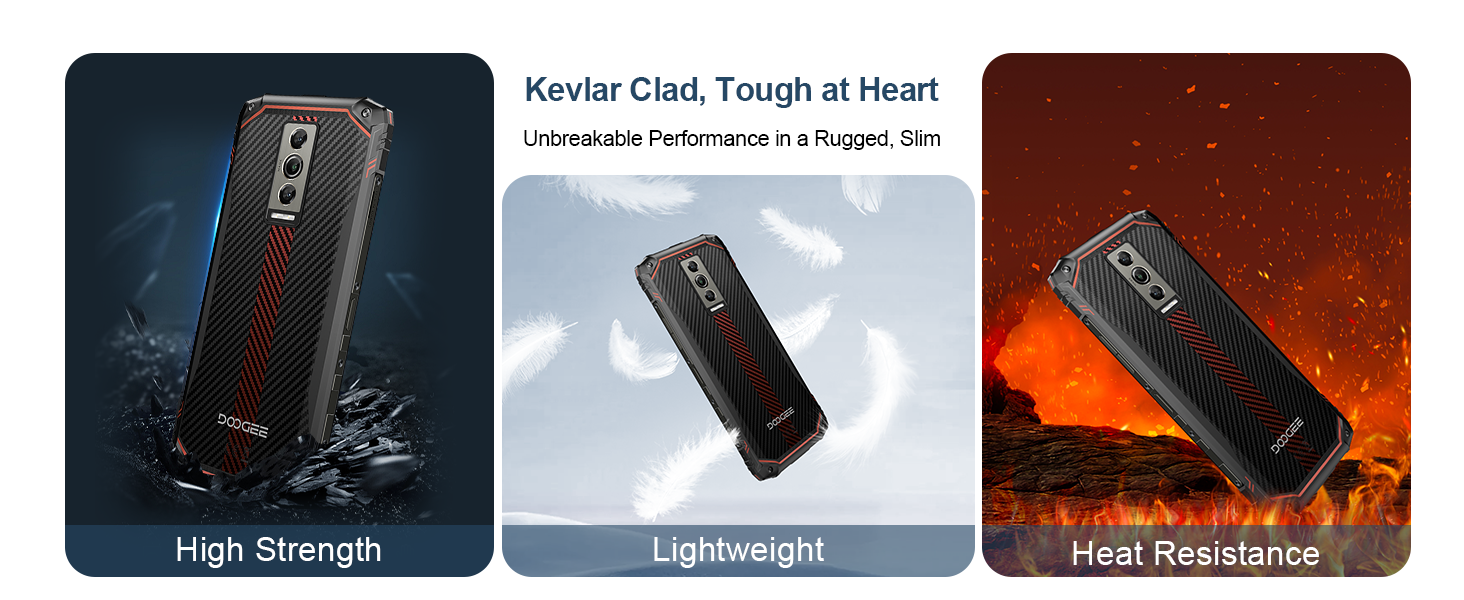
Figure 7: Smart Button Customization. Personalize your device for quick access to functions.
Ruggedness and Durability
The DOOGEE Blade 10 is built to withstand harsh environments, featuring IP68/IP69K ratings for dust and water resistance, and MIL-STD-810H compliance for durability. It is designed to operate in temperatures ranging from -30°C (-22°F) to +70°C (158°F).
Video 1: IP68/IP69K Dustproof and Waterproof Phone. Demonstrates the phone's resistance to water and dust.

Figure 8: Ruggedness Features. The phone is built to withstand challenging conditions.
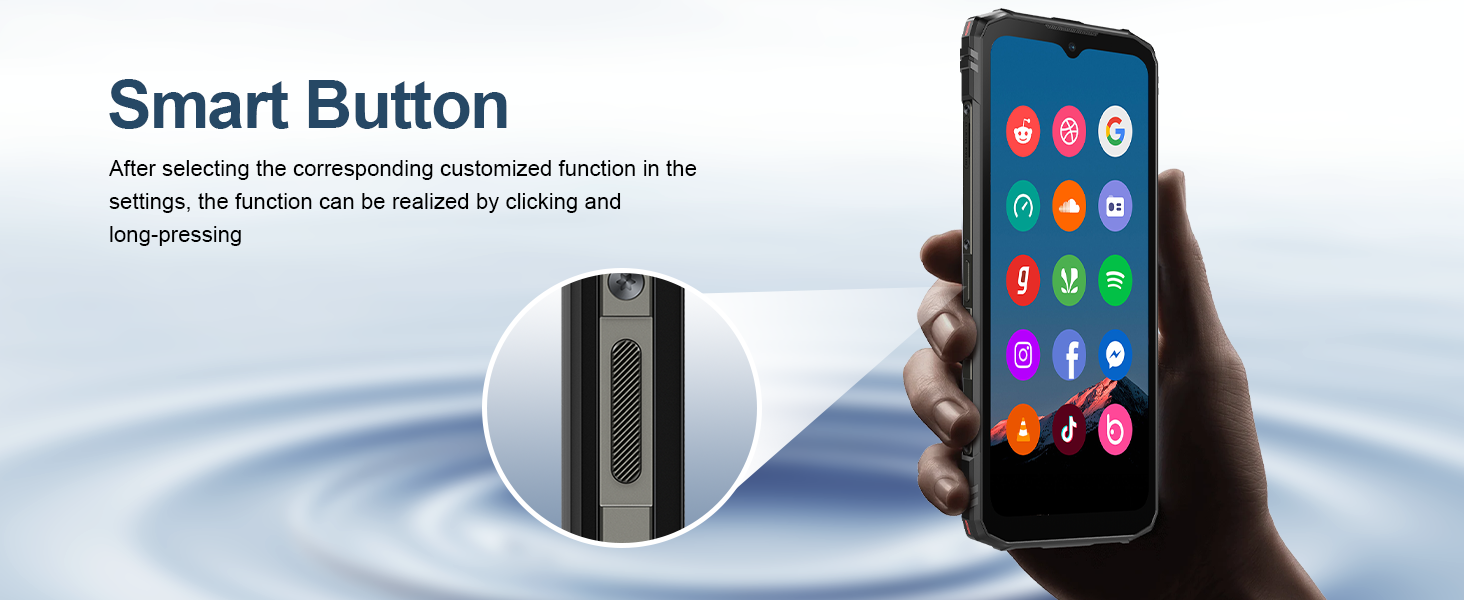
Figure 9: Operating Temperature Range. The device is designed for extreme temperatures.
Performance and Storage
The DOOGEE Blade 10 comes with up to 9GB of RAM and 128GB of internal storage (ROM). This configuration ensures smooth operation and ample space for applications and media. Storage can be further expanded up to 2TB using a TF card.
Video 2: DOOGEE Blade 10 Rugged Phone with 9GB RAM + 128GB ROM. Highlights the phone's memory and storage capabilities.

Figure 10: Octa-Core Processor and Memory. Ensures smooth performance and ample storage.
Navigation and Connectivity
The DOOGEE Blade 10 supports multiple navigation systems including Beidou, Galileo, Glonass, and GPS for precise positioning. It offers 4G dual SIM support with wide network band compatibility. Please check local band compatibility before purchase.

Figure 11: Global Navigation Support. Reliable positioning for all your adventures.
Maintenance
To ensure the longevity and optimal performance of your DOOGEE Blade 10, follow these maintenance guidelines:
- Cleaning: Use a soft, lint-free cloth to clean the screen and body. For stubborn dirt, a slightly damp cloth can be used. Avoid harsh chemicals or abrasive materials.
- Water and Dust Resistance: While the phone is IP68/IP69K rated, ensure all port covers are securely closed before exposing it to water or dust. Avoid prolonged submersion or high-pressure water jets.
- Temperature: Operate the phone within its specified temperature range of -30°C (-22°F) to +70°C (158°F). Extreme temperatures can affect battery life and internal components.
- Storage: When not in use for extended periods, store the phone in a cool, dry place away from direct sunlight.
- Software Updates: Regularly check for and install system updates to ensure your device has the latest security patches and performance improvements.
Troubleshooting
If you encounter issues with your DOOGEE Blade 10, refer to the following common troubleshooting steps:
| Problem | Possible Cause | Solution |
|---|---|---|
| Device not powering on | Low battery; software crash | Charge the device for at least 30 minutes. Press and hold the power button for 10-15 seconds to force restart. |
| Poor network signal or no service | SIM card not properly inserted; network compatibility issue; out of service area | Reinsert SIM card. Verify local network band compatibility (FDD: B1/2/3/4/5/7/8/18/19/20/25/26/28AB/66; TDD: B34/38/39/40/41; WCDMA: B1/2/4/5/8; GSM: B2/3/5/8). Move to an area with better coverage. |
| Applications crashing or freezing | Insufficient RAM; app bug; outdated software | Close background apps. Clear app cache/data. Update the app or system software. |
| Battery drains quickly | High screen brightness; excessive background app usage; poor signal strength | Reduce screen brightness. Disable unnecessary features (GPS, Wi-Fi, Bluetooth). Close unused apps. |
| Touchscreen unresponsive | Software glitch; physical damage | Restart the device. If the issue persists, contact customer support. |
For more complex issues, consider performing a factory reset (backup your data first) or contacting DOOGEE customer support.
Specifications
| Feature | Detail |
|---|---|
| Model | Blade 10 |
| Operating System | Android 14 |
| CPU Speed | 1.6 GHz (Octa-core Processor) |
| RAM | 9 GB |
| Internal Storage (ROM) | 128 GB |
| Expandable Storage | Up to 2 TB (TF Card) |
| Screen Size | 6.56 Inches HD+ |
| Refresh Rate | 90 Hz |
| Main Camera | 16 MP (Morpho Imaging Algorithm, EIS Anti-shake) |
| Front Camera | 8 MP |
| Battery Capacity | 5150 mAh |
| Charging | 10W Fast Charging (Type-C USB) |
| Connectivity | 4G Dual SIM, Wi-Fi |
| Navigation | Beidou, Galileo, Glonass, GPS |
| Durability | IP68/IP69K Waterproof & Dustproof, MIL-STD-810H |
| Dimensions | 10.7mm (thinnest part) |
| Weight | 1 pound |
Warranty and Support
DOOGEE offers a two-year warranty service for the Blade 10 Rugged Smartphone, along with lifetime technical support. If you encounter any issues or have questions, please contact DOOGEE customer service. They aim to respond to inquiries within 24 hours.
Note: This device does not support Verizon and AT&T networks. Please verify network compatibility with your local carrier before purchase.
Ask a question about this manual
Ask about setup, troubleshooting, compatibility, parts, safety, or missing instructions. Manuals+ will review the question and use this page’s manual context to help answer it.