
1. Introduction
Thank you for choosing the HULALA HOME Prower Power Lift Recliner Chair. This manual provides essential information for the safe and efficient use of your new recliner. Please read these instructions carefully before assembly and operation, and retain them for future reference. This chair is designed to offer comfort, support, and convenience with its power lift, recline, massage, and heat functions.
2. Product Features
- Comfort and Durability: Constructed with breathable, abrasion-resistant chenille material. Features high-density sponge in the backrest, seat cushion, and armrests for ergonomic support. A robust metal frame supports up to 300 pounds.
- Relaxation and Soothing: Equipped with 5 adjustable massage modes (pulse, press, wave, auto, normal) and 8 vibrating nodes targeting the back, lumbar, thigh, and leg. Offers 3 intensity options (high, mid, low). Integrated waist heating system promotes circulation and relieves stress.
- Motorized Lift Recliner: Features a German OKIN silent motor for quiet and extended operation. The motor-driven mechanism assists users in standing up without strain.
- Convenience Features: Includes 2 USB charging ports for electronic devices, 2 side pockets for storage, and 2 cup holders for beverages. An extended footrest allows for full relaxation. All functions are controlled via an included remote.
- Easy Maintenance: The high-quality breathable material is durable and easy to clean with a damp cloth.
3. Setup Instructions
Assembly is required for this recliner. Please ensure all components are present before beginning. It is recommended to have two people for assembly.
- Unpack Components: Carefully remove all parts from the packaging. Place them on a soft, clean surface to prevent scratches.
- Attach Backrest: Align the metal brackets on the backrest with the corresponding slots on the seat base. Slide the backrest down firmly until it locks into place.
- Connect Power: Locate the power cord and connect it to the chair's power input. Plug the adapter into a standard wall outlet.
- Check Connections: Ensure all connections are secure and the chair is stable before use.

4. Operating Instructions
The HULALA HOME Prower recliner features intuitive controls for its various functions.
4.1 Power Lift Function
To use the power lift function, locate the control panel on the side of the armrest. Press and hold the appropriate button to gently raise the chair, assisting you to a standing position. Release the button when you reach your desired height or are fully standing.

4.2 Reclining Function
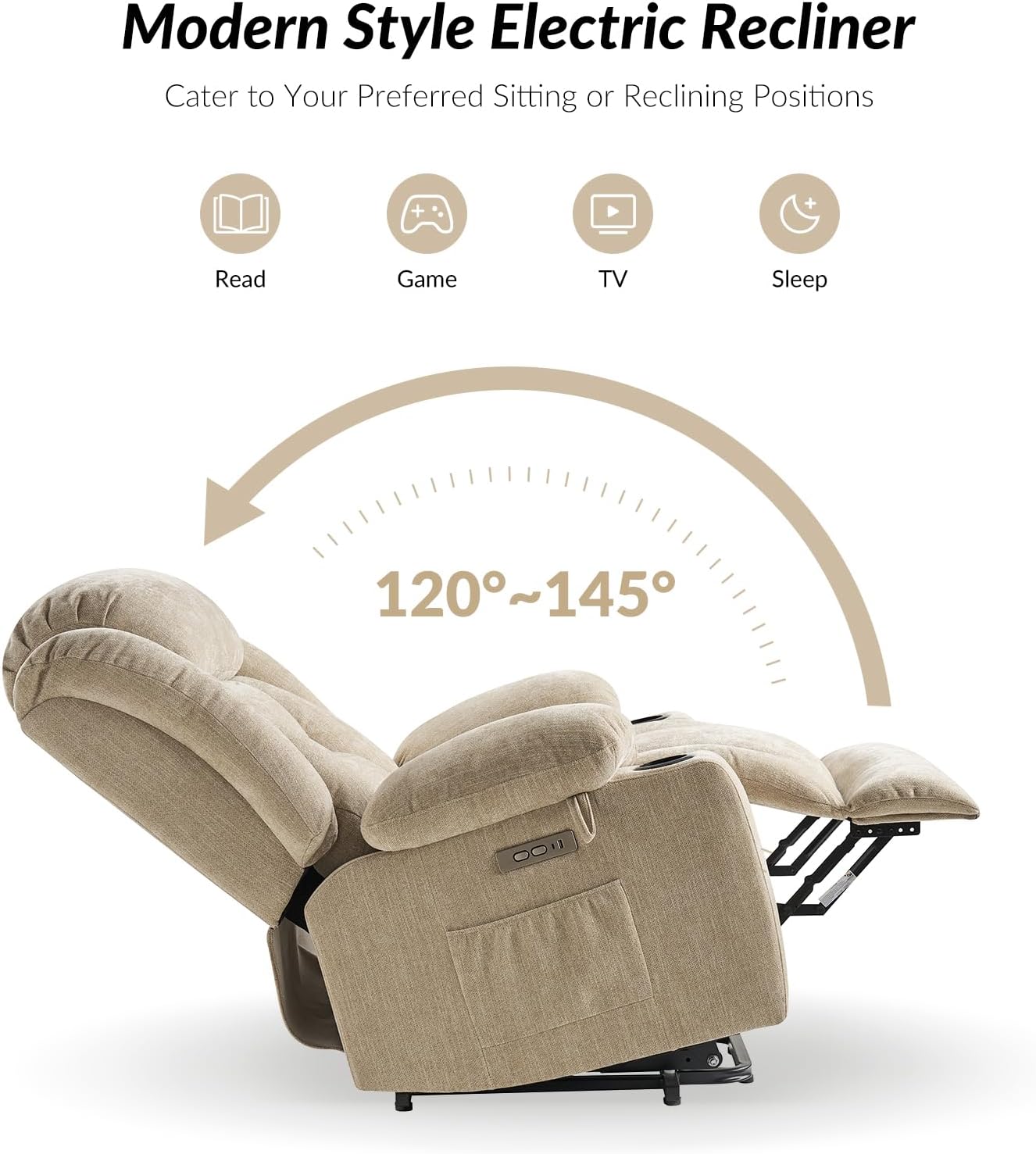
To recline, use the control panel on the armrest. Press and hold the recline button to extend the footrest and lean the backrest backward. Release the button when you achieve your preferred reclining angle. The chair offers 3 reclining positions.
4.3 Massage and Heat Functions
The massage and heat functions are controlled by the included remote control. Refer to the remote's labels for specific mode, intensity, and zone selections. The waist heating system can be activated independently or in conjunction with massage.

4.4 USB Charging Ports
Two USB charging ports are integrated into the side control panel. Simply plug in your electronic devices to charge them while relaxing in the chair.

4.5 Product Video Overview
5. Maintenance and Care
To ensure the longevity and appearance of your recliner, follow these care guidelines:
- Cleaning: For general cleaning, wipe the chenille material with a soft, damp cloth. For spills, blot immediately with a clean, dry cloth. Avoid harsh chemicals or abrasive cleaners.
- Avoid Direct Sunlight: Prolonged exposure to direct sunlight can cause fading. Position your chair away from direct sunlight when possible.
- Regular Inspection: Periodically check all connections and moving parts to ensure they are secure and functioning correctly.
6. Troubleshooting
If you encounter any issues with your recliner, please refer to the following common troubleshooting steps:
- Chair Not Responding: Ensure the power cord is securely plugged into both the chair and a working wall outlet. Check if the outlet is receiving power.
- Massage/Heat Not Working: Verify the remote control batteries (if applicable) and ensure the remote is pointed correctly at the receiver. Check all power connections.
- Unusual Noises: If you hear unusual noises during operation, stop using the chair and inspect for any loose components or obstructions. Do not attempt to repair the motor yourself.
- Recline/Lift Stuck: Ensure there are no obstructions preventing movement. Do not force the mechanism.
If these steps do not resolve the issue, please contact customer support.
7. Specifications
| Feature | Detail |
|---|---|
| Brand | HULALA HOME |
| Model Name | Prower |
| Color | Chenille Beige |
| Material | Engineered Wood, Chenille Fabric |
| Product Dimensions (D x W x H) | 41"D x 40"W x 44"H |
| Item Weight | 26.02 Pounds |
| Weight Capacity | 300 Pounds |
| Reclining Position Count | 3 |
| Included Components | No additional components included (remote control is standard) |
| Assembly Required | Yes |
8. Warranty and Support
HULALA HOME is committed to providing high-quality products. This product comes with a standard manufacturer's warranty covering defects in materials and workmanship. For specific warranty details, including duration and coverage, please refer to the warranty card included with your purchase or contact HULALA HOME customer service.
For technical support, replacement parts, or any questions regarding your recliner, please contact HULALA HOME customer service through the retailer where the product was purchased or visit the official HULALA HOME website for contact information.


