
1. Introduction
Thank you for choosing the HSH 70.8 Inch White Oak Computer Desk. This manual provides detailed instructions for assembly, operation, maintenance, and troubleshooting to ensure optimal use and longevity of your desk. Please read this manual thoroughly before assembly and retain it for future reference.
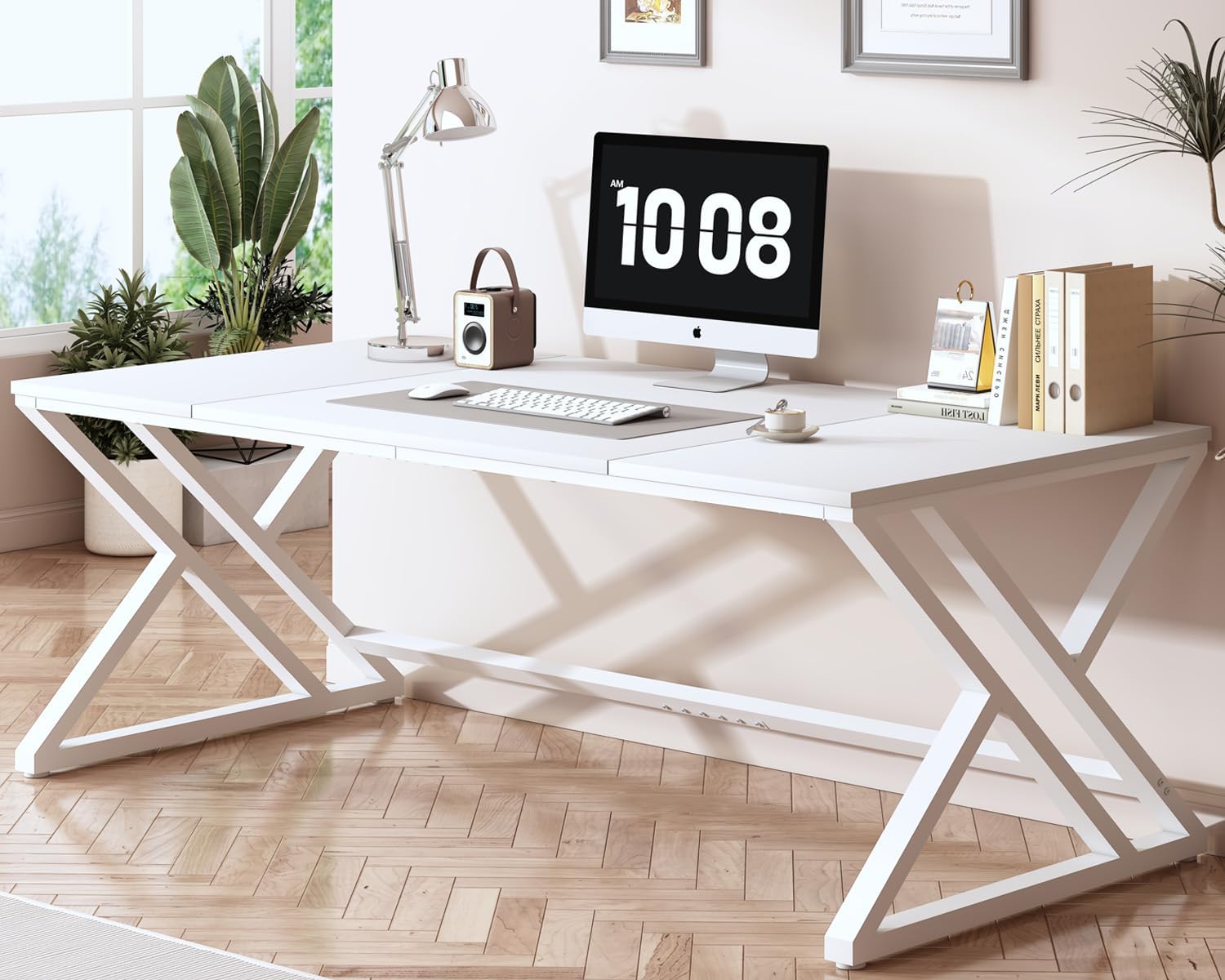
Image 1.1: The HSH 70.8 Inch White Oak Computer Desk in a modern office environment.
2. Safety Information
- Always assemble the desk on a soft, clean surface to prevent scratches.
- Ensure all screws and fasteners are securely tightened before use. Periodically check and re-tighten as needed.
- Do not overload the desk. The maximum weight recommendation is 150 kilograms (approximately 330 lbs).
- Keep small parts away from children during assembly to avoid choking hazards.
- Use caution when moving the assembled desk to prevent injury or damage.
3. Package Contents
Before beginning assembly, please verify that all parts listed below are present and undamaged. If any parts are missing or damaged, please contact HSH customer support.
3.1. Components
- Desktop Panels (3 sections)
- Metal Leg Frames (2 units, X-shaped)
- Support Beams (various lengths)
3.2. Hardware
- Screws (various sizes)
- Allen Key (for assembly)
- Connecting Plates/Brackets
- Adjustable Feet

Image 3.1: Overview of desk components and hardware.
4. Assembly Instructions
Assembly is designed to be straightforward. It is recommended to have two people for easier and safer assembly. An estimated assembly time is 30 minutes.
4.1. Step 1: Assemble the Desktop Panels
- Lay the three desktop panels (1 large, 2 smaller) face down on a soft, flat surface.
- Align the panels and secure them together using the connecting plates/brackets and screws (Type A). Use the provided Allen key (Type B) to tighten.

Image 4.1: Assembling the desktop panels.
4.2. Step 2: Attach Support Beams to Desktop
- Position the long support beams (Type 4 and 5) along the underside edges of the assembled desktop.
- Secure these beams to the desktop using screws (Type F). Ensure the angle iron (Type 6) faces inwards.

Image 4.2: Securing the support beams.
4.3. Step 3: Connect Metal Leg Frames
- Attach the X-shaped metal leg frames (Type 3) to the desktop assembly using screws (Type C).
- Ensure the leg frames are oriented correctly for stability.

Image 4.3: Attaching the leg frames.
4.4. Step 4: Install Adjustable Feet
- Screw the adjustable feet (Type D) into the bottom of the metal leg frames.
- Once the desk is upright, adjust the feet to level the desk on uneven surfaces.

Image 4.4: Installing adjustable feet.
4.5. Assembly Video
Video 4.5: An official HSH Furniture video demonstrating the assembly process for a similar desk model. This video provides a visual guide to complement the written instructions.
5. Operating Instructions
The HSH Computer Desk is designed for versatile use in various settings. Once assembled, ensure the desk is stable and level before placing items on it.
- Workstation: Utilize the spacious desktop for computers, monitors, keyboards, and other office essentials.
- Study Area: Ideal for students, providing ample space for books, notes, and study materials.
- Gaming Setup: Accommodates multiple monitors and gaming peripherals for an immersive experience.
- Conference Table: Its large size makes it suitable for small meetings or collaborative work.

Image 5.1: The spacious desktop provides ample room for various tasks.
Video 5.2: An official HSH Furniture video showcasing the HSH 70 Inch Large Office Desk in various settings, highlighting its versatility.
6. Maintenance
- Cleaning: Wipe the desk surface with a soft, damp cloth. Avoid harsh chemicals or abrasive cleaners that may damage the finish.
- Spills: Clean up spills immediately to prevent staining or damage to the wood.
- Inspection: Periodically check all screws and connections to ensure they remain tight. Re-tighten if necessary.
- Placement: Avoid placing hot items directly on the desk surface. Use coasters or protective pads.
7. Troubleshooting
| Problem | Possible Cause | Solution |
|---|---|---|
| Desk is wobbly | Uneven floor; loose screws | Adjust the leveling feet; tighten all assembly screws. |
| Parts do not align during assembly | Incorrect orientation of parts | Review the assembly diagrams and ensure parts are correctly oriented before tightening. |
| Missing hardware | Packaging error | Contact HSH customer support for replacement parts. |
8. Specifications
- Brand: HSH
- Model Number: CD040506
- Color: White Oak
- Product Dimensions: 31.49"D x 70.86"W x 29.52"H (80cm D x 180cm W x 75cm H)
- Item Weight: 29.3 Kilograms (approx. 64.6 lbs)
- Material: Engineered Wood (Top), Metal (Base)
- Maximum Weight Recommendation: 150 Kilograms (approx. 330 lbs)
- Assembly Required: Yes
- Recommended Number of People for Assembly: 1 (though 2 is easier)

Image 8.1: Key dimensions and weight capacity of the desk.
9. Warranty and Support
HSH is committed to providing high-quality products and excellent customer service. While specific warranty details are not provided in this manual, we assure you of our product quality and support.
- Quality Assurance: Our products are crafted with high-quality wood and robust metal frames to ensure stability and durability.
- Customer Support: Our outstanding after-sales team is always available to answer your questions and provide excellent service, ensuring a worry-free shopping experience.
- For any inquiries, missing parts, or assistance, please contact HSH customer support through your purchase platform or the official HSH website.
Video 9.1: An official HSH Furniture video highlighting the features and modern design of the 70.8" Computer Desk.