
1. Introduction
This manual provides detailed instructions for the setup, operation, and maintenance of your WOOPKER HY300 PRO Mini Projector. Please read this manual thoroughly before using the product to ensure proper functionality and to extend its lifespan.
2. Product Overview
2.1 Key Features
- Android 11 Operating System: Built-in Android 11 for direct access to streaming content and applications.
- WiFi6 Connectivity: Utilizes the latest WiFi6 technology for higher transmission rates and lower latency, enabling quick wireless synchronization.
- Bluetooth 5.0 and HiFi Speaker: Features a built-in 1*3W HiFi speaker for immersive audio and Bluetooth 5.0 for connecting headphones or external speakers (note: does not support connecting to smartphone/laptop Bluetooth).
- 180° Rotatable Design: The projector base allows for flexible adjustment of projection angles, including wall-to-ceiling projection, without fixed installation.
- Auto Horizontal Keystone Correction: Automatically corrects skewed images for a perfect picture, complemented by manual focus adjustment.
- 4K 1080P Full HD Support: Delivers sharp and clear images with 260 ANSI Lumens (8000 Lumens), a 10000:1 contrast ratio, and support for 4K content.
- Wide Application: Equipped with HDMI, USB, and 3.5mm headphone ports for compatibility with various devices such as TV Sticks, game consoles, PCs, smartphones, tablets, laptops, and DVD players.
2.2 Package Contents
Verify that all items are present in the package:
- WOOPKER HY300 PRO Mini Projector
- Remote Control
- Power Cord
- User Manual (this document)
Note: An HDMI cable is not included and must be purchased separately if needed.

Image: The WOOPKER HY300 PRO Mini Projector, a compact white cylindrical device with a rotatable base, showcasing its lens and ventilation. This is the main product image.
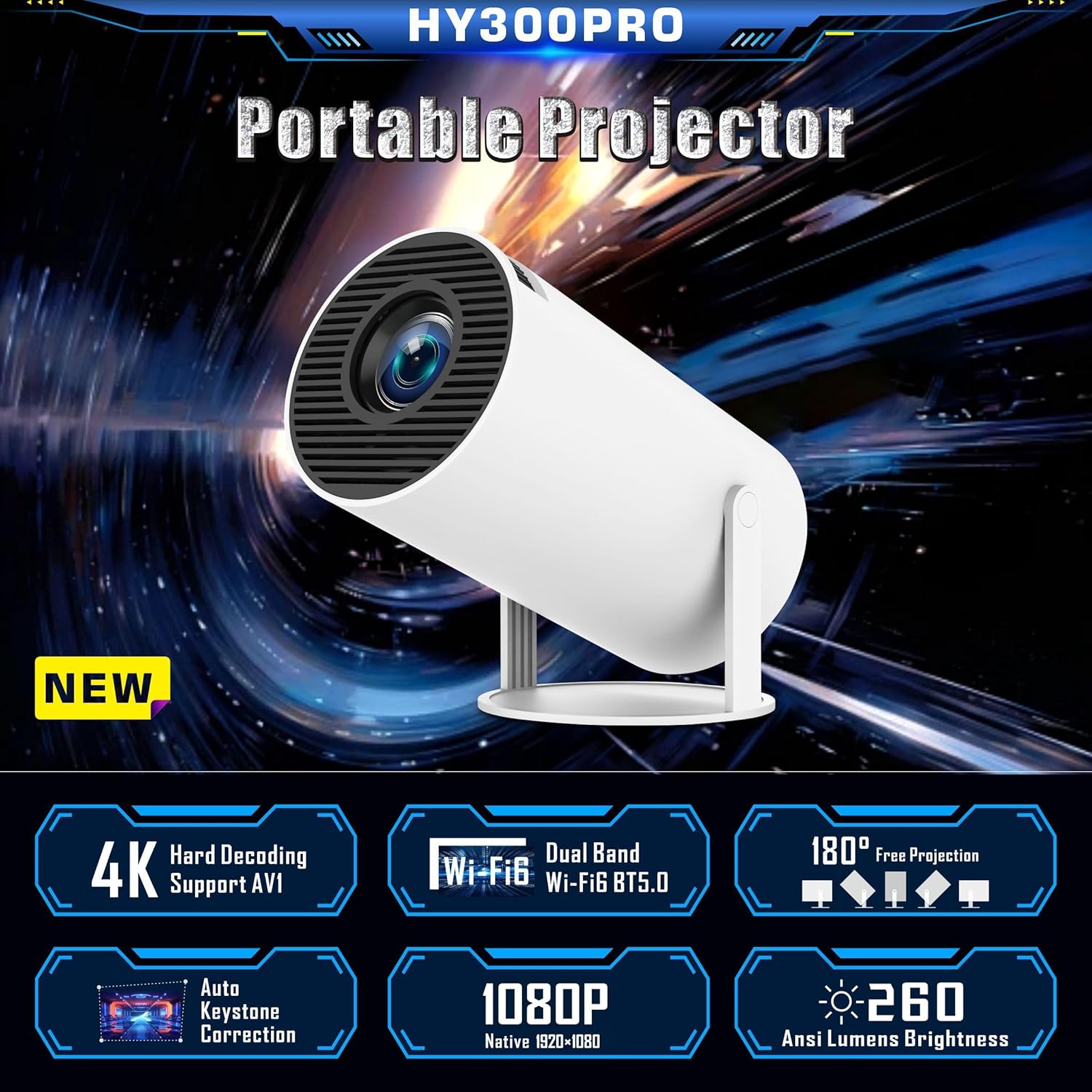
Image: A graphic highlighting key features of the HY300 PRO Portable Projector, including 4K support, WiFi6, Bluetooth 5.0, 180° free projection, auto keystone correction, 1080P native resolution, and 260 ANSI Lumens brightness.
3. Setup
3.1 Initial Placement
Place the projector on a stable, flat surface. The 180° rotatable base allows for flexible positioning to project onto a wall or ceiling. Ensure there is adequate ventilation around the device.

Image: Demonstrates the 180° flexible projection angle of the HY300 PRO, showing how it can project onto a wall or ceiling from various positions within a room.
3.2 Power Connection
Connect the provided power cord to the projector's power input port and then plug it into a standard electrical outlet.
3.3 First Use and Language Setting
Upon first power-on, the projector will guide you through the initial setup. You can select your preferred language from the settings menu.
Video: A demonstration of navigating the projector's settings menu, including selecting the language and adjusting other system preferences.
4. Operating Instructions
4.1 Focus and Keystone Correction
The projector features automatic horizontal keystone correction. For optimal image clarity, manually adjust the focus ring located on the projector body until the image is sharp.

Image: Illustrates the automatic keystone correction feature, showing how the projector corrects a skewed image to a perfect rectangular display.

Image: Shows the projector's keystone correction capabilities, including 4P keystone correction and automatic vertical correction, along with an icon indicating manual focus adjustment.
4.2 Connectivity
The HY300 PRO offers multiple connectivity options:
- WiFi6: Connect to your home network for internet access and screen mirroring. Navigate to "Networking Setting" in the menu to connect to a WiFi network.
- Bluetooth 5.0: Pair with Bluetooth headphones or external speakers for enhanced audio. Access "Bluetooth Setting" in the menu. Note: Bluetooth is for audio output only and does not support connection to smartphones or laptops for input.
- HDMI: Connect external devices such as TV sticks, game consoles, laptops, or DVD players using an HDMI cable (not included).
- USB: Plug in USB drives for media playback.
- 3.5mm Headphone Jack: For wired audio output to headphones or speakers.
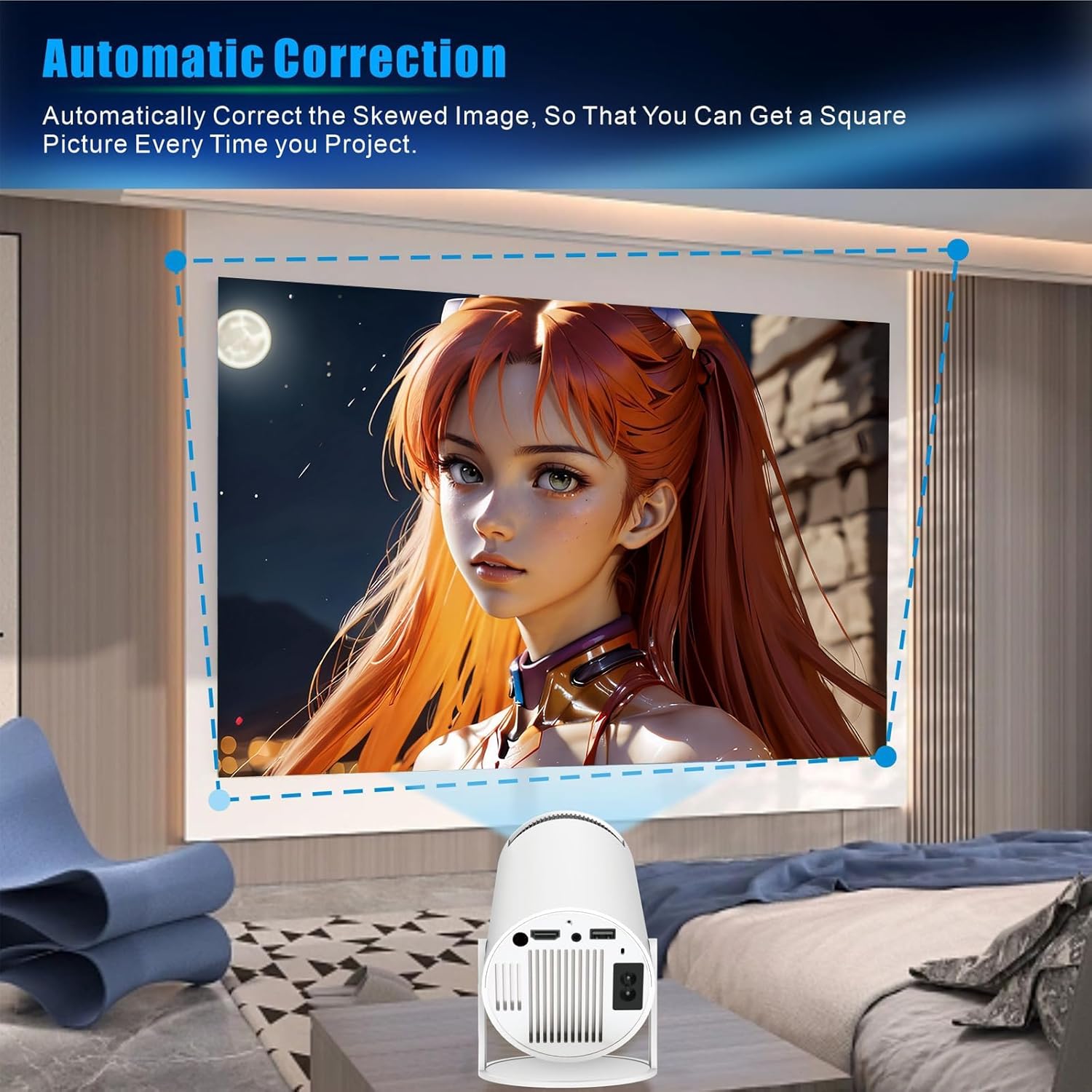
Image: Displays the projector's compatibility with various devices, including Android/iOS/iPad/Tablet, Xbox/Fire Stick/PS3/4, and U Disk/Audio/DVD player/PC, highlighting the HDMI, AU3.5, and USB ports.

Image: A visual representation of the WOOPKER Smart Projector's connectivity options, including HD Connection (Android, iOS, Laptop), Audio Connection (Earphone, Speaker), and USB Connection (TV Stick, USB memory), along with icons for WiFi 6, Bluetooth 5.0, 4K/1080P, and 180° flexible projection.
4.3 Smart Features (Android 11)
The built-in Android 11 operating system allows you to access a wide range of applications directly from the projector. Connect to WiFi to download and stream content from platforms like Netflix, YouTube, Amazon Prime, and more.

Image: Shows the Android 11 interface on the projector, displaying various application icons such as Netflix, YouTube, Amazon Prime, and Google Play, indicating access to over 4000 entertainment apps.

Image: Highlights the ease of connecting with a TV Stick and the Android 11 OS, showing popular streaming app logos like YouTube, Netflix, Hulu, Disney+, Google Play, and Roku, along with the projector and its remote control.
5. Maintenance
- Cleaning the Lens: Use a soft, lint-free cloth specifically designed for optical lenses to gently wipe the projector lens. Avoid abrasive materials or harsh chemicals.
- Cleaning the Exterior: Wipe the exterior of the projector with a soft, dry cloth. Do not use liquid cleaners directly on the device.
- Ventilation: Ensure the ventilation openings are clear of dust and obstructions to prevent overheating. Do not block the air vents during operation.
- Storage: When not in use for extended periods, store the projector in a cool, dry place, away from direct sunlight and extreme temperatures.
6. Troubleshooting
| Problem | Possible Cause | Solution |
|---|---|---|
| No power | Power cord not connected; power outlet issue. | Ensure power cord is securely plugged in. Test the outlet with another device. |
| No image projected | Input source not selected; device not connected; lens cap on. | Select the correct input source (HDMI, USB). Check cable connections. Remove lens cap. |
| Image is blurry | Out of focus; incorrect projection distance. | Adjust the manual focus ring. Ensure the projector is within the optimal projection distance (5.51 feet for 40-130 inches). |
| Image is trapezoidal | Projector not perpendicular to screen. | The projector has auto horizontal keystone correction. For vertical adjustments, check projection settings. |
| No sound | Volume too low; external audio device not connected/paired. | Increase volume. Check Bluetooth connection for external speakers/headphones. Ensure internal speaker is enabled. |
| Cannot connect to Wi-Fi | Incorrect password; out of range; network issue. | Verify Wi-Fi password. Move projector closer to router. Restart router. |
7. Specifications
| Feature | Detail |
|---|---|
| Brand | WOOPKER |
| Model Number | HY300 PRO |
| Operating System | Android 11 |
| Connectivity Technology | Wi-Fi (WiFi6), USB, HDMI, Bluetooth 5.0 |
| Display Resolution | 1280 x 1024 (Native 1080P Full HD Support, 4K Supported) |
| Brightness | 260 ANSI Lumens (8000 Lumens) |
| Contrast Ratio | 10000:1 |
| Projection Screen Size | 40-130 inches |
| Optimal Projection Distance | 5.51 feet (approx. 1.68 meters) |
| Item Weight | 1.17 pounds |
| Package Dimensions | 7.95 x 5.28 x 4.72 inches |
| Color | White |
| Special Features | Built-In Wi-Fi, 180° Rotatable, Auto Keystone Correction, HiFi Speaker |
8. Warranty and Support
For warranty information and technical support, please refer to the contact details provided with your purchase or visit the official WOOPKER website. Keep your purchase receipt for warranty claims.
- 24 Hours: Quick response within 24 hours for inquiries.
- 30 Day Return: Return within 30 days for an exchange or refund.
- Lifetime Technical Support: Lifetime technical customer support is available.

Image: A graphic detailing WOOPKER's customer support commitments: 24-hour quick response, 30-day return policy, and lifetime technical support.