Introduction
Thank you for choosing the oneisall 5L Automatic Pet Feeder. This device is designed to provide scheduled and portion-controlled meals for your pets, ensuring they are fed consistently even when you are away. It features a large 5-liter capacity, dual stainless steel bowls for feeding two pets simultaneously, a voice recording function, and an easy-to-use control panel.
Please read this manual thoroughly before use to ensure proper operation and maintenance of your feeder.
Product Overview
The oneisall 5L Automatic Pet Feeder is equipped with features to simplify pet feeding.
- 5-Liter Capacity: Stores a significant amount of dry pet food.
- Dual Feeding Bowls: Allows two pets to eat simultaneously without conflict, thanks to a rotating food divider.
- Precise Portion Control: Dispenses 1-30 portions per meal, with 1 portion approximately 7g (varies by kibble size). Up to 6 meals per day.
- Voice Recorder: Record a personalized message to call your pets at meal times.
- Dual Power Supply: Operates via 5V adapter or D-cell batteries (not included) for uninterrupted feeding during power outages.
- Easy Operation: Simple dial and button controls for setting meal times and portions.
- Durable Construction: Made with food-grade materials and stainless steel bowls.

Image: The oneisall 5L Automatic Pet Feeder in white, shown with two cats eating from its dual stainless steel bowls. The feeder has a transparent food hopper and a digital display.

Image: A close-up view of two cats eating from the separate bowls of the oneisall automatic pet feeder, demonstrating its dual feeding capability.

Image: An internal view of the oneisall pet feeder's dispensing mechanism, illustrating how food is balanced and distributed evenly into two separate channels.
Setup Instructions
- Unpack Components: Carefully remove all parts from the packaging. Ensure you have the main feeder unit, food hopper, lid, two stainless steel bowls, and power adapter.
- Assemble Bowls: Place the two stainless steel bowls into their designated slots at the base of the feeder. Ensure they are securely seated.
- Install Batteries (Optional but Recommended): For power outage protection, insert three D-cell batteries (not included) into the battery compartment located at the bottom of the feeder. Ensure correct polarity.
- Connect Power Adapter: Plug the 5V power adapter into the feeder's power port and then into a standard wall outlet.
- Fill Food Hopper: Open the lid and pour dry pet food into the transparent hopper. The feeder can hold up to 5 liters (approximately 20 cups) of kibble. Ensure kibble size is ≤0.5 inch to prevent jamming. Close the lid securely.

Image: A hand pouring dry kibble into the transparent food hopper of the oneisall automatic pet feeder. The image highlights the 20-cup capacity and recommended kibble size.
- Power Outage Protection: The feeder will automatically switch to battery power if the main power is interrupted, ensuring continuous feeding. The program settings will not be reset.
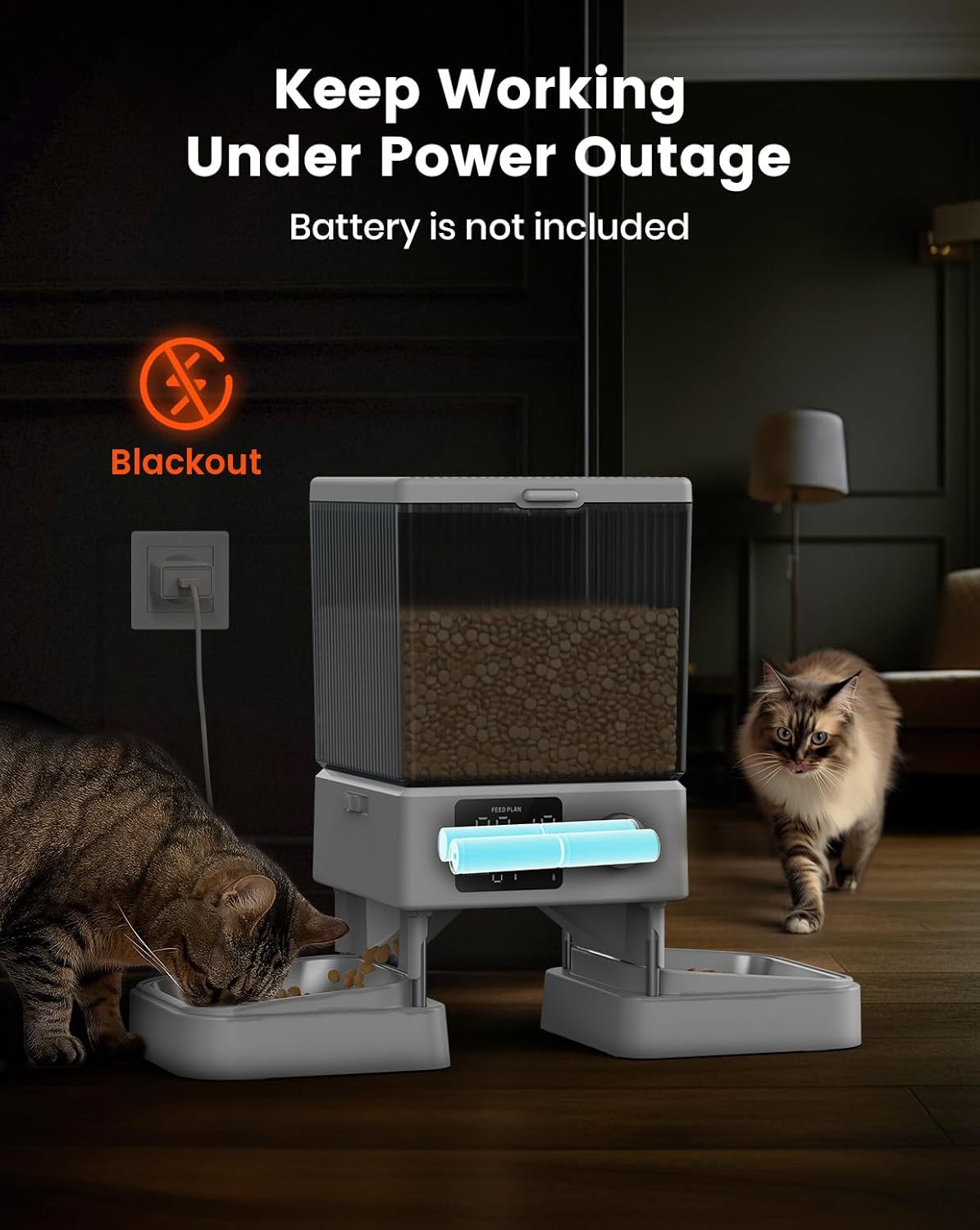
Image: The oneisall pet feeder shown operating in a dimly lit room during a simulated power outage, with a battery pack visible, emphasizing its continuous functionality.
- Initial Power On: The display will light up. If using batteries, ensure they are fresh.
Operating Instructions
Setting Current Time
- Press and hold the "Set" button (often integrated into the dial) until the time display flashes.
- Rotate the dial to adjust the hour, then press the dial to confirm.
- Rotate the dial to adjust the minute, then press the dial to confirm.
- Select AM/PM if applicable, then press the dial to confirm.

Image: A hand operating the control dial on the oneisall pet feeder's digital display, illustrating the ease of setting time and meal parameters.
Programming Meal Schedules
The feeder allows for up to 6 meals per day, with 1-30 portions per meal.
- Press the "Meal" button (or rotate the dial to select "Meal 1"). The meal time will flash.
- Rotate the dial to set the desired feeding time (hour and minute), pressing the dial to confirm each.
- After setting the time, the portion number will flash. Rotate the dial to select the number of portions (1-30) for this meal. Press the dial to confirm.
- Repeat steps 1-3 for additional meals (Meal 2 to Meal 6) as needed.
- To exit programming, wait a few seconds or press the "Set" button.

Image: A graphic representation of the oneisall pet feeder's display, showing a meal schedule set for 11:30 AM, with options for 1-6 meals per day and 1-36 portions per meal.
Recording Voice Message
You can record a 10-second voice message that will play at each scheduled meal time.
- Press and hold the "Record" button (often indicated by a microphone icon) until you hear a beep.
- Speak clearly into the microphone for up to 10 seconds.
- Release the "Record" button when finished. You will hear another beep.
- To test the recording, press the "Play" button (often indicated by a speaker icon).
- To disable the voice message, record a silent message.
Manual Feeding
To dispense a single portion manually, press the "Manual Feed" button (often indicated by a paw print or food icon). One portion will be dispensed immediately.
Maintenance
Regular cleaning ensures the longevity and hygienic operation of your pet feeder.
- Disassembly: Unplug the feeder and remove any remaining food from the hopper. Detach the food hopper and stainless steel bowls from the main unit.
- Cleaning Bowls and Hopper: The stainless steel bowls and food hopper can be washed with mild soap and water. Rinse thoroughly and dry completely before reassembly.
- Cleaning Main Unit: Wipe the main unit with a soft, damp cloth. Do not submerge the main unit in water or allow water to enter the electronic components.
- Drying: Ensure all parts are completely dry before reassembling and refilling with food to prevent mold or food spoilage.
- Food Storage: Store dry pet food in a cool, dry place. Regularly check the food in the hopper for freshness.
Troubleshooting
| Problem | Possible Cause | Solution |
|---|---|---|
| Feeder not dispensing food. |
|
|
| Food dispensed unevenly into dual bowls. |
|
|
| Voice recording not playing or unclear. |
|
|
| Feeder not powering on. |
|
|
Specifications
- Brand: oneisall
- Model Number: Standard
- Dimensions: 18.7 x 18.7 x 25 cm (7.36 x 7.36 x 9.84 inches)
- Weight: 2.36 kg (5.2 lbs)
- Capacity: 5 Liters (approx. 20 cups of dry kibble)
- Material: Food-grade plastic, Stainless Steel bowls
- Target Species: Cats, Dogs
- Recommended Use: Indoor
- Special Features: Voice Recording, Dual Feeding, Programmable Meals
- Color: White
- Power Source: 5V DC Adapter (included), 3 x D-cell Batteries (not included)
- Included Components: Feeder unit, Food hopper, Lid, 2 Stainless Steel Bowls, Power Adapter
Warranty and Support
The oneisall Automatic Pet Feeder comes with a 2-year warranty from the date of purchase.
If you encounter any issues with your product or require assistance, please contact oneisall customer service. Our support team is available 24 hours to provide the best solution within 24 hours.
For customer service, please refer to the contact information provided on the product packaging or the official oneisall website.


