
1. Introduction
Thank you for choosing the NUASI RBX-S60 4G LTE Solar Outdoor Security Camera. This manual provides detailed instructions for the installation, operation, and maintenance of your security camera system. Designed for outdoor use, this camera features 2K HD resolution, PTZ (Pan-Tilt-Zoom) capabilities, 4G LTE connectivity via SIM card, solar power, color night vision, two-way audio, and PIR human detection. Please read this manual thoroughly before use to ensure proper functionality and safety.
2. Package Contents
Please check the package contents upon receipt. If any items are missing or damaged, contact customer support.
- NUASI RBX-S60 4G LTE Solar Security Camera (2 units for 2pcs variant)
- Solar Panel (integrated or separate, depending on installation mode)
- Mounting Bracket and Screws
- SIM Card (pre-installed or included, with test data)
- User Manual
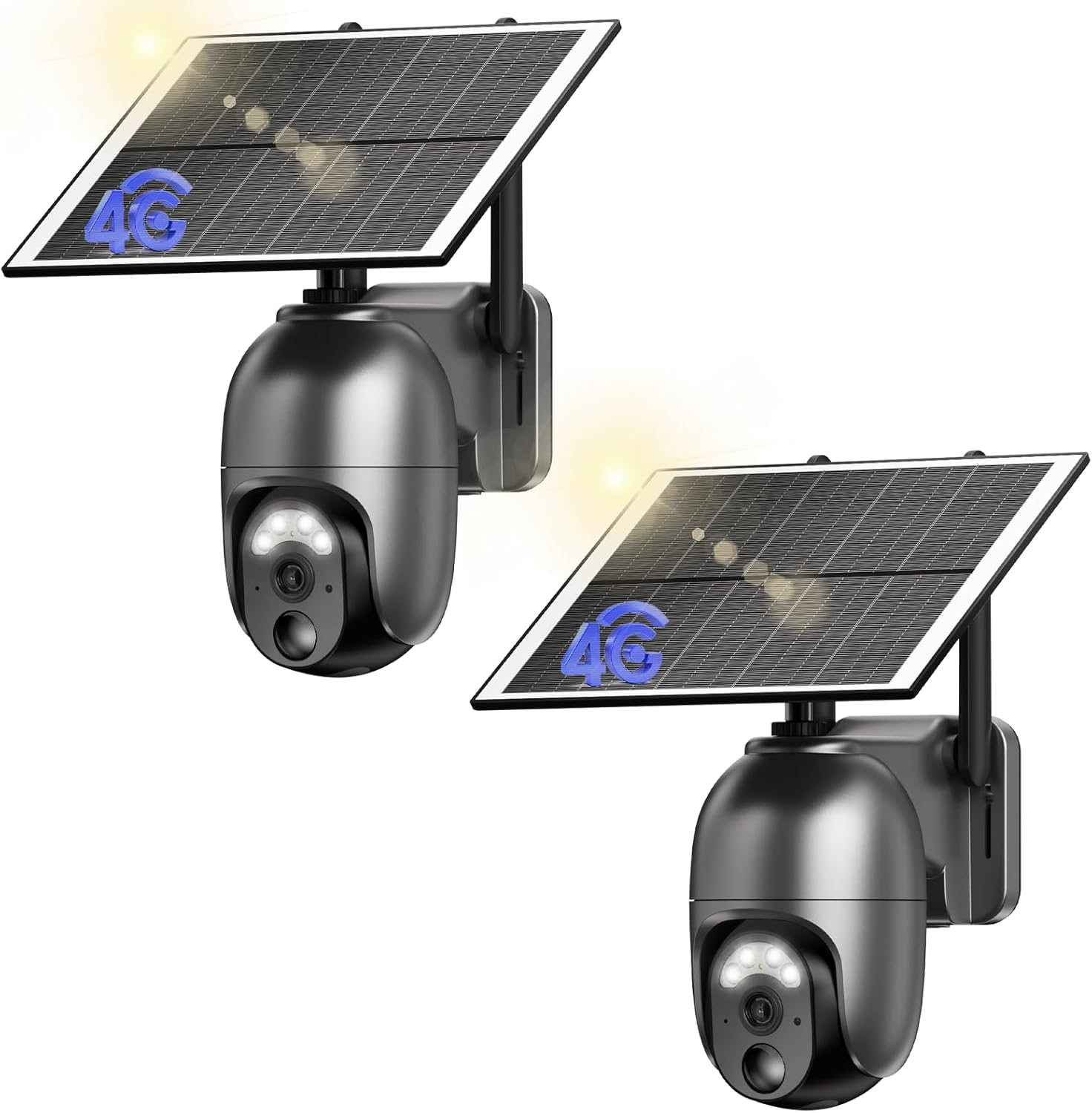
Image 1: Two NUASI RBX-S60 4G LTE Solar Outdoor Security Cameras.
3. Product Overview
The NUASI RBX-S60 camera combines advanced surveillance features with autonomous power.
Key Features:
- 2K HD Resolution: Provides clear and detailed video footage.
- 4G LTE Connectivity: Operates independently of Wi-Fi using a cellular network.
- Solar Powered: Integrated 6W solar panel and 10400 mAh battery for continuous operation.
- PTZ Functionality: 355° horizontal pan and 100° vertical tilt for wide area coverage.
- Color Night Vision: Enhanced infrared LEDs for clear night vision, including color mode.
- Two-Way Audio: Built-in microphone and speaker for real-time communication.
- PIR Human Detection: Reduces false alarms by accurately detecting human movement.
- IP66 Weatherproof: Durable design suitable for various outdoor conditions.
4. Setup and Installation
4.1 SIM Card Activation
The camera requires a 4G LTE SIM card for network connectivity. A test SIM card with 300MB data is typically included.
- Ensure the camera is powered off.
- Locate the SIM card slot on the camera body.
- Insert the provided SIM card or a compatible 3G/4G SIM card (e.g., Vodafone, Wind Tre, Telekom, Orange) into the slot. Ensure the SIM card's PIN code is disabled before insertion if using your own SIM.
- Power on the camera. The camera will attempt to connect to the cellular network.
4.2 UBox App Installation
The camera is controlled via the UBox application, available for Android and iOS devices.
- Download the "UBox" app from the App Store (iOS) or Google Play Store (Android).
- Register for a new account or log in if you already have one.
- Follow the in-app instructions to add your camera. This typically involves scanning a QR code on the camera or manually entering its ID.

Image 2: UBox App for Android and iOS.
4.3 Physical Installation
The camera supports both integrated and separated solar panel installation. Choose a location with ample direct sunlight for the solar panel and a clear view for the camera.
- Choose a Mounting Location: Select a sturdy surface (wall, pole) that provides good solar exposure and optimal camera view.
- Mark Drill Holes: Use the mounting bracket as a template to mark the positions for drilling.
- Drill Holes and Insert Anchors: Drill holes and insert wall anchors if mounting on masonry.
- Attach Mounting Bracket: Secure the mounting bracket to the surface using the provided screws.
- Attach Camera and Solar Panel:
- Integrated Mode: Attach the camera directly to the solar panel mount, then secure to the bracket.
- Separated Mode: Mount the solar panel in a location with maximum sunlight, and the camera in the desired surveillance spot. Connect them using the provided cable.
- Adjust Angle: Loosen the adjustment screws to position the camera and solar panel for optimal coverage and sunlight absorption, then tighten securely.

Image 3: Example of a NUASI RBX-S60 camera with solar panel.
5. Operating Instructions
5.1 Live View and PTZ Control
Open the UBox app and select your camera to access the live view.
- Pan/Tilt: Use the directional controls in the app to rotate the camera horizontally (355°) and vertically (100°).
- Zoom: Pinch-to-zoom on the live feed to digitally zoom in or out.
- Snapshot/Record: Tap the respective icons to capture still images or record video manually.
5.2 Two-Way Audio
The camera supports two-way audio communication.
- Tap the microphone icon in the UBox app to speak through the camera's speaker.
- The camera's built-in microphone will transmit audio to your phone.
5.3 Night Vision
The camera automatically switches to night vision in low-light conditions.
- Infrared Night Vision: Provides clear black-and-white images in complete darkness.
- Color Night Vision: Utilizes integrated spotlights to provide full-color video at night when triggered by motion or manually activated.
5.4 Motion Detection (PIR)
The Passive Infrared (PIR) sensor detects human movement, reducing false alarms.
- Alerts: When motion is detected, the camera will send push notifications to your UBox app.
- Recording: Motion-triggered events are recorded and stored on the SD card (up to 128GB) or cloud storage (subscription required).
- Sensitivity Settings: Adjust PIR sensitivity in the UBox app settings to optimize detection and minimize unwanted alerts.
5.5 Data Storage
Video recordings can be stored locally or in the cloud.
- SD Card Storage: Supports up to 128GB Micro SD card (not included). Insert the card into the designated slot.
- Cloud Storage: Available via subscription through the UBox app.
6. Maintenance
6.1 Solar Panel and Battery
- Cleaning: Regularly wipe the solar panel surface with a soft, damp cloth to remove dust, dirt, or debris that may obstruct sunlight absorption.
- Battery Level: Monitor the battery level via the UBox app. The 10400 mAh battery, combined with the 6W solar panel, is designed for continuous operation with approximately 3 hours of direct sunlight daily.
- Charging: If the battery level drops significantly due to prolonged cloudy weather or heavy usage, you may need to temporarily charge the camera using a USB power adapter (not included) via its charging port.
6.2 Camera Lens and Body
- Cleaning: Use a soft, dry cloth to clean the camera lens. Avoid abrasive materials or harsh chemicals.
- Weather Protection: The IP66 rating ensures protection against dust and water jets. However, avoid submerging the camera in water.
6.3 SIM Card Data Management
- Monitor Data Usage: Keep track of your SIM card data usage through the UBox app.
- Recharge Data: If data consumption reaches approximately 80%, you will need to purchase additional mobile data via the UBox app to prevent the camera from going offline.
7. Troubleshooting
| Problem | Possible Cause | Solution |
|---|---|---|
| Camera is offline | No 4G signal; SIM card data depleted; SIM card not properly inserted; camera battery low. | Check 4G signal strength at installation location. Recharge SIM card data via UBox app. Reinsert SIM card. Charge camera battery. |
| Battery not charging | Insufficient direct sunlight; solar panel dirty or obstructed; faulty solar panel/cable. | Relocate solar panel for more direct sunlight. Clean solar panel surface. Contact support if panel/cable is suspected faulty. |
| Frequent false alarms | PIR sensitivity too high; environmental factors (e.g., moving branches, animals). | Adjust PIR sensitivity settings in the UBox app. Ensure camera is not pointed at areas with constant non-human movement. |
| Poor video quality | Dirty lens; low network bandwidth; low light conditions. | Clean the camera lens. Ensure adequate 4G signal. Check night vision settings. |
| Two-way audio not working | Microphone/speaker muted in app; network issues. | Check audio settings in UBox app. Ensure stable 4G connection. |
8. Specifications
| Feature | Detail |
|---|---|
| Model Name | RBX-S60 |
| Brand | NUASI |
| Video Recording Resolution | 2K HD |
| Connectivity | 4G LTE Cellular |
| Power Source | 6W Solar Panel, 10400 mAh Lithium-Polymer Battery |
| Pan/Tilt Range | Horizontal 355°, Vertical 100° |
| Special Features | PIR Human Detection, Color Night Vision, Two-Way Audio |
| Weather Resistance | IP66 |
| Storage | Micro SD Card (up to 128GB), Cloud Storage |
| Compatible App | UBox (Android/iOS) |
| Material | Metal |
| Dimensions (L x W x H) | 31 x 19 x 16 cm |
| Weight | 2.42 kg |
9. Warranty and Support
NUASI products are designed for reliability and performance. For warranty information and technical support, please refer to the official NUASI website or contact their customer service directly.
Customer Support: Please visit the NUASI official website for contact details or refer to the support section within the UBox application.
Data Privacy: NUASI cameras utilize AES and ECDHE algorithms for data encryption and secure key exchange, ensuring secure transmission and storage of camera data.

Image 4: Data Privacy and Security features.