
Bmax B8 Plus
Bmax B8 Plus Mini PC User Manual
Model: B8 Plus
1. Introduction
This manual provides essential information for setting up, operating, maintaining, and troubleshooting your Bmax B8 Plus Mini PC. Please read this manual thoroughly before using the device to ensure proper function and longevity.
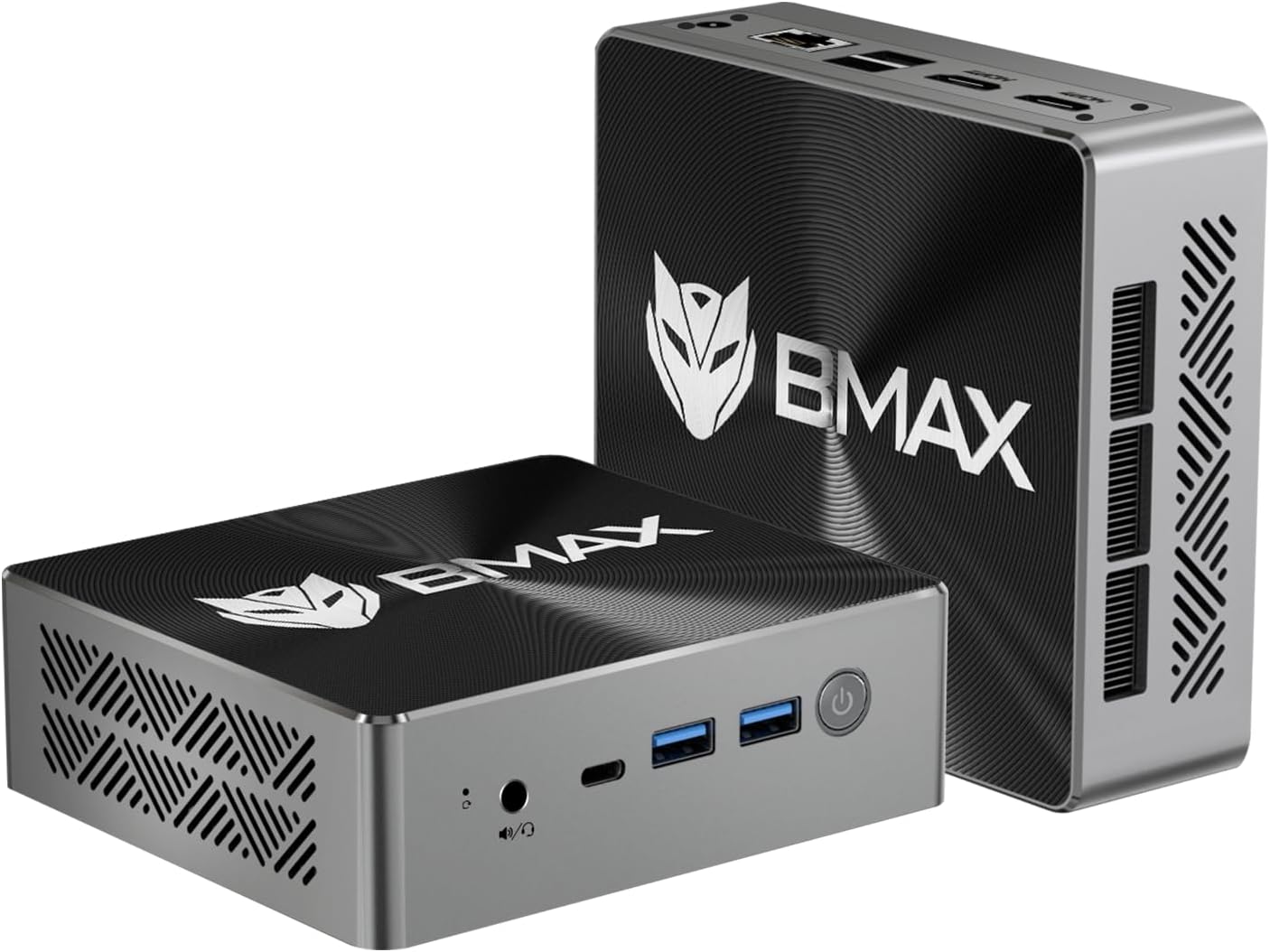
Image: The Bmax B8 Plus Mini PC, showcasing its compact design and front-facing ports.
2. Package Contents
Verify that all items listed below are included in your package:
- 1 x Bmax B8 Plus Mini PC
- 1 x Power Adapter
- 1 x User Guide
- 1 x HDMI Cable
- 1 x Metal Bracket (for VESA mounting)

Image: All components included in the Bmax B8 Plus Mini PC package, including the Mini PC, power adapter, HDMI cable, VESA mount, and user manual.
3. Product Overview
3.1 Key Features
- Processor: Intel Core i5-12600H (up to 4.5GHz, 12 Cores/16 Threads)
- Memory: 24GB LPDDR5 RAM
- Storage: 512GB NVMe SSD
- Graphics: Intel Iris Xe Graphics, supporting 4K/60Hz
- Display Output: Triple-display support via 2x HDMI 2.1 and 1x Type-C
- Connectivity: WiFi 5, Bluetooth 5.0, 2x USB 3.0, 2x USB 2.0, 1x Type-C, 2x HDMI 2.1, 1x Ethernet, 1x 3.5mm Stereo Headset Jack
- Cooling: Smart fan with dual copper heat pipes
- Operating System: Pre-installed Windows 11 Pro, supports Linux (Ubuntu)
3.2 Physical Overview
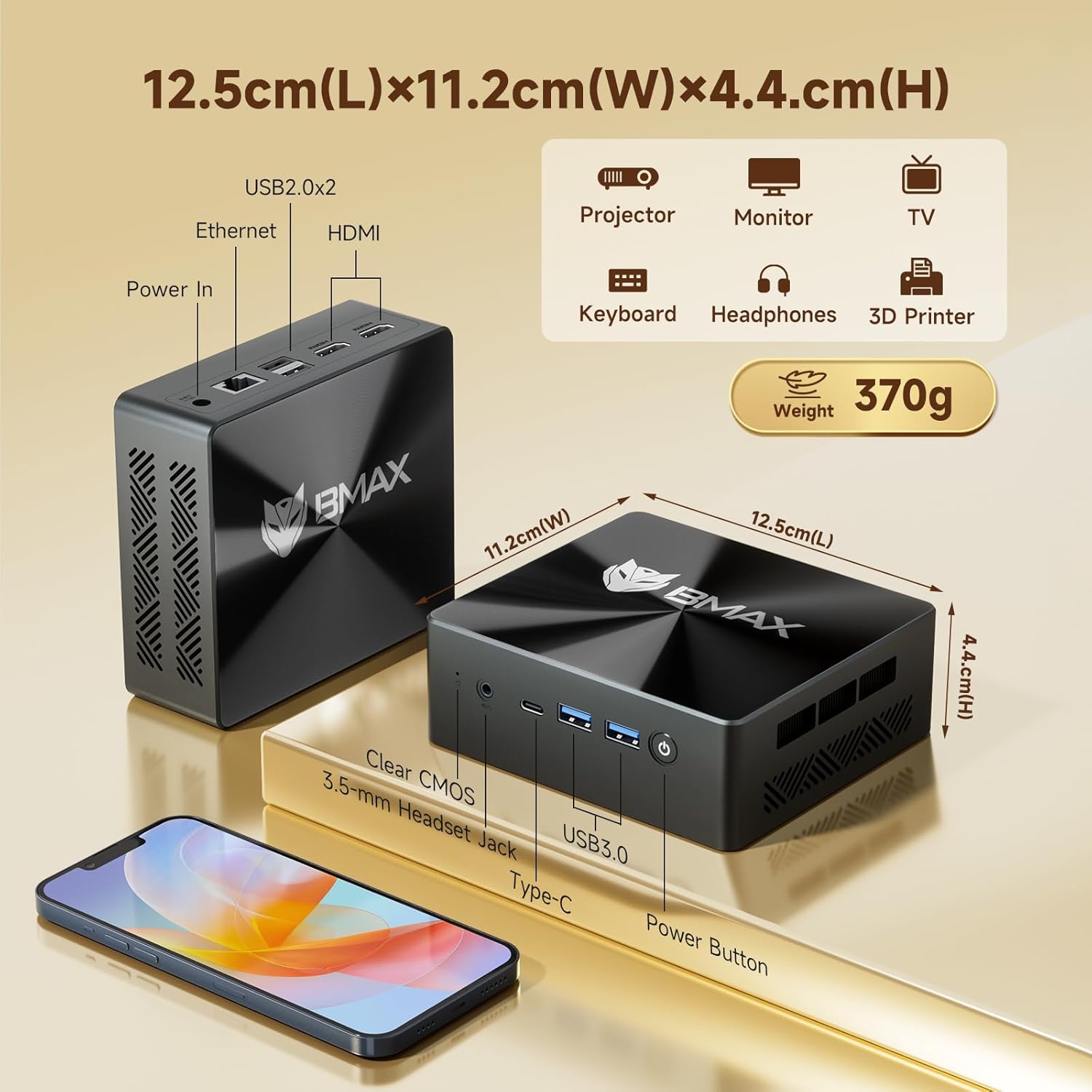
Image: A detailed diagram illustrating the dimensions (12.5cm L x 11.2cm W x 4.4cm H) and port layout of the Bmax B8 Plus Mini PC, including USB 2.0, Ethernet, HDMI, Power In, 3.5mm Headset Jack, Type-C, USB 3.0, and Power Button.
3.3 Processor and Performance
The Bmax B8 Plus is equipped with an Intel Core i5-12600H processor, featuring 12 cores and 16 threads, with a maximum clock speed of 4.5 GHz. This processor is designed for efficient handling of various computing tasks, from office applications to multimedia entertainment.

Image: Visual representation of the Intel Core i5-12600H processor's specifications, including 12 cores, 16 threads, 4.5 GHz clock speed, 18 MB cache, and 45W power consumption. A PassMark CPU benchmark score comparison is also shown.
3.4 Memory and Storage
The Mini PC features 24GB of LPDDR5 memory, providing high-speed data access for multitasking. Storage is handled by a 512GB NVMe SSD, ensuring fast boot times and rapid application loading.

Image: Illustrates the dual-channel 24GB LPDDR5/5200MHz memory and NVMe SSD storage, with icons representing various applications like Photoshop and Premiere Pro.
3.5 Cooling System
The Bmax B8 Plus incorporates a smart fan and dual copper heat pipes for efficient heat dissipation, maintaining optimal performance during operation. It offers a dual mode: a performance mode with high-speed fans for demanding tasks and a balance mode for quieter operation.

Image: Depicts the internal smart fan and dual copper heat pipes, highlighting the cooling airflow. Also shows the Mini PC mounted behind a monitor using the VESA bracket.
4. Setup Instructions
4.1 Connecting Peripherals
- Connect Display: Use the provided HDMI cable or a Type-C cable to connect your monitor(s) to the Mini PC. The device supports up to three 4K displays simultaneously.
- Connect Keyboard and Mouse: Plug your USB keyboard and mouse into the available USB 2.0 or USB 3.0 ports.
- Connect Network: For a wired connection, plug an Ethernet cable into the RJ45 port. For wireless, ensure your WiFi network is available.
- Connect Audio: If using external speakers or headphones, connect them to the 3.5mm stereo headset jack.

Image: A visual guide showing the various ports on the Bmax B8 Plus Mini PC and how to connect peripherals such as power, Ethernet, HDMI, USB devices, and a headset.
4.2 Powering On
- Connect the power adapter to the DC Jack on the Mini PC, then plug the adapter into a power outlet.
- Press the power button located on the front of the Mini PC. The power indicator light will illuminate.
- The system will boot into the pre-installed Windows 11 Pro operating system. Follow the on-screen instructions for initial setup if prompted.
5. Operating Instructions
5.1 Basic Operation
Once powered on, the Mini PC functions like a standard desktop computer. You can navigate the Windows 11 Pro interface using your connected keyboard and mouse. Install applications, browse the web, and perform other tasks as needed.
5.2 Multi-Display Setup
The Bmax B8 Plus supports connecting up to three displays simultaneously. Use the two HDMI 2.1 ports and the full-featured Type-C port to extend your desktop across multiple screens. Configure display settings within the operating system.

Image: The Bmax B8 Plus Mini PC connected to three external monitors, demonstrating its triple-display support via two HDMI 2.1 ports and one Type-C port.
5.3 Wireless Connectivity
The Mini PC includes integrated WiFi 5 for wireless internet access and Bluetooth 5.0 for connecting wireless peripherals such as headphones, keyboards, or mice.

Image: The Bmax B8 Plus Mini PC with icons indicating 2.4GHz/5GHz WiFi support and Bluetooth 5.0 connectivity, showing various devices connecting wirelessly.
6. Maintenance
6.1 Cleaning
To maintain optimal performance, regularly clean the exterior of the Mini PC with a soft, dry cloth. Ensure ventilation openings are free from dust and obstructions. Do not use liquid cleaners directly on the device.
6.2 Software Updates
Keep your operating system and drivers updated to ensure security and performance. Windows Update can be configured to automatically download and install updates.
6.3 Smart Recovery Feature
The Bmax B8 Plus includes a Smart Recovery option. In cases of OS crashes, slow response, or incorrect operations during OS upgrades, this feature allows you to restore the system to a stable state by replacing the current OS configuration with a new one. Refer to the detailed user guide for specific steps on utilizing this feature.
7. Troubleshooting
7.1 No Display Output
- Ensure the monitor is powered on and the correct input source is selected.
- Check that the HDMI or Type-C cable is securely connected to both the Mini PC and the monitor.
- Try a different cable or monitor to rule out faulty equipment.
7.2 System Not Powering On
- Verify the power adapter is correctly connected to the Mini PC and a working power outlet.
- Ensure the power outlet is functional by testing it with another device.
7.3 Slow Performance
- Close unnecessary applications running in the background.
- Check for and install any pending operating system or driver updates.
- Ensure the Mini PC has adequate ventilation and is not overheating.
- Consider using the Smart Recovery feature if software issues are suspected.
8. Specifications
| Feature | Specification |
|---|---|
| Processor | Intel Core i5-12600H (up to 4.5 GHz) |
| RAM | 24 GB LPDDR5 |
| Storage | 512 GB NVMe SSD |
| Graphics Coprocessor | Intel Iris Xe Graphics |
| Max Screen Resolution | 3840 x 2160 pixels (4K) |
| Operating System | Windows 11 Pro (pre-installed) |
| USB 2.0 Ports | 2 |
| USB 3.0 Ports | 2 |
| HDMI Ports | 2 (HDMI 2.1) |
| Type-C Port | 1 (Full-featured) |
| Ethernet | Yes |
| Wireless Connectivity | WiFi 5, Bluetooth 5.0 |
| Item Weight | 1.8 pounds (approx. 816g) |
| Dimensions (L x W x H) | 12.5 x 11.2 x 4.4 cm |
9. Warranty and Support
Bmax provides a 12-month warranty for the B8 Plus Mini PC. For any product-related inquiries or technical assistance, please contact Bmax customer service. You are eligible for returns within 30 days of purchase. Dedicated customer support is available 24/7.
Related documentsB8 Plus


Ask a question about this manual
Ask about setup, troubleshooting, compatibility, parts, safety, or missing instructions. Manuals+ will review the question and use this page’s manual context to help answer it.