Introduction
The CARHEV JS-05 6000A 26800mAh Portable Car Jump Starter is a versatile device designed to provide emergency jump-starting for various 12V vehicles, including cars, motorcycles, ATVs, UTVs, lawnmowers, snowmobiles, trucks, boats, RVs, and tractors. It also functions as a high-capacity power bank and features an integrated LED flashlight with multiple modes. This manual provides essential information for safe and effective operation of your CARHEV JS-05.
Safety Information
- Always read and understand this manual before using the device.
- Keep the jump starter out of reach of children.
- Do not attempt to jump start a frozen battery.
- Ensure proper polarity when connecting the smart clamps: red clamp to the positive (+) terminal and black clamp to the negative (-) terminal of the vehicle's battery.
- Do not short-circuit the smart clamps (do not allow the red and black clamps to touch each other).
- Do not expose the device to extreme temperatures (below -20°C or above 60°C) or direct sunlight for prolonged periods.
- Do not disassemble the unit.
- If the vehicle's battery is completely dead and the smart clamp indicator light does not turn green, use the "Boost" function as described in the operating section.
- Charge the jump starter at least once a month if not in regular use to maintain battery health.
- Ensure the jump starter is charged above 50% before attempting to jump start a vehicle.
Product Overview
What's in the Box
- CARHEV JS-05 Car Jump Starter
- Smart Jumper Cables
- USB Charging Cable
- Storage Bag
- User Manual

Figure 1: The CARHEV JS-05 package contents, including the jump starter unit, smart jumper cables, USB charging cable, storage bag, and user manual.
Component Identification

Figure 2: An annotated diagram of the CARHEV JS-05, pointing out its key features including the power button, LCD display, LED flashlight, jump start socket, and USB input/output ports.
- Power Button: Used to turn the device on/off and cycle LED light modes.
- LCD Display Screen: Shows battery level, input/output status, and other indicators.
- LED Flashlight: Provides illumination with multiple modes.
- Jump Start Socket: Port for connecting the smart jumper cables.
- USB Output Ports (9V/2A QC3.0, 5V/2A): For charging external electronic devices.
- USB Input Port (5V/2A): For charging the jump starter unit.
Setup
Charging the Jump Starter
- Connect the provided USB charging cable to the jump starter's USB input port.
- Connect the other end of the USB cable to a 5V/2A USB wall adapter (not included) or a car charger.
- The LCD screen will display the charging status. Charge until the screen shows 100%.
- For optimal battery life, fully charge the device before first use and recharge every month if stored.

Figure 3: A detailed view of the CARHEV JS-05's intelligent LCD screen, displaying battery percentage, input/output status, and a light indicator during charging or operation.
Operating Instructions
Jump Starting a Vehicle
- Ensure the jump starter is charged above 50%.
- Connect the smart jumper cables to the jump start socket on the CARHEV JS-05.
- Connect the red clamp to the positive (+) terminal of the vehicle's battery.
- Connect the black clamp to the negative (-) terminal of the vehicle's battery.
- The smart clamps' indicator light should turn green, indicating a correct connection. If it's red or flashing, check connections.
- If the vehicle battery is completely dead and the indicator light does not turn green, press the small "Boost" button on the smart cable for 3 seconds until the indicator turns green. This bypasses safety checks for extremely low voltage batteries.
- Start the vehicle's engine.
- Once the engine starts, immediately remove the smart clamps from the vehicle battery, then disconnect the cables from the jump starter.

Figure 4: The CARHEV JS-05 6000A Portable Car Jump Starter with its smart clamps connected to a vehicle's battery terminals, ready for use.

Figure 5: A visual guide showing the four steps to jump start a vehicle: connecting cables to the booster, connecting clamps to the car battery, starting the car engine, and removing the cables.
Using as a Power Bank
- Connect your electronic device (smartphone, tablet, etc.) to one of the USB output ports (USB1: 9V/2A QC3.0 or USB2: 5V/2A) using a compatible USB cable.
- The jump starter will automatically begin charging your device.
- The LCD screen will show the output status.
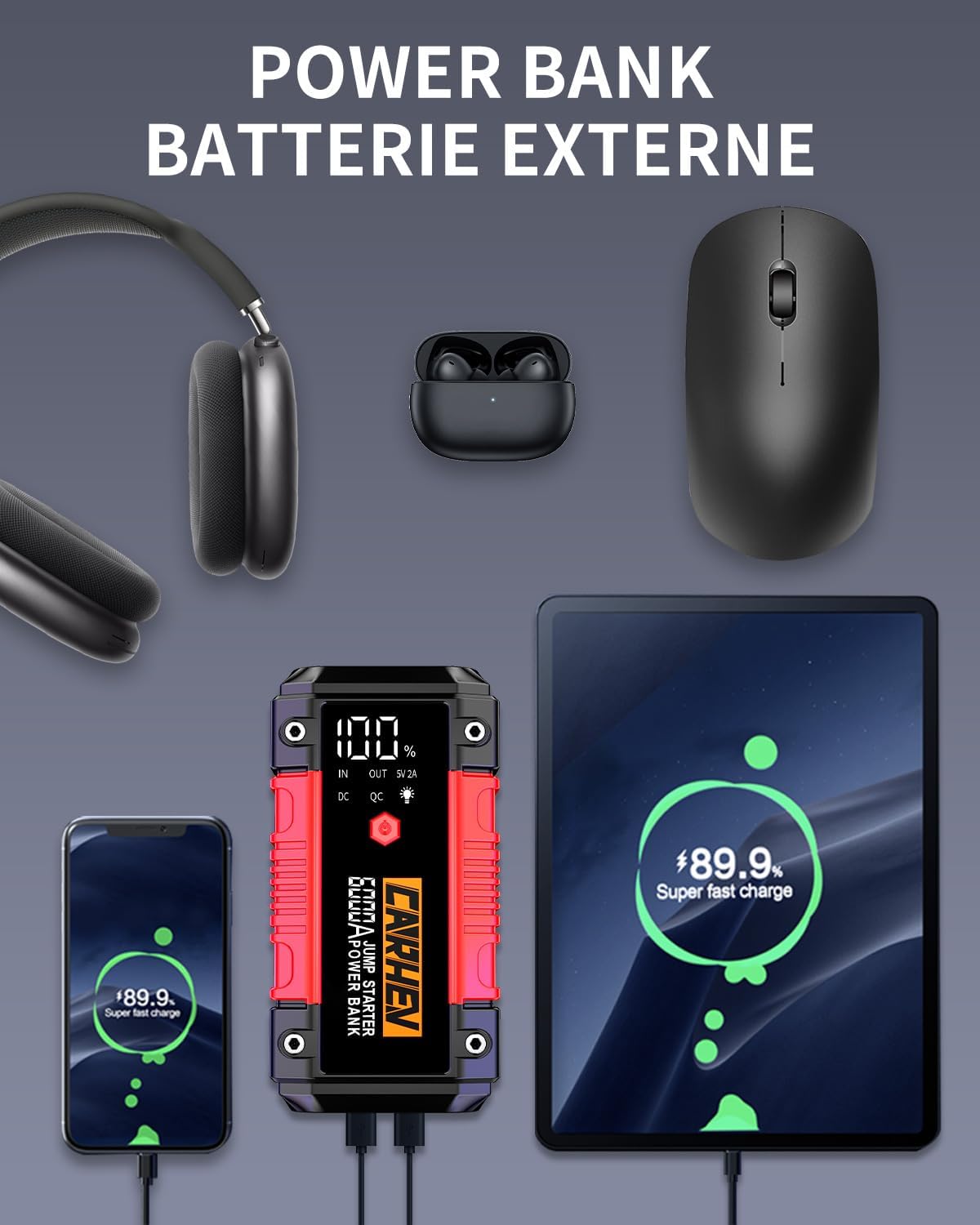
Figure 6: The CARHEV JS-05 acting as a power bank, simultaneously charging a smartphone and a tablet via its USB output ports. Headphones and a mouse are also shown, indicating its versatility.
Using the LED Light
- Press and hold the power button for 3 seconds to turn on the LED flashlight.
- Press the power button briefly to cycle through the three modes:
- Normal Flashlight
- Strobe Light
- SOS Signal
- Press and hold the power button again to turn off the LED light.

Figure 7: The CARHEV JS-05 device with its integrated LED light illuminated, illustrating the three available modes: normal flashlight, strobe, and SOS signal.
Maintenance
- Clean the device with a dry, soft cloth. Do not use harsh chemicals or abrasives.
- Store the jump starter in a cool, dry place, away from direct sunlight and moisture.
- Recharge the unit at least once a month to maintain optimal battery performance, especially if not used frequently.
- Keep the smart clamps clean and free of corrosion.
Troubleshooting
- Device does not turn on:
- Check battery level. Recharge if necessary.
- Ensure the power button is pressed and held for a few seconds.
- Vehicle does not start:
- Ensure the jump starter is charged above 50%.
- Check that the smart clamps are securely connected to the correct battery terminals (red to +, black to -).
- If the smart clamp indicator light is not green, try pressing the small "Boost" button on the smart cable for 3 seconds.
- Ensure the vehicle's battery terminals are clean and free of corrosion.
- The vehicle's battery might be severely damaged and require professional assistance.
- Smart clamps indicator light is red/flashing:
- Indicates incorrect connection or a problem with the vehicle's battery. Recheck connections.
- If the battery is completely dead, use the "Boost" function.
- Device not charging external devices:
- Ensure the external device is properly connected to the USB output port.
- Check the USB cable for damage.
- Verify the jump starter has sufficient charge.
Specifications
| Feature | Specification |
|---|---|
| Brand | CARHEV |
| Model | JS-05 |
| Peak Current | 6000 A |
| Battery Capacity | 26800 mAh |
| Voltage | 12 Volts |
| Engine Compatibility | Up to 10.0L Gasoline & 10.0L Diesel |
| Vehicle Service Type | Car, Motorcycle, Tractor, Truck, UTV, Snowmobile, ATV, Scooter |
| USB Output 1 | 9V/2A (Quick Charge 3.0) |
| USB Output 2 | 5V/2A |
| USB Input | 5V/2A |
| Operating Temperature | -20°C to 60°C |
| Water Resistance | IP65 |
| Item Weight | 880 g |
| Battery Type | Lithium-ion |
Warranty and Support
The CARHEV JS-05 Portable Car Jump Starter comes with a 2-year technical assistance warranty. If you have any questions or encounter issues during product use, please do not hesitate to contact CARHEV customer service. Our dedicated customer service team aims to respond to all inquiries within 24 hours to provide you with the best possible support.