
Product Overview
The Bonsaii SF004 Key Lock Safe is designed to protect your valuables with its robust construction and secure locking mechanism. This compact safe is ideal for securing cash, jewelry, passports, and other important items in various environments such as homes, offices, or hotels.

Image: The Bonsaii SF004 safe highlighting its security features like hidden hinges, a strong lock, and durable steel construction.
- High-Strength Steel Construction: Manufactured from durable SPCC high-strength steel, featuring an anti-theft door and hidden hinges for enhanced security.
- Compact Size & 6.6L Capacity: External dimensions: 17 x 23 x 17 cm (D x W x H); Internal dimensions: 12.8 x 22.8 x 16.8 cm (D x W x H). Provides a secure space for daily valuables.
- Classic Key Lock: Equipped with a flat key lock for straightforward operation, safeguarding your items against tampering and unauthorized access. Always store the spare key in a separate, secure location.
- Easy Installation: Features two pre-drilled mounting holes on the back and base for convenient installation under furniture, in a drawer, or on a table.
- Complete Package: Includes 1 Bonsaii safe, 2 emergency keys, 2 expansion bolts, 1 protective mat, and 1 user manual. The product is FCC certified.
Setup
1. Unpacking
Carefully remove the safe and all components from the packaging. Verify that all items listed in the "Complete Package" section are present.
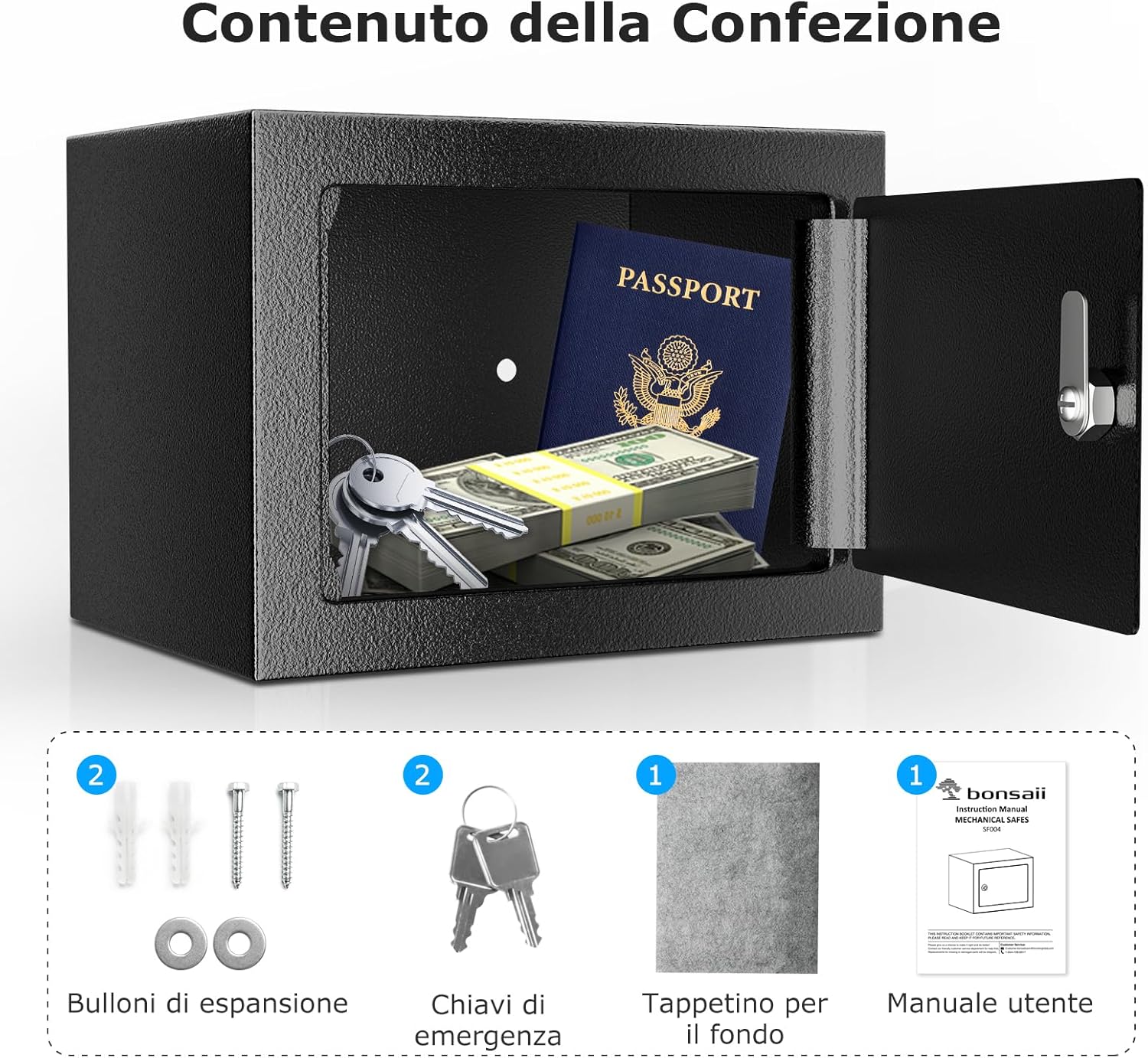
Image: Contents of the Bonsaii SF004 safe package, showing the safe, two emergency keys, two expansion bolts, a protective mat, and the user manual.
2. Mounting the Safe
For enhanced security, it is recommended to securely mount the safe to a wall, floor, or inside a cabinet using the pre-drilled holes.
- Select Location: Choose a suitable, discreet location for mounting.
- Mark Drilling Points: Place the safe in the desired position and mark the locations for the two pre-drilled holes on the mounting surface (wall or floor).
- Drill Holes: Using an appropriate drill bit, drill holes at the marked points.
- Secure the Safe: Align the safe's holes with the drilled holes. Insert the provided expansion bolts through the safe and into the mounting surface. Tighten the bolts securely.
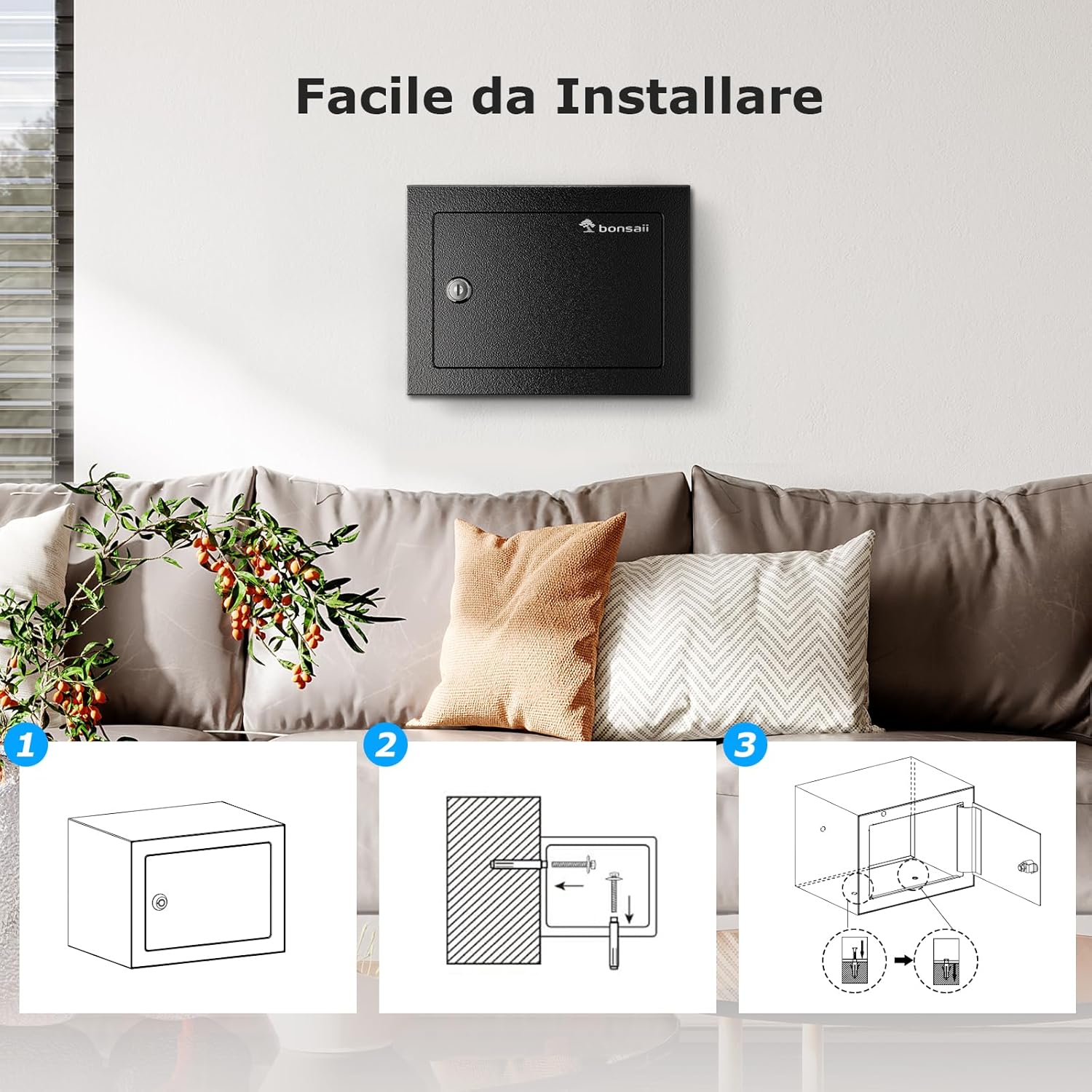
Image: Step-by-step guide for installing the safe using pre-drilled holes and expansion bolts.
Operating Instructions
1. Opening the Safe
To open the safe, insert one of the provided keys into the keyhole on the door. Turn the key clockwise to unlock the mechanism, then pull the door open.

Image: Demonstrates inserting the key into the safe's lock for opening.
2. Closing and Locking the Safe
To close the safe, push the door shut firmly. Insert the key into the keyhole and turn it counter-clockwise to lock the safe. Remove the key and store it in a secure, separate location away from the safe.
Important: Never leave the keys inside the safe.
Maintenance
- Cleaning: Wipe the safe's exterior with a soft, damp cloth. Avoid abrasive cleaners or solvents that could damage the finish.
- Lock Mechanism: Periodically check the lock mechanism for smooth operation. If it feels stiff, a small amount of graphite lubricant can be applied to the keyhole.
- Key Storage: Always keep your spare keys in a secure location, separate from the safe itself, and ideally not in your primary residence.
Troubleshooting
| Problem | Possible Cause | Solution |
|---|---|---|
| Key does not turn or is stiff. | Lock mechanism is dry or obstructed. | Apply a small amount of graphite lubricant to the keyhole. Ensure the key is fully inserted. |
| Safe door does not close properly. | Obstruction in the door frame or hinges. | Check for any objects blocking the door. Inspect hinges for damage or misalignment. |
| Safe feels unstable after mounting. | Mounting bolts are loose or not properly secured. | Re-tighten all mounting bolts. Ensure the mounting surface is sturdy. |
Specifications
| Feature | Detail |
|---|---|
| Model Number | SF004 |
| External Dimensions (D x W x H) | 17 x 23 x 17 cm |
| Internal Dimensions (D x W x H) | 12.8 x 22.8 x 16.8 cm |
| Capacity | 6.6 Liters |
| Weight | 2.02 kg |
| Material | High-Strength SPCC Steel Alloy |
| Lock Type | Key Lock |
| Mounting Type | Wall Mount / Floor Mount |
| Color | Black |

Image: Detailed dimensions of the safe, highlighting external and internal measurements.
Warranty and Support
Bonsaii products are designed for reliability and performance. This product is FCC certified.
- Warranty: Please refer to the warranty card included in your package or visit the official Bonsaii website for detailed warranty information.
- Technical Support: For technical assistance, troubleshooting, or inquiries regarding your Bonsaii SF004 safe, please contact Bonsaii customer support. Contact details can typically be found in the included user manual or on the official Bonsaii website. Bonsaii provides long-term technical support for its products.