
Introduction
Thank you for choosing the Airzeen R7 Robot Vacuum Cleaner. This manual provides essential information for setting up, operating, and maintaining your new robotic vacuum to ensure optimal performance and a clean home environment. Please read this manual thoroughly before using the product and keep it for future reference.
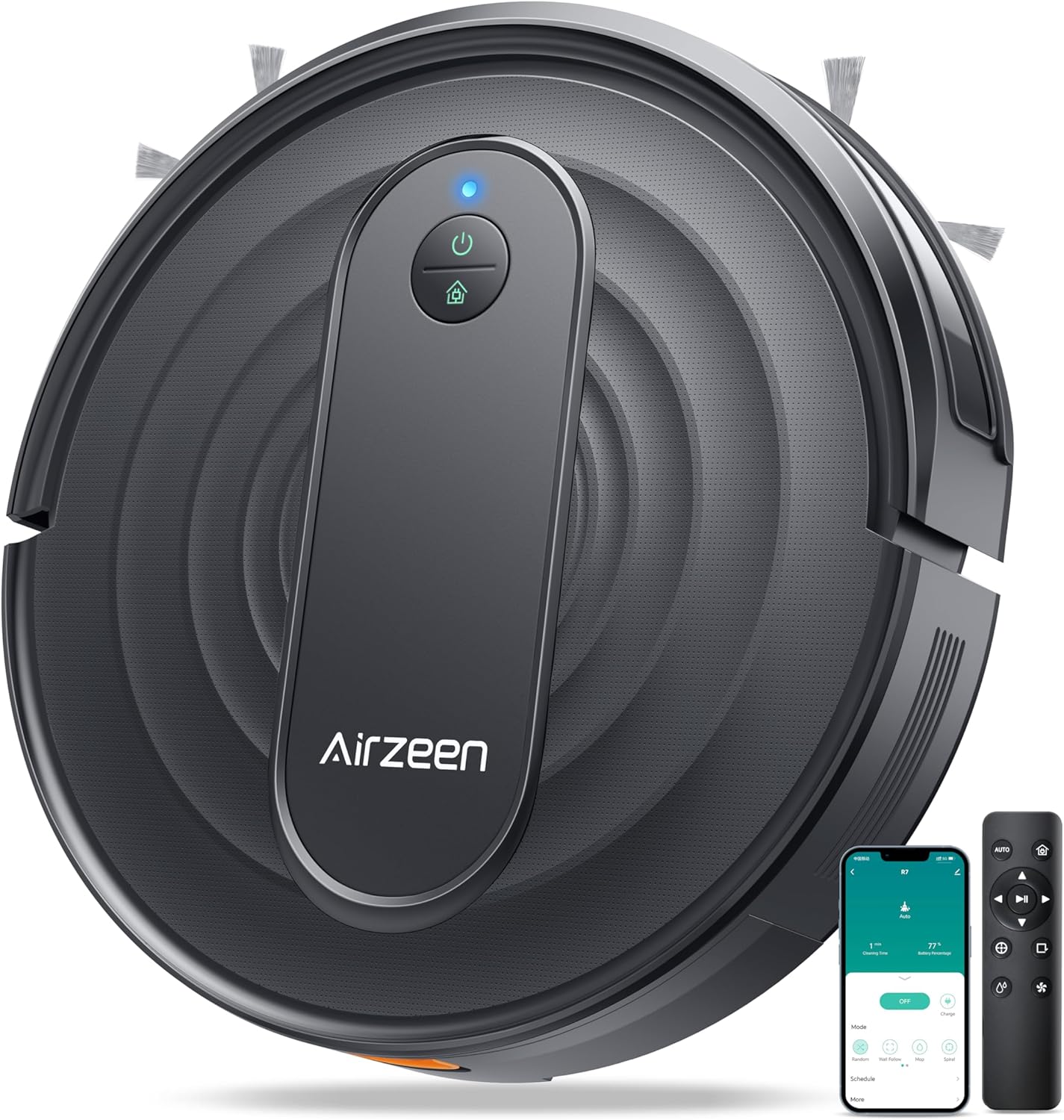
Image: Top view of the Airzeen R7 Robot Vacuum Cleaner, showcasing its sleek design. A remote control and a smartphone displaying the app interface are also visible, indicating multiple control options.
What's in the Box
Verify that all components are present in the package:

Image: A visual representation of all items included in the Airzeen R7 package. This includes the robot vacuum, charging dock, adapter, roller brush, HEPA filter, side brushes, cleaning knife, large dust box, remote control, instruction manual, and quick guide.
- R7 Robot Vacuum Cleaner x1
- Charging Post x1
- Adapter x1
- Roller Brush x1
- HEPA Filter x1
- Side Brush x2
- Cleaning Knife x1
- Large Dust Box x1
- Remote Control x1
- Instruction Manual x1
- Quick Guide x1
Setup
1. Initial Preparation
- Remove all protective films and stickers from the robot and charging dock.
- Install the side brushes by pressing them onto the square posts until they click into place.
- Ensure the dust box and filter are correctly installed inside the robot.
2. Charging the Robot
Place the charging post against a wall in an open area, ensuring there are no obstacles within 1 meter (3 feet) to the sides and 2 meters (6 feet) in front. Connect the adapter to the charging post and plug it into a power outlet. Place the robot on the charging post, ensuring the charging contacts align. The indicator lights will show charging status.

Image: The Airzeen R7 robot vacuum automatically navigates back to its charging station when its battery is low or cleaning is complete, illustrating the auto-recharge function.
3. App Connection
For smart control features, download the "HonySmart" app from your mobile device's app store. Follow the in-app instructions to connect your R7 robot vacuum.

Image: A step-by-step guide on how to connect the Airzeen R7 robot vacuum to the HonySmart app, including downloading the app, adding the device, connecting to Wi-Fi, and successful connection.
Operating Instructions
Cleaning Modes
The R7 offers 5 distinct cleaning modes to suit various needs. You can switch between modes using the app or the remote control.
- Automatic Cleaning: The robot intelligently navigates and cleans the entire area.
- Spot Cleaning: Focuses on a specific dirty area, cleaning in a spiral pattern.
- Edge Cleaning: Cleans along walls and furniture edges.
- Timed Cleaning: Allows you to schedule cleaning sessions.
- Manual Cleaning: Control the robot's movement manually via the app or remote.
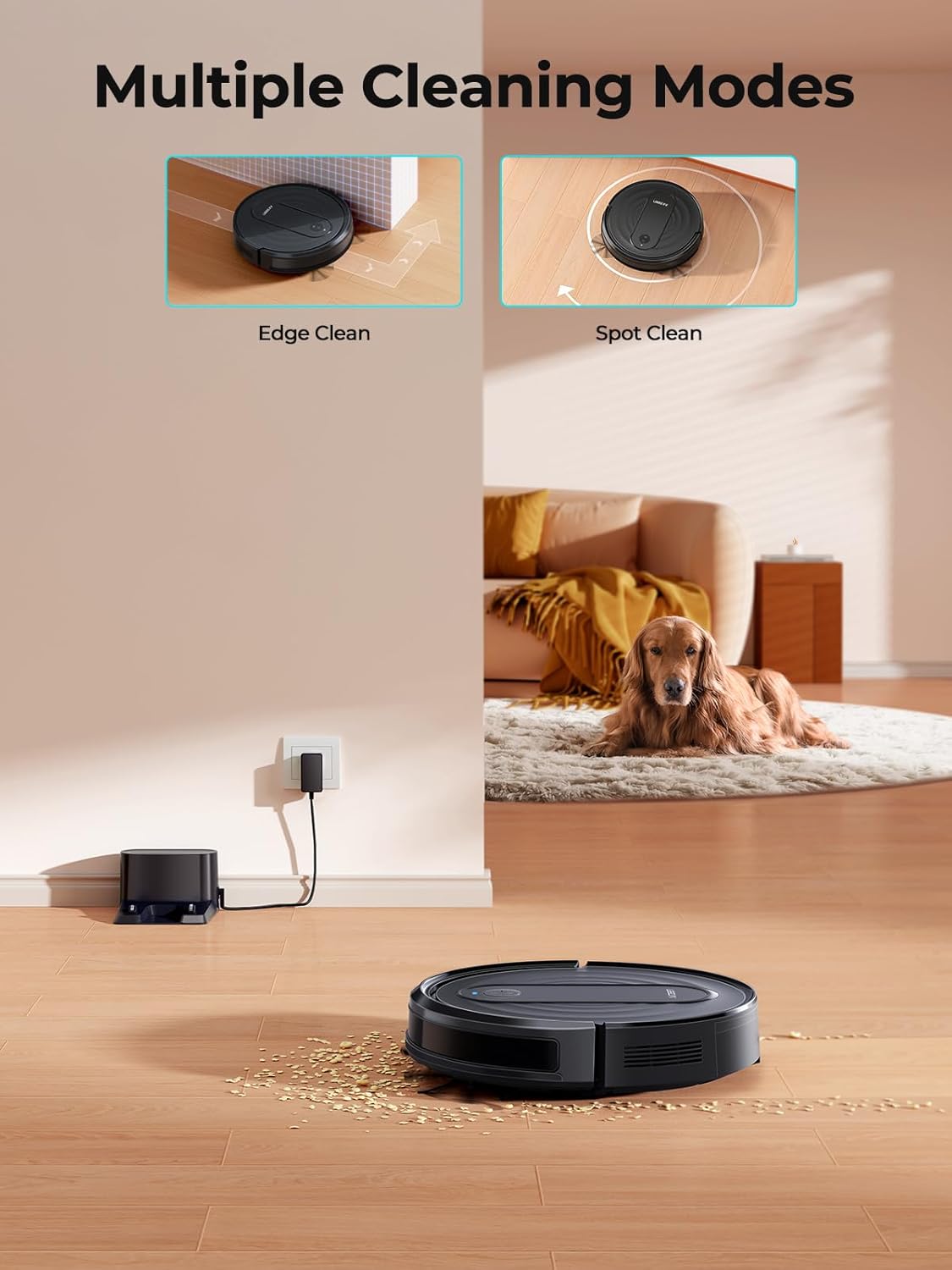
Image: Two examples of cleaning modes: Edge Clean, showing the robot cleaning along a wall, and Spot Clean, showing the robot cleaning a concentrated area in a spiral.

Image: The robot vacuum performing a scheduled cleaning, with a clock overlay indicating timed operation and a smartphone showing the scheduling interface.
Suction Power Adjustment
The R7 features 3 levels of suction adjustment (Quiet, Standard, Max) up to 3000Pa to effectively clean various surfaces.

Image: The Airzeen R7 robot vacuum on a floor with debris, illustrating its 3000Pa ultra suction power and the three adjustable suction levels: Quiet, Standard, and Max.
Automatic Carpet Boost
The robot automatically increases suction power when it detects carpet, ensuring deeper cleaning for embedded debris.
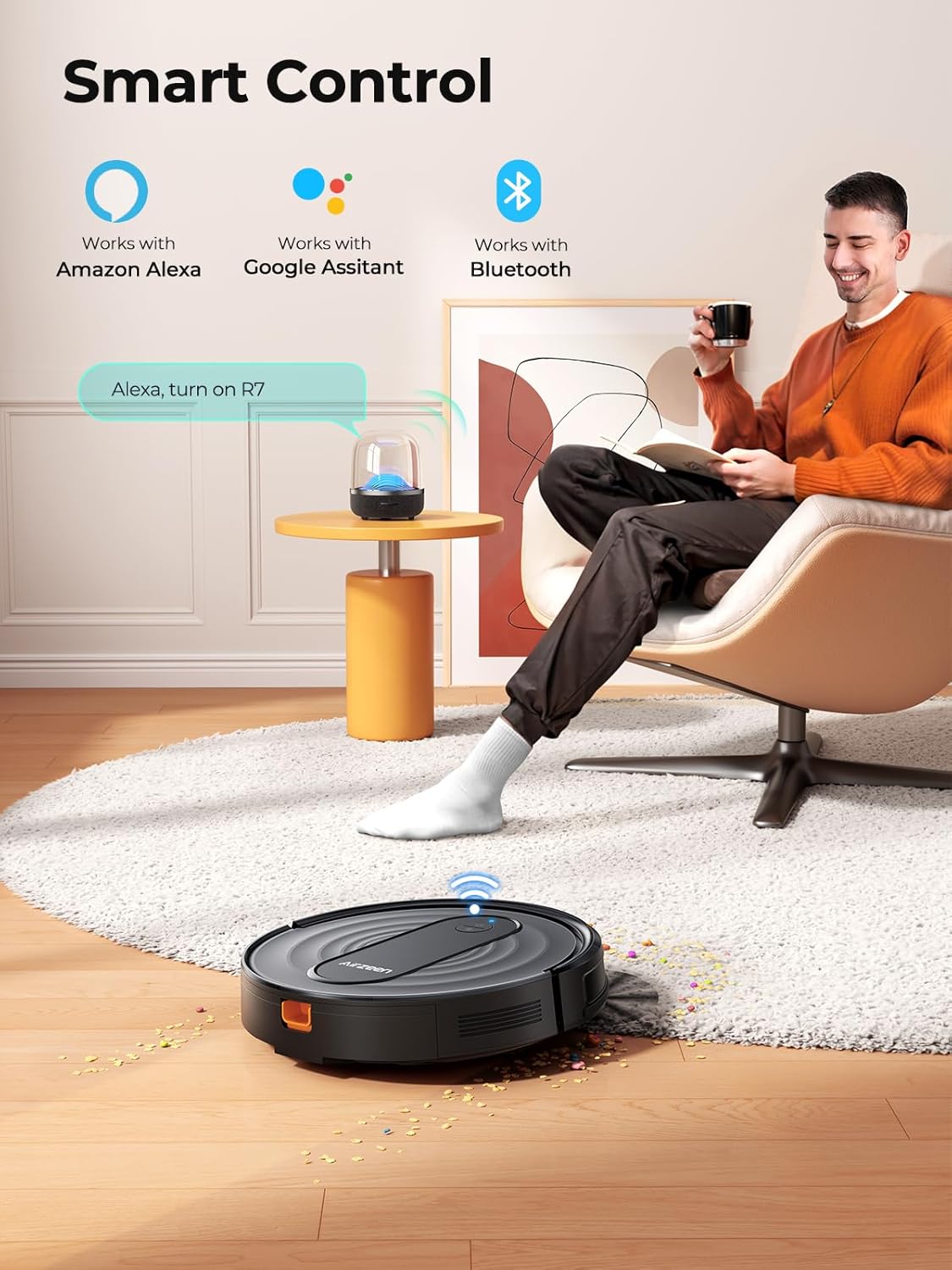
Image: The Airzeen R7 robot vacuum transitioning from a hard floor to a carpet, demonstrating its automatic carpet boost feature where suction power increases for deeper cleaning.
Smart Control Options
Control your R7 using the dedicated remote control, the HonySmart app, or voice commands via Amazon Alexa or Google Assistant.
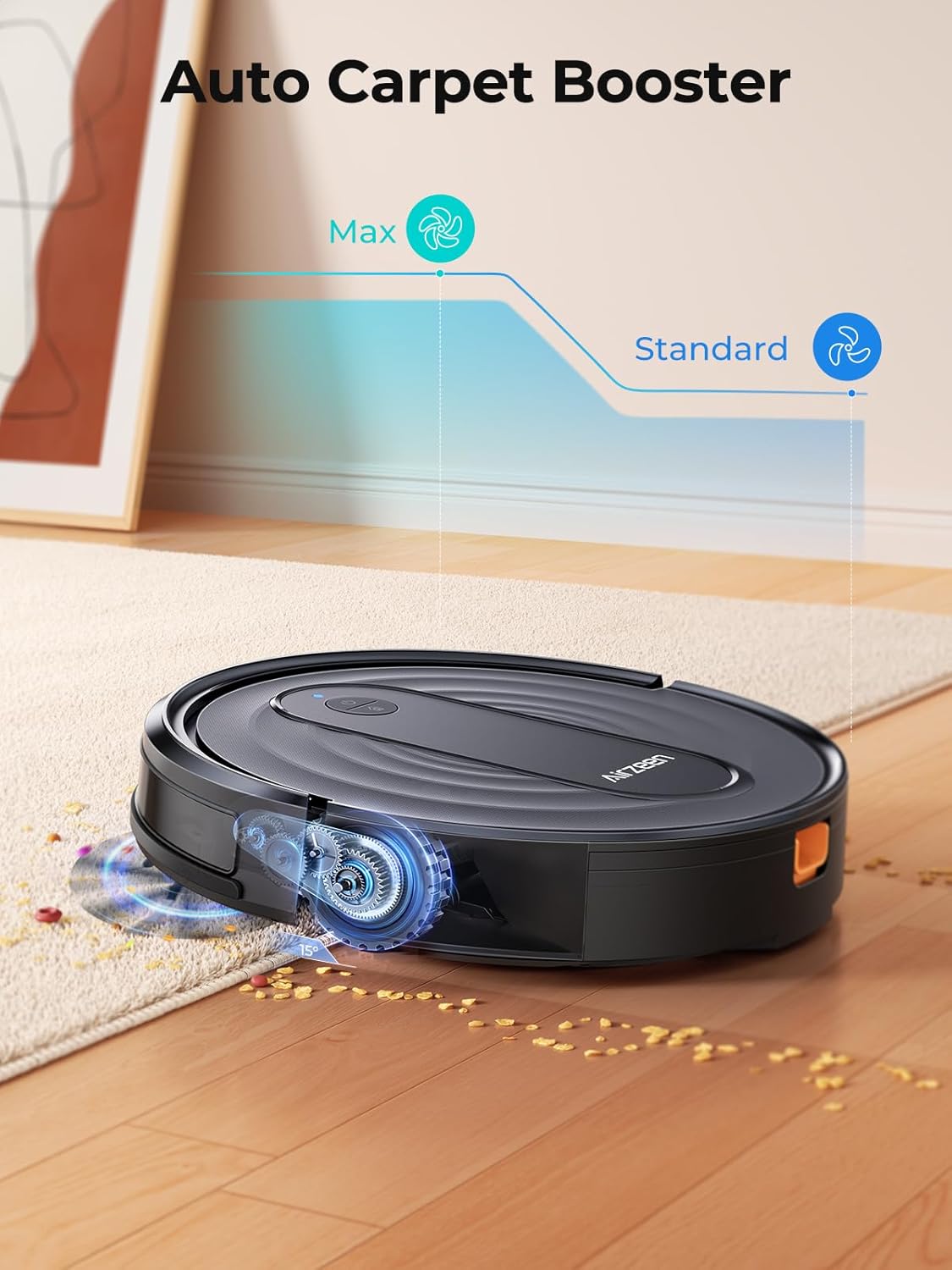
Image: A person relaxing while the Airzeen R7 robot vacuum cleans, illustrating the convenience of smart control via app, Amazon Alexa, or remote control.
Anti-Drop and Anti-Collision Sensors
Equipped with advanced sensors, the R7 avoids falling down stairs and minimizes collisions with furniture and obstacles.

Image: Two panels showing the robot's anti-drop feature preventing it from falling down stairs and its anti-collision feature allowing it to navigate around furniture.
Slim Body Design
With a height of only 3.07 inches (7.8 cm), the R7 can easily clean under most furniture, beds, and hard-to-reach areas.

Image: The Airzeen R7 robot vacuum cleaning effectively under a sofa, highlighting its slim 7.8cm (3.07 inch) body design that allows access to low-clearance areas.
Maintenance
Dust Box and Filter
The R7 features a large 600ml dust box, reducing the frequency of emptying. Regularly clean the dust box and HEPA filter to maintain optimal suction performance.

Image: The Airzeen R7 robot vacuum with its 600ml oversized dust box removed, showing the internal filter, emphasizing its capacity and high-efficiency HEPA filter.
General Cleaning
- Brush Roll: Remove hair and debris from the main brush roll regularly using the cleaning knife provided.
- Side Brushes: Check for tangled hair or debris and clean as needed. Replace if worn.
- Sensors: Wipe the anti-drop and anti-collision sensors with a clean, dry cloth to ensure proper function.
- Charging Contacts: Clean the charging contacts on both the robot and the charging dock periodically.
Troubleshooting
How to maintain R7's cleaning performance?
We recommend regularly cleaning the brush roll, filter, and dustbin to ensure long-lasting performance and consistently efficient cleaning.
How to prevent the robot vacuum from getting stuck?
- Before cleaning: Remove toys, wires, and small objects from the floor to avoid tangling or blockage.
- Furniture: The R7 is approximately 3 inches (7.6 cm) tall. Ensure there is enough clearance under furniture for the robot to pass through. For areas where the vacuum is prone to getting stuck, consider placing physical barriers to block access.
Specifications
| Feature | Detail |
|---|---|
| Brand | Airzeen |
| Model Name | R7 |
| Suction Power | Up to 3000Pa |
| Dust Box Capacity | 600 Milliliters |
| Product Dimensions | 12"L x 12"W x 3"H (approx. 30.5cm L x 30.5cm W x 7.6cm H) |
| Item Weight | 4.38 pounds (approx. 1.99 kg) |
| Battery Life | 120 minutes |
| Control Method | App, Remote, Touch, Voice (Alexa/Google Assistant) |
| Filter Type | Sponge (HEPA) |
| Special Feature | Anti-Fall, Carpet Booster |
Warranty and Support
The Airzeen R7 Robotic Vacuum Cleaner comes with a 2-year warranty from the date of purchase. Additionally, Airzeen provides lifetime technical support for this product.
If you encounter any issues or have questions regarding your R7 robot vacuum, please contact Airzeen customer support through the contact information provided in your quick guide or on the official Airzeen website.
