
1. Safety Warnings
Please read all safety warnings before using the GLEAM KB-04 Keyboard Bench to ensure safe operation and prevent injury or damage.
- Maximum Weight Capacity: Do not exceed the recommended maximum weight of 90 kg (200 lbs). Exceeding this limit may cause the bench to collapse, leading to injury.
- Stable Surface: Always place the bench on a flat, stable, and level surface to prevent tipping.
- Proper Assembly: Ensure all components are correctly assembled and tightened before use. Refer to the assembly instructions.
- Children: Keep children away from the bench during assembly. Adult supervision is recommended during use by children.
- Moving Parts: Be cautious of pinch points when adjusting the bench height.
2. Product Overview
The GLEAM KB-04 X-Style Adjustable Keyboard Bench is designed for comfort and stability, suitable for various keyboard and piano players. It features a robust X-style frame and a padded seat.
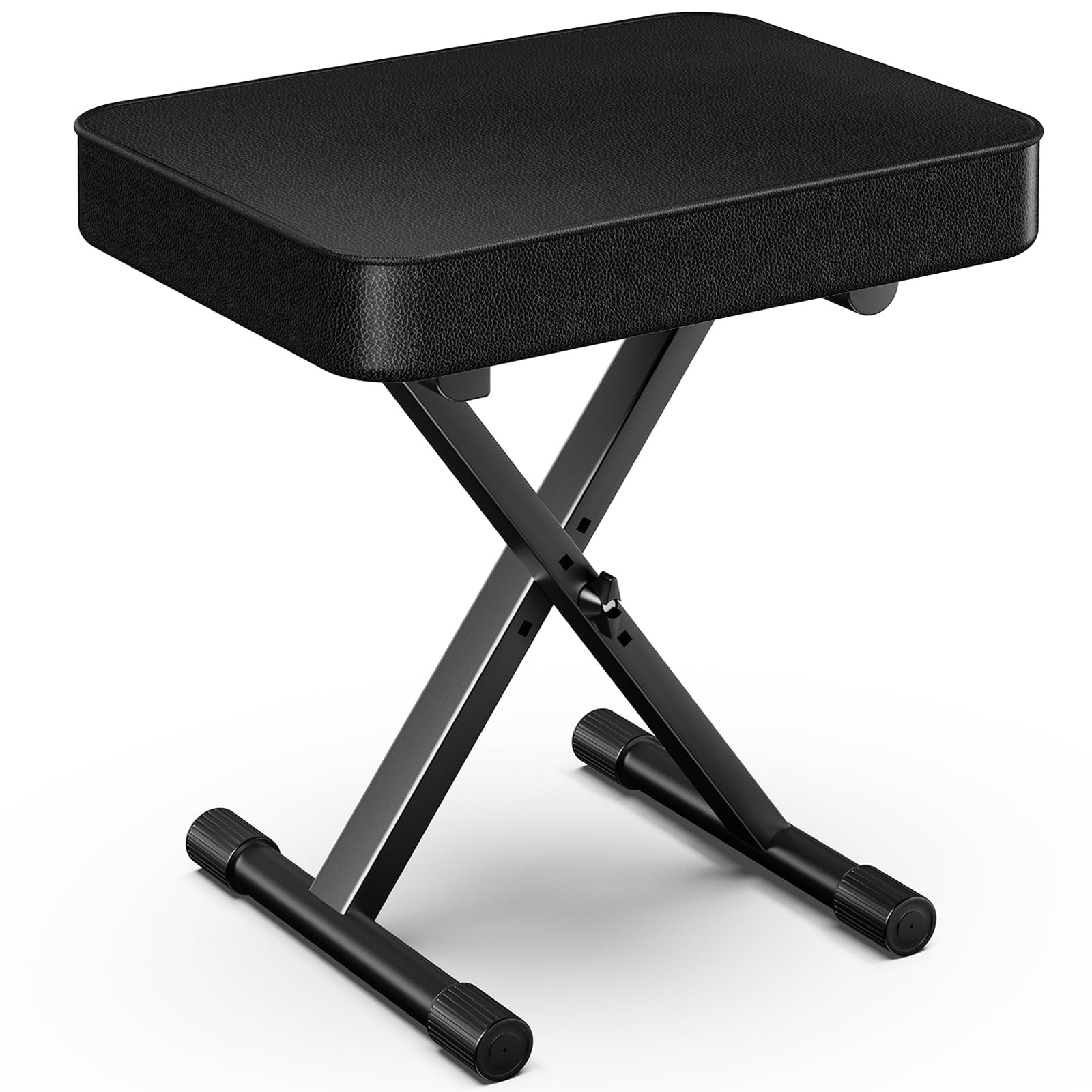
Image 1: The GLEAM KB-04 X-Style Adjustable Keyboard Bench in its assembled form.
Key Features:
- Comfortable Padding: Equipped with 5.1 cm (2 inches) thick foam padding for enhanced comfort during extended use.
- Robust Stability: Features a sturdy X-style leg design, providing excellent stability and supporting up to 90 kg (200 lbs).
- Adjustable Height: Easily adjustable to multiple height settings, ranging from 36.8 cm (14.5 inches) to 47 cm (18.5 inches).
- Generous Seat Size: The seat measures 41.9 cm x 30.5 cm (16.5 inches x 12 inches), offering ample space.
- Waterproof Surface: The seat surface is made from a waterproof material, allowing for easy cleaning with a damp cloth.
- Non-slip Feet: Rubber end caps on the feet prevent movement and protect floor surfaces.
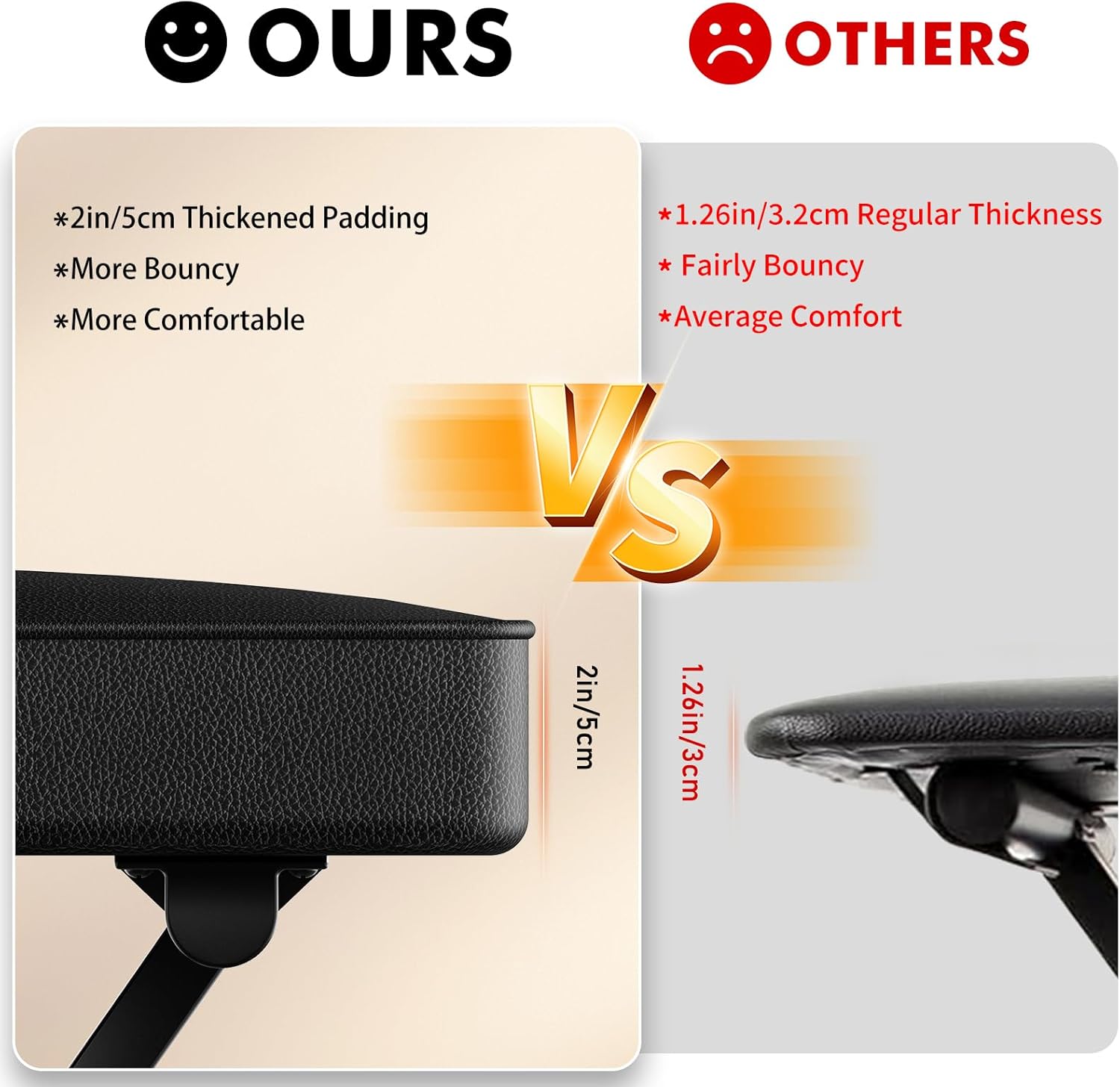
Image 2: Illustration of the bench's robust load-bearing capacity, highlighting its layered construction for durability.
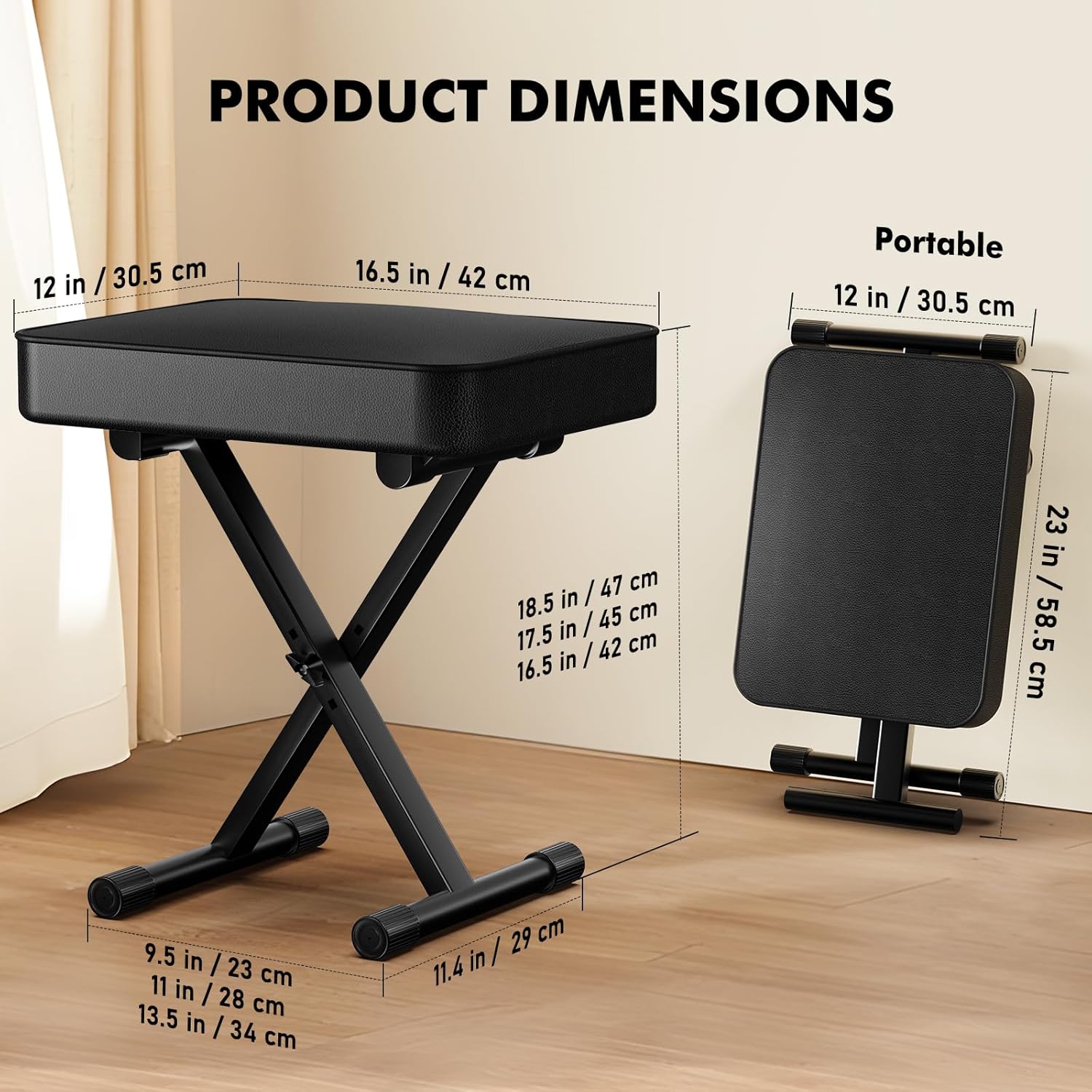
Image 3: A visual comparison demonstrating the 2-inch (5 cm) thickened padding of the GLEAM KB-04 bench compared to standard benches.
3. Package Contents
Before assembly, please ensure all components are present and undamaged.
- 1 x GLEAM KB-04 Keyboard Bench Frame
- 1 x Padded Seat
- Assembly Accessories (bolts, nuts, washers, adjustment knob)
4. Setup and Assembly
The GLEAM KB-04 Keyboard Bench requires minimal assembly. Follow these steps carefully:
- Unpack Components: Carefully remove all parts from the packaging and lay them out on a clean, soft surface to prevent scratches.
- Attach Seat to Frame: Align the pre-drilled holes on the underside of the padded seat with the mounting points on the top of the X-style frame.
- Secure the Seat: Use the provided bolts, washers, and nuts to securely fasten the seat to the frame. Hand-tighten first, then use a wrench (not included) to ensure all connections are firm. Do not overtighten.
- Check Stability: Once assembled, gently shake the bench to ensure all connections are secure and the bench is stable.
5. Operating Instructions
Adjusting Bench Height:
The KB-04 bench features an X-style adjustment mechanism for varying heights.
- Locate Adjustment Knob: Find the large, circular adjustment knob located at the center pivot point of the X-style legs.
- Loosen Knob: Turn the adjustment knob counter-clockwise to loosen it. This will allow the legs to move freely.
- Adjust Height: Gently push or pull the legs to expand or contract the X-frame. This will raise or lower the seat height. The bench offers multiple preset height positions. Align the holes on the inner and outer frame sections to select your desired height.
- Secure Knob: Once the desired height is achieved, turn the adjustment knob clockwise to tighten it firmly. Ensure the knob is fully tightened before sitting on the bench.

Image 4: The X-style height adjustment mechanism, showing the range of height settings from 16.5 inches to 18.5 inches.
6. Maintenance
Regular maintenance will prolong the life and appearance of your GLEAM KB-04 Keyboard Bench.
- Cleaning the Seat: The waterproof surface of the seat can be cleaned with a damp cloth. For stubborn stains, use a mild soap solution and wipe dry immediately. Avoid harsh chemicals or abrasive cleaners.
- Cleaning the Frame: Wipe the metal frame with a dry or slightly damp cloth to remove dust and dirt.
- Check Fasteners: Periodically check all bolts, nuts, and the height adjustment knob to ensure they remain tight. Retighten if necessary.
- Storage: When not in use, the bench can be folded for compact storage. Store in a dry place away from direct sunlight and extreme temperatures.
7. Troubleshooting
If you encounter any issues with your GLEAM KB-04 Keyboard Bench, refer to the following common problems and solutions:
- Bench is Unstable/Wobbly:
- Ensure the bench is placed on a flat, level surface.
- Check all assembly bolts and the height adjustment knob. Tighten any loose fasteners.
- Verify that the X-style legs are fully extended and locked into a height position.
- Difficulty Adjusting Height:
- Ensure the adjustment knob is sufficiently loosened.
- Check for any obstructions in the adjustment mechanism.
- Apply a small amount of silicone-based lubricant to the pivot points if movement is stiff (avoid oil-based lubricants).
- Squeaking Noises:
- Tighten all bolts and the adjustment knob.
- Apply a small amount of silicone-based lubricant to the pivot points of the X-frame.
8. Specifications
Detailed technical specifications for the GLEAM KB-04 Keyboard Bench.
| Feature | Specification |
|---|---|
| Model Number | KB-04 |
| Brand | GLEAM |
| Dimensions (L x W x H) | 30.5 x 42 x 47 cm (12 x 16.5 x 18.5 inches) |
| Seat Dimensions (L x W) | 41.9 x 30.5 cm (16.5 x 12 inches) |
| Adjustable Height Range | 36.8 cm to 47 cm (14.5 inches to 18.5 inches) |
| Weight | 2.6 kg (5.7 lbs) |
| Maximum Recommended Load | 90 kg (200 lbs) |
| Material | Alloy Steel (Frame: Iron) |
| Color | Black |
| Seat Padding Thickness | 5.1 cm (2 inches) |
| Assembly Required | Yes |

Image 5: Detailed product dimensions for the GLEAM KB-04 Keyboard Bench, including its portable folded dimensions.