1. Introduction
This manual provides essential information for the proper use and care of your Smatree Hard EVA Protective Sleeve, Model X8292. This sleeve is designed to offer robust protection for your compatible laptop, ensuring its safety during transport and storage.
The Smatree Hard EVA Protective Sleeve (Model X8292) is specifically designed to fit:
- 16-inch GIGABYTE AORUS G6X 9KG 2024
- 16-inch GIGABYTE AORUS G6X 9MG 2024
- 15.6-inch GIGABYTE A5 K1 Gaming Laptop
- 15.6-inch GIGABYTE A5 X1 Gaming Laptop
- 15.6-inch GIGABYTE G5 KC Gaming Laptop
- 16-inch AORUS ELITE 16 AE6H
Internal dimensions of the case: 36.3 x 26.5 x 2.4 cm (14.3 x 10.4 x 0.9 inch).
2. Product Features
The Smatree Hard EVA Protective Sleeve incorporates several design elements for optimal laptop protection and user convenience:
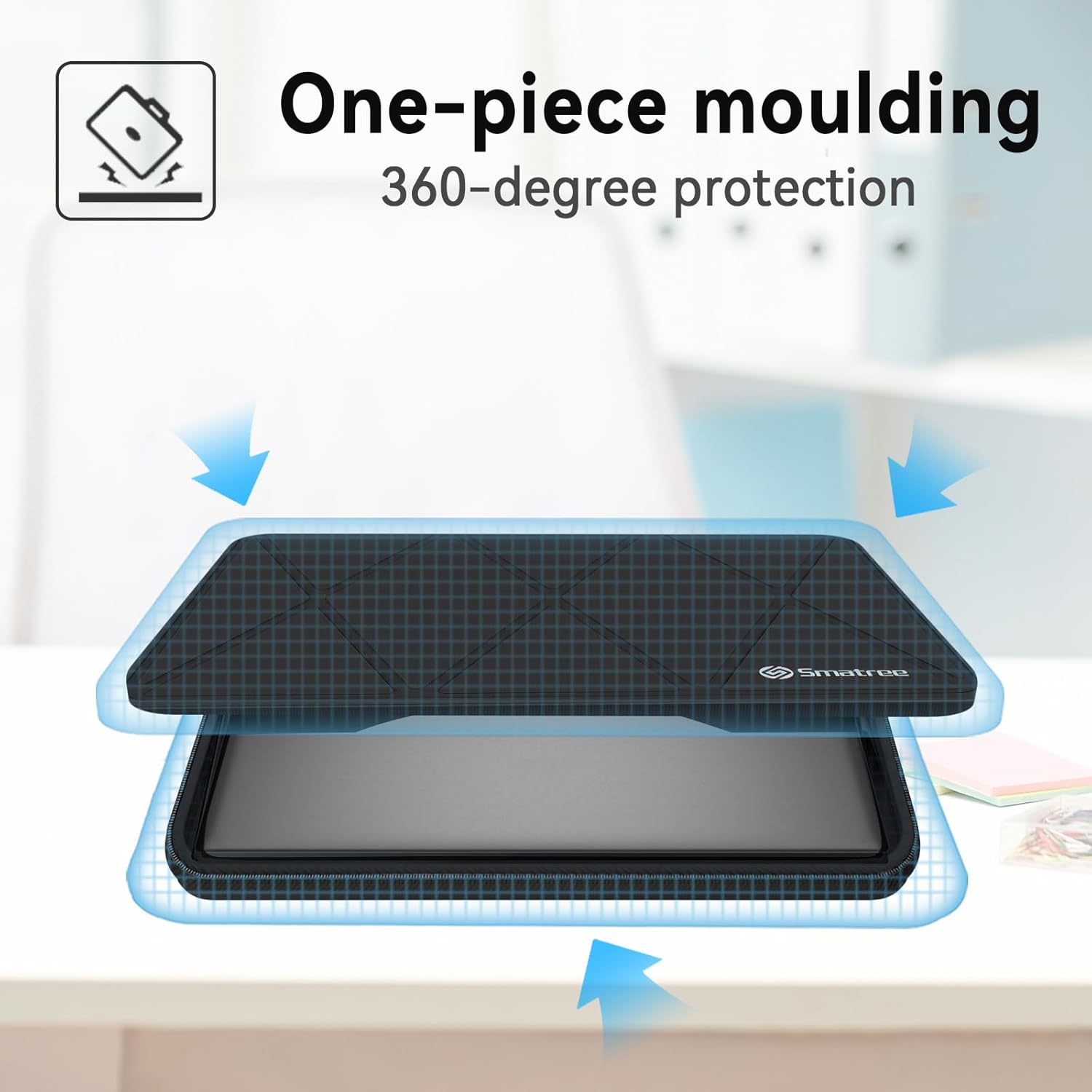
- One-piece Moulding: Provides 360-degree comprehensive protection for your device.
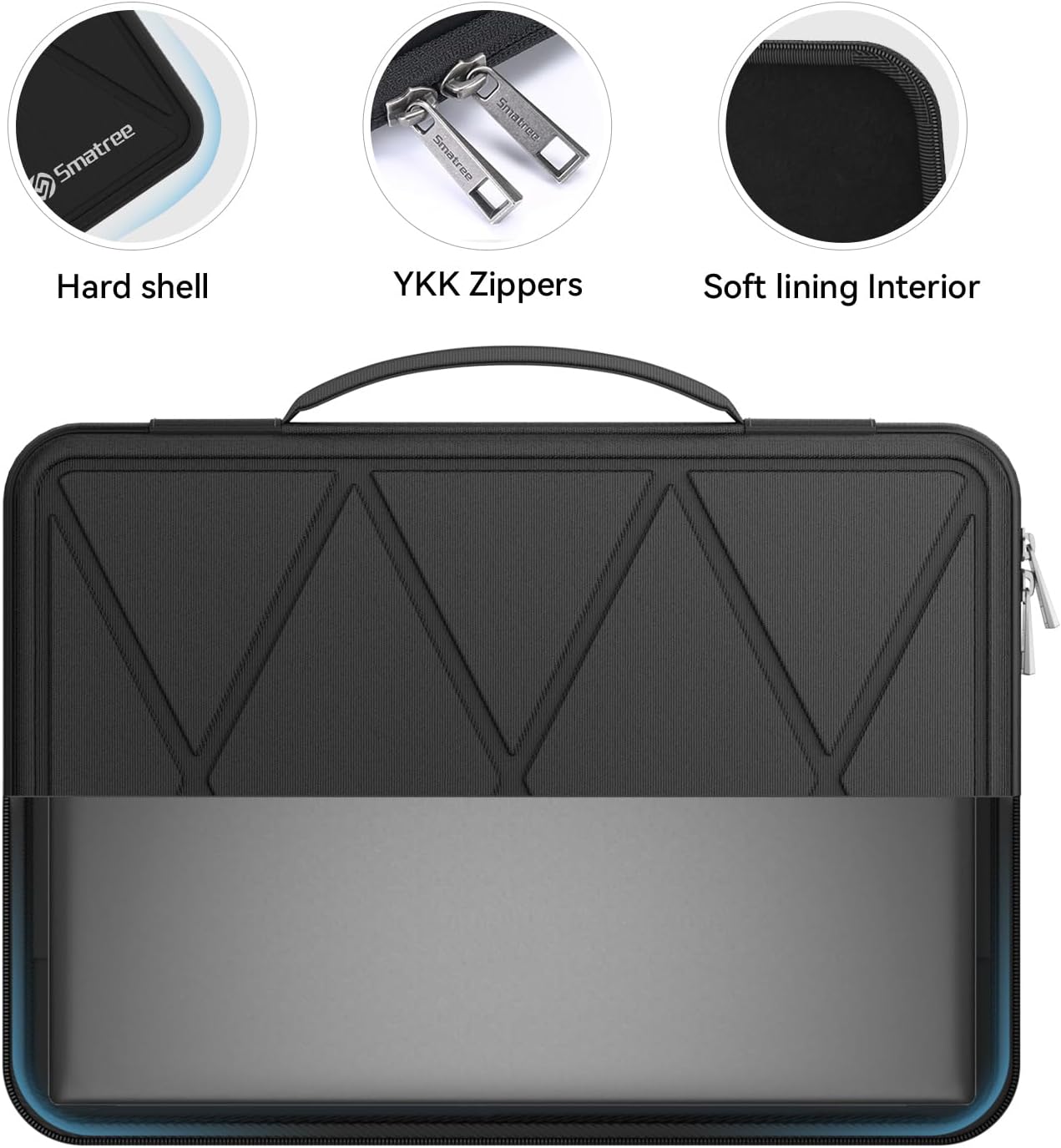
- Hard Shell Structure: Constructed with three layers of high-quality materials, including a scratch-resistant nylon Lycra fabric, an EVA hard shell protective layer, and a soft velveteen interior lining.
- Anti-Shock Protection: Features an internal upgraded shock-resistant padding layer to protect your laptop from inadvertent collisions and accidental scratches.
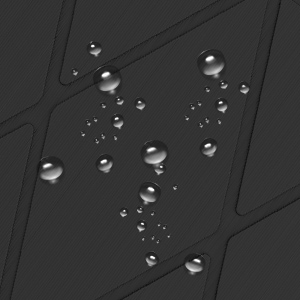
- Waterproof Exterior: Made from durable 1605D nylon, effectively obstructing water splashes.
- Secure Closure: Equipped with reliable YKK zippers for smooth operation and secure closure.
- Fixed Elastic Band: An internal elastic band with comfortable soft lining helps secure the laptop in place.
- Fashion Style: Unique diamond pattern on the surface.

3. Setup and Usage
Follow these steps to properly set up and use your Smatree Protective Sleeve:
- Open the Sleeve: Unzip the sleeve completely using the YKK zippers.
- Insert Laptop: Carefully place your compatible laptop into the bottom section of the sleeve. Ensure it sits snugly within the soft lining.
- Secure with Elastic Bands: Utilize the internal elastic bands to hold the laptop securely in place. These bands are designed to prevent movement during transport.
- Close the Sleeve: Zip the sleeve closed. Ensure no cables or objects are caught in the zipper.
- Using the Laptop within the Sleeve: The sleeve is designed to allow you to open and use your laptop while it remains inside the case. The elastic straps hold the screen in an upright position.

4. Maintenance
To ensure the longevity and appearance of your Smatree Protective Sleeve, follow these maintenance guidelines:
- Cleaning: The sleeve is washable. If it becomes dirty, gently clean the exterior with a damp cloth and mild soap. Avoid harsh chemicals or abrasive cleaners.
- Drying: Allow the sleeve to air dry completely before reinserting your laptop. Do not use direct heat sources like hair dryers.
- Storage: Store the sleeve in a cool, dry place away from direct sunlight when not in use.
5. Troubleshooting and Considerations
While the Smatree sleeve is designed for optimal protection, consider the following points for best use:
- Fit for 2-in-1 Laptops: This sleeve provides good protection for laptops in standard mode. It may not be suitable for 2-in-1 laptops when used in tablet or tent modes due to potential fit issues.
- Charging and Ventilation: Charging your laptop while it is fully enclosed in the sleeve may be difficult, and ventilation could be restricted. It is recommended to remove the laptop from the sleeve for extended charging or heavy usage to ensure proper airflow.
- Zipper Operation: Ensure the zippers are operated smoothly and are not forced, especially when closing the sleeve with the laptop inside.
6. Specifications
| Feature | Detail |
|---|---|
| Model Number | X8292 |
| Internal Dimensions | 36.3 x 26.5 x 2.4 cm (14.3 x 10.4 x 0.9 inch) |
| Compatible Devices | 16-inch GIGABYTE AORUS G6X 9KG/9MG 2024, 15.6-inch GIGABYTE A5 K1/A5 X1/G5 KC Gaming Laptop, 16-inch AORUS ELITE 16 AE6H |
| Material | Durable 1605D Nylon (exterior), EVA Hard Shell, Velveteen (interior) |
| Closure Type | YKK Zippers |
| Special Features | Heavy Duty Protection, Waterproof, Anti-Shock, Fixed Elastic Band |
| Item Weight | 2.14 pounds |
| Color | X Series-Black |
7. Warranty and Support
Smatree products are manufactured to high-quality standards. For specific warranty information and support inquiries, please refer to the official Smatree website or contact Smatree customer service directly. Keep your purchase receipt for warranty claims.
You can visit the official Smatree Store for more information: Smatree Store
