
Amazon Echo Dot Max
Amazon Echo Dot Max User Manual
Model: Echo Dot Max
Brand: Amazon
Introduction
The Amazon Echo Dot Max is a smart speaker designed to deliver room-filling sound and integrate seamlessly into your smart home. It features a built-in smart home hub, Omnisense technology for personalized experiences, and is powered by an AZ3 chip for efficient performance. This manual provides essential information for setting up, operating, and understanding your device.
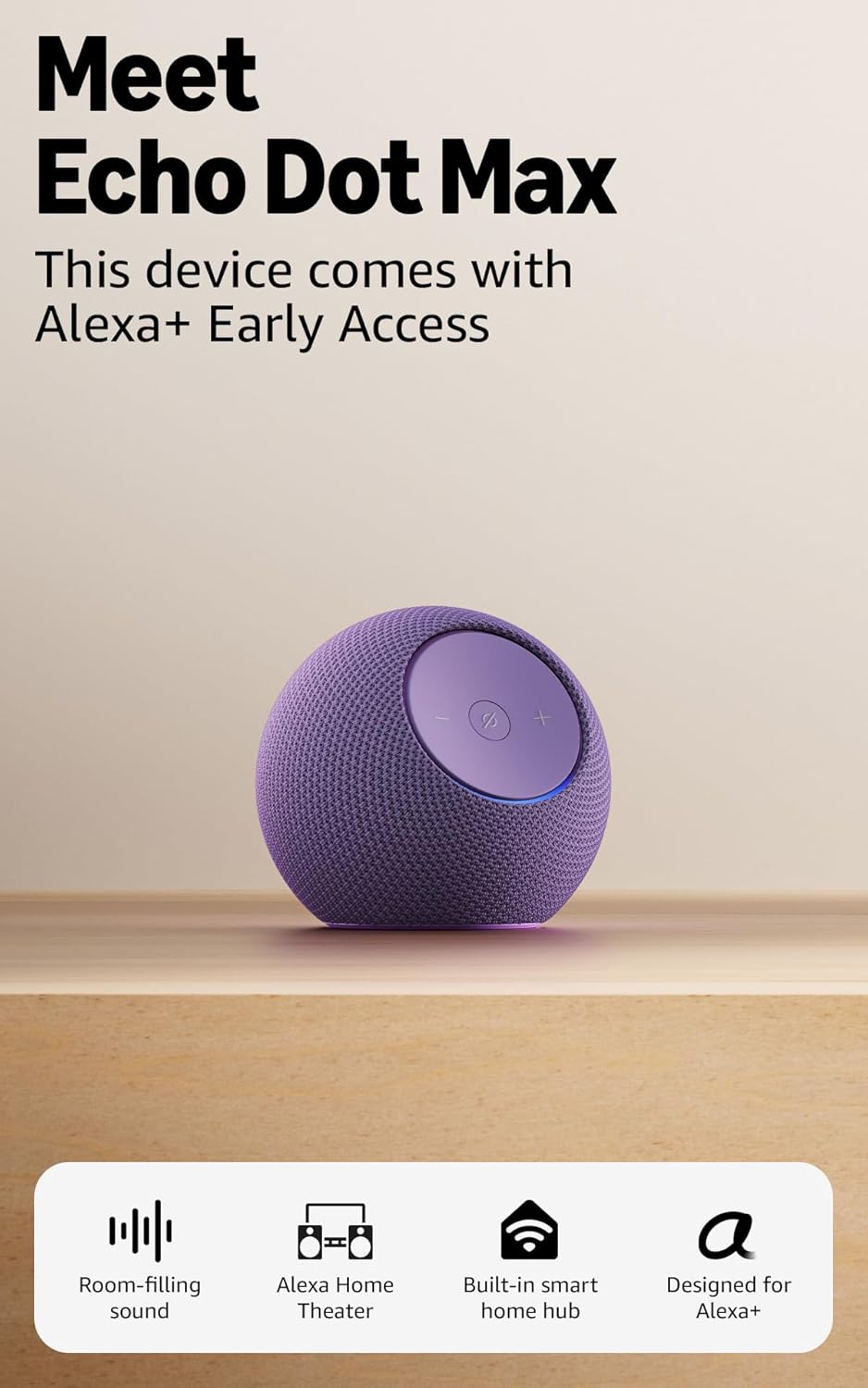
Image: The Amazon Echo Dot Max in Amethyst, highlighting its compact, spherical design and the control buttons on top.
Setup
- Unpack the Device: Carefully remove the Echo Dot Max and its power adapter from the packaging.
- Connect Power: Plug the included 22W power adapter into the Echo Dot Max and then into a wall outlet. The light ring on the device will illuminate.
- Download the Alexa App: On your smartphone or tablet, download the latest version of the Alexa app from your device's app store (compatible with Fire OS, Android, and iOS).
- Launch the Alexa App: Open the Alexa app and sign in with your Amazon account. If you don't have one, you will be prompted to create one.
- Add Your Device: Follow the on-screen instructions in the Alexa app to add your new Echo Dot Max. The app will guide you through connecting to your Wi-Fi network. Amazon Wi-Fi simple setup is supported for easy connection.
- eero Built-in Setup (Optional): If you have a compatible eero router, link your eero and Amazon accounts and manage eero Built-in from the eero mobile application to extend Wi-Fi coverage.

Image: A close-up view of the Echo Dot Max's top panel, featuring the volume up, volume down, and microphone mute buttons, illuminated by a blue light ring.
Operating Your Echo Dot Max
Voice Control with Alexa+
The Echo Dot Max comes with Alexa+ Early Access, offering a smarter and more proactive AI assistant. To interact with your device, simply say the wake word "Alexa" followed by your command or question.
- Music Playback: Request songs, artists, genres, or playlists from streaming services like Amazon Music, Apple Music, Spotify, and SiriusXM.
- Information: Ask for weather updates, news briefings, set timers, or get answers to general questions.
- Smart Home Control: Control compatible smart home devices such as lights, locks, and thermostats using voice commands. The built-in smart home hub supports Zigbee, Matter, and Thread Border Router protocols.
- Routines: Create and manage routines in the Alexa app to automate tasks. Omnisense technology allows for routines to be activated via temperature or presence detection.

Image: A promotional graphic for Alexa+ Early Access, emphasizing its advanced AI capabilities.
Device Pairing
- Stereo Pairing: Connect two Echo Dot Max devices for a richer stereo sound experience.
- Multi-room Audio: Group compatible Echo devices in different rooms for synchronized music playback.
- Home Theater: Pair your Echo Dot Max with compatible Fire TV devices to create an immersive home theater audio system.

Image: An Echo Dot Max positioned on a side table next to a person relaxing on a sofa, demonstrating its ability to provide room-filling sound in a living space.
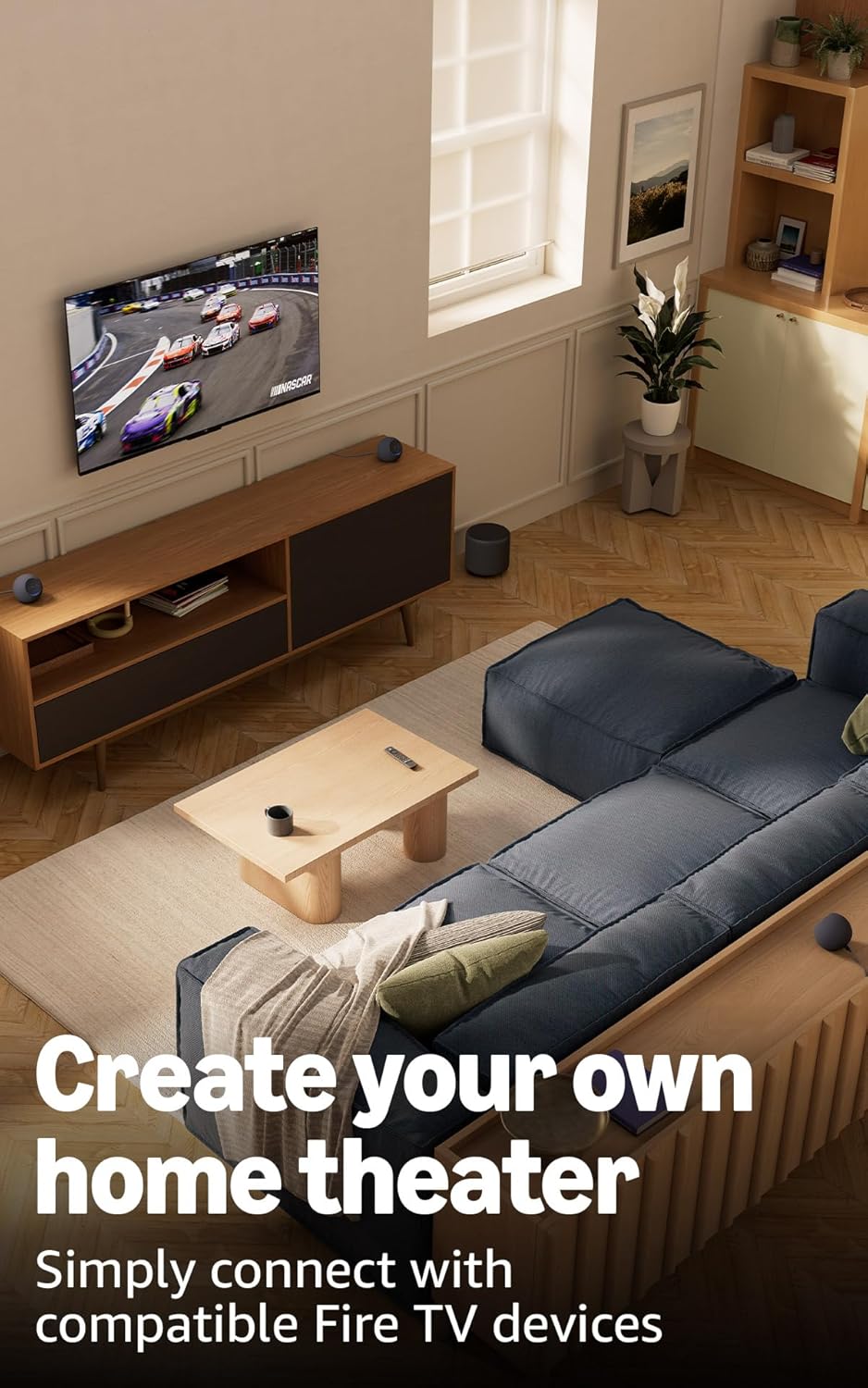
Image: A wide shot of a living room with a television and two Echo Dot Max units placed on a media console, illustrating a home theater setup.
Privacy Features
The Echo Dot Max is designed with multiple layers of privacy controls:
- Microphone Enable/Disable Button: A dedicated button on the device allows you to electronically disconnect the microphones, preventing the device from listening or responding to the wake word.
- Wake Word Technology: The device is designed to detect only your chosen wake word (e.g., "Alexa") before streaming audio to the cloud.
- Voice Recording Review and Deletion: You have the ability to review and delete your voice recordings through the Alexa app or the Alexa Privacy Hub.
- Amazon Sidewalk: Sidewalk uses a small portion of your internet bandwidth to help keep other devices connected and locate lost items. You can turn off Sidewalk at any time via the Alexa app.

Image: A detailed view of the Echo Dot Max's control panel, specifically highlighting the microphone mute button with a red indicator, signifying privacy control.
Accessibility Features
The Alexa app provides various accessibility features to personalize your experience:
- Adaptive Listening: Provides more time to finish speaking before Alexa responds.
- Preferred Speaking Rate: Control how fast or slow Alexa speaks by saying "Alexa, speak slower" or "Alexa, speak faster."
- Request Sound: Plays an audible tone in addition to the visual indicator when you speak to Alexa. Enable by saying "Alexa, turn on Start of Request Sound."
- Kindle Read Aloud: Have Alexa read your Kindle books aloud.
- Notify When Nearby: Plays notification sounds when you are detected near your Echo device.
To enable these features, navigate to Settings → Accessibility in the Alexa App.
Specifications
| Feature | Detail |
|---|---|
| Size | 4.27” x 4.27” x 3.9” (108.7mm x 108.6mm x 99.2mm) |
| Weight | 17.82 Oz (505.3 grams) 1.11 lbs |
| Audio Bandwidth | 53 Hz - 16 kHz (volume 6) |
| Loudspeaker Drivers | 1x 0.8” tweeter, 1x 2.5” woofer |
| Playback Channels | Two-way mono |
| Audio Processing | Lossless High Definition, Automatic Room Adaptation |
| Wi-Fi Connectivity | 1x1 Wi-Fi 6E 11a/b/g/n/ac/ax |
| Bluetooth Connectivity | Bluetooth wireless technology/Bluetooth Low Energy 5.3, A2DP, AVRCP |
| Smart Home Hub | Zigbee + Matter + Thread Border Router |
| Processor | AZ3 with AI Accelerator |
| Sensors | Ambient temperature, Ambient light, Presence Detection, Accelerometer for Tap Gestures |
| Omnisense Technology | Custom technology for ambient AI, enabling presence detection, temperature sensing, and tap gestures. |
| Included in Box | Echo Dot Max (2025 release), power adapter (22W), quick start guide. |
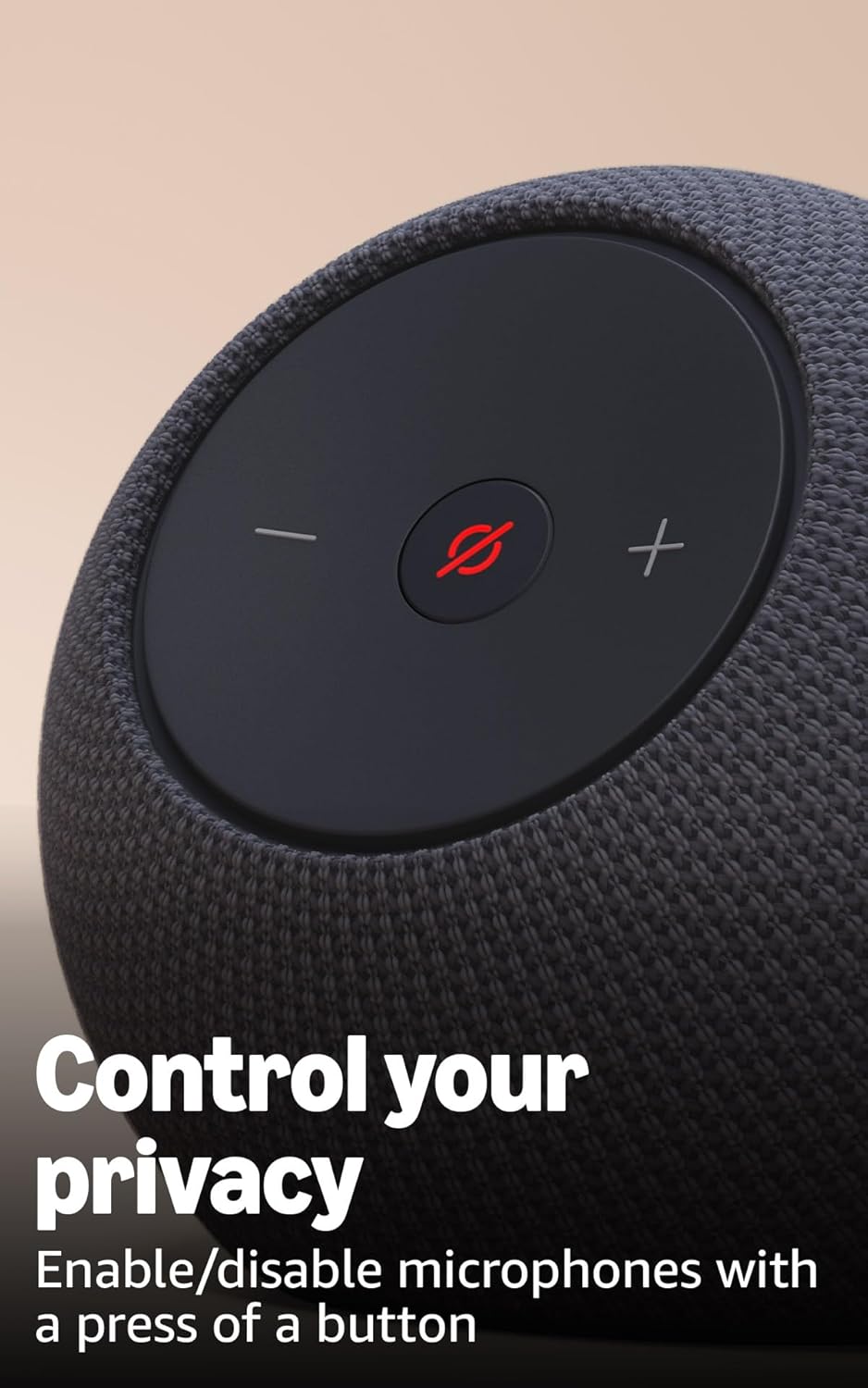
Image: A size comparison between the larger Echo Studio and the more compact Echo Dot Max, with their respective dimensions indicated.
Warranty and Support
Your Echo Dot Max comes with a 1-year limited warranty and service. Optional 2-year and 3-year extended warranties are available for U.S. customers and sold separately.
For detailed warranty terms and conditions, please refer to the documentation provided with your device or visit the official Amazon support website.
For software security updates, visit the Amazon support page. If you own an Amazon Echo, manage your content and devices for device-specific information.
Related documentsEcho Dot Max


Ask a question about this manual
Ask about setup, troubleshooting, compatibility, parts, safety, or missing instructions. Manuals+ will review the question and use this page’s manual context to help answer it.