
WLIVE ASNG113DHS2
WLIVE TV Stand with LED Lights & Charging Station User Manual
Model: ASNG113DHS2
1. Product Overview
The WLIVE TV Stand is a versatile entertainment center designed to accommodate TVs up to 55 inches. It features integrated LED lighting for ambiance and a convenient charging station with AC outlets and USB ports. The stand also provides ample storage with nine fabric drawers and a spacious wooden top.

Figure 1.1: WLIVE TV Stand in Rustic Brown with LED lights and integrated charging station.
Key Features:
- Multifunctional Design: Serves as a TV stand, entertainment center, and storage unit.
- LED Lighting: Features 60,000 color rhythm LED lights, adjustable via remote control or app, with music synchronization capability.
- Integrated Charging Station: Equipped with 2 AC sockets and 2 USB ports for convenient device charging, UL/ETL certified for safety.
- Ample Storage: Includes 9 detachable fabric drawers and a spacious wooden top for organizing entertainment equipment and daily items.
- Durable Construction: Built with a 15mm thickened metal steel frame and cross support rods, supporting up to 160 lbs.
- Safety Features: Includes an anti-tilt device to secure the unit to the wall, enhancing stability and safety.
- Adjustable Feet: Six all-directional adjustable feet ensure stability on various floor types and protect floors from scratches.
- Quality Materials: Drawers are made of 3-layer high-quality fiberboard and breathable non-woven fabric. The desktop is P2 grade artificial wood, scratch-resistant and easy to clean, tested by EPA&SGS.

Figure 1.2: The TV stand is designed to accommodate TVs up to 55 inches, featuring LED lights and power outlets.
2. Setup and Assembly
This WLIVE TV Stand is designed for easy assembly. Please follow the detailed assembly guide provided in the package. All screw parts are clearly marked, and necessary tools are included.
2.1 Unpacking and Inspection
- Carefully open the sturdy package. The product is packed with thick foam and wooden sheeting to prevent damage during transit.
- Remove all components and lay them out on a clean, soft surface to prevent scratches.
- Verify that all parts listed in the assembly guide are present and undamaged. If any parts are missing or damaged, please contact customer service immediately.
2.2 Assembly Steps
- Begin by assembling the metal steel frame according to the provided diagrams. Ensure all cross support rods are securely fastened.
- Attach the wooden top panel to the assembled frame.
- Install the integrated charging station into its designated slot on the top panel.
- Insert the detachable fabric drawers into their respective compartments. Ensure the smooth slide tracks are aligned.
- Attach the curved handles to the fabric drawers.
- Screw in the 6 all-directional adjustable feet to the bottom of the frame. Adjust them to ensure the stand is level and stable.
- Important: Secure the TV stand to the wall using the provided anti-tilt device. This is crucial for the safety of your family and pets.

Figure 2.1: Illustration of the TV stand's metal frame structure during assembly.

Figure 2.2: Installation of the anti-tilt device for enhanced safety and stability.
3. Operating Instructions
3.1 LED Lighting System
The integrated LED lights offer a wide range of colors and effects to enhance your room's ambiance.
- Power On/Off: Use the provided remote control or the dedicated mobile application to turn the LED lights on or off.
- Color Selection: Choose from 60,000 color rhythm options using the remote or app's color wheel/palette.
- Brightness and Speed: Adjust the light intensity and speed level of dynamic effects via the remote control or app.
- Music Synchronization: Activate the music rhythm mode through the app to synchronize the lighting effects with your audio.
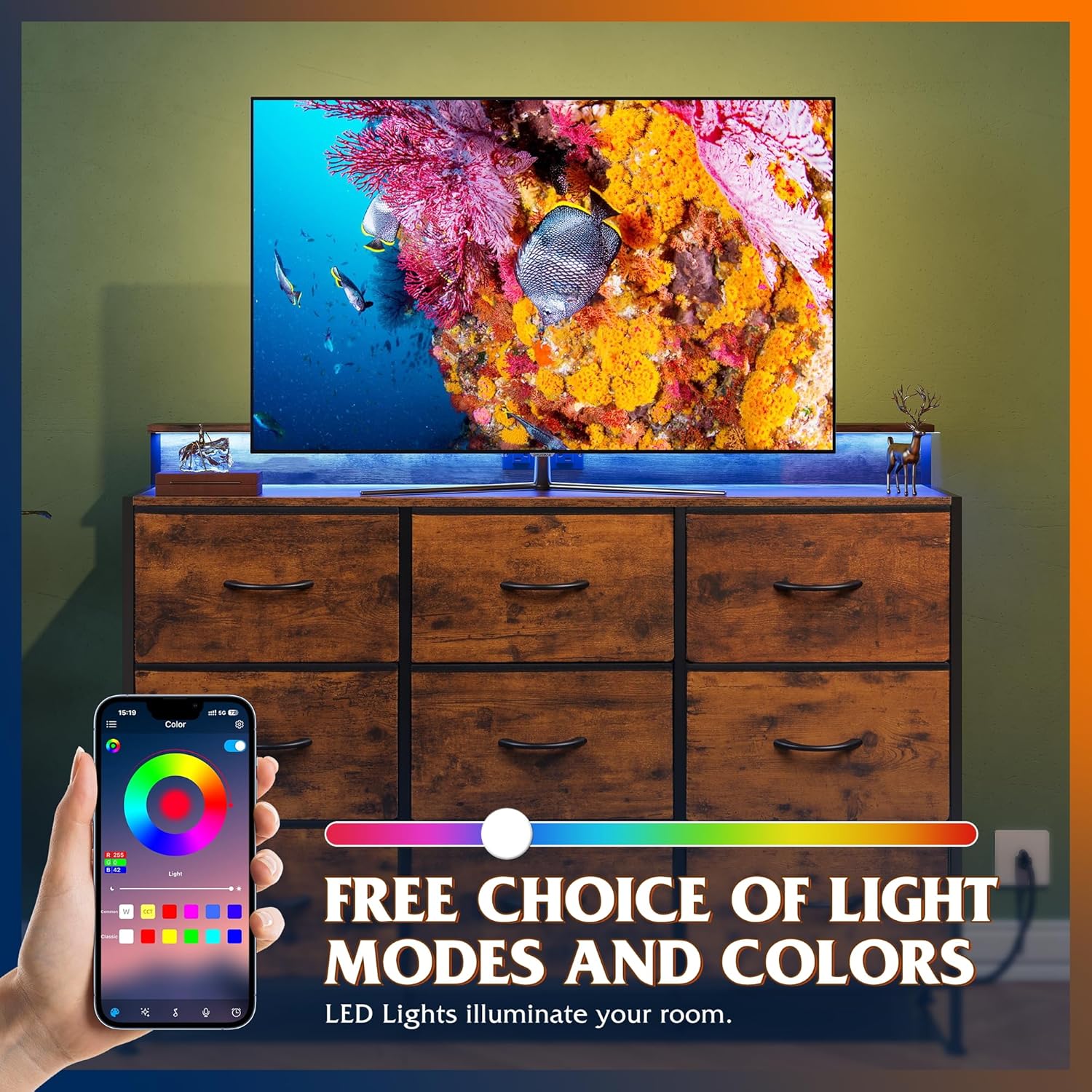
Figure 3.1: Demonstrating the customizable LED lighting with smartphone app control.

Figure 3.2: Overview of RGB LED light strip functionalities including color options and rhythm modes.
3.2 Charging Station
The built-in charging station provides convenient power access for your electronic devices.
- AC Outlets: Plug in your TV, game console, router, or other AC-powered devices into the 2 AC sockets (125V/12A).
- USB Ports: Use the 2 USB ports (5V/2.4A) to charge smartphones, tablets, and other USB-powered gadgets.
- Ensure the TV stand's power cord (1.5m flexible length) is securely plugged into a wall outlet.
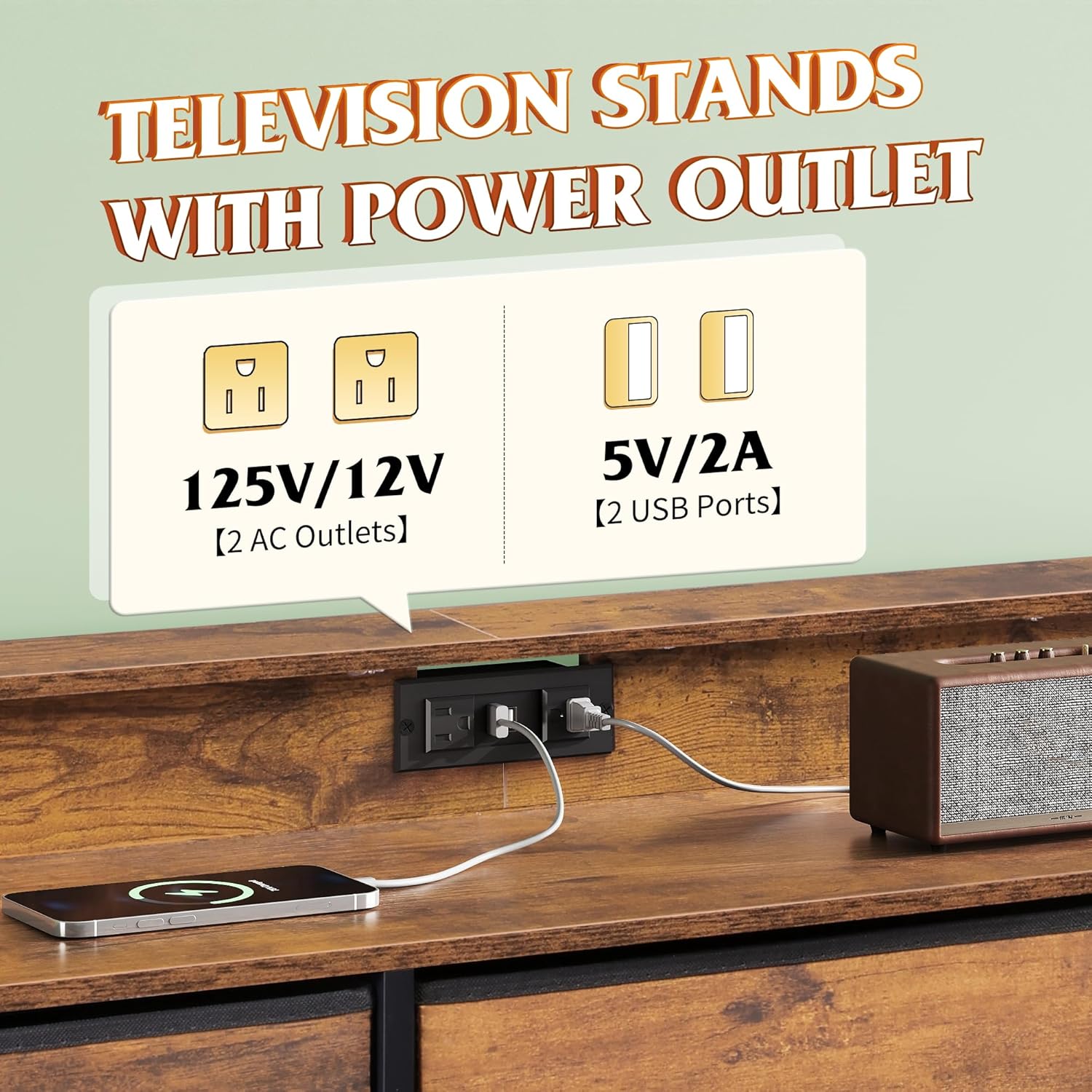
Figure 3.3: Detail of the integrated power outlet with AC and USB ports.

Figure 3.4: Specifications of the built-in charging station.
3.3 Fabric Drawers
The 9 detachable fabric drawers provide organized storage. Use the curved handles for easy opening and closing.
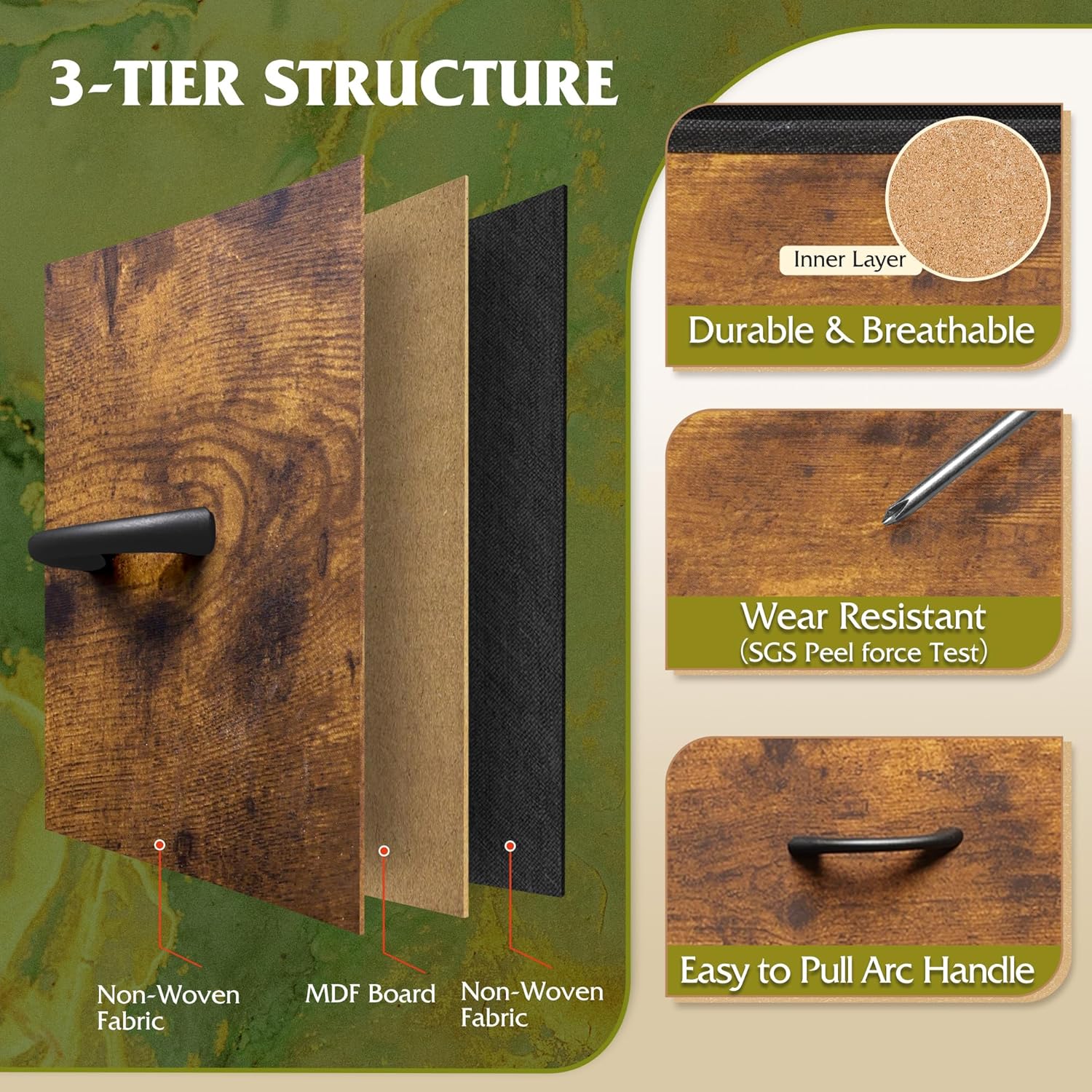
Figure 3.5: Construction details of the fabric drawers, emphasizing material quality and handle design.

Figure 3.6: Detailed view of the drawer material layers, including non-woven fabric and MDF board.
4. Maintenance
Proper maintenance will ensure the longevity and appearance of your WLIVE TV Stand.
4.1 Cleaning
- Wooden Top: The P2 grade artificial wood desktop is scratch-resistant and easy to clean. Wipe with a soft, damp cloth. Avoid abrasive cleaners.
- Fabric Drawers: The non-woven fabric is breathable and easy to clean. For light cleaning, use a lint roller or a soft brush. For spills, gently blot with a damp cloth and mild soap, then air dry. Do not machine wash.
- Metal Frame: Wipe the metal frame with a soft, dry cloth to remove dust.
4.2 Stability and Leveling
- Regularly check the tightness of all screws and connections. Tighten if necessary.
- Adjust the 6 all-directional adjustable feet to ensure the stand remains level on uneven floors. This also helps protect your floor from scratches.

Figure 4.1: Detail of the 360-degree adjustable feet for leveling and floor protection.
5. Troubleshooting
If you encounter any issues with your WLIVE TV Stand, please refer to the following common troubleshooting steps.
| Problem | Possible Cause | Solution |
|---|---|---|
| LED lights not turning on. | Power cord not fully plugged in; remote control battery low; app connection issue. | Ensure the power cord is securely connected. Check and replace remote control batteries. Re-pair the app with the LED system. |
| Charging station not providing power. | TV stand power cord unplugged; device not properly connected; power surge protection tripped. | Verify the TV stand's power cord is plugged into a live wall outlet. Ensure devices are correctly plugged into AC or USB ports. Try plugging a different device to confirm. |
| Drawers are difficult to open/close. | Drawer overloaded; items obstructing movement; drawer not properly seated on tracks. | Reduce the weight in the drawer. Check for any items blocking the drawer's path. Remove the drawer and re-insert it, ensuring it's correctly aligned on its tracks. |
| Stand feels wobbly or unstable. | Uneven floor; adjustable feet not properly set; loose assembly screws; anti-tilt device not installed. | Adjust the 6 all-directional feet to level the stand. Check and tighten all assembly screws. Ensure the anti-tilt device is securely installed to the wall. |
If the problem persists after trying these steps, please contact WLIVE customer service for further assistance.
6. Specifications
| Attribute | Detail |
|---|---|
| Brand | WLIVE |
| Model Name | ASNG113DHS2 (ASNG113 Fabric dresser/DHS2) |
| Product Dimensions | 13.5"D x 47"W x 31.3"H |
| Color | Rustic Brown |
| Mounting Type | Floor Mount |
| Room Type | Hallway, Living Room, Office |
| Special Features | Multifunction, Removable Drawers, Sturdy Construction, Adjustable Feet, Easy Assembly, LED Lights, Charging Station |
| Assembly Required | Yes |
| Item Weight | 29.5 Pounds |
| Recommended Uses | Clothes, Decorative items, Linens, TV & Media Equipment |
| Max Weight Capacity | 160 LBS (approx.) |
| Max TV Size | 55 inches |
| Charging Station | 2 AC Sockets (125V/12A), 2 USB Ports (5V/2.4A), 1.5m Power Cord (UL/ETL Certified) |
| Drawer Material | 3-layer high-quality fiberboard, breathable non-woven fabric |
| Desktop Material | P2 grade artificial wood (EPA&SGS tested) |

Figure 6.1: Detailed product dimensions and individual drawer capacity.

Figure 6.2: Visual representation of the TV stand's overall dimensions and TV compatibility.
7. Warranty and Support
WLIVE is committed to providing high-quality products and excellent customer service. While specific warranty details are not provided in this manual, a professional after-sales team is available to assist you with any concerns or issues.
For assistance with assembly, missing parts, product defects, or any other inquiries, please contact WLIVE customer service through the retailer where you purchased the product or visit the official WLIVE brand store online.
Please retain your purchase receipt for any warranty claims or support requests.
Ask a question about this manual
Ask about setup, troubleshooting, compatibility, parts, safety, or missing instructions. Manuals+ will review the question and use this page’s manual context to help answer it.