
1. Introduction
Thank you for choosing the WLIVE White TV Stand. This entertainment center is designed to accommodate 40-45 inch TVs and features integrated LED lighting, a convenient charging station, six fabric drawers, and open shelves for versatile storage. This manual provides detailed instructions for assembly, operation, maintenance, and safety to ensure optimal use of your new furniture.
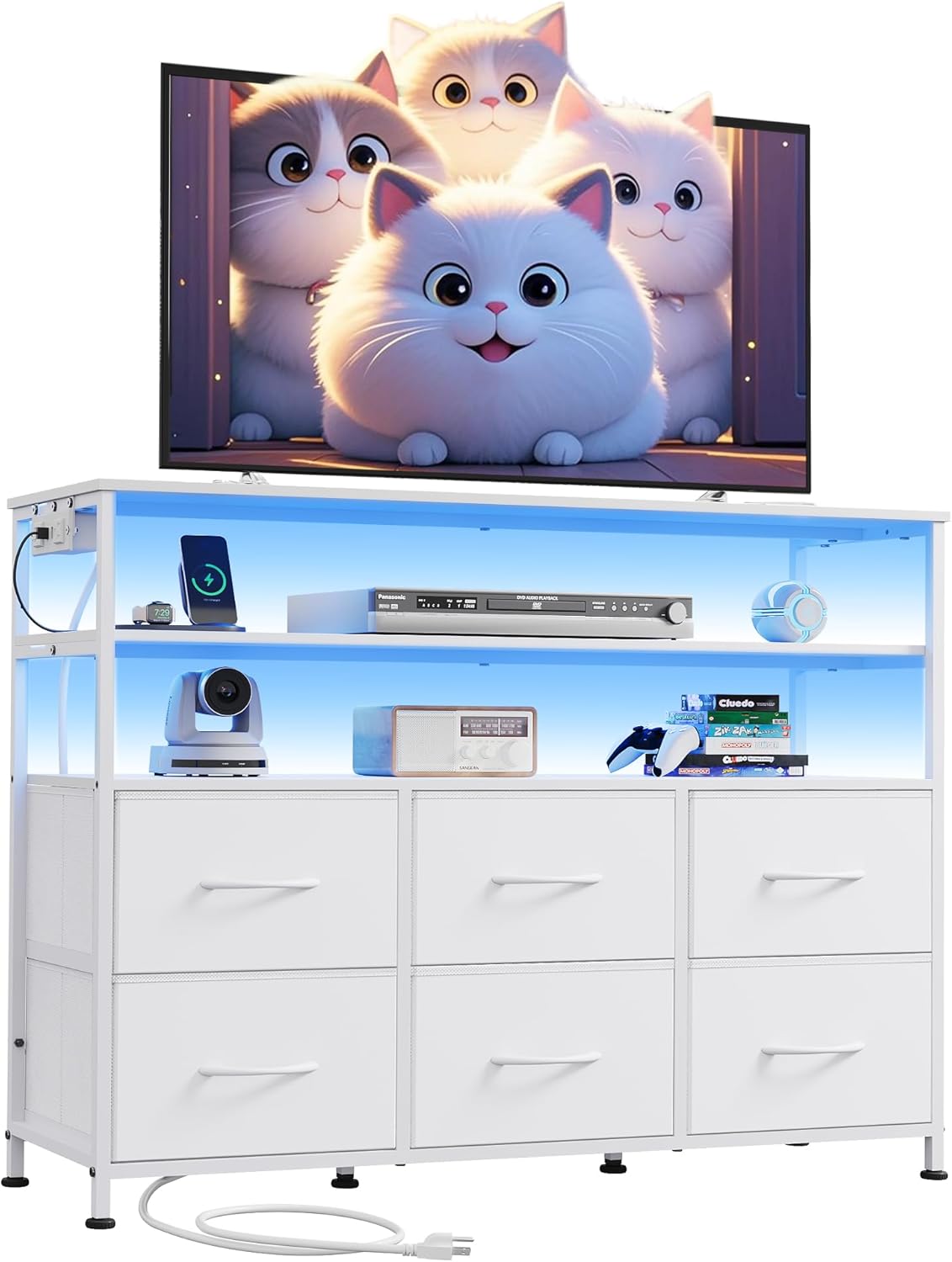
Image 1.1: WLIVE White TV Stand with LED lights and charging station, showcasing its design and functionality.
2. Safety Information
Please read and understand all instructions before assembly and use. Failure to follow these instructions may result in injury or product damage.
- Keep all small parts and packaging materials away from children and pets.
- Assemble the unit on a soft, clean surface to prevent scratches.
- Do not overtighten screws during assembly; tighten them fully only when assembly is complete.
- Ensure the TV stand is placed on a level surface to prevent tipping.
- Use the provided anti-tilt device to secure the unit to the wall, especially if children or pets are present.
- Do not exceed the maximum weight capacity of the shelves and top surface (Top: 66 lbs, Open Shelves: 44 lbs).
- The charging station is UL/ETL certified. Do not overload the outlets.
3. Parts List
Before beginning assembly, ensure all parts are present and undamaged. Refer to the assembly diagram for identification.

Video 3.1: Detailed overview of all components and hardware included for assembly. Please refer to this visual guide to ensure all parts are present before starting.
Hardware (Example from video, actual quantities may vary slightly by model):
- Screws (various types: A, B, C, D, F, G)
- Allen Key (N)
- Wrench (M)
- LED Strip (I)
- Charging Station (H)
- Adjustable Feet (E)
4. Assembly Instructions
Follow these steps carefully for proper assembly. It is recommended to have two people for certain steps.
4.1. Frame Assembly
Begin by assembling the main metal frame. Ensure all holes are correctly oriented as shown in the diagrams.
Video 4.1: Step-by-step visual guide for assembling the main frame of the dresser. Pay close attention to the orientation of parts and screw types.
4.2. Installing Shelves and Back Panels
Attach the wooden shelves and the back panel to the assembled frame. Ensure all connections are secure.
Video 4.2: Detailed assembly instructions for the WLIVE Dresser TV Stand, covering the installation of shelves and back panels.
4.3. Charging Station and LED Lights Installation
Integrate the charging station and LED light strip into the designated areas. The LED strip has an adhesive backing and can be further secured with clips.

Image 4.3: The built-in charging station, featuring 2 AC outlets and 2 USB ports, ready for installation.
Video 4.4: Installation guide for the TV Stand with LED Lights, demonstrating how to attach the LED strip and charging station.
4.4. Fabric Drawer Assembly
Assemble the fabric drawers by unfolding them and inserting the bottom panel. Attach the handles to the front of each drawer.
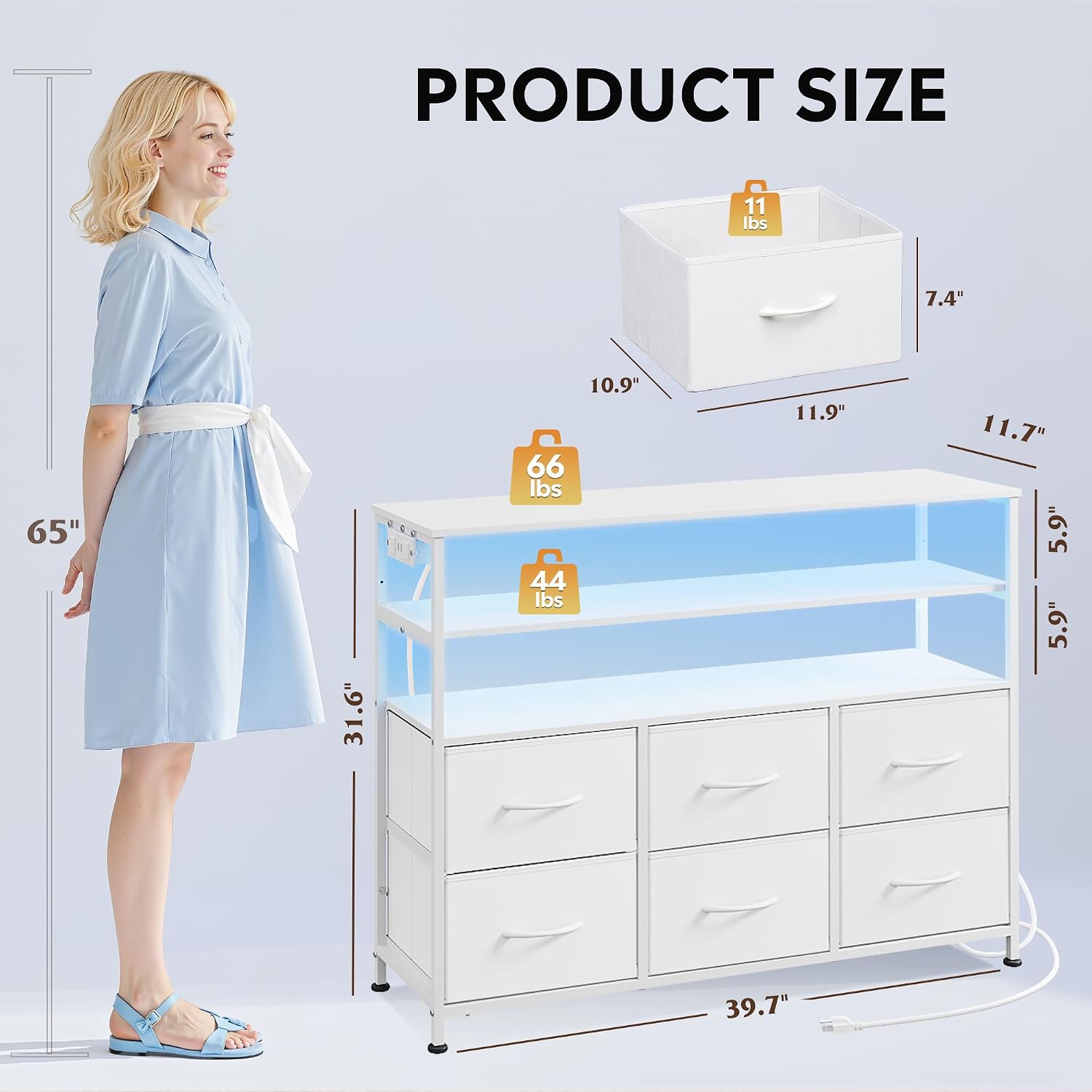
Image 4.5: The TV stand with its six fabric drawers, providing ample storage space.
5. Operating Instructions
5.1. LED Lights
The LED lights can be controlled via a remote control or a dedicated mobile application. You can adjust color, intensity, and speed, and synchronize lighting with music.

Image 5.1: The TV stand's LED lights in action, highlighting control options via remote or smartphone app.
5.2. Charging Station
The integrated charging station provides 2 AC outlets (125V/12A) and 2 USB ports (5V/2A) with a 5-foot flexible cable. Simply plug in your devices for convenient charging.
6. Maintenance
To maintain the appearance and longevity of your TV stand:
- Wipe the wooden top and metal frame with a soft, damp cloth. Avoid harsh chemicals.
- The fabric drawers are made of breathable non-woven fabric and can be spot cleaned with a mild detergent.
- Regularly check all screws and connections to ensure they remain tight.
7. Troubleshooting
7.1. LED Lights Not Working
- Check if the LED strip is properly plugged into the USB port of the charging station.
- Ensure the charging station is plugged into a working wall outlet.
- Verify that the remote control batteries are functional or the mobile app is correctly connected.
7.2. Unit Wobbles
- Ensure all screws are fully tightened.
- Adjust the six all-directional adjustable feet to stabilize the unit on uneven floors.
- Confirm the anti-tilt device is securely installed to the wall.
8. Specifications
| Feature | Detail |
|---|---|
| Brand | WLIVE |
| Model Name | ASNG109WXF |
| Product Dimensions | 11.7"D x 39.6"W x 31.6"H |
| Color | White |
| Material | Fabric, Alloy Steel, MDF Board |
| Number of Drawers | 6 |
| Number of Shelves | 3 |
| Item Weight | 29.5 Pounds |
| Recommended TV Size | Up to 45 inches |
| Charging Station | 2 AC outlets (125V/12A), 2 USB ports (5V/2A) |
| LED Lights | 60000+ colors, remote/APP control, music sync |
9. Customer Support
For any questions, missing parts, or assistance with assembly, please contact our professional after-sales team. We are committed to providing excellent service.
For more information, visit the WLIVE Store on Amazon.