
Introduction
Thank you for choosing the Zodvboz Smart Watch ZL02BPRO. This smart watch is designed to enhance your daily life with its comprehensive features, including fitness tracking, health monitoring, Bluetooth calling, and smart notifications. This manual provides detailed instructions on how to set up, operate, and maintain your device to ensure optimal performance and longevity.

Image: The Zodvboz Smart Watch ZL02BPRO in pink, showcasing its round display and silicone strap.
Setup
1. Charging the Device
Before first use, fully charge your smart watch. Connect the magnetic charging cable to the charging points on the back of the watch and plug the USB end into a power adapter (not included) or a computer's USB port.
- Charging Time: Approximately 2 hours for a full charge.
- Battery Life: Up to 10 days of normal use.

Image: Illustration showing the smart watch connected to its magnetic charger, indicating long battery life and charging time.
2. Installing the Da Fit APP
To unlock the full potential of your smart watch, download and install the Da Fit APP on your smartphone. The app is compatible with iOS (version 9.0 and above) and Android (version 4.4 and above) devices.
- Scan the QR code provided in the watch's packaging or search for "Da Fit" in your phone's app store (App Store for iOS, Google Play Store for Android).
- Follow the on-screen instructions to complete the installation.
3. Pairing with Your Smartphone
After installing the app, open it and follow these steps to pair your watch:
- Ensure Bluetooth is enabled on your smartphone.
- Open the Da Fit APP and navigate to the "Device" or "Add Device" section.
- The app will search for available devices. Select "ZL02BPRO" from the list.
- Confirm the pairing request on both your phone and the watch if prompted.
- Once paired, the watch will synchronize time and data with your phone.
Operating the Smart Watch
Basic Navigation
- Touchscreen: The 1.28-inch full touchscreen allows for intuitive navigation. Swipe left/right, up/down, and tap to select options.
- Side Button: Press the side button to wake up the screen, return to the main watch face, or access the app menu.
- Quick View: Raise your wrist to automatically activate the screen and view time or notifications.
Health Monitoring Features
The ZL02BPRO smart watch provides 24-hour health monitoring to help you understand your physical condition.

Image: The smart watch displaying heart rate and blood oxygen monitoring, with a user on a treadmill in the background.
- Heart Rate Monitor: Continuously tracks your heart rate throughout the day. View real-time data on the watch or detailed trends in the Da Fit APP.
- Blood Oxygen Monitor (SpO2): Measures your blood oxygen saturation levels.
- Sleep Monitor: Automatically tracks your sleep patterns, including awake sleep, light sleep, and deep sleep. Provides insights into your sleep quality to help improve rest habits.

Image: A user sleeping with the smart watch on, showing the watch's sleep monitoring interface and corresponding app data.
Fitness Tracking
The ZL02BPRO supports over 100 sport modes and acts as a daily activity tracker.

Image: The smart watch displaying various sport mode icons, with people engaged in cycling, running, and swimming activities.
- Sport Modes: Select from a wide range of activities like walking, running, cycling, swimming, and more. The watch records exercise data such as steps, distance, calories burned, and duration.
- Daily Activity Tracker: Automatically records your daily steps, distance traveled, and calories burned, encouraging you to meet your fitness goals.
Communication Features
- Bluetooth Calling: Make and answer calls directly from your wrist. The watch features high-quality speakers and an AM sound quality for clear calls.
- Smart Notifications: Receive notifications for incoming calls, messages, and social media alerts directly on your watch.
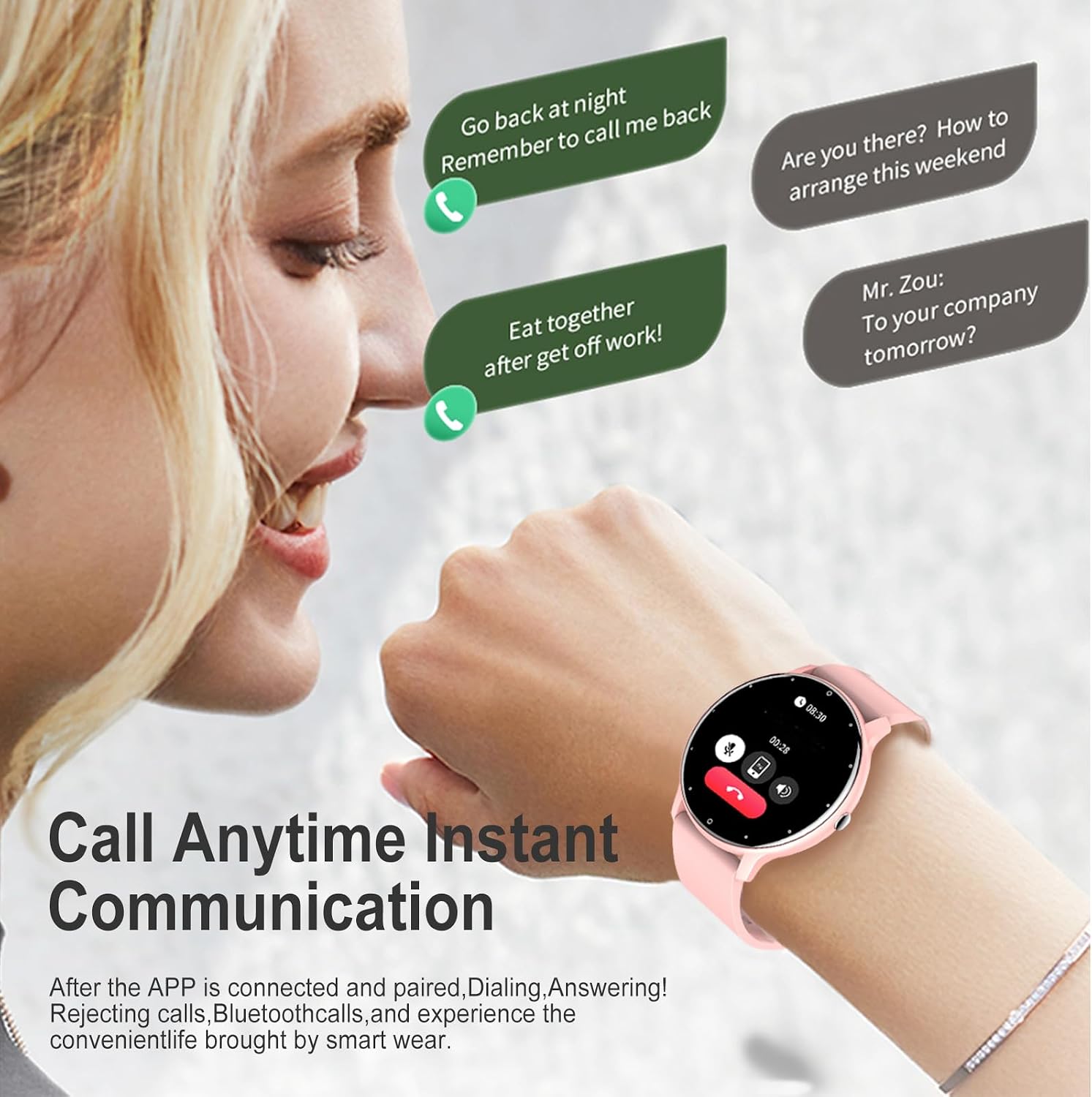
Image: A user interacting with the smart watch to manage calls, showing call notifications and options on the watch screen.
Additional Smart Features
- Music Control: Control music playback on your smartphone (play, pause, skip tracks) directly from your watch.
- Remote Camera Control: Use your watch as a remote shutter button for your smartphone's camera.
- Weather Forecast: View real-time weather forecasts directly on your watch.
- Sedentary Reminder: Get alerts when you've been inactive for too long, encouraging you to move.

Image: The smart watch displaying a sunny day weather forecast, with a couple under an umbrella in the background, illustrating weather resistance.
Customization
Personalize your ZL02BPRO Smart Watch to match your style and preferences.
- Versatile Dials: Choose from a variety of pre-installed watch faces or download more through the Da Fit APP to express your unique self.
- Multi-color Options: The ZL02BPRO is available in various colors, including Pink, Blue, Beige, and Black, allowing you to choose a watch that suits your personal aesthetic.

Image: A beige smart watch surrounded by various digital watch face designs, demonstrating customization options.

Image: Four smart watches displayed side-by-side in pink, blue, beige, and black colors, showcasing the available color options.
Maintenance
Water Resistance (IP67)
The ZL02BPRO smart watch has an IP67 waterproof rating. This means it is resistant to dust and can withstand immersion in water up to 1 meter for 30 minutes. It is suitable for daily use, such as washing hands, light rain, and swimming.

Image: A black smart watch with water droplets, illustrating its IP67 waterproof capability.
Important: While IP67 rated, avoid prolonged immersion in hot water, steam, or corrosive liquids. Do not operate buttons underwater.
Cleaning and Care
- Wipe the watch and strap regularly with a soft, damp cloth.
- Avoid using harsh chemicals or abrasive cleaners.
- Ensure the charging contacts are clean and dry before charging.
- Store the watch in a cool, dry place when not in use.
Troubleshooting
| Problem | Possible Solution |
|---|---|
| Watch not turning on | Ensure the watch is fully charged. Connect it to the charger for at least 30 minutes. |
| Cannot pair with phone |
|
| Notifications not received |
|
| Inaccurate health data |
|
Specifications
| Feature | Detail |
|---|---|
| Model Number | ZL02BPRO |
| Display | 1.28" Full Touchscreen |
| Battery Capacity | 230mAh Polymer Battery |
| Charging Time | Approx. 2 hours |
| Normal Use Battery Life | Up to 10 days |
| Waterproof Rating | IP67 |
| Connectivity | Bluetooth |
| Operating System Compatibility | Android 4.4+, iOS 9.0+ |
| App Name | Da Fit |
| Special Features | Bluetooth call, Sedentary reminder, Sleep monitoring, Heart Rate Monitor, Blood Oxygen Monitor, 100+ Sport Modes, Music Control, Remote Camera |
| Material | Plastic PC case, Anti-static silicone strap |

Image: Visual summary of smart watch features including battery life (7-15 days), light body (38g), and health management icons (SpO2, sleep, heart rate, activity).
Warranty and Support
Zodvboz provides a 3-year warranty for the ZL02BPRO Smart Watch. This warranty covers manufacturing defects and ensures your product functions as intended under normal use.
For technical support, warranty claims, or any inquiries, please contact Zodvboz customer support through the contact information provided on the official Zodvboz website or through your purchase platform.
Please retain your proof of purchase for warranty validation.