
FoMup FM35CH-3
Contents
FoMup Electric Cooler Cabinet 35L (Model FM35CH-3) User Manual
Comprehensive instructions for setup, operation, maintenance, and troubleshooting.
1. Important Safety Information
Please read all instructions carefully before using the FoMup Electric Cooler Cabinet. Retain this manual for future reference.
- Ensure the appliance is placed on a stable, level surface.
- Do not block ventilation openings. Allow adequate space around the unit for proper air circulation.
- Connect to a grounded electrical outlet only. Do not use extension cords or ungrounded adapters.
- Do not operate the appliance with a damaged power cord or plug.
- Keep children away from the appliance, especially when it is operating. The safety lock helps prevent unauthorized access.
- Do not store explosive substances or flammable materials inside the cooler.
- Unplug the unit before cleaning or performing any maintenance.
2. Product Overview
The FoMup Electric Cooler Cabinet (Model FM35CH-3) is designed to provide a controlled environment for storing collections, maintaining specific temperature and humidity levels. It features Spanish cedar wood shelves and a digital touch control panel for precise adjustments.

Figure 2.1: Front view of the FoMup Electric Cooler Cabinet.
Key Features:
- Adjustable Temperature and Humidity: Digital control panel for precise settings.
- Spanish Cedar Wood Shelves: Helps regulate humidity and enhances aroma.
- Stable Storage Environment: Cold air fan and evaporative fan ensure consistent conditions.
- Double-Layer Tempered Glass: Provides insulation and visibility.
- Silent Operation: Designed for a peaceful environment.
- Safety Lock: Secures contents and prevents unauthorized access.
- Built-in Water Box: For easy humidification.
3. Setup Instructions
3.1 Unpacking
- Carefully remove the cooler cabinet from its packaging.
- Inspect the unit for any shipping damage. If damage is found, do not plug in the unit and contact customer support immediately.
- Remove all internal packing materials, including any tape or protective films.
3.2 Placement
- Place the cooler cabinet on a firm, level surface capable of supporting its weight when fully loaded.
- Ensure there is at least 5 inches (12.7 cm) of space at the back and sides of the unit for proper ventilation. Avoid placing it in direct sunlight or near heat sources.
- The unit is designed for countertop or freestanding installation.

Figure 3.1: Product dimensions for placement reference (19.49"D x 10.24"W x 25.59"H).
3.3 Initial Power-On
- After placing the unit, wait at least 2 hours before plugging it into a power outlet. This allows refrigerants to settle.
- Plug the power cord into a dedicated, grounded 115V AC outlet.
- The unit will power on, and the digital display will illuminate.
3.4 Installing Shelves and Water Box
- Insert the Spanish cedar wood shelves into the desired positions within the cabinet.
- Place the water box with sponge into its designated slot at the bottom of the cabinet. Fill the water box with distilled water to initiate humidification.

Figure 3.2: Key features including blue ambient light, invisible door handle, water box with sponge, safety lock, and adjustable feet.
4. Operating Instructions
4.1 Digital Touch Control Panel
The control panel is located on the top of the door and allows for precise adjustment and monitoring of temperature and humidity.

Figure 4.1: Digital touch control panel for setting temperature and humidity.

Figure 4.2: Detailed functions of the digital touch control panel.
- Power Button (U): Press to turn the unit on or off.
- Temperature Up/Down (^ / v): Adjusts the desired temperature. The temperature range is 59°F - 72°F (15°C - 22°C).
- Humidity Up/Down (^ / v): Adjusts the desired humidity. The humidity range is 60% - 75%.
- Light/Celsius and Fahrenheit Toggle: Press to cycle through display options or control internal light.
- Temperature Display: Shows the current internal temperature.
- Humidity Display: Shows the current internal humidity.
4.2 Loading the Cabinet
- Arrange items on the Spanish cedar wood shelves and in the drawer. Ensure proper air circulation by not overcrowding the shelves.
- The Spanish cedar wood helps absorb excess moisture and release moisture as needed, contributing to humidity regulation.

Figure 4.3: Interior view showing Spanish cedar wood shelves and drawer.
4.3 Using the Safety Lock
The cabinet is equipped with a lock to secure its contents. Use the provided keys to lock and unlock the door.
5. Maintenance
5.1 Cleaning the Cabinet
- Always unplug the unit before cleaning.
- Wipe the exterior with a soft cloth dampened with mild detergent and water. Avoid abrasive cleaners.
- Clean the interior with a soft cloth and a solution of baking soda and water (2 tablespoons of baking soda to 1 quart of water).
- The Spanish cedar wood shelves can be wiped with a dry or slightly damp cloth. Do not soak them.
- Ensure all surfaces are dry before plugging the unit back in.
5.2 Water Box Humidification
- Regularly check the water level in the water box.
- Refill the water box with distilled water as needed to maintain desired humidity levels. Using distilled water prevents mineral buildup.
5.3 Air Circulation System
The unit features an air cooling fan for temperature distribution and a moisture evaporation fan for humidity. These systems operate automatically to maintain stable conditions.
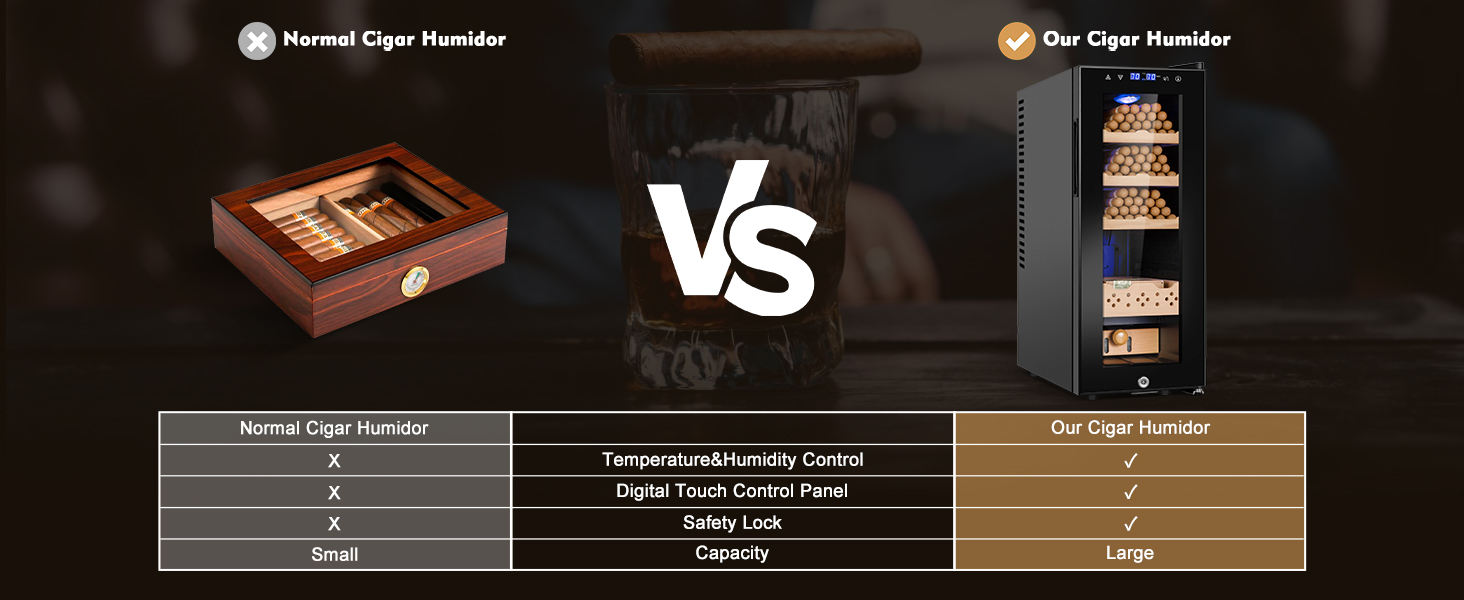
Figure 5.1: Internal air cooling and moisture evaporation fan system.
6. Troubleshooting
| Problem | Possible Cause | Solution |
|---|---|---|
| Unit does not power on | No power to the unit; Power cord not properly plugged in; Circuit breaker tripped. | Check power outlet; Ensure power cord is securely plugged in; Reset circuit breaker. |
| Temperature is not stable or too high/low | Door not closed properly; Unit placed near heat source or in direct sunlight; Ventilation blocked; Ambient temperature too high/low. | Ensure door is fully closed; Relocate unit away from heat/sunlight; Clear ventilation areas; Adjust room temperature if possible. |
| Humidity is not stable or too high/low | Water box empty; Door not closed properly; Ambient humidity too high/low. | Refill water box with distilled water; Ensure door is fully closed; Adjust room humidity if possible. |
| Excessive noise | Unit not level; Objects touching the back or sides of the unit; Normal compressor operation. | Adjust adjustable feet to level the unit; Ensure adequate clearance around the unit; Some operational noise from the compressor is normal. |
| Water accumulation inside | High ambient humidity; Frequent door opening. | This is normal condensation. Wipe with a soft cloth. Ensure door is closed properly and not opened excessively. |
If the problem persists after attempting these solutions, please contact customer support.
7. Specifications
| Feature | Specification |
|---|---|
| Brand | FoMup |
| Model Info | FM35CH-3 |
| Item Weight | 29.8 pounds |
| Product Dimensions | 19.49 x 10.24 x 25.59 inches (D x W x H) |
| Capacity | 35 Liters |
| Temperature Range | 59°F - 72°F (15°C - 22°C) |
| Humidity Range | 60% - 75% |
| Annual Energy Consumption | 100 Kilowatt Hours Per Year |
| Installation Type | Countertop/Freestanding |
| Special Features | Digital Temperature Control, Door Lock, Frost Free, Low Noise, Touch Control |
| Color | Black |
| Voltage | 115 Volts (AC) |
| Shelves | 3 Wood Shelves |
| Included Components | Drawer |
8. Warranty and Support
8.1 Warranty Information
FoMup provides 12 months technical support for this cooler cabinet from the date of purchase. This warranty covers manufacturing defects and issues arising from normal use.
8.2 Customer Support
If you have any questions, require technical assistance, or need to claim warranty service, please contact FoMup customer service. Refer to your purchase documentation or the FoMup official website for contact details.
Documents and downloads
Ask a question about this manual
Ask about setup, troubleshooting, compatibility, parts, safety, or missing instructions. Manuals+ will review the question and use this page’s manual context to help answer it.