
FF FLASHFISH UA101
FF FLASHFISH 120W 98Wh Portable Power Station User Manual
Model: UA101
1. Introduction
Thank you for choosing the FF FLASHFISH 120W 98Wh Portable Power Station. This compact and versatile power solution is designed to provide reliable electricity for your devices during outdoor adventures, emergencies, or as a convenient power source at home. Please read this manual carefully before use to ensure proper operation and maximize the lifespan of your device.
Package Contents:
- FF FLASHFISH 120W 98Wh Portable Power Station
- AC Adapter
- Car Charger
- User Manual

Image: Package Contents
2. Safety Instructions
To ensure safe operation and prevent damage to the device or injury, please observe the following safety precautions:
- Do not disassemble, repair, or modify the unit.
- Do not expose the unit to fire or extreme temperatures (above 40°C/104°F or below 0°C/32°F).
- Do not use or store the unit in a bathroom or in areas exposed to rain or moisture.
- Do not use damaged power cables or adapters.
- Keep out of reach of children and pets.
- Ensure proper ventilation during use and charging. Do not cover the unit.
- Avoid dropping or subjecting the unit to strong impacts.
- Dispose of the unit and its battery according to local regulations.
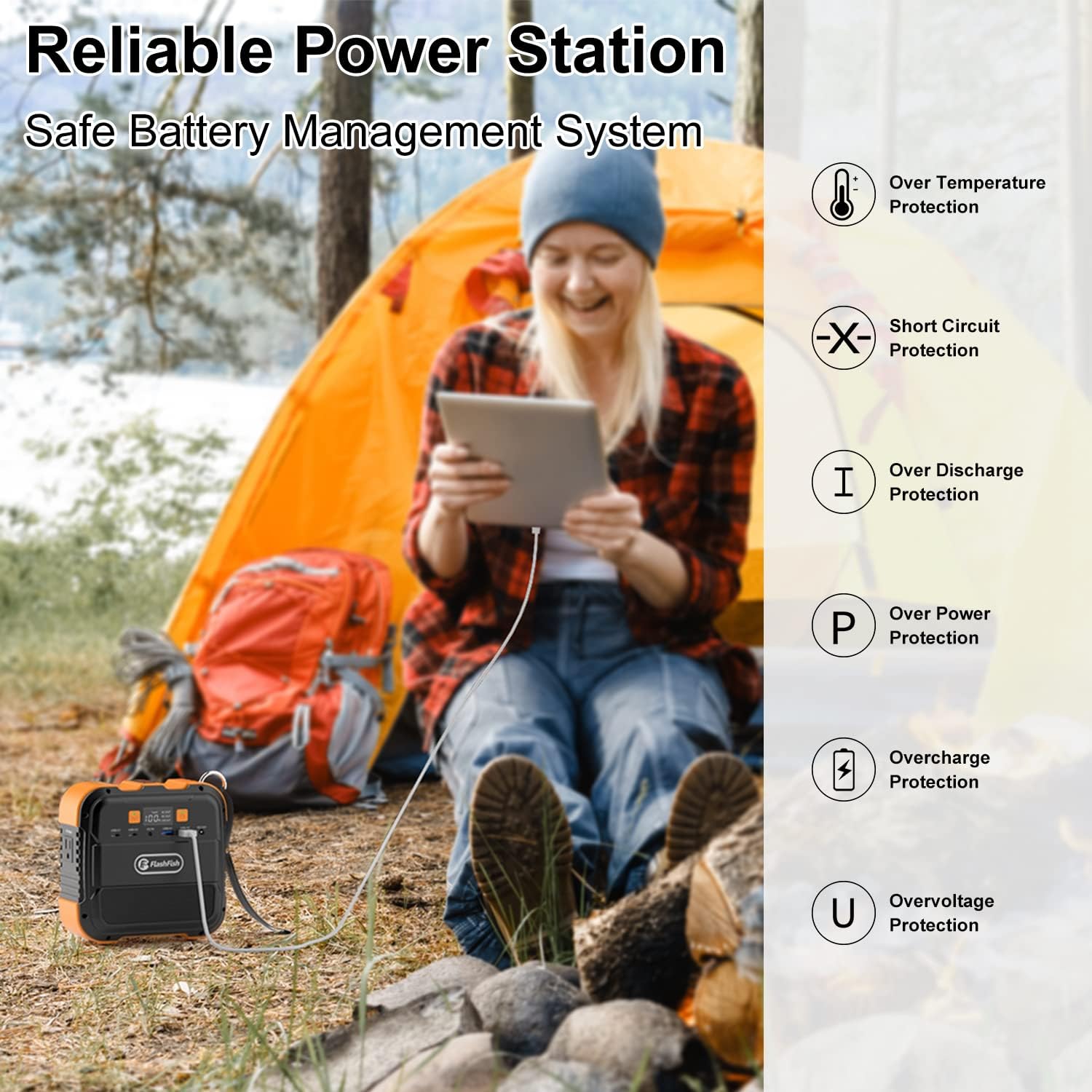
Image: Built-in Safety Protections
3. Product Overview
The FF FLASHFISH Portable Power Station features a robust design with multiple input and output ports for various charging needs. Familiarize yourself with the components:
- AC Output Port: For powering standard household appliances (110V/120W).
- Type-C Ports (x2): 18W output for compatible devices.
- USB-A Ports (x2): 5V/2.4A output for smartphones, tablets, etc.
- DC Output Port: 12V/5A for DC-powered devices.
- DC Input Port: For charging the power station via AC adapter, car charger, or solar panel.
- LED Flashlight: Integrated light with constant and SOS modes.
- LCD Display: Shows battery level, input/output status.
- Power Button: To turn the unit on/off and activate outputs.

Image: Front Panel Overview
4. Charging the Power Station
Before first use, fully charge the power station. There are three methods to recharge your device:
4.1. Wall Outlet Charging (AC Adapter)
- Connect the provided AC adapter to the DC Input port on the power station.
- Plug the AC adapter into a standard wall outlet.
- The LCD display will indicate charging status. A full charge takes approximately 4 hours.
4.2. Car Outlet Charging (Car Charger)
- Connect the provided car charger to the DC Input port on the power station.
- Plug the car charger into your vehicle's 12V cigarette lighter socket.
- The LCD display will indicate charging status. A full charge takes approximately 4 hours.
4.3. Solar Panel Charging (Sold Separately)
- Connect a compatible Flashfish 50W/60W solar panel (not included) to the DC Input port on the power station.
- Place the solar panel in direct sunlight for optimal charging.
- The LCD display will indicate charging status. A full charge takes approximately 4-4.5 hours, depending on sunlight intensity.

Image: Three Charging Methods
5. Operating the Power Station
5.1. Turning On/Off
Press and hold the Power Button for 2-3 seconds to turn the unit on or off. The LCD display will illuminate.
5.2. Using AC Output
- Ensure the power station is turned on.
- Press the AC Power Button to activate the AC output. The AC icon will appear on the LCD.
- Plug your appliance (up to 120W) into the AC outlet.
- When finished, press the AC Power Button again to turn off the AC output and conserve power.
5.3. Using DC/USB Outputs
- Ensure the power station is turned on.
- The DC and USB outputs are typically active when the unit is on. Check the LCD display for their status.
- Connect your devices to the appropriate Type-C, USB-A, or DC 12V ports.
- Pass-through charging is supported for DC and USB outputs, meaning you can charge devices while the power station itself is being recharged.

Image: Charging Essential Devices
5.4. Using the LED Flashlight
- Ensure the power station is turned on.
- Press the Flashlight Button once for constant lighting mode.
- Press the Flashlight Button again to switch to SOS flashing mode.
- Press the Flashlight Button a third time to turn off the flashlight.
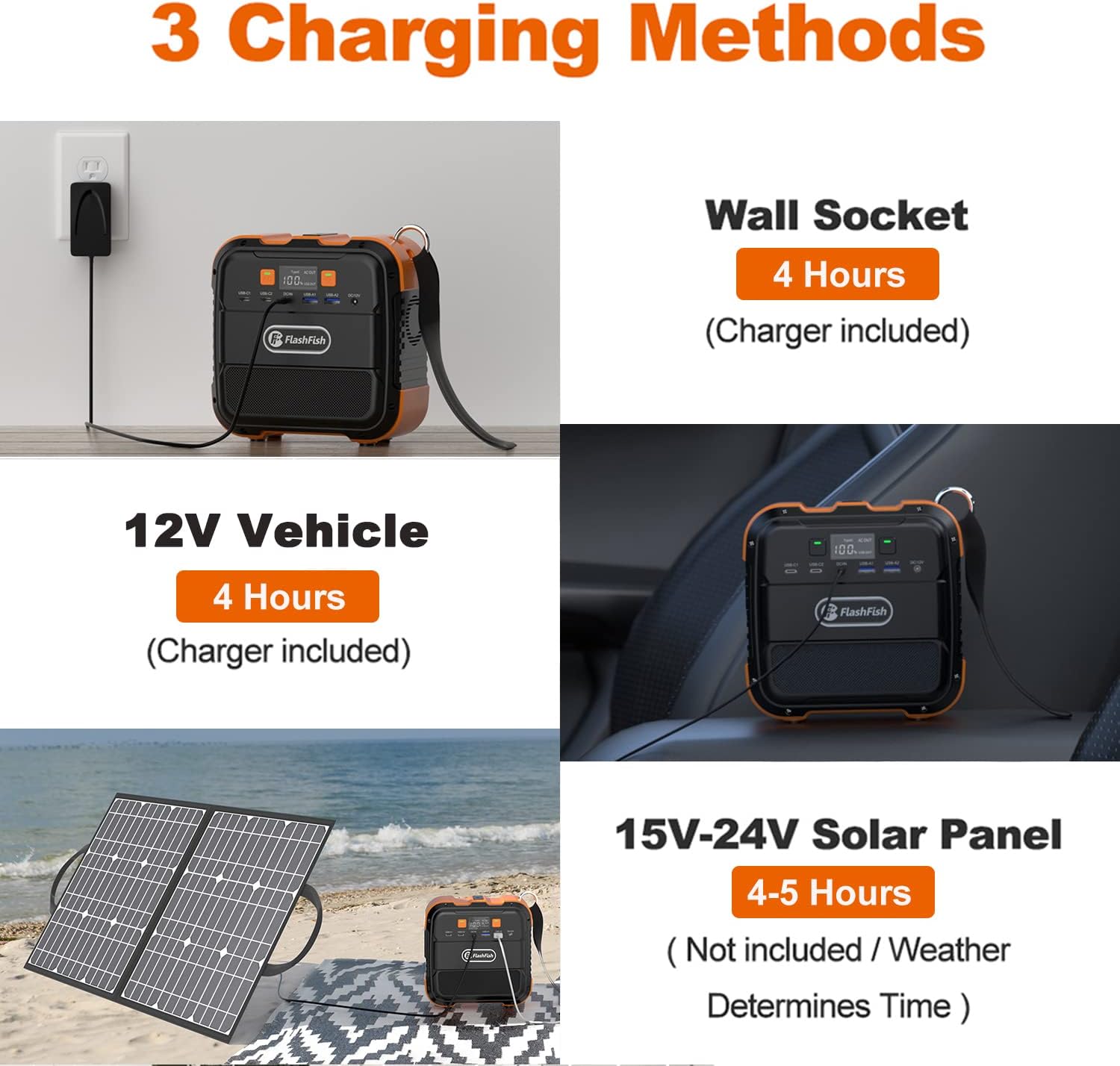
Image: LED Light Modes
6. Care and Maintenance
Proper care ensures the longevity of your power station:
- Storage: Store the unit in a cool, dry place away from direct sunlight and corrosive materials. For long-term storage, charge the unit to 50-80% every 3-6 months to maintain battery health.
- Cleaning: Use a soft, dry cloth to clean the exterior of the unit. Do not use abrasive cleaners or immerse the unit in water.
- Temperature: Avoid exposing the unit to extreme temperatures. Optimal operating temperature is between 0°C and 40°C (32°F and 104°F).
- Ventilation: Ensure the ventilation vents are clear of dust and debris to prevent overheating.
7. Troubleshooting
If you encounter issues with your power station, refer to the following common problems and solutions:
| Problem | Possible Cause | Solution |
|---|---|---|
| Unit does not turn on. | Battery is completely drained. | Charge the unit using the AC adapter or car charger. |
| AC output not working. | AC output not activated; Overload; Low battery. | Press the AC Power Button; Reduce load (ensure appliance is within 120W); Recharge the unit. |
| Unit not charging. | Charger not properly connected; Faulty charger/cable; Extreme temperature. | Ensure connections are secure; Try a different charger/cable; Move unit to a suitable temperature environment. |
| LED flashlight not working. | Flashlight not activated; Low battery. | Press the Flashlight Button; Recharge the unit. |
| Unit shuts down unexpectedly. | Overload protection; Over-temperature protection; Low battery. | Reduce load; Allow unit to cool down; Recharge the unit. |
If the problem persists after trying these solutions, please contact customer support.
8. Specifications
| Feature | Specification |
|---|---|
| Model Name | A101 (UA101) |
| Battery Capacity | 98Wh (26400mAh) |
| AC Output | 110V, 120W (240W Peak) |
| Type-C Output | 2 x 18W |
| USB-A Output | 2 x 5V/2.4A |
| DC Output | 1 x 12V/5A |
| DC Input (Charging) | 12V-24V |
| LED Flashlight | 5W/400LM (Constant, SOS) |
| Recharge Time (AC Adapter) | Approx. 4 hours |
| Recharge Time (Car Adapter) | Approx. 4 hours |
| Recharge Time (Solar Panel) | Approx. 4-4.5 hours (with 50W/60W panel, not included) |
| Dimensions (L x W x H) | 6.2" x 6.2" x 3.5" |
| Weight | 2.4 pounds (1.09 kg) |
9. Warranty and Support
Your FF FLASHFISH Portable Power Station comes with a standard manufacturer's warranty. Please refer to the warranty card included in your package for specific terms and conditions, including warranty period and coverage details. For technical support, troubleshooting assistance, or warranty claims, please contact FF FLASHFISH customer service through the contact information provided with your purchase or on the official FF FLASHFISH website.
Please retain your proof of purchase for warranty purposes.