1. Introduction
This manual provides essential instructions for the safe and efficient use of your Energy Sistem Hyperbeat Bluetooth Speaker. Please read this manual thoroughly before operating the device and retain it for future reference.
The Energy Sistem Hyperbeat is an 80W stereo speaker featuring Bluetooth® 5.3 wireless technology, LED lights, and IPX6 water resistance. It supports True Wireless Stereo (TWS) for synchronizing two speakers and includes an integrated MP3 player with microSD and USB playback capabilities.

Image 1.1: Front view of the Energy Sistem Hyperbeat Bluetooth Speaker, showcasing its robust design and integrated handle.
2. Package Contents
Verify that all items are present in the package:
- Energy Sistem Hyperbeat Speaker
- USB Type-C Charging Cable
- Audio Cable (3.5mm Jack)
- User Manual
3. Product Features
- 80W Output Power: Delivers powerful and clear audio.
- True Wireless Stereo (TWS): Connect two Hyperbeat speakers for a synchronized stereo experience.
- Deep Bass Technology: Enhances low-frequency sounds for a richer audio experience.
- Bluetooth 5.3: Provides stable and efficient wireless connectivity.
- IPX6 Water Resistance: Protected against high-pressure water jets from any direction. Suitable for outdoor use and near water.
- Long Battery Life: Up to 15 hours of continuous playback on a single charge.
- Integrated MP3 Player: Supports playback from microSD cards and USB drives.
- RGB LED Effects: Dynamic LED lighting to complement your music.
- Voice Assistant Compatibility: Control your device hands-free.
- Hands-free Calling: Built-in microphone for answering calls.

Image 3.1: The Hyperbeat speaker highlighting its 80W power output.
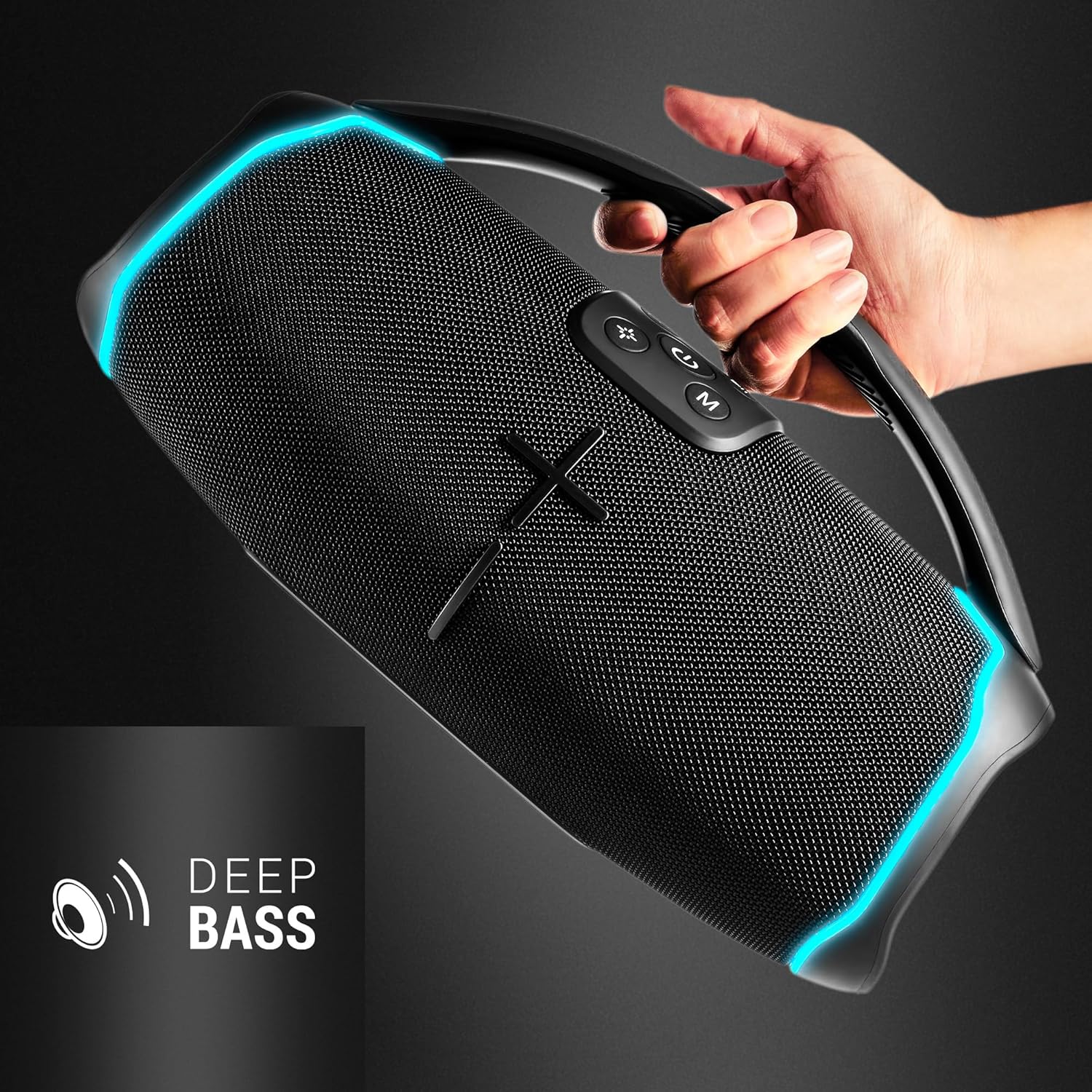
Image 3.2: The Hyperbeat speaker emphasizing its Deep Bass capabilities.

Image 3.3: The Hyperbeat speaker demonstrating its IPX6 water resistance and extended battery life.

Image 3.4: The Hyperbeat speaker displaying its MP3, Micro SD, and USB playback options.

Image 3.5: The Hyperbeat speaker showcasing its RGB LED lighting effects.
4. Setup
4.1 Charging the Speaker
- Connect the supplied USB Type-C cable to the charging port on the speaker.
- Connect the other end of the USB cable to a compatible USB power adapter (not included) or a computer's USB port.
- The LED indicator will show the charging status. It will turn off or change color once fully charged.
4.2 Powering On/Off
- To Power On: Press and hold the Power button for a few seconds until the LED indicator lights up and you hear an audible prompt.
- To Power Off: Press and hold the Power button for a few seconds until the LED indicator turns off and you hear an audible prompt.
5. Operating Instructions
5.1 Bluetooth Pairing
- Ensure the speaker is powered on and in Bluetooth pairing mode (the LED indicator will flash).
- On your mobile device, enable Bluetooth and search for available devices.
- Select "Energy Sistem Hyperbeat" from the list of devices.
- Once paired, the LED indicator will stop flashing and remain solid, and you will hear a confirmation sound.
5.2 True Wireless Stereo (TWS) Pairing
To connect two Hyperbeat speakers for a stereo sound experience:
- Ensure both Hyperbeat speakers are powered on and not connected to any Bluetooth device.
- On one speaker (this will be the primary speaker), press the TWS button. The speaker will enter TWS pairing mode.
- The primary speaker will automatically search for and connect to the secondary speaker.
- Once connected, both speakers will indicate a successful TWS connection (e.g., a solid LED on both, or a specific sound).
- Now, connect your mobile device to the primary speaker via Bluetooth as described in section 5.1. Audio will play through both speakers in stereo.
5.3 MP3/MicroSD/USB Playback
The speaker supports MP3 and WAV audio formats.
- Insert a microSD card or a USB drive containing supported audio files into the respective port on the speaker.
- The speaker will automatically switch to MP3 playback mode. If not, press the Mode button to cycle through input sources until MP3 mode is activated.
- Use the Play/Pause and Volume buttons to control playback.
5.4 LED Light Control
The speaker features dynamic RGB LED lighting effects.
- Press the LED button to cycle through different light modes or to turn the lights off.
5.5 Voice Assistant
Activate your device's voice assistant through the speaker:
- Ensure your speaker is connected to your smartphone via Bluetooth.
- Press the Voice Assistant button on the speaker to activate your phone's voice assistant (e.g., Siri, Google Assistant).
5.6 Hands-free Calling
When connected to a smartphone via Bluetooth, you can answer calls directly through the speaker:
- To Answer a Call: Press the Play/Pause button.
- To End a Call: Press the Play/Pause button again.
- To Reject a Call: Press and hold the Play/Pause button.
6. Maintenance
- Cleaning: Use a soft, dry cloth to clean the speaker's exterior. Do not use abrasive cleaners or solvents.
- Storage: Store the speaker in a cool, dry place away from direct sunlight and extreme temperatures.
- Water Resistance: While IPX6 rated, avoid submerging the speaker in water. Ensure all port covers are securely closed before exposure to water.
- Battery Care: To prolong battery life, avoid fully discharging the battery frequently. Charge the speaker regularly, even if not in use for extended periods.
7. Troubleshooting
| Problem | Possible Cause | Solution |
|---|---|---|
| Speaker does not power on. | Low battery. | Charge the speaker fully. |
| No sound. | Volume too low; device not paired; incorrect input source. | Increase volume; ensure Bluetooth is connected; check input mode (Bluetooth, MP3, AUX). |
| Bluetooth connection unstable. | Device too far; interference. | Move device closer to speaker (within 20 meters); avoid obstacles. |
| TWS pairing fails. | Speakers already paired to other devices; too far apart. | Disconnect speakers from other devices; ensure speakers are close to each other. |
| MP3/USB playback not working. | Unsupported file format; corrupted files; incorrect mode. | Ensure files are MP3/WAV; check file integrity; switch to MP3 mode. |
8. Specifications
| Feature | Specification |
|---|---|
| Model Name | HyperBeat |
| Brand | Energy Sistem |
| Output Power | 80 Watts |
| Bluetooth Version | 5.3 |
| Wireless Range | Up to 20 Meters |
| Water Resistance | IPX6 |
| Battery Life | Up to 15 hours |
| Battery Type | 1 Lithium-polymer (included) |
| Supported Audio Formats | MP3, WAV |
| Connectivity | Bluetooth, USB, MicroSD, AUX |
| Control Method | Buttons, Voice |
| Audio Output Mode | Stereo |
| Frequency Response | 50 Hz |
| Dimensions (L x W x H) | 14 x 32 x 18 cm |
| Weight | 2.02 Kilograms |
| Material | Plastic |
9. Warranty and Support
The Energy Sistem Hyperbeat speaker comes with a 36-month warranty. For any inquiries or support needs, please refer to the official Energy Sistem website or contact their customer service. Keep your proof of purchase for warranty claims.