
1. Introduction
This manual provides detailed instructions for the safe and efficient operation of your BSIDE I84020 40V/20A/300W Programmable DC Power Supply. Please read this manual thoroughly before use and retain it for future reference.
The BSIDE I84020 is a versatile and high-precision DC power supply designed for various applications requiring adjustable voltage and current. It features a 4-digit LED display, encoder knob for precise adjustments, memory storage for frequently used settings, and comprehensive protection functions.
2. Key Features
- Programmable DC Power Supply: Customize output voltage and current via computer software using the included USB interface communication cable. Export tested data for analysis.
- Memory Storage: Store up to 3 sets of commonly used voltage and current data for quick recall by pressing buttons 1, 2, or 3.
- Encoder Adjustment Knob: High-precision encoder knob allows pressing to switch between digits and rotating to adjust each digit from 0 to 9 for precise control.
- Auto C.V. and C.C. Mode: Automatically switches between Constant Voltage (C.V.) and Constant Current (C.C.) modes based on load changes.
- Comprehensive Protection: Includes Over Voltage Protection (OVP), Over Current Protection (OCP), Overload Protection (OLP), and Over Temperature Protection (OTP) for enhanced safety.
- USB Charging Port: Features a 5V/2A USB port for convenient device charging.
- Maximum Output: 40V, 20A, 300W.
3. Package Contents
Please verify that all items are present in the package:
- 1 x BSIDE I84020 Portable Power Supply
- 1 x USB Interface Communication Wire
- 1 x Power Cable
- 1 x Output Cable
- 1 x User Manual (this document)
4. Setup
4.1. Connecting the Power Supply
- Ensure the power switch on the front panel is in the OFF position.
- Connect the provided power cable to the AC input port on the rear of the power supply and then to a suitable AC power outlet (110V/60Hz).
- Connect the output cable to the red (+) and black (-) terminals on the front panel. Ensure a secure connection.
- Connect the other end of the output cable to your load device.
- If using the programmable features, connect the USB interface communication wire to the USB port on the rear of the power supply and to your computer.
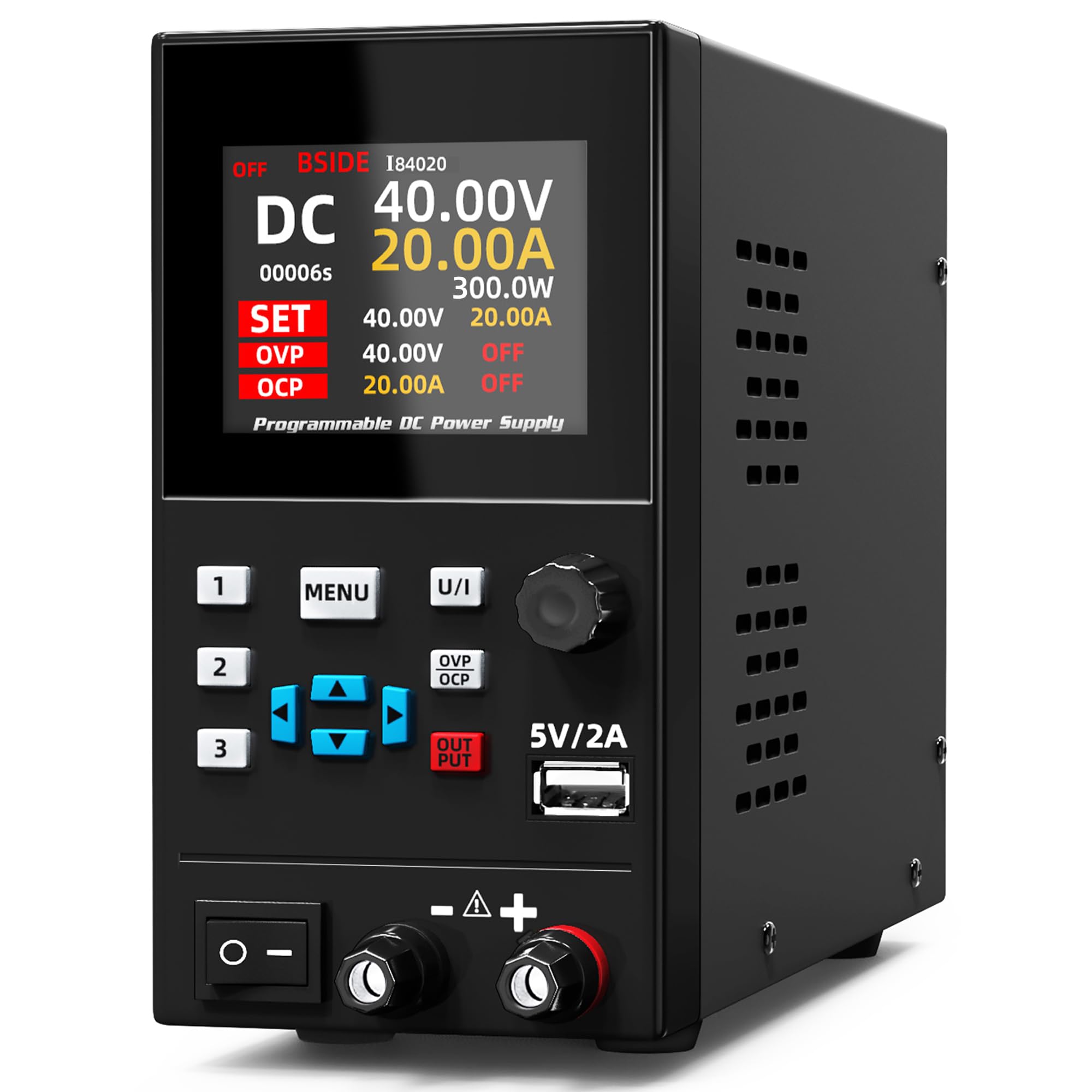
Figure 4.1: BSIDE I84020 DC Power Supply connected to a laptop for programmable control and data monitoring.
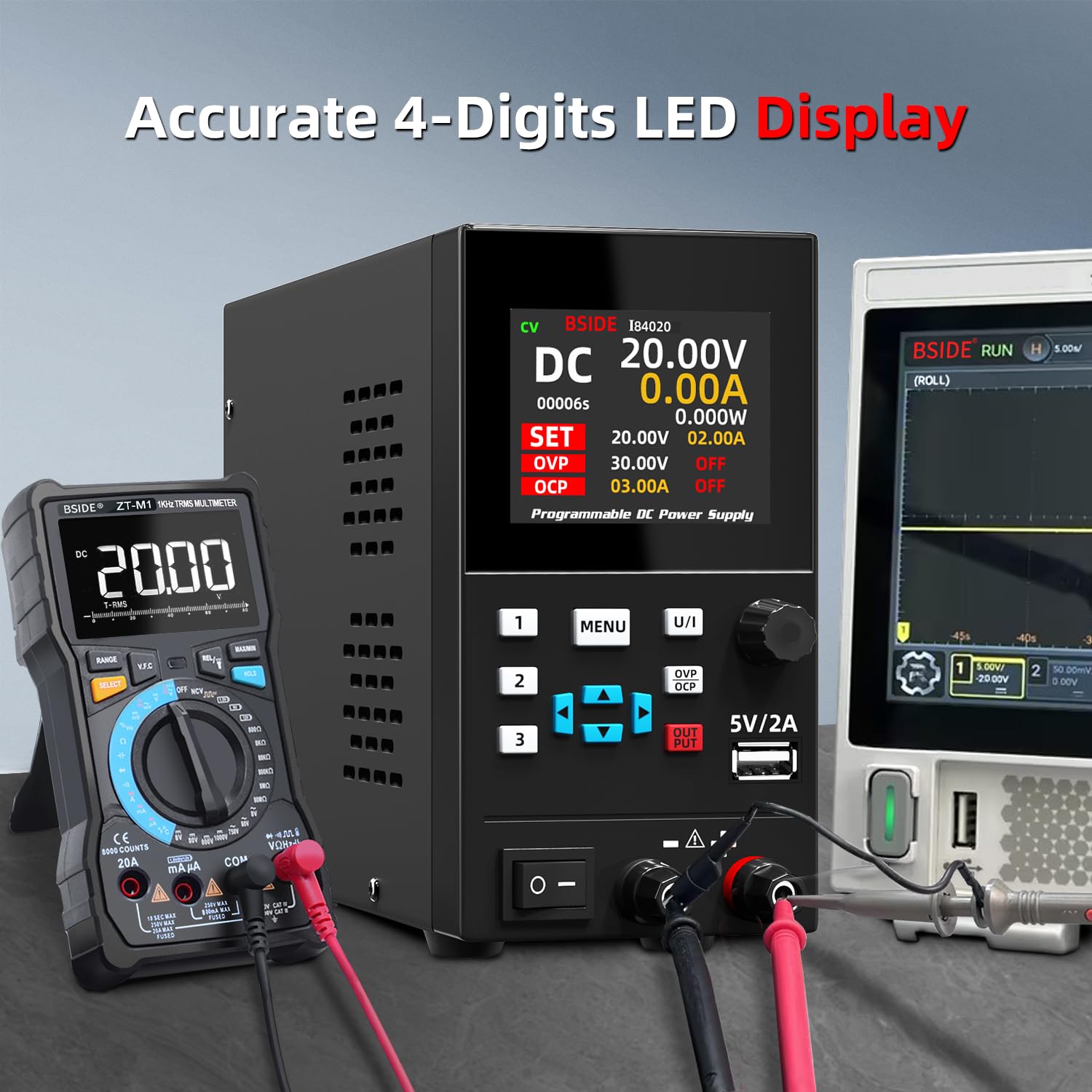
Figure 4.2: The BSIDE I84020 DC Power Supply connected to external measurement devices, demonstrating its 4-digit LED display accuracy.
5. Operation
5.1. Basic Power On/Off
To power on the device, flip the main power switch located on the front panel to the ON position. The display will illuminate. To power off, flip the switch back to the OFF position.
5.2. Adjusting Voltage and Current
- Press the U/I button to switch between voltage (U) and current (I) adjustment modes. The active parameter will be highlighted on the display.
- Use the Encoder Knob to adjust the value. Press the knob to select the digit you wish to change, then rotate the knob to increase or decrease the value of that digit.
- Once the desired voltage and current limits are set, press the OUTPUT button to enable or disable the output. When the output is enabled, the device will supply power according to the set parameters.

Figure 5.1: The encoder adjustment knob allows for precise setting of voltage and current values on the 4-digit LED display.
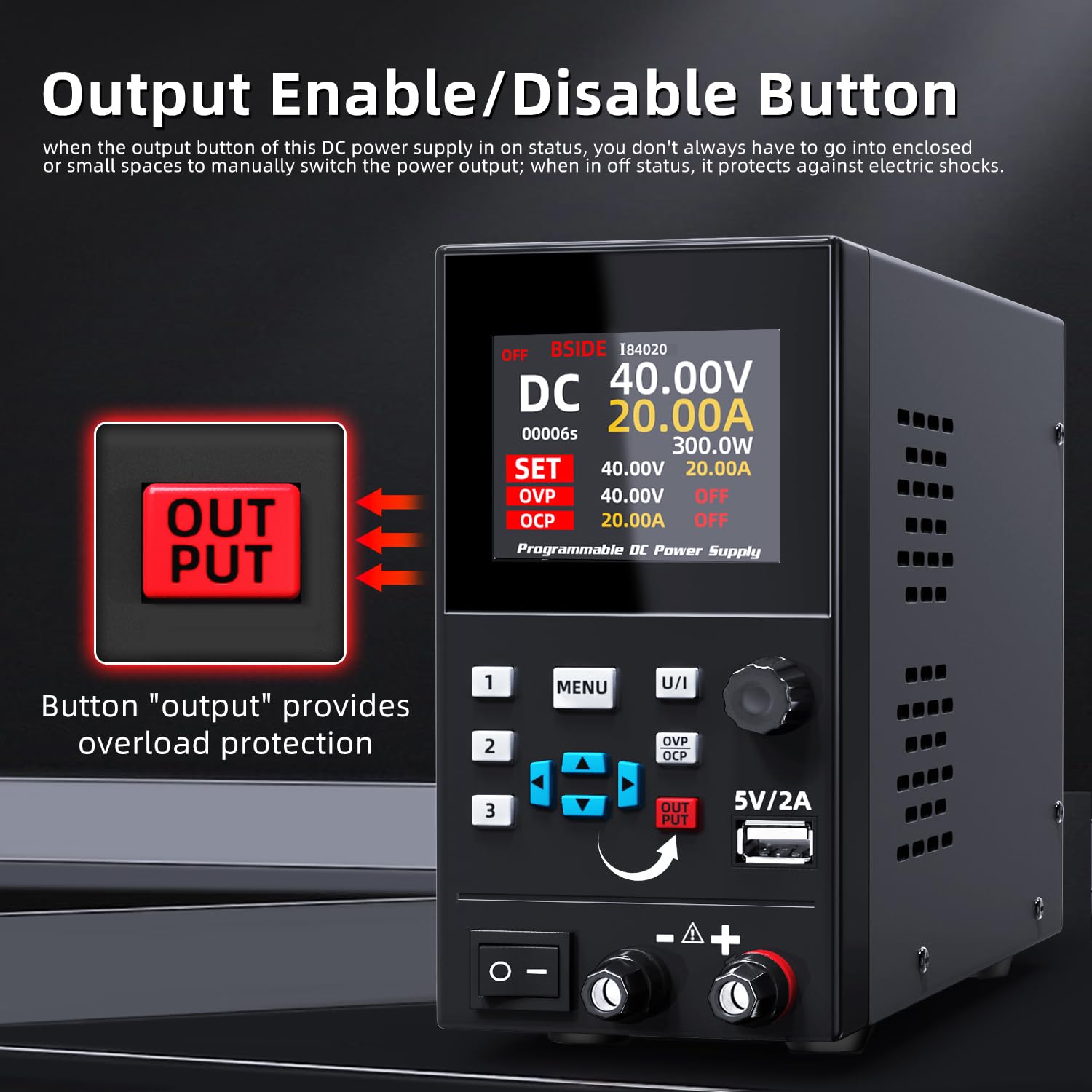
Figure 5.2: The red OUTPUT button controls the power delivery to the connected load, providing an additional safety measure.
5.3. Memory Storage Function
The power supply can store and recall up to 3 sets of voltage and current settings.
- To save a setting: Adjust the voltage and current to the desired values. Press and hold one of the memory buttons (1, 2, or 3) until the display indicates the setting has been saved.
- To recall a setting: Briefly press one of the memory buttons (1, 2, or 3). The stored voltage and current values will be loaded.

Figure 5.3: The memory storage feature allows users to save and quickly recall up to three sets of frequently used voltage and current settings.
5.4. Programmable Operation (Software Control)
The BSIDE I84020 can be controlled and monitored via PC software.
- Install the provided software on your computer.
- Connect the power supply to your computer using the USB interface communication wire.
- Launch the software. You can set output voltage and current, monitor real-time data, and export data for analysis.
Video 5.1: Demonstration of the BSIDE I84020's programmable operation, showing how to control and monitor the power supply via computer software.
5.5. USB Charging Port
The 5V/2A USB port on the front panel can be used to charge compatible devices. Simply connect your device's USB charging cable to this port.

Figure 5.4: The integrated 5V/2A USB port provides convenient charging for various electronic devices.
6. Maintenance
- Keep the power supply clean and free from dust. Use a soft, dry cloth for cleaning.
- Ensure proper ventilation around the unit to prevent overheating. Do not block the ventilation openings.
- Avoid exposing the device to moisture or extreme temperatures.
- Regularly check cables for any signs of damage. Replace damaged cables immediately.
7. Troubleshooting
7.1. No Power
- Check if the power cable is securely connected to both the power supply and the AC outlet.
- Ensure the main power switch is in the ON position.
- Verify the AC outlet is functional by plugging in another device.
- Check the fuse located near the AC input on the rear panel. Replace if blown (refer to specifications for correct fuse type).
7.2. No Output Voltage/Current
- Ensure the OUTPUT button is pressed and the output is enabled.
- Check if the output cables are correctly connected to the power supply and the load.
- Verify that the set voltage and current limits are appropriate for your load.
- If OVP, OCP, OLP, or OTP indicators are active, address the underlying issue (e.g., reduce load, check for short circuits).
Video 7.1: General operation of the BSIDE I84020 power supply, demonstrating basic controls and output functionality.
8. Specifications
| Parameter | Value |
|---|---|
| Output Voltage | 0-40V |
| Output Current | 0-20A |
| Input Voltage | AC 110V/60Hz |
| Display Mode | 4-Digit LED Display |
| Display Resolution (Voltage) | 0.01V |
| Display Resolution (Current) | 0.01A |
| Adjustment Type | Encoder Knob |
| USB Charging Port | 5V/2A |
| Output Control | Yes |
| Over Voltage Protection (OVP) | 0-41V |
| Over Current Protection (OCP) | 0-20.5A |
| Size | 230*80*150 mm |
| Weight | 2 Kg |
| Output Wattage | 300 Watts |
| Cooling Method | Air |
9. Warranty and Support
For warranty information and technical support, please refer to the contact details provided with your purchase or visit the official BSIDE website. Keep your purchase receipt as proof of purchase for warranty claims.

