Introduction
Thank you for choosing the Gueray P5 64GB Bluetooth 5.0 HiFi MP3 Player. This device is designed to provide a versatile and high-quality audio experience, combining a music player, voice recorder, FM radio, and e-book reader in one compact unit. With its 64GB internal storage, expandable memory, Bluetooth 5.0 connectivity, and built-in speaker, it's your ideal companion for music on the go. Please read this manual carefully to understand how to operate your new device and enjoy its full range of features.

Image: Multifunctional MP3 Player with various feature icons.
Product Overview
Package Contents
- Gueray P5 MP3 Player
- USB Charging Cable
- User Manual
- (Note: Headphones may or may not be included depending on the specific package.)
Device Layout and Controls
Familiarize yourself with the buttons and ports on your Gueray MP3 player for easy operation.

Image: Gueray MP3 Player with labeled controls and ports.
- Speaker Grilles: Built-in speaker for audio playback without headphones.
- USB Jack: For charging and data transfer.
- TF Card Slot: Insert a microSD card for expanded storage (up to 128GB).
- Headphone Jack / Reset Button: Connect wired headphones. A small pin can be used to press the reset button inside this port if the device freezes.
- Volume Up: Increase volume.
- Volume Down: Decrease volume.
- Return: Go back to the previous menu or screen.
- Power ON/OFF: Long press to power on/off the device. Short press to turn the screen on/off.
- Confirm/Play/Pause: Confirm selection or play/pause music/video.
- Last: Navigate to the previous item or track.
- Menu: Access menu options.
- (+) Up Selection Button: Move selection up or increase value.
- Next: Navigate to the next item or track.
- (-) Down Selection Button: Move selection down or decrease value.
Setup
1. Charging the Device
Before first use, fully charge the MP3 player.
- Connect the included USB cable to the MP3 player's USB Jack.
- Connect the other end of the USB cable to a USB power adapter (not included) or a computer's USB port.
- The battery icon on the screen will indicate charging status. A full charge typically takes about 2 hours.
2. Inserting a TF Card (MicroSD Card)
The device comes with 64GB of internal storage. You can expand this by inserting a TF (microSD) card up to 128GB.
- Locate the TF Card Slot on the side of the device.
- Gently insert the microSD card into the slot until it clicks into place. Ensure the card is oriented correctly.
- To remove, push the card in slightly until it springs out.

Image: MP3 Player demonstrating 64GB large storage and TF card insertion.
3. Transferring Music and Files
You can transfer audio files, e-books, and other supported media from your computer to the MP3 player.
- Connect the MP3 player to your computer using the USB cable.
- The device will appear as a removable disk drive on your computer.
- Drag and drop your desired files into the appropriate folders on the MP3 player (e.g., "Music" for audio files).
- Once files are transferred, safely eject the device from your computer before disconnecting the USB cable.
Operating Instructions
Power On/Off and Basic Navigation
- Power On: Long press the Power ON/OFF button.
- Power Off: Long press the Power ON/OFF button until the device shuts down.
- Screen On/Off: Short press the Power ON/OFF button.
- Navigation: Use the Up/Down Selection Buttons to scroll through menus.
- Select: Press the Confirm/Play/Pause button to select an option.
- Return: Press the Return button to go back.
Music Playback
The Gueray MP3 player supports various audio formats for high-fidelity lossless sound.
- From the main menu, select "Music".
- Browse your music by Artist, Album, Songs, Playlists, etc.
- Select a song and press Confirm/Play/Pause to start playback.
- Use Last and Next buttons to skip tracks.
- Adjust volume using the Volume Up/Down buttons.
- Supported audio formats include: MP3, FLAC, WMA, AAC-LC, WAV, M4A, APE, OGG.

Image: Supported music file formats for HiFi lossless sound.
Bluetooth Connection
Connect your MP3 player to Bluetooth headphones, speakers, or car audio systems.
- From the main menu, select "Bluetooth".
- Ensure your Bluetooth device (headphones, speaker) is in pairing mode.
- The MP3 player will scan for available devices. Select your device from the list.
- Once connected, the Bluetooth icon will appear on the screen.
- Enjoy wireless audio playback.
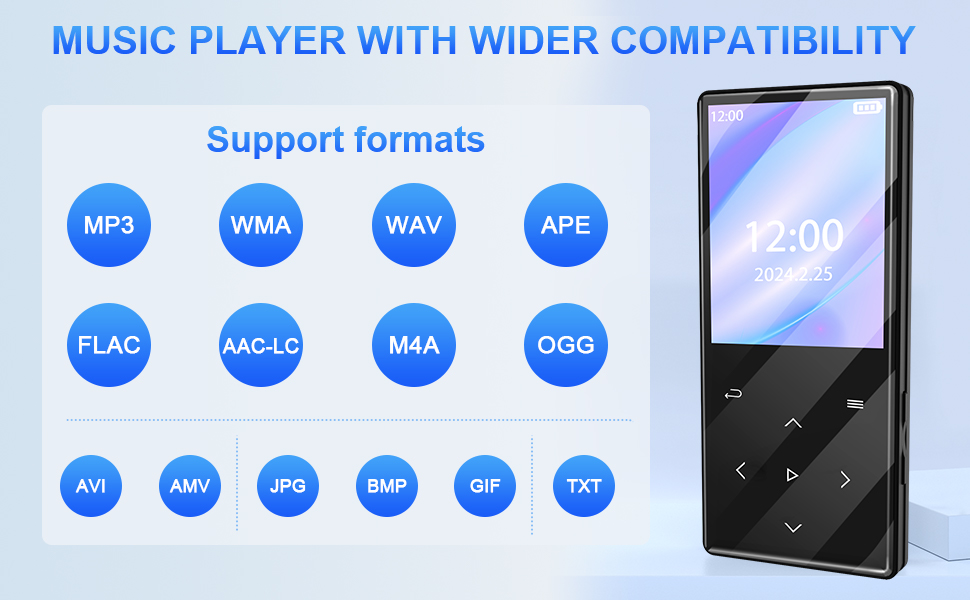
Image: Bluetooth 5.0 connectivity with various devices.
FM Radio
Listen to your favorite FM radio stations. Note: Wired headphones must be connected to act as an antenna for FM radio functionality.
- Connect wired headphones to the Headphone Jack.
- From the main menu, select "FM Radio".
- Use the navigation buttons to scan for stations or manually tune to a frequency.
- Save your favorite stations for quick access.
Voice Recorder
Record lectures, meetings, or personal notes with the built-in voice recorder.
- From the main menu, select "Recorder".
- Choose "Start Voice Recording" to begin.
- Press Confirm/Play/Pause to pause/resume recording.
- Press Return to stop and save the recording.
- Recordings are saved in the "Record" folder.

Image: Simple recorder function for various scenarios.
E-book Reader
Read text files (.TXT format) on your MP3 player.
- Transfer .TXT files to the "Ebook" folder on your device.
- From the main menu, select "Ebook".
- Choose a file to open and read.
- Use the navigation buttons to scroll through pages.
Built-in Speaker
Enjoy music aloud without headphones using the integrated HD speaker.
- When playing music, simply disconnect any wired headphones or Bluetooth devices.
- The audio will automatically switch to the built-in speaker.
- Adjust volume using the Volume Up/Down buttons.
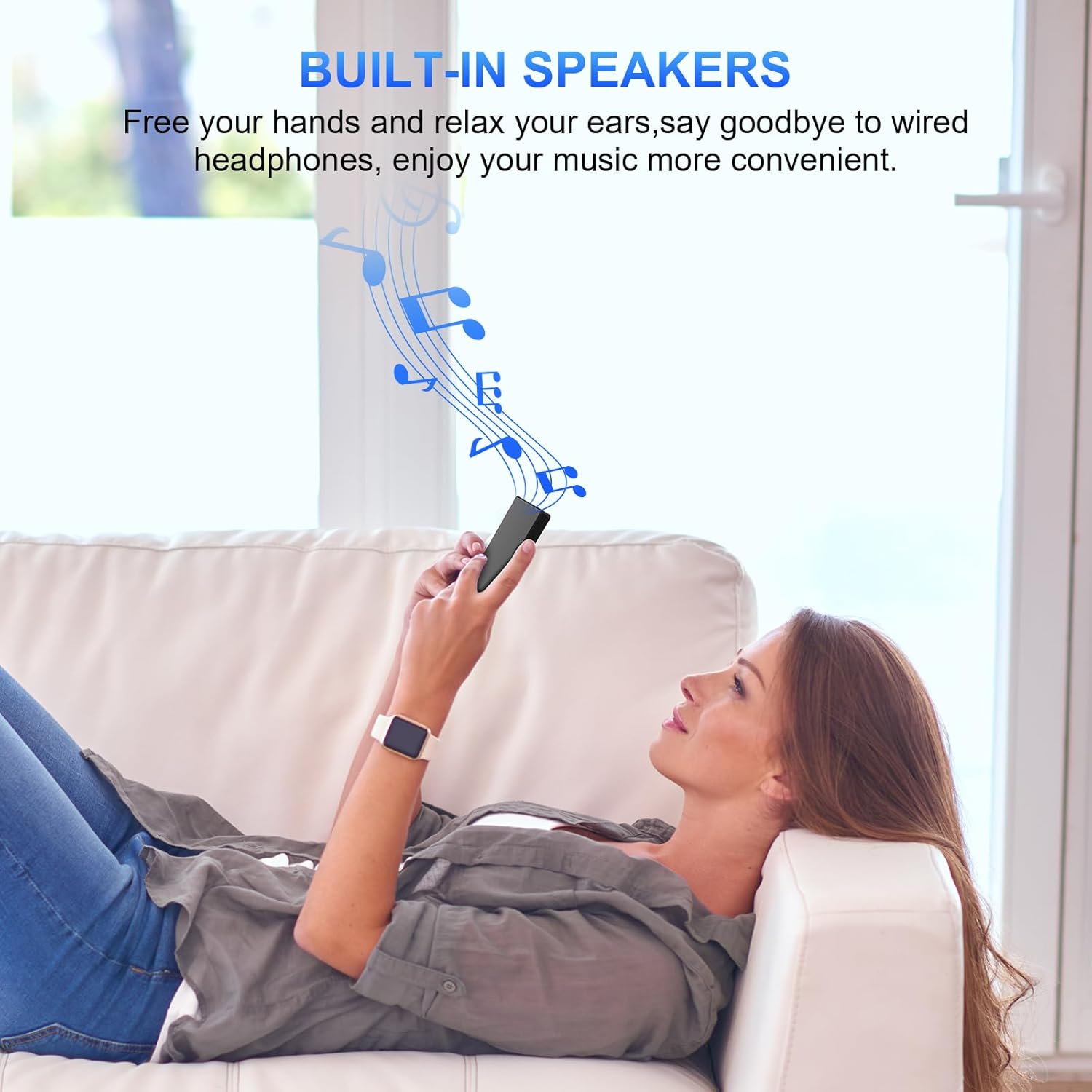
Image: Enjoying music with built-in speakers.
Maintenance
- Cleaning: Use a soft, dry cloth to clean the device. Avoid liquid cleaners or abrasive materials.
- Storage: Store the MP3 player in a cool, dry place away from direct sunlight and extreme temperatures.
- Battery Care: To prolong battery life, avoid fully discharging the battery frequently. Charge it regularly.
- Avoid Impact: Protect the device from drops and impacts, which can damage internal components.
- Water Exposure: This device is not waterproof. Avoid exposure to water or high humidity.
Troubleshooting
| Problem | Solution |
|---|---|
| Device does not power on. |
|
| No sound from headphones/speaker. |
|
| Cannot connect to Bluetooth device. |
|
| FM Radio not working. |
|
| Files not appearing after transfer. |
|
Specifications
| Feature | Detail |
|---|---|
| Brand | Gueray |
| Model Number | P5 |
| Color | Black |
| Storage Capacity | 64 GB (expandable up to 128 GB via Micro SD/TF card) |
| Connectivity Technology | Bluetooth 5.0 |
| Screen Size | 2 inches |
| Special Features | Bluetooth, Digital Radio (FM), Voice Recorder, E-book Reader, Built-in Speaker |
| Compatible Devices | Smartphone, Personal Computer, Speaker, Headset |
| Supported Audio Formats | MP3, FLAC, WMA, AAC-LC, WAV, M4A, APE, OGG |
| Battery Life | Up to 40 hours of music playback |
| Charging Time | Approximately 2 hours |
| Weight | 85 grams |
Warranty and Support
For warranty information and customer support, please refer to the documentation included with your product packaging or visit the official Gueray website.


