
1. Important Safety Information
Read all instructions carefully before using the appliance. Keep this manual for future reference.
- Ensure the appliance is properly grounded.
- Do not damage the refrigerant circuit.
- Do not use electrical appliances inside the food storage compartments unless they are of the type recommended by the manufacturer.
- Keep ventilation openings clear of obstruction.
- This appliance is intended for household use only.
- Unplug the appliance before cleaning or maintenance.
2. Product Overview
The Aspes AC2601ENFDX is a No Frost combi refrigerator designed for efficient food storage. It features separate compartments for refrigeration and freezing, an LED display, and an Eco Mode for energy saving.
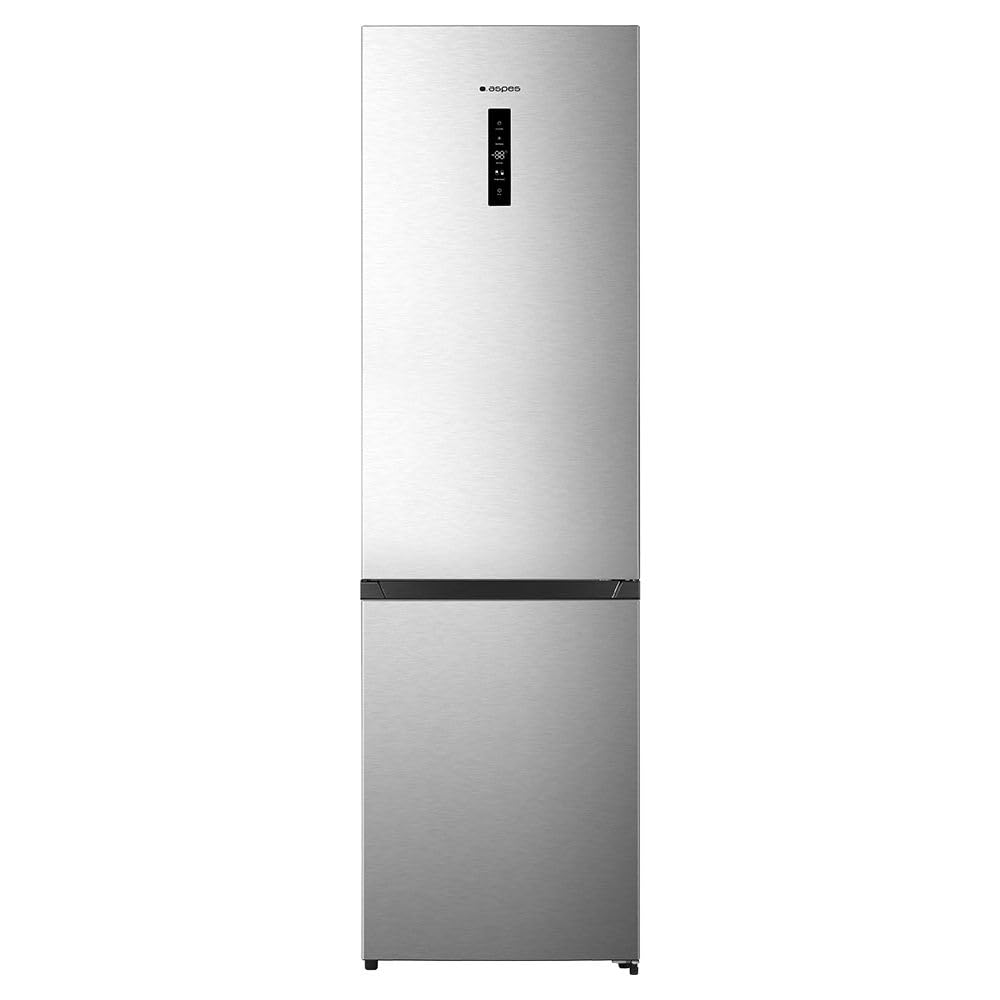
Figure 1: Front view of the Aspes AC2601ENFDX No Frost Combi Refrigerator. This image shows the overall design, including the door handles and the external LED display panel.
Components:
- Refrigerator Compartment (238 L net capacity)
- Freezer Compartment (98 L net capacity)
- LED Display Panel
- Adjustable Shelves
- Door Bins
- Crisper Drawer (Fresh Zone)
- No Frost System (Refrigerator and Freezer)
3. Setup and Installation
3.1 Unpacking
Carefully remove all packaging materials. Inspect the appliance for any damage. Report any damage to your retailer immediately.
3.2 Placement
- Place the refrigerator on a firm, level surface.
- Ensure adequate ventilation around the appliance. Maintain a minimum distance of 10 cm from walls and other furniture.
- Avoid direct sunlight and heat sources (e.g., ovens, radiators).
- The appliance is designed for ambient temperatures between SN-T (Subnormal to Tropical) climate classes.
3.3 Electrical Connection
Connect the appliance to a properly grounded electrical outlet. Ensure the voltage matches the rating label inside the appliance. Do not use extension cords or adapters.
Warning: This model is specified as "Sin enchufe" (Without plug). Professional installation by a qualified electrician may be required to connect the appliance to the mains supply safely.
3.4 First Use
After installation, wait at least 4 hours before plugging in the appliance to allow the refrigerant to settle. Clean the interior with a damp cloth before loading food.
4. Operating Instructions
4.1 Control Panel
The appliance features an external LED touch display for temperature control and mode selection.
- Temperature Adjustment: Press the temperature button to cycle through available temperature settings for the refrigerator and freezer compartments.
- Eco Mode: Activate Eco Mode for optimized energy consumption. This mode adjusts temperatures automatically to save energy.
4.2 Refrigerator Compartment
The refrigerator compartment is suitable for storing fresh foods. The multi-airflow system ensures even cooling. Utilize the crisper drawer for fruits and vegetables.
4.3 Freezer Compartment
The freezer compartment is designed for long-term storage of frozen foods and for freezing fresh food. The No Frost system prevents ice build-up, eliminating the need for manual defrosting.
- Freezing Capacity: 6 kg/24h. Do not exceed this capacity when freezing fresh food.
- For best results, freeze small quantities of food at a time.
5. Maintenance and Cleaning
Regular cleaning and maintenance ensure optimal performance and longevity of your appliance.
5.1 Cleaning the Interior
- Always unplug the appliance before cleaning.
- Clean the interior with a soft cloth and a mild detergent solution.
- Rinse with clean water and dry thoroughly.
- Do not use abrasive cleaners or sharp objects.
5.2 Cleaning the Exterior
Wipe the exterior surfaces with a soft, damp cloth. For stainless steel finishes, use a specialized stainless steel cleaner. Avoid harsh chemicals.
5.3 Defrosting
This appliance features a No Frost system, which automatically prevents ice build-up in both the refrigerator and freezer compartments. Manual defrosting is not required.
5.4 Power Outage
In case of a power outage, keep the doors closed to maintain the internal temperature for as long as possible. The freezer can maintain food quality for several hours.
6. Troubleshooting
Before contacting customer service, refer to the following table for common issues and solutions.
| Problem | Possible Cause | Solution |
|---|---|---|
| Appliance does not operate. | No power supply. | Check if the appliance is plugged in correctly and the circuit breaker is not tripped. |
| Temperature is not cold enough. | Door not closed properly; excessive door opening; warm food placed inside; temperature setting too high. | Ensure door is sealed; reduce door openings; allow hot food to cool before storing; adjust temperature setting lower. |
| Unusual noises. | Appliance not level; objects touching the back wall; normal operating sounds. | Level the appliance; ensure nothing is touching the back; gurgling/hissing sounds are normal for refrigerant. |
| Water on the floor. | Drain hole blocked (refrigerator); excessive humidity. | Clear the drain hole; ensure doors are closed properly. |
7. Technical Specifications
| Feature | Specification |
|---|---|
| Model | AC2601ENFDX |
| Total Net Capacity | 336 L |
| Refrigerator Net Capacity | 238 L |
| Freezer Net Capacity | 98 L |
| Dimensions (H x W x D) | 200 cm x 59.5 cm x 59 cm |
| Weight | 159 kg |
| Energy Efficiency Class | E |
| Annual Energy Consumption | 247 kWh |
| Noise Level | 39 dB |
| Climate Class | SN-T |
| Defrost System | No Frost |
| Display Type | LED Touch |
| Door Hinge | Right |
| Power Plug Type | Without plug (Sin enchufe) |
8. Warranty and Customer Support
For warranty information and customer support, please refer to the warranty card included with your appliance or contact your retailer. Keep your proof of purchase for any warranty claims.
For technical assistance or spare parts, please contact Aspes customer service or an authorized service center.