
Pininfarina Sintesi
Pininfarina Sintesi Smartwatch User Manual
Model: Sintesi | Brand: Pininfarina
Introduction
The Pininfarina Sintesi Smartwatch is a sophisticated hybrid timepiece that seamlessly blends classic watchmaking aesthetics with advanced smart technology. It features an analog display complemented by a digital screen, offering comprehensive fitness tracking, GPS capabilities, and smart notifications. Designed for durability and style, the Sintesi provides a complete overview of your health and activity.

Image: The Pininfarina Sintesi Smartwatch, highlighting its classic analog design with integrated digital display.
Key Features
- Hybrid Design: Combines traditional analog watch aesthetics with modern smartwatch functionality.
- Premium Construction: Features a 316L stainless steel case and bezel, crystal watch glass, and an interchangeable FKM strap for durability and style.
- Enhanced Durability: Equipped with fingerprint-resistant sapphire glass, which is five times more resistant than standard watch glass, and is dust and water-resistant up to 5 ATM.
- Advanced Health Tracking: Built-in sensors monitor vital signs including detailed sleep metrics, pulse, and heart rate.
- Smart Connectivity: Connects to a dedicated mobile application (Android and iOS compatible) to store and analyze health data, assisting in a healthy lifestyle.
- Digital Display: Integrated digital screen for notifications, time, and fitness data.
- GPS Tracking: For accurate activity and location monitoring.
- Compass: Integrated compass for navigation.
Setup Guide
1. Initial Charging
Before first use, fully charge your Pininfarina Sintesi Smartwatch. Connect the provided charging cable to the charging port on the back of the watch and plug the USB end into a power adapter (not included) or a computer's USB port. A full charge typically takes approximately 2 hours.
2. App Installation
To unlock the full potential of your smartwatch, download the official Pininfarina companion app from the App Store (iOS) or Google Play Store (Android). Search for "Pininfarina Sintesi" or scan the QR code provided in the quick start guide (if applicable).
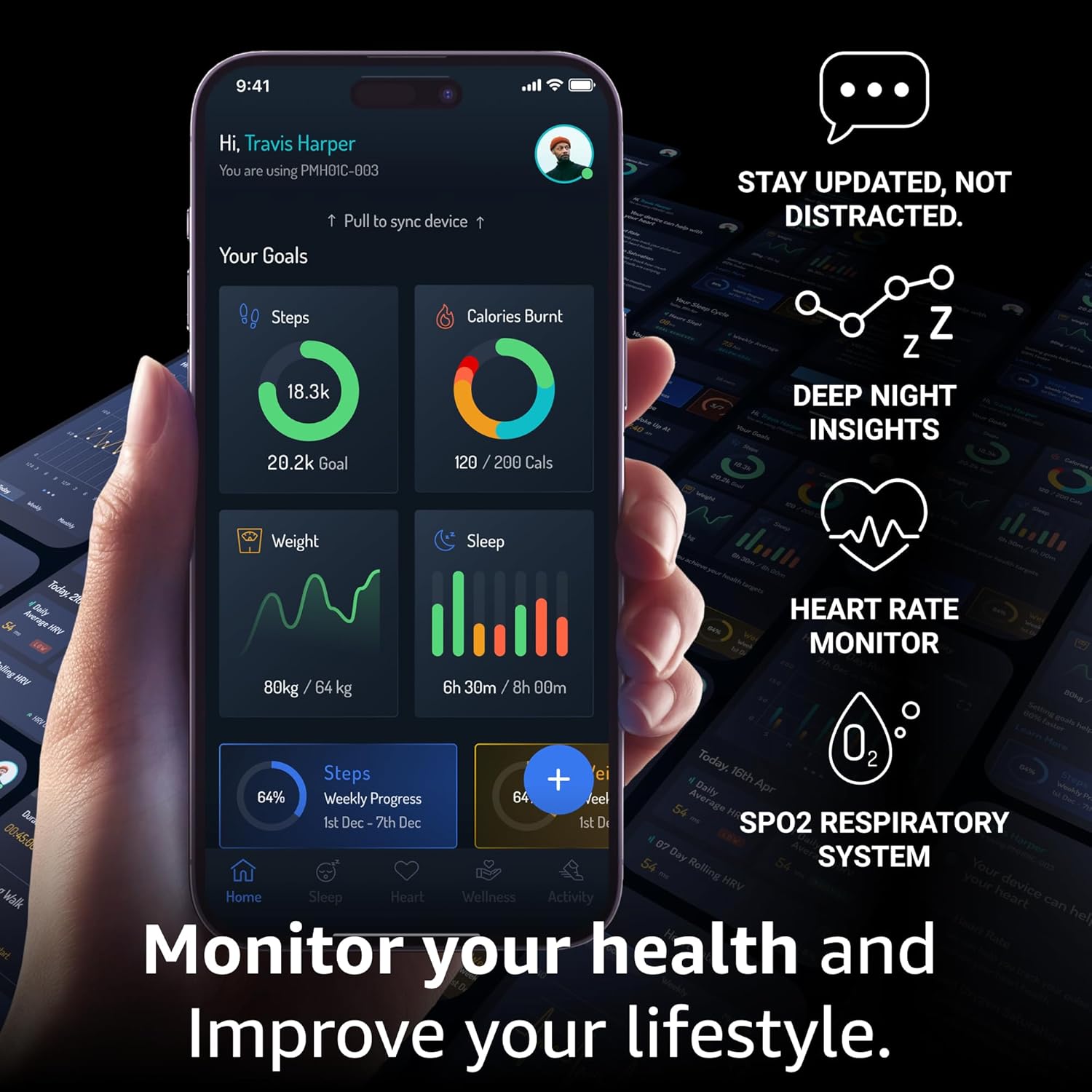
Image: The companion app interface, displaying various health monitoring features.
3. Device Pairing
- Ensure Bluetooth is enabled on your smartphone.
- Open the Pininfarina Sintesi app and follow the on-screen instructions to create an account or log in.
- Select "Add Device" or "Pair New Watch" within the app.
- The app will search for nearby devices. Select "Pininfarina Sintesi" from the list.
- Confirm the pairing request on both your watch and smartphone.
- Once paired, the watch will synchronize time and data with your phone.
Operating Instructions
Time and Digital Display
The Sintesi Smartwatch features both traditional analog hands and a digital display. The analog hands show the current time, which is automatically synchronized with your paired smartphone. The digital display provides additional information such as date, notifications, and various health metrics.

Image: Detail of the watch face, illustrating the blend of mechanical and connected features.
Fitness Tracking
- Steps & Distance: The watch automatically tracks your daily steps and estimates distance traveled.
- Calories Burned: Based on your activity level and personal data, the watch calculates estimated calories burned.
- Heart Rate Monitoring: Continuous or on-demand heart rate tracking provides insights into your cardiovascular health.
- Sleep Tracking: Wear the watch to bed to monitor sleep stages (deep, light, REM) and sleep quality.
- GPS Tracking: For outdoor activities, the integrated GPS tracks your route, pace, and distance.
Smart Notifications
Once paired with your smartphone, the Sintesi Smartwatch can receive notifications for calls, messages, and app alerts. You can customize which notifications appear on your watch through the companion app.
Using the Compass
The built-in compass can be accessed via the digital display or through specific watch gestures. Refer to the app for detailed instructions on compass calibration and usage.
Maintenance and Care
- Cleaning: Wipe the watch case and strap regularly with a soft, damp cloth. Avoid using harsh chemicals or abrasive materials.
- Water Resistance: The watch is water-resistant up to 5 ATM, suitable for splashes, rain, and showering. It is not recommended for swimming or diving.
- Strap Care: The FKM strap is durable, but avoid prolonged exposure to direct sunlight or extreme temperatures. For leather straps, avoid excessive moisture.
- Battery Life: The optimized lithium battery provides extended usage. To maximize battery life, manage notification settings and screen brightness through the app.
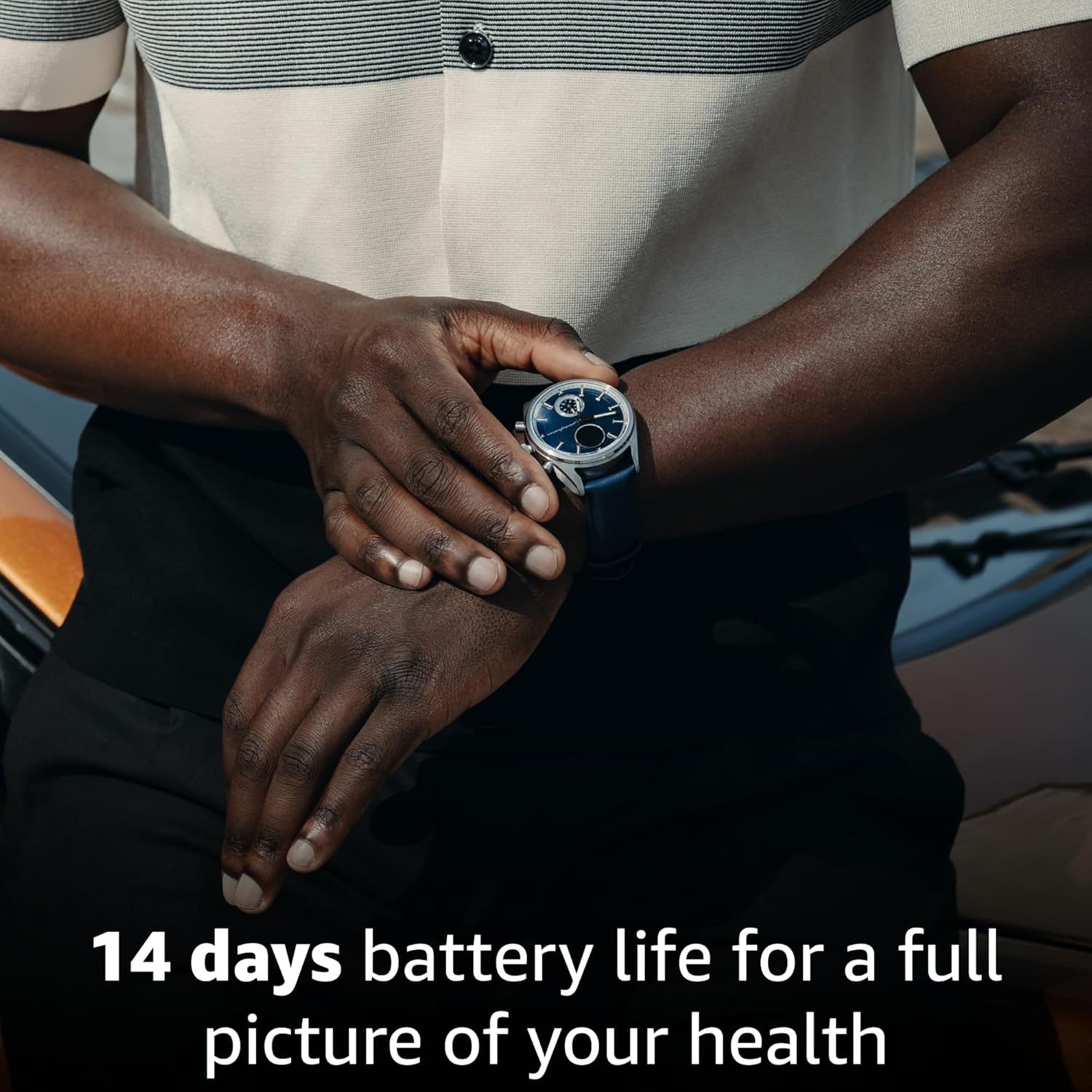
Image: The Pininfarina Sintesi Smartwatch on a wrist, emphasizing its long battery life for comprehensive health tracking.
Troubleshooting
- Watch not turning on: Ensure the watch is fully charged. Connect it to the charger for at least 30 minutes.
- Unable to pair with phone:
- Ensure Bluetooth is enabled on your phone and the watch is within range.
- Restart both your phone and the watch.
- Clear the app's cache or reinstall the app.
- Inaccurate fitness data:
- Ensure the watch is worn snugly on your wrist, about one finger's width above the wrist bone.
- Update the app and watch firmware to the latest versions.
- Notifications not appearing:
- Check notification settings in the Pininfarina Sintesi app.
- Ensure your phone's notification permissions are granted to the app.
- Verify that the watch is connected via Bluetooth.
Specifications
| Manufacturer | Pininfarina |
| Model | Sintesi Smartwatch |
| Case Material | 316L Stainless Steel |
| Glass Type | Sapphire Crystal (fingerprint-resistant) |
| Water Resistance | 5 ATM (50 meters) |
| Strap Material | FKM (Fluoroelastomer) / Leather (interchangeable) |
| Connectivity | Bluetooth, GPS |
| Sensors | Heart Rate, Sleep Tracker, Step Counter, Compass |
| Battery Type | Optimized Lithium Battery |
| Country of Origin | Hong Kong |
| ASIN | B0DNQTYWXY |
Warranty and Support
The Pininfarina Sintesi Smartwatch comes with a standard manufacturer's warranty. For specific warranty terms and conditions, please refer to the warranty card included with your product or visit the official Pininfarina website. For technical support, troubleshooting assistance, or service inquiries, please contact Pininfarina customer support through their official channels.
Related documentsSintesi


Ask a question about this manual
Ask about setup, troubleshooting, compatibility, parts, safety, or missing instructions. Manuals+ will review the question and use this page’s manual context to help answer it.