
1. Introduction
This manual provides essential instructions for the installation, operation, and maintenance of your Balboa Water Group G8390 ML900 12-button topside control panel. This panel is designed for use with Balboa EL/GL series control systems in hot tubs and spas. Please read this manual thoroughly before proceeding with installation or operation to ensure proper function and safety.
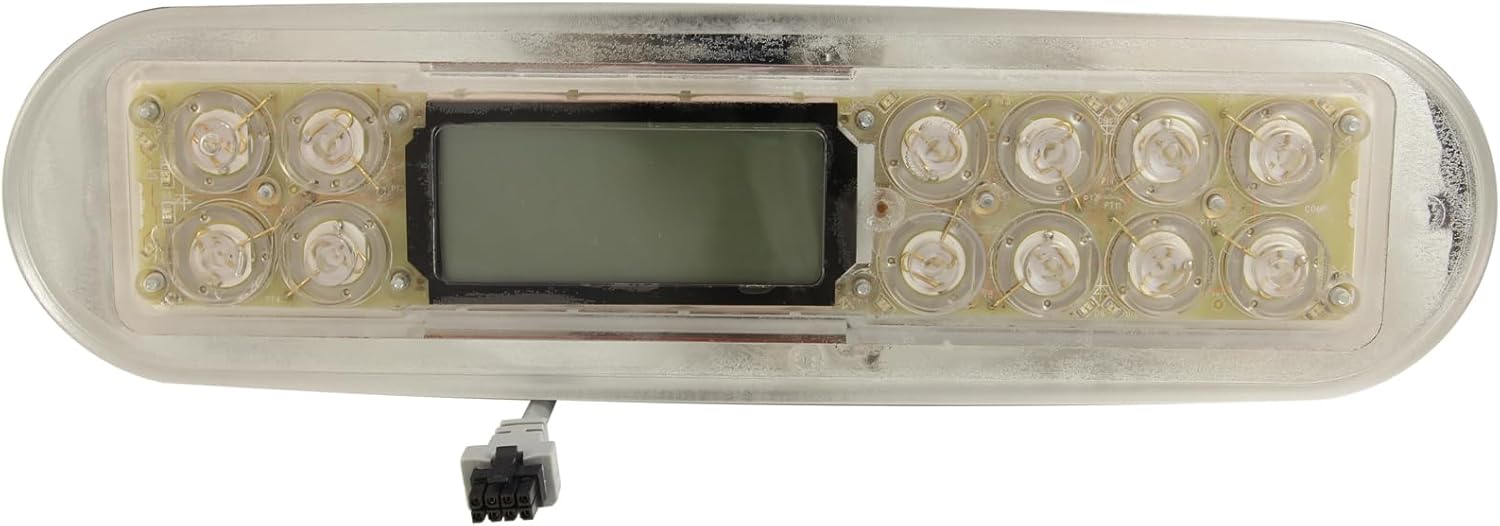
Figure 1.1: Front view of the Balboa Water Group G8390 ML900 topside control panel. This image shows the clear casing, the central LCD display, and the arrangement of the 12 button locations.
2. Product Features
- Model: ML900
- Manufacturer: Balboa Water Group
- Topside Type: Electronic control panel
- Button Configuration: 12 buttons (overlay not included)
- Compatibility: Designed for Balboa EL/GL control systems
- Cord Connector Type: Molex, 8-Pin
- Cord Length: 6 feet (1.83 meters)
- Panel Size: 11-5/8 inches x 3-1/8 inches (29.53 cm x 7.94 cm)
- Topside Shape: Oval
3. Setup and Installation
Proper installation is crucial for the safe and effective operation of your topside control panel. If you are unsure about any step, it is recommended to consult a qualified spa technician.
3.1 Safety Precautions
- Disconnect Power: Always ensure the main power to the spa or hot tub is completely disconnected at the circuit breaker before beginning any installation or maintenance.
- Water and Electricity: Exercise extreme caution when working with electrical components near water.
- Professional Installation: If you are not comfortable with electrical work, seek assistance from a certified professional.
3.2 Installation Steps
- Remove Old Panel (if applicable): Carefully disconnect the old topside panel from the spa pack. Note the routing of the cable.
- Prepare Mounting Surface: Ensure the mounting surface on the spa shell is clean, dry, and free of debris. The panel size is 11-5/8" x 3-1/8".
- Route Cable: Feed the 6-foot cable of the new ML900 topside panel through the designated opening in the spa shell to the control system.
- Connect to Spa Pack: Locate the 8-pin Molex connector port on your Balboa EL/GL control system. Carefully align and firmly plug the topside panel's Molex connector into this port. Ensure a secure connection.
- Mount Panel: Position the new ML900 topside panel into the opening. Many panels use adhesive backing (often 3M VHB tape, as seen on the back of the unit) for a secure, watertight seal. Press firmly around the edges to ensure full adhesion.
- Verify Seal: After mounting, visually inspect the perimeter of the panel to confirm a tight, watertight seal against the spa shell.
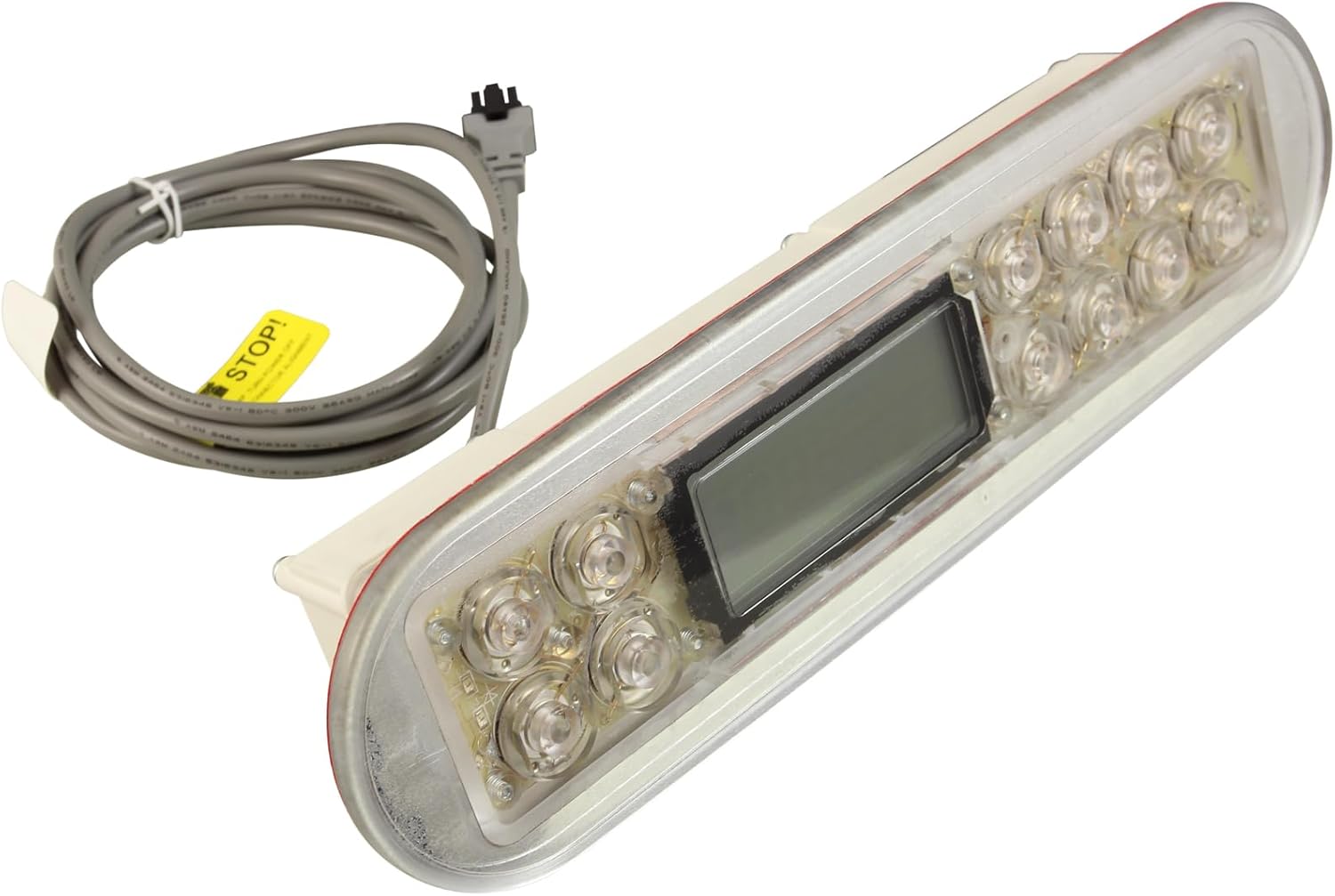
Figure 3.1: Angled view of the Balboa Water Group G8390 ML900 topside control panel, showing the attached 6-foot Molex cable. This cable connects the panel to the spa's main control system.
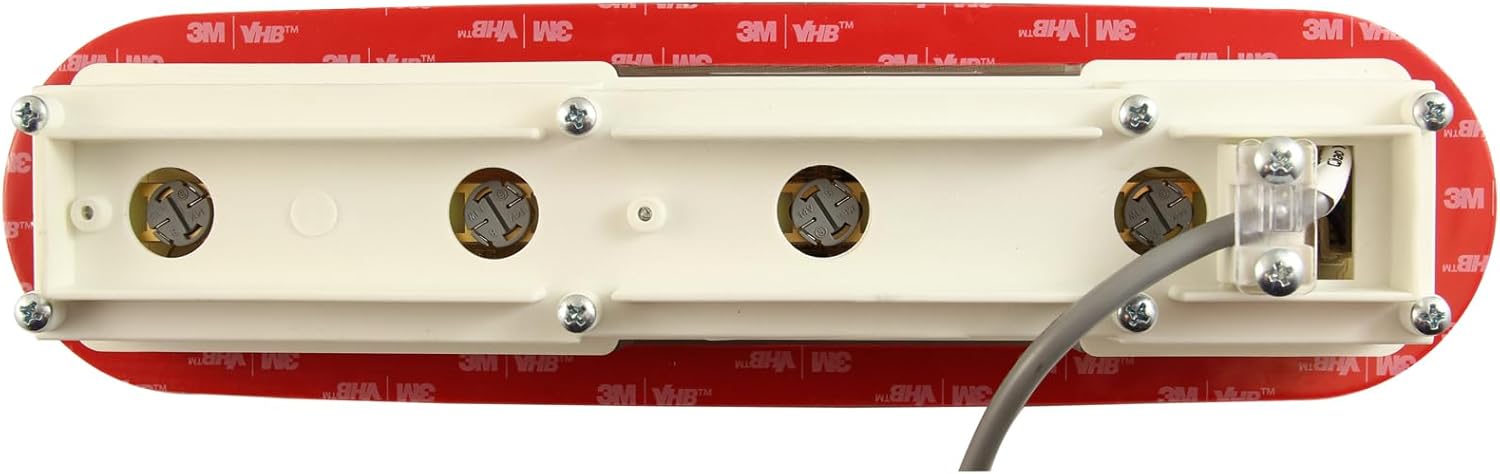
Figure 3.2: Rear view of the Balboa Water Group G8390 ML900 topside control panel. This image highlights the mounting points and the 3M VHB adhesive tape used for securing the panel to the spa shell, ensuring a watertight seal.
4. Operating Instructions
The Balboa ML900 topside panel provides intuitive control over your spa's functions. While specific button labels are not included with this panel (it is sold without an overlay), the typical functions for a 12-button Balboa ML900 panel are described below. Refer to your spa's specific owner's manual for exact button assignments and operational modes.
4.1 Common Button Functions
- Jets 1 / Pump 1: Activates or cycles the primary jet pump. Press once for low speed (if applicable), press again for high speed, a third time to turn off.
- Jets 2 / Pump 2: Activates or cycles the secondary jet pump (if equipped). Functions similarly to Jets 1.
- Light: Turns the spa light on or off. Some systems may offer multiple presses for different light modes or colors.
- Warm / Up Arrow: Increases the desired water temperature setting.
- Cool / Down Arrow: Decreases the desired water temperature setting.
- Mode / Program: Cycles through different operating modes (e.g., Standard, Economy, Sleep) or accesses programming menus.
- Blower: Activates or cycles the air blower (if equipped).
- Aux / Extra: Controls auxiliary features such as a third pump, waterfall, or other accessories.
4.2 Display Information
The central LCD display shows important information such as the current water temperature, set temperature, operating mode, and various status indicators (e.g., heater on, filter cycle active, error codes). Consult your spa's main control system manual for a detailed explanation of all display icons and messages.
5. Maintenance
Regular maintenance ensures the longevity and optimal performance of your topside control panel.
- Cleaning: Wipe the panel surface regularly with a soft, damp cloth. Avoid abrasive cleaners, solvents, or harsh chemicals, as these can damage the display and plastic components.
- Inspect Seal: Periodically check the seal around the panel for any signs of wear or damage that could allow water intrusion.
- Cable Inspection: Ensure the cable connecting the panel to the spa pack is not pinched, cut, or damaged.
6. Troubleshooting
If you encounter issues with your topside control panel, refer to the following common troubleshooting steps. For more complex problems or error codes, consult your spa's main control system manual or contact a qualified technician.
- Panel Not Responding / Blank Display:
- Ensure the spa has power and the circuit breaker is on.
- Check the Molex connector at the spa pack to ensure it is firmly seated.
- Inspect the cable for any visible damage.
- Buttons Not Working:
- Ensure the panel surface is clean and free of debris that might obstruct button presses.
- If only specific buttons are unresponsive, there might be an internal issue requiring professional service.
- Incorrect Temperature Reading:
- This is often related to the temperature sensor in the spa's heater or plumbing, not the topside panel itself. Consult your spa's main manual.
- Error Codes on Display:
- Balboa control systems display specific error codes (e.g., "FLO", "HL", "DR"). Refer to your spa's main control system manual for a complete list of codes and their meanings.
7. Specifications
| Feature | Specification |
|---|---|
| Manufacturer | Balboa Water Group |
| Model | ML900 |
| Part Type | Topside Control Panel |
| Number of Buttons | 12 |
| Overlay | Not included |
| Topside Shape | Oval |
| Cord Connector Type | Molex, 8-Pin |
| Cord Length | 6 feet (1.83 meters) |
| Panel Size (L x W) | 11-5/8 inches x 3-1/8 inches (29.53 cm x 7.94 cm) |
| Product Dimensions (L x W x H) | 5.2 x 11.3 x 3.65 inches (approximate, packaging dimensions may vary) |
8. Warranty and Support
For specific warranty information regarding your Balboa Water Group G8390 ML900 topside control panel, please refer to the documentation provided with your spa or contact Balboa Water Group directly. Support for operational issues should first be directed to your spa manufacturer or a certified spa technician, as the topside panel functions in conjunction with the spa's main control system.
Balboa Water Group Contact Information: Please visit the official Balboa Water Group website for the most current contact details and support resources.


