
1. Introduction
This manual provides detailed instructions for the safe and efficient operation of your DJCLUB LED Moving Head 150W Spot DMX Lighting fixture. Please read this manual thoroughly before installation, operation, or maintenance to ensure proper use and to prevent damage or injury. Keep this manual for future reference.
2. Safety Information
- Electrical Safety: Always connect the fixture to a grounded power outlet. Ensure the voltage matches the fixture's requirements (110 Volts AC). Disconnect power before any service or maintenance.
- Installation: Mount the fixture securely using appropriate hardware (e.g., Omega Bracket for truss mounting). Ensure adequate ventilation around the unit to prevent overheating. Do not block ventilation openings.
- Operation: Avoid direct eye exposure to the light source. Do not operate the fixture in wet or damp conditions. Keep flammable materials away from the fixture.
- Maintenance: Refer to the maintenance section for cleaning and service procedures. Only qualified personnel should perform repairs.
3. Product Overview
The DJCLUB LED Moving Head 150W Spot DMX Lighting is a versatile stage lighting fixture designed for various events. It features a powerful 150W cool white LED engine, multiple gobo wheels, a color wheel, and prism effects to create dynamic lighting displays.
Key Features:
- 150W Cool White LED Engine with stable output.
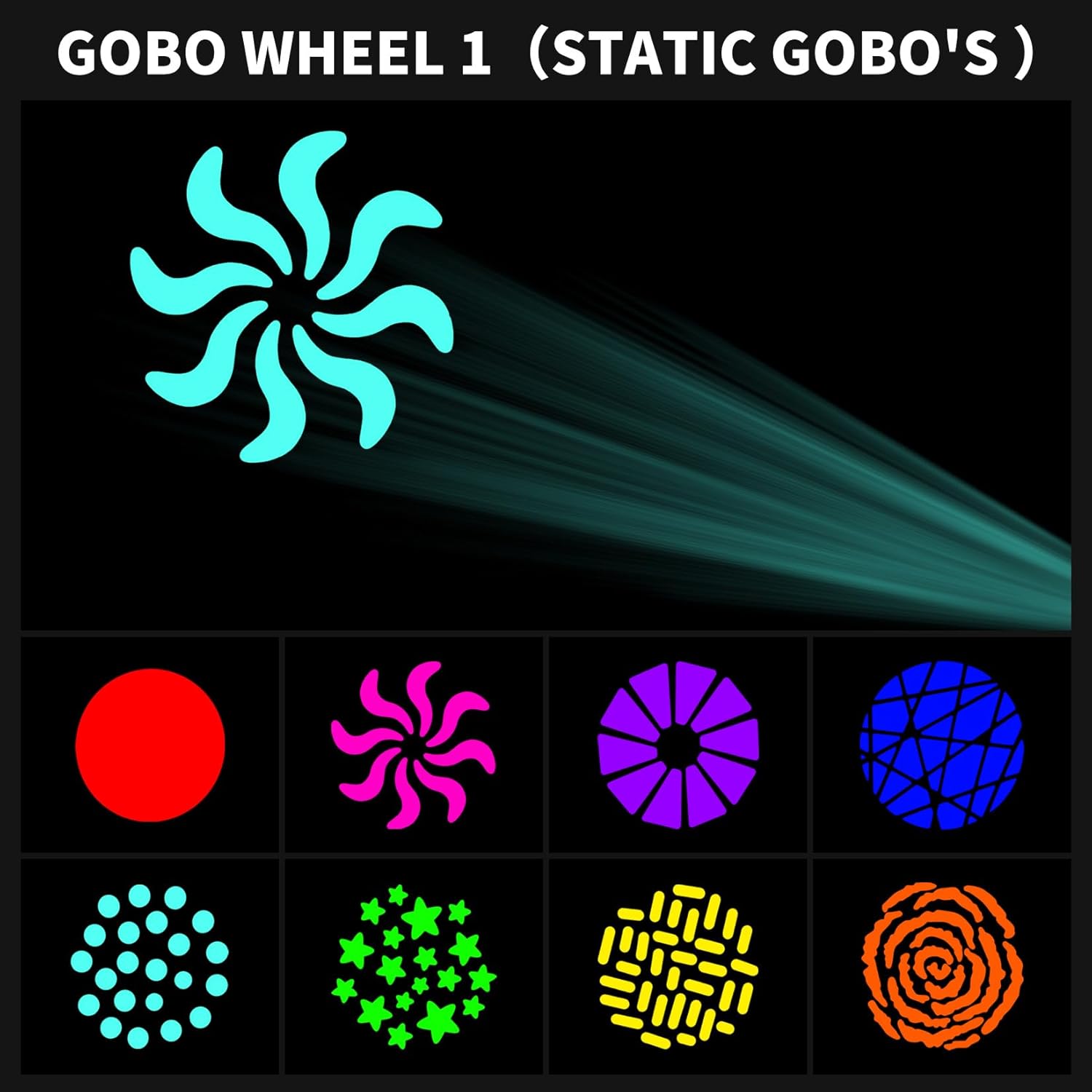
- Dual Gobo Wheels: 8 static gobos + gobo shaking, and 7 rotating gobos.
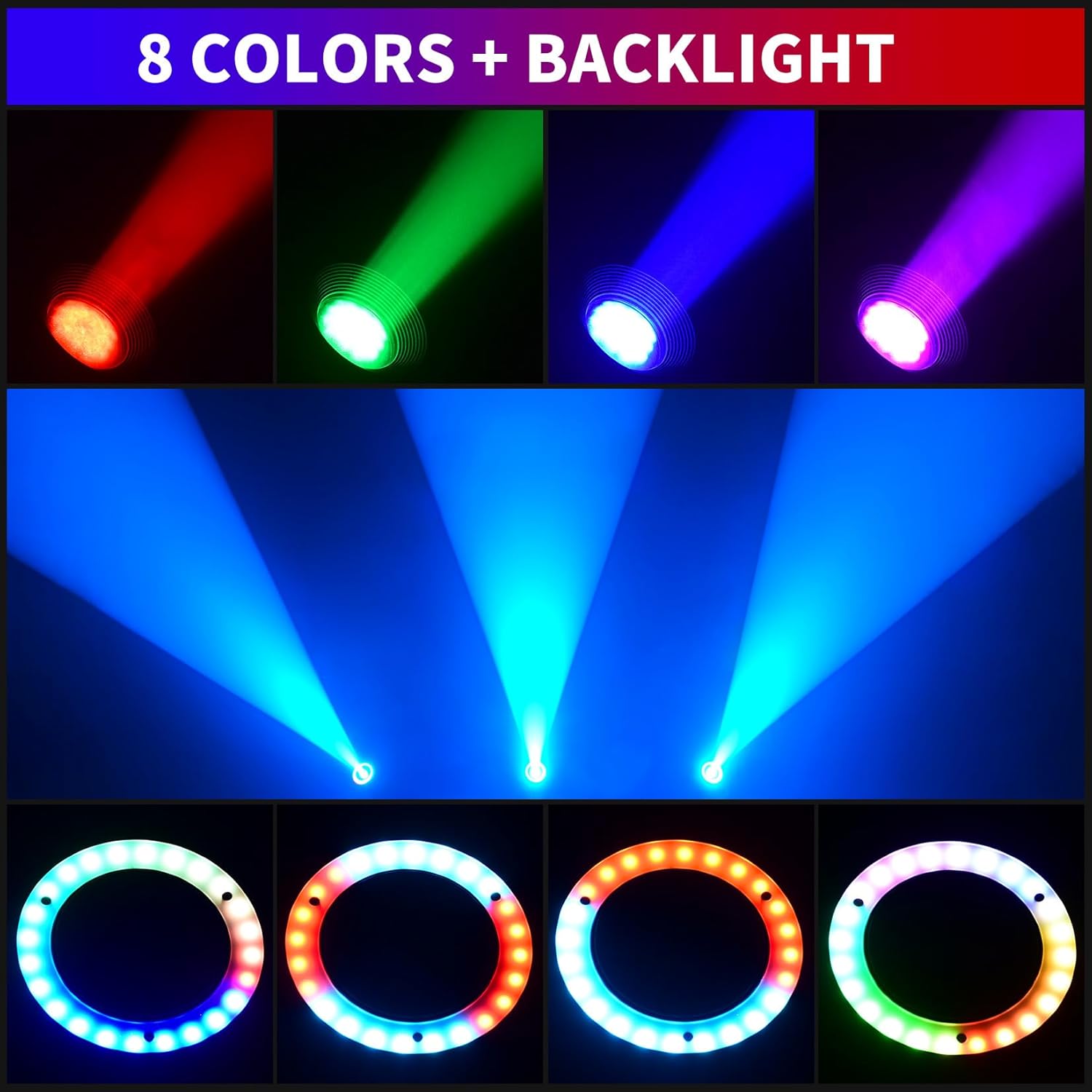
- Color Wheel: 8 colors + half-color effect + color rotation (adjustable speed).
- 5-facet rotating prism effects.
- Automatic error correction for Pan (540°) and Tilt (200°) rotation.
- Zoom Beam Angle: 12-18 degrees.
- 0-100% variable electronic dimmers.
- Backlight: 24pcs RGB 3in1 5050 LEDs.
- Multiple operating modes: Automatic, Sound-activated, DMX512, Master-Slave, Strobe, Pattern Dithering.
- Connectivity: Three-core XLR input/output for DMX, Power IN/OUT for daisy-chaining.
Components:


4. Setup
Mounting:
The fixture can be mounted on a floor, truss, or T-bar using the provided Omega bracket. Ensure the mounting surface or structure can support the weight of the fixture (17.6 pounds) and any additional equipment. Use safety cables as a secondary attachment.
Power Connection:
Connect the included power cable to the 'POWER INPUT' port on the rear of the fixture and to a grounded 110V AC power source. Multiple fixtures can be daisy-chained using the 'POWER OUTPUT' port, ensuring the total current draw does not exceed the circuit's capacity.
DMX Connection:
For DMX control, connect a DMX cable from your DMX controller's output to the 'INPUT' port of the first fixture. For multiple fixtures, connect the 'OUTPUT' port of the first fixture to the 'INPUT' port of the next, and so on. A DMX terminator is recommended for the last fixture in the chain.
5. Operating Modes
The DJCLUB LED Moving Head offers several operating modes, selectable via the LCD display and control buttons on the base of the fixture.
- DMX512 Mode: Allows precise control over all fixture functions using an external DMX controller. The fixture supports 20 DMX channels.
- Automatic Operation Mode: The fixture runs through pre-programmed light shows automatically.
- Sound-Activated Mode: The fixture reacts to sound and music, creating dynamic light patterns.
- Master-Slave Mode: One fixture acts as the master, controlling other linked fixtures (slaves) to synchronize light shows.
- Strobe Mode: Produces a flashing light effect.
- Pattern Dithering: Creates varied and complex gobo patterns.
DMX Control:
The fixture utilizes 20 DMX channels for comprehensive control. Refer to the DMX channel chart (typically found in the full printed manual) for specific channel assignments and values. This allows for control over pan, tilt, color, gobos, prism, dimmer, strobe, and other effects.
6. Gobo and Color Wheels
The fixture is equipped with two gobo wheels and one color wheel to enhance lighting effects.
- Gobo Wheel 1 (Static Gobos): Features 8 distinct static gobo patterns, plus an open spot. This wheel also supports gobo shaking effects.
- Gobo Wheel 2 (Rotating Gobos): Contains 7 rotating gobo patterns, allowing for dynamic projections.
- Color Wheel: Offers 8 vibrant colors, including a half-color effect and continuous color rotation. Split colors are also available, combining two colors for unique visual effects.

7. Prism Effects
The fixture includes a 5-facet rotating prism, which can split the light beam into multiple beams, creating a wider and more complex light show. This effect can be combined with gobos and colors for enhanced visual impact.
8. Focusing and Beam Angle
The LED Moving Head features a zoom beam angle ranging from 12 to 18 degrees, allowing for adjustment between a tight, focused beam and a wider wash effect. This provides flexibility for different stage sizes and lighting requirements. The 0-100% variable electronic dimmer allows for precise control over light intensity.
9. Maintenance
Regular maintenance ensures the longevity and optimal performance of your fixture.
- Cleaning: Periodically clean the lenses and exterior surfaces with a soft, lint-free cloth. Do not use abrasive cleaners or solvents.
- Inspection: Regularly check power and DMX cables for damage. Ensure all mounting hardware is secure.
- Ventilation: Keep ventilation openings clear of dust and debris.
- Service: For internal cleaning or repairs, contact qualified service personnel.
10. Troubleshooting
If you encounter issues with your fixture, refer to the following common troubleshooting steps:
- No Power: Check the power cable connection, power outlet, and ensure the fixture is receiving the correct voltage.
- No DMX Control: Verify DMX cable connections, DMX address settings on the fixture, and ensure your DMX controller is functioning correctly. Check for a DMX terminator on the last fixture.
- Fixture Not Moving/Responding: Check the operating mode. If in DMX mode, verify DMX signal and channel values. If in auto or sound-activated mode, ensure the internal programs are selected correctly.
- Intermittent Operation: Check for loose connections or power fluctuations.
11. Specifications
| Feature | Specification |
|---|---|
| Model Number | DJ-G100WFBA |
| Light Source Type | Light Emitting Diode |
| Maximum Compatible Light Source Wattage | 150 Watts |
| Light Source Wattage | 150 Watts |
| Brightness | 90000 Lumen |
| Voltage | 110 Volts (AC) |
| Amperage | 12 Amps |
| Color Temperature | 7800 Kelvin |
| Color Rendering Index | 90 |
| Item Weight | 17.6 Pounds |
| Item Dimensions L x W x H | 8.66"L x 7.5"W x 11.5"H |
| Material | Aluminum, Glass, Iron, Plastic |
| Mounting Type | Floor Mount / Truss Mount |
| Special Features | Dimmable |
| Specification Met | CE, RoHS |
12. What's in the Box
Your DJCLUB LED Moving Head DMX Light package includes:
- LED Moving Head DMX Light (DJ-G100WFBA)
- Power Cable
- DMX Cable
- Manual (this document)
- Omega Bracket
13. Official Product Video
Video 13.1: Official product demonstration of the LED 150W Backlight Spot Moving Head Lighting by DJCLUB, showcasing various light patterns, colors, and movement capabilities.
14. Warranty and Support
Warranty:
This product comes with a 1-year manufacturer's warranty. Please retain your proof of purchase for warranty claims.
Customer Support:
For technical assistance, troubleshooting, or warranty inquiries, please contact DJCLUB customer support through the retailer where the product was purchased or visit the official DJCLUB website for contact information.