
Introduction
This manual provides comprehensive instructions for the GEEKRIA Shield Bone Conduction Headphone Case. It covers product features, usage guidelines, maintenance, and specifications to ensure optimal protection and longevity for your headphones.

Image: The GEEKRIA Shield Bone Conduction Headphone Case, shown with headphones and a smartphone, illustrating its practical use and compact design.
Product Features
Optimal Dimensions: Maximum compatible headphone dimensions (internal case) are 15.7 x 11.9 x 7.4 cm. This case is designed to accommodate many wired and wireless bone conduction headphones.
Robust Protection: The hard shell design protects against drops, impacts, and crushing. A soft interior lining maximizes headphone protection within the case.
Integrated Storage: An internal mesh pocket allows for convenient storage of accessories such as cables, cords, chargers, amplifiers, ear pads, and adapters.
Wide Compatibility: This case serves as an excellent replacement or upgrade for original headphone cases, compatible with various models including Rumatas X6 max, X6 Pro, X6, X7, X7 plus, Wigfar V5, V18, Wig-11 Plus, B8-001, Eyancotoi K08, Purerina X, and ECOAMICA HS3.
Compatibility
This case is designed to fit a wide range of bone conduction headphones. Compatible models include, but are not limited to:
- Shokz: OpenMove, OpenRun Mini, Air, OpenRun Pro, OpenRun, OpenSwim Pro, OpenSwim, OpenComm, Aeropex, XTrainerz, Sportz 3
- AfterShokz: AS700, AS700BD, AS800, AS800BE, AS800CB, AS800LG, AS650, AS650MB, AS650MB0FG, AS650CR
- Rumatas: X6 max, X6 Pro, X6, X7, X7 plus
- Wigfar: V5, V18, Wig-11 Plus, B8-001
- Eyancotoi: K08
- Purerina: X
- ECOAMICA: HS3
Setup and Usage
Inserting Your Headphones
To properly store your bone conduction headphones:
Open the Case: Unzip the GEEKRIA Shield case completely using the durable zipper closure.

Image: The GEEKRIA Shield case fully unzipped, revealing a pair of bone conduction headphones neatly placed inside.
Position Headphones: Carefully place your bone conduction headphones inside the main compartment. Ensure they fit within the internal dimensions of 15.7 x 11.9 x 7.4 cm (6.2 x 4.7 x 2.9 inches) to prevent damage.

Image: A top-down view showing bone conduction headphones securely nestled within the soft interior of the GEEKRIA Shield case.
Utilize Mesh Pocket: Use the internal mesh pocket to store accessories such as charging cables, adapters, or earplugs. This helps keep small items organized and prevents them from scratching your headphones.
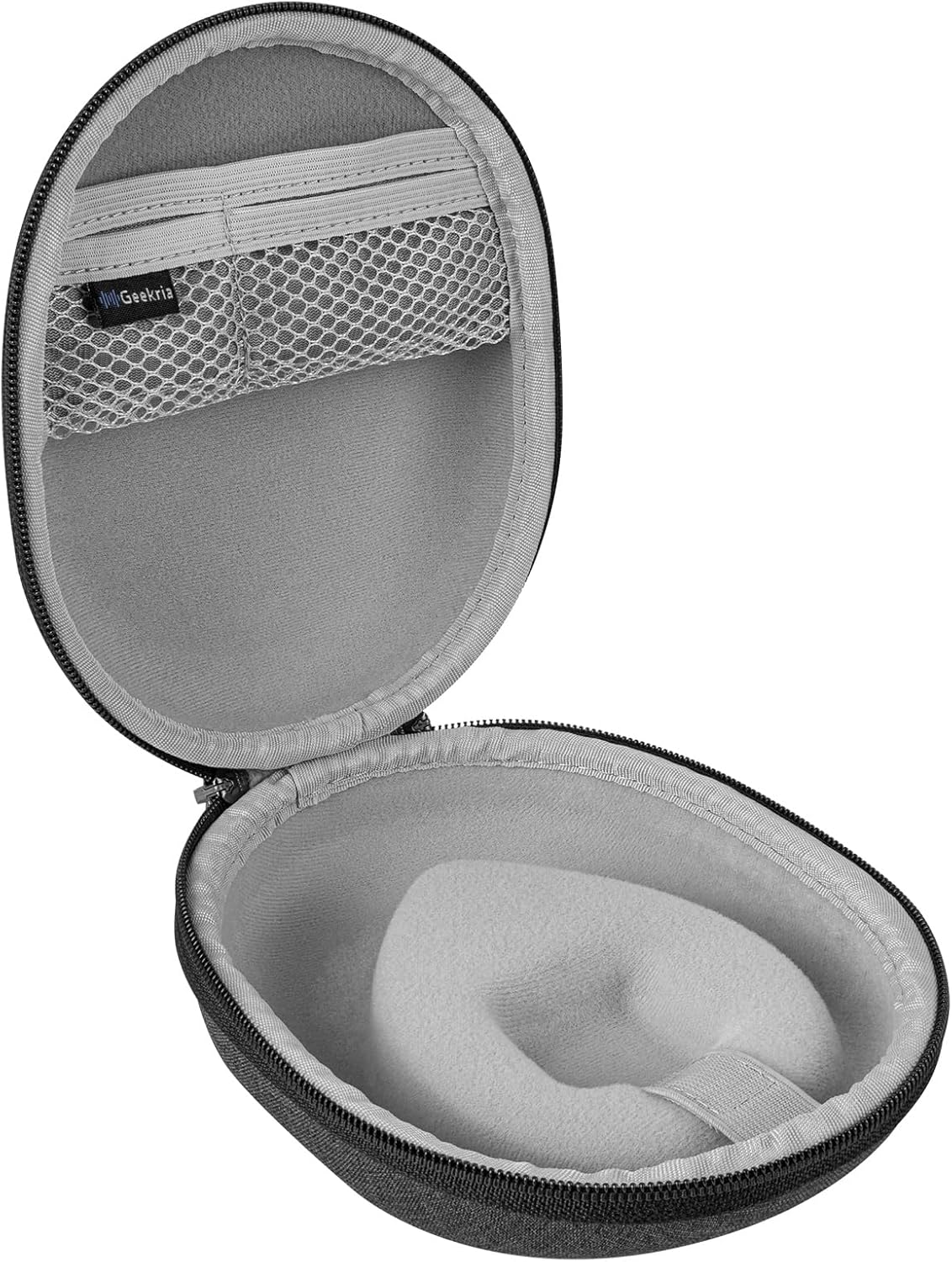
Image: The open GEEKRIA Shield case, highlighting the convenient mesh pocket designed for storing small accessories.
Close the Case: Zip the case securely to protect your headphones from external elements, drops, and impacts.

Image: The GEEKRIA Shield case fully zipped, demonstrating its secure closure and compact form factor.
Maintenance
Cleaning Instructions
To maintain the appearance and integrity of your GEEKRIA Shield case:
Exterior Cleaning: Wipe the exterior surface with a soft, damp cloth. Avoid using harsh chemicals or abrasive cleaners, as these may damage the EVA material.
Interior Cleaning: For the soft interior lining, gently dab with a slightly damp cloth. Allow to air dry completely before storing headphones.
Storage: When not in use, store the case in a cool, dry place away from direct sunlight and extreme temperatures.
Specifications
| Feature | Detail |
|---|---|
| Brand | GEEKRIA |
| Color | Dark Grey |
| Form Factor | Case |
| Case Type | Hard Shell |
| Material | Ethylene-vinyl acetate (EVA) |
| Special Features | Hard shell, durable zipper, portable |
| Item Dimensions (L x W x H) | 16 x 12 x 7.5 cm (6.2 x 4.7 x 2.9 inches) |
| Item Weight | 140 Grams |

Image: A visual representation of the GEEKRIA Shield case's dimensions, indicating its length, width, and height in both inches and centimeters.
Troubleshooting
Common Issues and Solutions
Headphones do not fit: Ensure your headphones' dimensions are within the case's internal capacity (15.7 x 11.9 x 7.4 cm). Refer to the "Compatibility" section for a list of supported models. If your headphones are larger, this case may not be suitable.
Zipper is stiff: Apply a small amount of zipper lubricant or rub a graphite pencil along the zipper teeth to improve smoothness. Avoid forcing the zipper.
Case is damaged: If the case is damaged upon arrival or during normal use within the warranty period, please refer to the "Warranty and Support" section for assistance.
Warranty and Support
GEEKRIA offers a warranty for this product. If the case does not fit or breaks within one year of purchase, please contact GEEKRIA customer support for assistance.
For further support or inquiries, please visit the official GEEKRIA website or contact your retailer.