
SunJack SJ-LS-MINI
SunJack LightStick Camplight Mini User Manual
Model: SJ-LS-MINI
Product Overview
The SunJack LightStick Camplight Mini is a versatile, waterproof, and rechargeable LED flashlight and power bank designed for various outdoor activities and emergency situations. Its robust construction ensures durability in challenging environments.
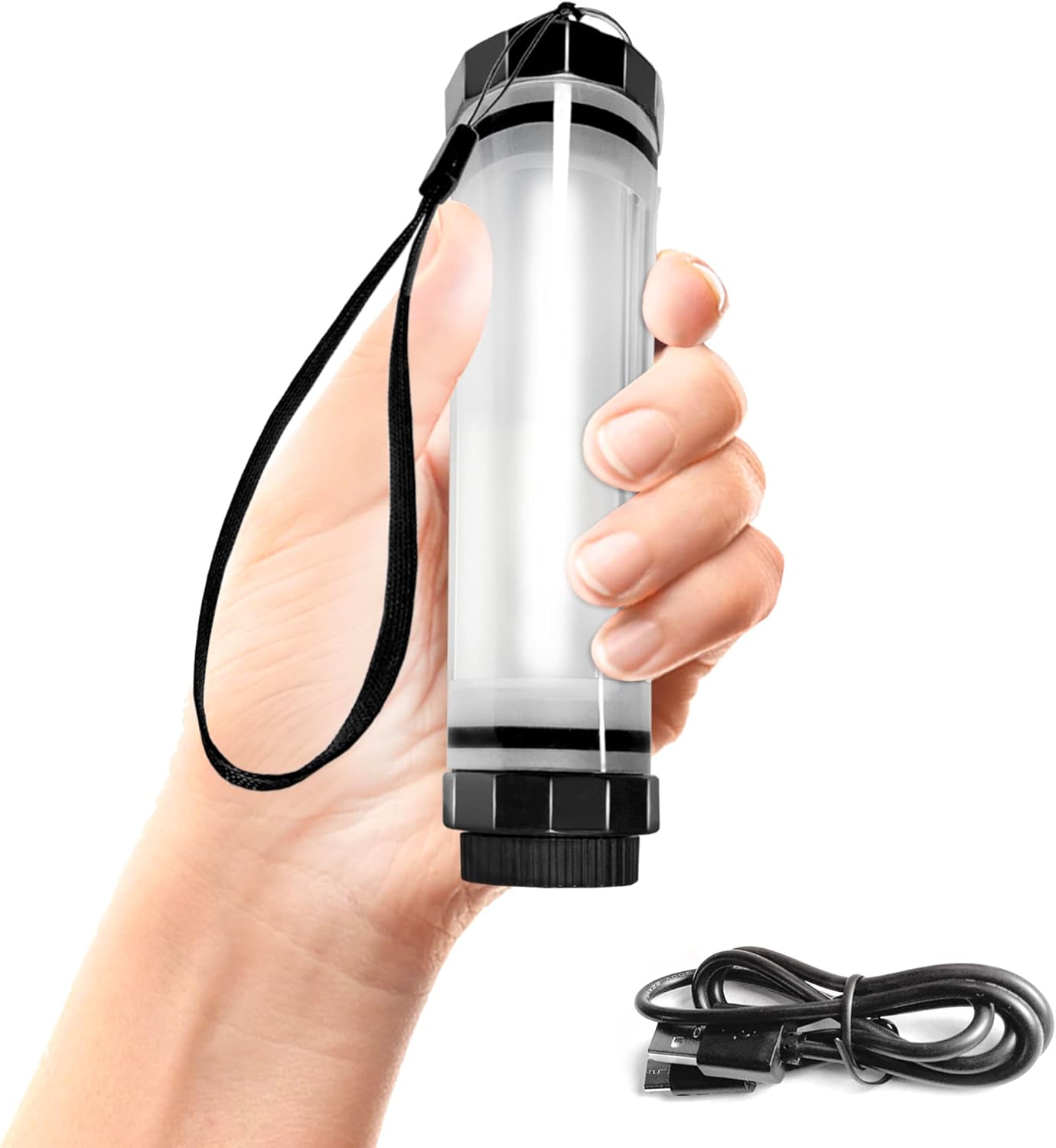
Image: The SunJack LightStick Camplight Mini, a compact and portable LED light, shown held in a hand, with its charging cable visible below.
Key Features
- Waterproof & Rugged: IP68 rated, submersible up to 6 feet. Constructed with a shatterproof ABS body and shock-absorbing design for extreme durability.
- Multiple Light Modes: Features 5 distinct settings including two brightness levels of cool white light (low/high), two red light options (solid/flashing), and an SOS emergency mode. The high setting provides 100 lumens of brightness, and the LED has a lifespan of 36,000 hours.
- Rechargeable: Fully charges in approximately 5 hours from any standard USB source. A single charge can provide up to 60 hours of white light on the low setting. A blue LED indicator displays the current battery status. The device is compatible with SunJack solar panels for off-grid charging.
- Power Bank Function: Equipped with a 2600mAh lithium-ion battery that not only powers the light but also functions as a portable power bank. The USB-A output (5V/1.2A) allows for charging of various electronic devices such as smartphones, GPS units, and headphones.
- Multi-Use & Emergency Ready: Ideal as a camping lantern, emergency flashlight, or for activities like hiking, backpacking, boating, fishing, swimming, and snorkeling. It serves as essential survival gear for home, vehicle, and travel emergency kits.

Image: An illustration highlighting the rugged features of the LightStick Mini, including its shatter-proof military-grade ABS body, drop-proof shock-absorbing construction, and IP68 waterproof rating, with the lightstick shown partially submerged in water.

Image: The LightStick Mini connected via USB to a smartphone, illustrating its power bank capability. Icons indicate its dual function, compact power, and rechargeable nature.

Image: A visual guide displaying the five different light and brightness settings of the LightStick Mini: Cool White Low, Cool White High, Red Light Solid, Red Light Strobe, and Red Light S.O.S.
Package Contents
Upon opening your SunJack LightStick Camplight Mini package, please ensure all the following items are present:
- SunJack LightStick Mini
- Lanyard
- USB Cable (Micro USB)
- User Manual (this document)
Setup
Initial Charge
- Locate the USB Micro Input port on the LightStick Mini. This port is typically protected by a waterproof cap.
- Carefully open the waterproof cap to expose the charging port.
- Connect the provided USB cable to the Micro USB input port on the LightStick Mini.
- Connect the other end of the USB cable to a compatible USB power source (e.g., wall adapter, computer USB port, power bank).
- The blue LED indicators will illuminate to show the charging progress. A full charge typically takes approximately 5 hours.
- Once fully charged, disconnect the USB cable and securely close the waterproof cap to maintain the device's water resistance.
Attaching the Lanyard
The included lanyard can be attached to the designated lanyard hole near the top of the LightStick Mini for convenient carrying or hanging.

Image: A detailed diagram illustrating the components of the LightStick Mini, including the foldable hook, glow-in-the-dark on/off button, lanyard hole, USB Micro Input, USB A Output, and the waterproof cap.
Operating Instructions
Powering On/Off and Changing Light Modes
The LightStick Mini features a single glow-in-the-dark button for all light functions.
- To Turn On: Press the power button once. The light will typically turn on in the lowest white light setting.
- To Cycle Modes: Press the power button repeatedly to cycle through the available light modes:
- Cool White Low
- Cool White High (100 lumens)
- Red Light Solid
- Red Light Strobe
- Red Light S.O.S.
- To Turn Off: Press and hold the power button for approximately 2-3 seconds. The light will turn off from any mode.
Using as a Power Bank
The LightStick Mini can charge external devices using its built-in power bank function.
- Open the waterproof cap to access the USB-A Output port.
- Connect your device's charging cable to the USB-A Output port on the LightStick Mini.
- Connect the other end of the cable to your electronic device (e.g., smartphone, tablet, GPS).
- Charging will begin automatically. The LightStick Mini provides a 5V/1.2A output.
- Monitor your device's charging status. Once charging is complete, disconnect the cable and securely close the waterproof cap.
Battery Status Indicator
The blue LED lights on the device indicate the remaining battery charge. Refer to the diagram in the "Setup" section for their location.
Maintenance
- Cleaning: Wipe the LightStick Mini with a soft, damp cloth. Do not use abrasive cleaners or solvents.
- Waterproof Cap: Always ensure the waterproof cap covering the USB ports is securely closed when not in use, especially before exposing the device to water.
- Storage: Store the device in a cool, dry place when not in use for extended periods. For optimal battery health, charge the device fully before long-term storage and recharge every 3-6 months.
- Battery Care: Avoid fully depleting the battery frequently. Recharge the device when the battery indicator shows low charge.
Troubleshooting
| Problem | Possible Cause | Solution |
|---|---|---|
| Light does not turn on. | Battery is depleted. | Charge the LightStick Mini using the provided USB cable. |
| Light modes do not change. | Button not pressed correctly or stuck. | Ensure the button is pressed firmly and released. If stuck, gently clean around the button area. |
| Device not charging from LightStick Mini. | LightStick Mini battery low or cable issue. | Ensure LightStick Mini is sufficiently charged. Try a different USB cable. Verify the device being charged is compatible with 5V/1.2A output. |
| Water ingress after exposure. | Waterproof cap not securely closed. | Immediately power off the device. Do not attempt to charge or use. Allow to dry completely in a well-ventilated area. Ensure cap is always securely closed before water exposure. |
Specifications
| Model Name | SunJack Lightstick Mini |
| Part Number | SJ-LS-MINI |
| Dimensions (LxWxH) | 5.6" x 1.4" (Product Dimensions: 1.5"L x 1.5"W x 5.5"H) |
| Weight | 0.3 lbs (4 ounces) |
| Battery Type | 2600mAh Lithium-Ion (1 included) |
| Input | USB-Micro 5V/0.8A |
| Output (Power Bank) | USB-A 5V/1.2A |
| Brightness | 100 Lumens (Max) |
| LED Lifespan | 36,000 hours |
| Runtime (Lowest Setting) | Up to 60 hours |
| Waterproof Rating | IP68 (Submersible to 6 feet) |
| Material | Acrylonitrile Butadiene Styrene (ABS) |
| Manufacturer | SunJack |
| UPC | 743724208115 |
Warranty and Support
For detailed warranty information and customer support, please refer to the official SunJack website or the comprehensive user manual PDF available online.
Official User Manual (PDF): Download PDF
SunJack Official Store: Visit Store
Related documentsSJ-LS-MINI


Ask a question about this manual
Ask about setup, troubleshooting, compatibility, parts, safety, or missing instructions. Manuals+ will review the question and use this page’s manual context to help answer it.