
XiNOWY V6 Plus
XiNOWY V6 Pro Motorcycle Bluetooth Headset User Manual
Model: V6 Plus
Introduction
This manual provides comprehensive instructions for the XiNOWY V6 Pro Motorcycle Bluetooth Headset. Designed for seamless communication and entertainment during motorcycling, skiing, and climbing, this headset offers advanced features like noise reduction, multi-rider intercom, and long battery life. Please read this manual thoroughly to ensure proper use and maintenance of your device.
Product Overview
The V6 Pro headset is engineered for durability and performance, featuring a robust design and intuitive controls. It supports up to 6 riders for intercom communication and offers clear audio even in challenging environments.

Figure 1: XiNOWY V6 Pro Motorcycle Bluetooth Headset main unit.

Figure 2: Detailed diagram of the V6 Pro headset showing buttons, ports, and connected components like microphone and speakers.
Key Features
- 6-Way Full-Duplex Communication: Supports connection for up to 6 people, with the host able to select one of five sub-devices for simultaneous talk. Maximum intercom range up to 1200 meters.
- Advanced Noise Reduction: Utilizes DSP noise cancellation technology to minimize wind and background noise, ensuring clear audio.
- Hands-Free Operation: Bluetooth 5.1 enables automatic answering or rejection of calls within 5 seconds.
- Durable Design: IP65 waterproof, dust-proof, and sun-proof, suitable for various weather conditions.
- Extended Battery Life: Equipped with an 850mAh rechargeable battery, providing up to 18 hours of intercom time, 25 hours of music playback, and 260 hours of standby time on a 3-hour charge.
- Universal Helmet Compatibility: Designed to fit full-face, 3/4, flip-up, and modular helmets.
- Wide Operating Temperature: Functions reliably in temperatures ranging from -10℃ to 50℃.
- High-Quality Audio: Features dynamic audio drivers for great speaker sound, suitable for phone calls, music, and fleet communication.
- GPS Navigation Call Support: Enables clear and easy GPS navigation voice prompts.
Setup and Installation
Mounting the Headset
The V6 Pro headset can be easily mounted to various helmet types using the provided securing clip and adhesive accessories. Ensure the mounting location allows for clear antenna reception and easy access to controls.

Figure 3: Mounting accessories and their application for securing the headset to a helmet.
Connecting Speakers and Microphone
Connect the included speakers and microphone to the headset unit. Position the speakers inside the helmet's ear pockets and the microphone near your mouth for optimal audio quality.

Figure 4: Headset components including the main unit, speakers, and microphone, ready for installation.
Initial Charging
Before first use, fully charge the headset. Connect the Type-C charging cable to the headset's charging port and a suitable USB power source. A full charge takes approximately 3 hours.
Operating Instructions
Power On/Off
- Power On: Press and hold the Power/Intercom button until the indicator light turns on.
- Power Off: Press and hold the Power/Intercom button until the indicator light turns off.
Bluetooth Pairing
To pair with your mobile phone or other Bluetooth devices:
- Ensure the headset is off.
- Press and hold the Power/Intercom button until the indicator light flashes red and blue, indicating pairing mode.
- On your phone, enable Bluetooth and search for "V6 Plus".
- Select "V6 Plus" to connect. Once paired, the indicator light will turn blue.
Intercom Communication
The V6 Pro supports multi-person intercom up to 6 riders with a maximum range of 1200 meters. The host unit can select one of the five sub-devices for communication.

Figure 5: Visual representation of the 1200-meter intercom distance and clear transmission capabilities.

Figure 6: Illustration of the two intercom modes: Normal (multi-person) and Private (private channel).

Figure 7: Diagram showing how the multi-user intercom system connects up to 6 riders.
Phone Calls
- Answer Call: Press the Call button once.
- Reject Call: Press and hold the Call button.
- End Call: Press the Call button once during a call.
- Redial Last Number: Double-press the Call button.
Music Playback
- Play/Pause: Press the Play button.
- Next Track: Press the Volume + button.
- Previous Track: Press the Volume - button.
- Volume Adjustment: Use the Volume + and Volume - buttons.
GPS Navigation
Once paired with your smartphone, the headset will relay GPS navigation voice prompts directly to your ears, ensuring you stay on track without distractions.

Figure 8: Riders utilizing the GPS navigation call feature for clear directions.
Applications
The V6 Pro headset is versatile and suitable for various activities:
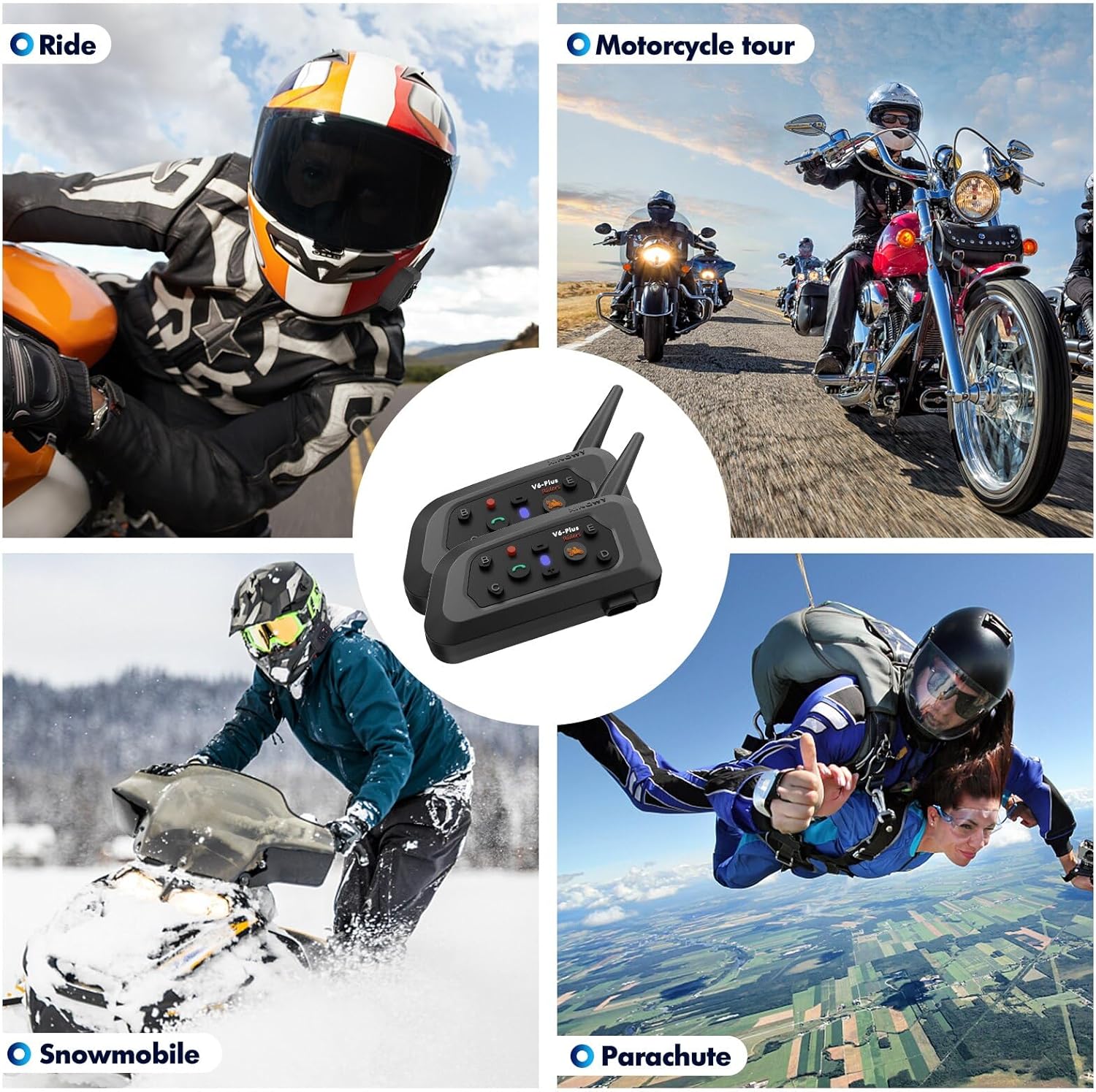
Figure 9: Examples of activities where the V6 Pro headset can be used, such as motorcycling, snowmobiling, and parachuting.
Maintenance
To ensure the longevity and optimal performance of your V6 Pro headset, follow these maintenance guidelines:
- Cleaning: Wipe the headset with a soft, damp cloth. Do not use harsh chemicals or abrasive cleaners.
- Water Resistance: The headset is IP65 waterproof. While it can withstand splashes and rain, avoid submerging it in water.
- Storage: Store the headset in a cool, dry place when not in use. Avoid extreme temperatures.
- Battery Care: For long-term storage, charge the battery to about 50% every few months to prevent deep discharge.
Figure 10: The V6 Pro headset's IP65 waterproof rating ensures durability against water splashes.
Troubleshooting
If you encounter issues with your V6 Pro headset, please refer to the following common problems and solutions:
| Problem | Possible Cause | Solution |
|---|---|---|
| Headset does not power on. | Low battery. | Charge the headset for at least 3 hours. |
| Cannot pair with phone. | Headset not in pairing mode; Bluetooth off on phone. | Ensure headset is in pairing mode (flashing red/blue). Turn phone's Bluetooth off and on. |
| Intercom not connecting. | Out of range; incorrect pairing sequence. | Ensure units are within 1200m. Re-initiate intercom pairing sequence as per advanced instructions (not detailed here). |
| Poor audio quality / Noise. | Microphone not positioned correctly; high wind noise. | Adjust microphone closer to mouth. DSP noise cancellation should mitigate wind noise, ensure proper helmet fit. |
Specifications
| Feature | Detail |
|---|---|
| Model Name | V6 Plus |
| Brand | XiNOWY |
| Connectivity Technology | Wireless (Bluetooth 5.1) |
| Noise Control | Adaptive Noise Cancellation (DSP) |
| Battery Life (Intercom) | 18 Hours |
| Battery Life (Music) | 25 Hours |
| Standby Time | 260 Hours |
| Charging Time | 3 Hours |
| Battery Capacity | 850mAh Lithium Polymer |
| Water Resistance Level | IP65 (Water Resistant) |
| Operating Temperature | -10℃ to 50℃ |
| Intercom Range | Up to 1200 meters |
| Max Intercom Riders | 6 (host + 5 sub-devices) |
| Material | Polycarbonate (PC) |
| Item Weight | 8.7 ounces |
| UPC | 721545814074 |
Official Product Video
Video: An overview of the V6 Plus Motorcycle Bluetooth Headset, demonstrating its features, connectivity, and installation on a helmet. The video highlights the long range, noise cancellation, and battery life.
Warranty and Support
For warranty information or technical support, please refer to the contact details provided with your product packaging or visit the official XiNOWY website. If you have any questions about our product, please feel free to contact us. We will give you a satisfactory answer within 24 hours!
Related documentsV6 Plus


Ask a question about this manual
Ask about setup, troubleshooting, compatibility, parts, safety, or missing instructions. Manuals+ will review the question and use this page’s manual context to help answer it.