
UMAY P9
UMAY 512 Walking Pad / P1 Small Treadmill User Manual
Model: P9
Introduction
The UMAY 512 Walking Pad (Model P9) is an electric treadmill designed for home and office use, offering a convenient and effective way to incorporate fitness into your daily routine. It features an ultra-quiet brushless motor, smart app connectivity, and a robust design for a comfortable workout experience. This manual provides essential information for the safe and efficient operation, maintenance, and troubleshooting of your UMAY Walking Pad.

Image: The UMAY 512 Walking Pad in its operational state with a user, and a smaller inset showing the treadmill folded vertically for compact storage.
Safety Information
Please read all instructions carefully before using the UMAY 512 Walking Pad. Retain this manual for future reference.
- Always place the treadmill on a flat, stable surface.
- Ensure adequate clear space around the treadmill (at least 2 meters behind and 0.6 meters on each side).
- Keep children and pets away from the treadmill during operation.
- Always attach the safety key clip to your clothing before starting the treadmill. The safety key is a crucial safety feature that will stop the treadmill immediately if detached.
- Do not operate the treadmill if it is damaged or malfunctioning.
- Consult a physician before starting any new exercise program.
- Maximum user weight capacity: 136 kg (300 lbs). Do not exceed this limit.
- Wear appropriate athletic footwear during use.
- Unplug the treadmill from the power outlet when not in use or before cleaning and maintenance.
Setup
The UMAY 512 Walking Pad is designed for installation-free setup, meaning it requires minimal assembly.
- Unpacking: Carefully remove the treadmill from its packaging. Ensure all components are present: treadmill unit, power cord, safety key, lubricant, and tool kit.
- Placement: Choose a suitable location with a stable, level floor. Ensure there is sufficient space around the treadmill for safe operation and access.
- Unfolding (if applicable): If the treadmill is in a folded position, gently unfold it until it locks securely into place. Refer to the visual guides in the included user manual for specific unfolding instructions.
- Power Connection: Connect the power cord to the treadmill's power input and then to a grounded electrical outlet.
- Safety Key: Before starting, always place the magnetic safety key onto the designated area on the console. Attach the clip end of the safety key to your clothing.
Operating Instructions
Familiarize yourself with the control console and remote control for optimal use.
Control Console Overview

Image: Detailed view of the treadmill's console, highlighting the safety key, Start, Stop, Speed adjustment buttons, and integrated heart rate monitor sensors on the handles.
- LED Display: Shows real-time data such as time, speed, distance, calories burned, and heart rate.
- Start Button: Initiates the treadmill belt movement.
- Stop Button: Halts the treadmill belt movement.
- Speed +/- Buttons: Adjust the belt speed. The treadmill offers a speed range from 1 KM/H to 14 KM/H.
- Mode/Program Button: Cycles through different workout modes and preset programs.
- Heart Rate Sensors: Located on the handlebars, these sensors monitor your heart rate when gripped.
- Safety Key Slot: The magnetic safety key must be in place for the treadmill to operate.
Workout Programs and Modes
- 12 Preset Modes: The treadmill includes 12 pre-designed workout programs that automatically adjust speed to provide varied training.
- 3 Countdown Modes: Set a target for time, distance, or calories, and the treadmill will count down to your goal.

Image: Visual representation of the treadmill's speed capabilities, illustrating walking at 5 KM/H, jogging at 10 KM/H, and running at 14 KM/H.
Smart Bluetooth APP (SPAX APP)
Connect your UMAY 512 Walking Pad to the SPAX APP via Bluetooth for enhanced features:
- Monitor real-time workout data (heart rate, calories, etc.).
- Access professional coaching advice and personalized training plans.
- Engage in social sharing and challenges with friends.
Additional Features
- Bluetooth Speakers: Enjoy music or audio during your workout.
- Dual Cup Holders: Conveniently store your water bottles.
- Phone/Tablet Holder: Securely hold your device for entertainment or app use.
- Triple Shock Absorption: The 7-layer composite tread and integrated shock absorbers reduce impact on joints.
- Spacious Running Area: The 103 x 40 cm (40.5 x 15.7 inches) running belt provides ample space for walking and jogging.
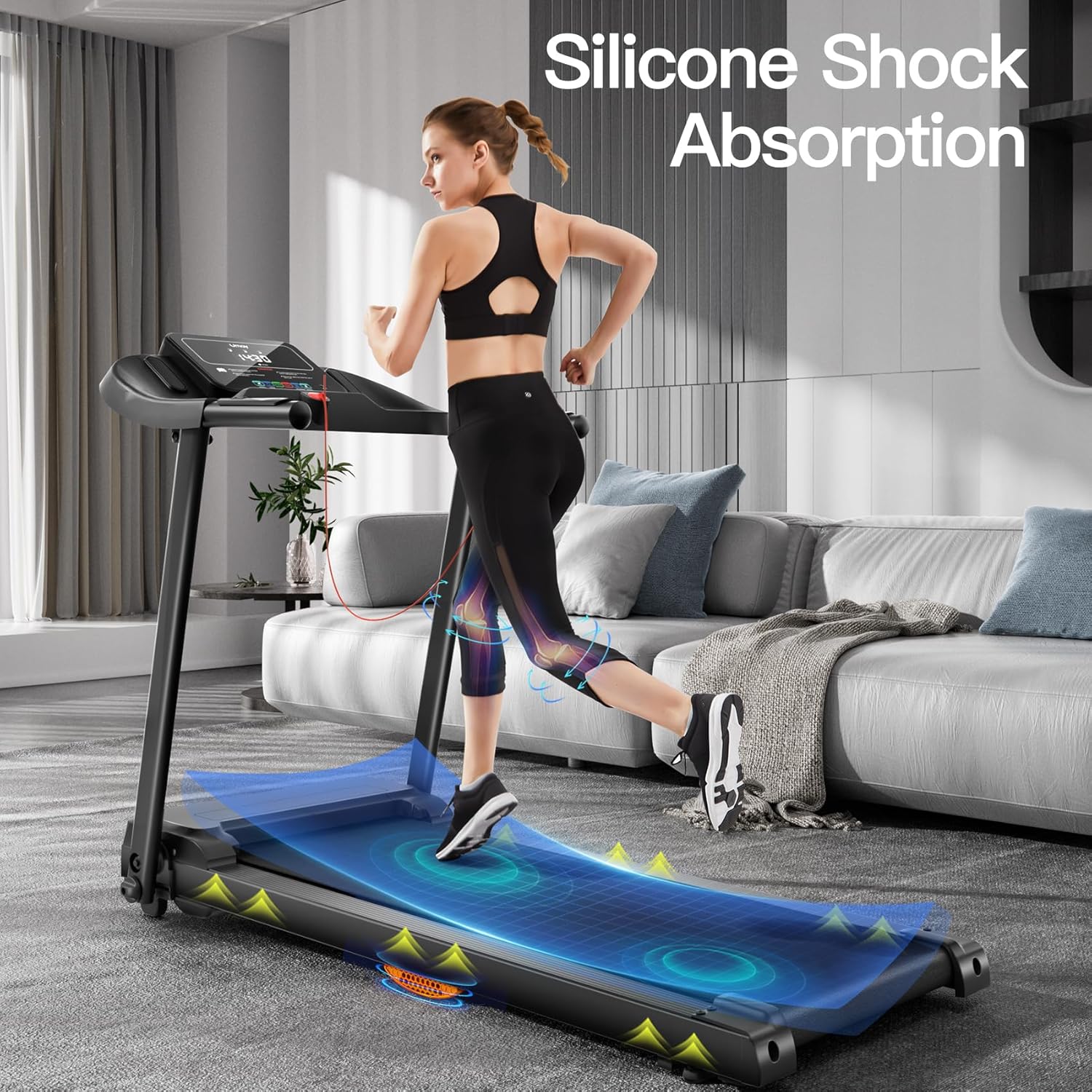
Image: Illustration of the treadmill's silicone shock absorption technology, designed to minimize impact on user joints.
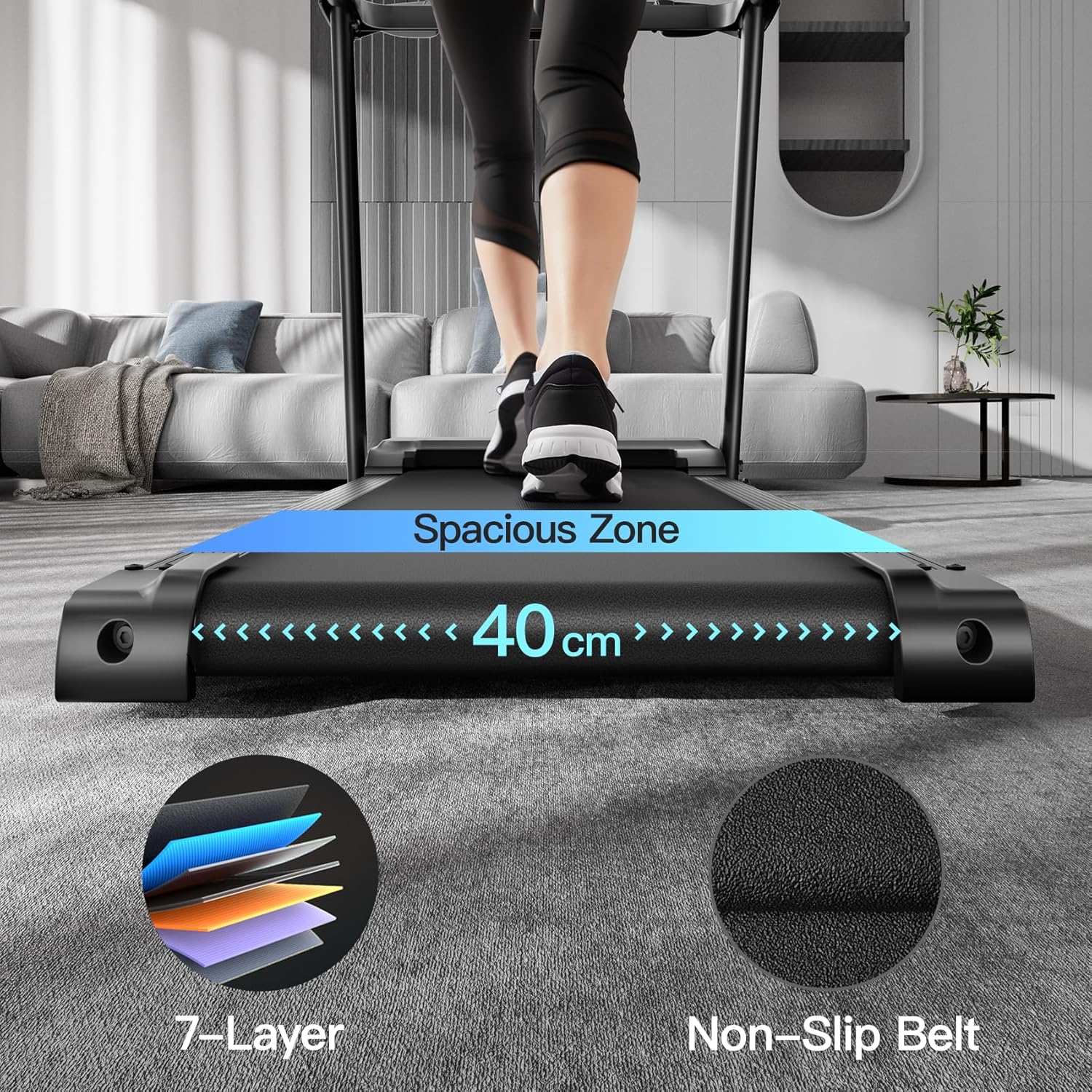
Image: Detailed view of the treadmill's running surface, emphasizing its 40 cm width, 7-layer construction, and non-slip texture for user safety and comfort.
Maintenance
Regular maintenance ensures the longevity and optimal performance of your UMAY 512 Walking Pad.
- Cleaning: Wipe down the treadmill with a damp cloth after each use to remove sweat and dust. Do not use abrasive cleaners.
- Belt Lubrication: The running belt requires periodic lubrication to reduce friction and extend its lifespan. Use the provided lubricant or a silicone-based treadmill lubricant. Refer to the specific instructions in the included user manual for lubrication frequency and procedure.
- Belt Tension and Alignment: Check the running belt tension and alignment regularly. If the belt slips or drifts to one side, adjust it according to the instructions in the full user manual using the provided tool kit.
- Motor Area: Keep the area around the motor clean and free of dust and debris to ensure proper ventilation.
- Storage: When not in use, the treadmill can be folded for compact storage. Ensure it is stored in a dry, cool place away from direct sunlight.
Troubleshooting
If you encounter issues with your UMAY 512 Walking Pad, refer to the following common problems and solutions.
| Problem | Possible Cause | Solution |
|---|---|---|
| Treadmill does not start |
|
|
| Running belt slips or hesitates |
|
|
| Unusual noise during operation |
|
|
| Display not working correctly |
|
|
Specifications
Detailed technical specifications for the UMAY 512 Walking Pad (Model P9).
| Feature | Detail |
|---|---|
| Brand | UMAY |
| Model Name | Tapis Roulant P9 (UMAY 512 / P1) |
| Color | Black |
| Product Dimensions (LxWxH) | 50.79"D x 24.02"W x 43.31"H (129cm x 61cm x 110cm approx.) |
| Folded Size | 120cm x 58cm x 17cm (approx.) |
| Item Weight | 25 Kilograms (55 lbs) |
| Material | Alloy Steel (Frame) |
| Maximum Speed | 14 Kilometers per Hour (8.7 MPH) |
| Minimum Speed | 1 Kilometers per Hour (0.6 MPH) |
| Maximum Horsepower | 3 Horsepower (Brushless Motor) |
| Maximum Weight Recommendation | 136 Kilograms (300 lbs) |
| Running Belt Area | 103 cm x 40 cm (40.5" x 15.7") |
| Display Type | LED |
| Power Source | Corded Electric |
| Number of Programs | 12 Preset + 3 Countdown Modes |
| Connectivity Technology | Bluetooth (SPAX APP compatible) |
| Metrics Measured | Calorie, Distance, Heart Rate, Speed, Time |
| Special Features | Bluetooth, Foldable, Preloaded Workout, Shock Absorbent, Wheeled, Ultra-Quiet Brushless Motor, Dual Cup Holders, Phone/Tablet Holder |
| Included Components | Lubricant, Power Cord, Safety Key, Tool Kit, User Manual |

Image: Technical illustration of the UMAY 3.0 HP Brushless Motor, emphasizing its quiet operation and extended lifespan compared to traditional motors.

Image: The treadmill with visual indicators for its dimensions and a prominent display of its maximum weight capacity of 140 KG (approximately 308 lbs).
Warranty and Support
For warranty information and customer support, please refer to the official UMAY website or contact their customer service directly.
- Customer Support: For assistance with product issues, parts, or general inquiries, please reach out to UMAY customer support.
- Online Resources: Visit the UMAY Store on Amazon for additional product information and support.
Related documentsP9


Ask a question about this manual
Ask about setup, troubleshooting, compatibility, parts, safety, or missing instructions. Manuals+ will review the question and use this page’s manual context to help answer it.