
1. Introduction and Overview
This manual provides essential information for the safe and proper operation of your Carrera RC 2.4GHz ABT Red Bull Audi R8 LMS GT3 evo II - Steam remote control car. This high-performance RC vehicle features full driving and steering functions, drift capabilities, a unique steam function, LED lighting, differential gear, and four-wheel drive with rubber tires. Please read these instructions thoroughly before first use and retain them for future reference.
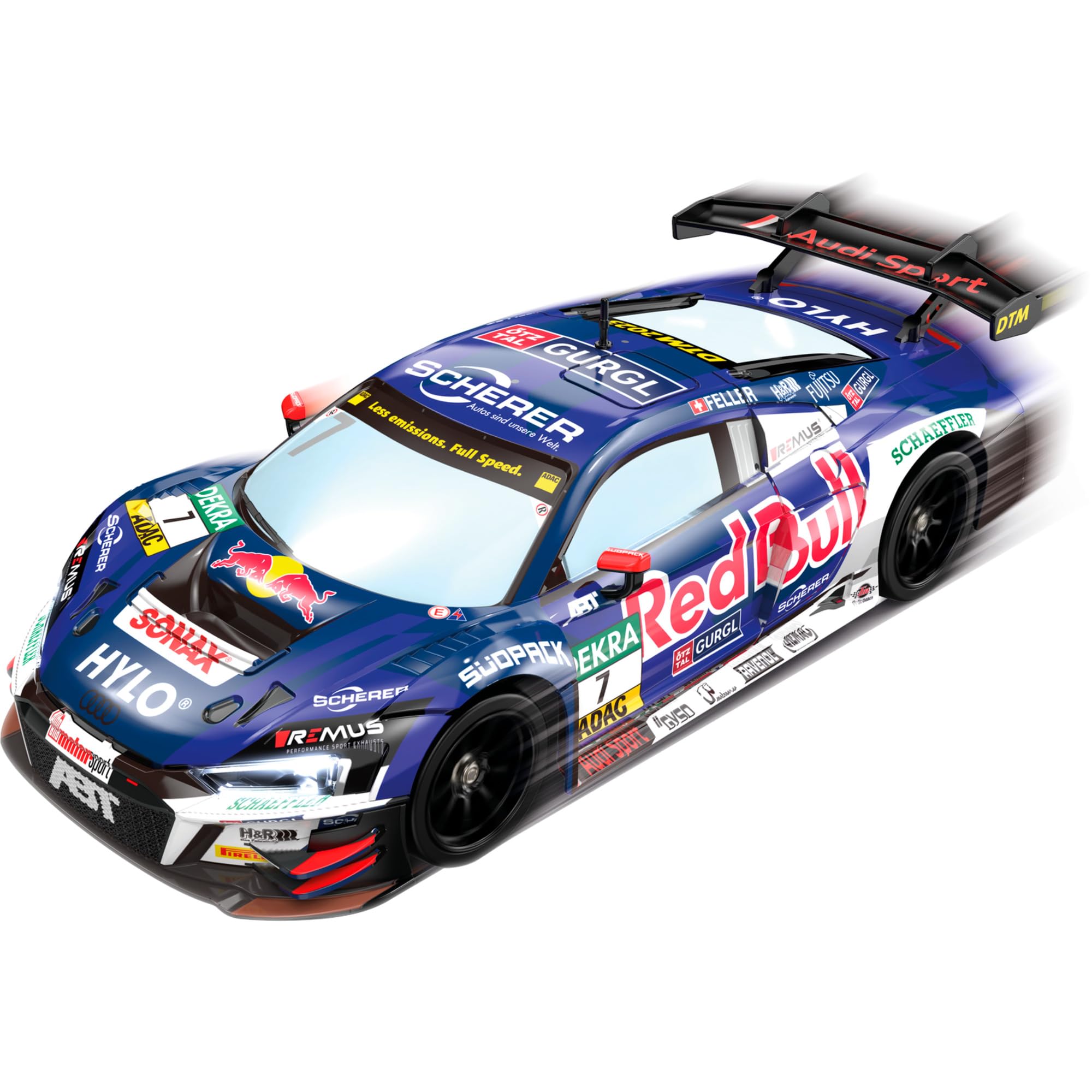
Image 1.1: Front view of the Carrera RC ABT Red Bull Audi R8 LMS GT3 evo II Steam car, showcasing its detailed Red Bull livery and LED headlights.
2. Safety Information
- Age Recommendation: This product is not suitable for children under 3 years due to small parts which may present a choking hazard. Recommended for ages 6 and up.
- Adult Supervision: Always operate the RC car under adult supervision, especially when children are present.
- Battery Safety:
- Do not mix old and new batteries.
- Do not mix alkaline, standard (carbon-zinc), or rechargeable (nickel-cadmium) batteries.
- Insert batteries with correct polarity (+ and -).
- Remove exhausted batteries promptly.
- Do not attempt to recharge non-rechargeable batteries.
- Remove batteries from the car and remote when not in use for extended periods.
- Operating Environment:
- Operate on flat, dry surfaces. Avoid sand, deep water, or excessively dusty areas.
- Do not operate near people, pets, or obstacles to prevent injury or damage.
- Avoid operating in public streets or areas with vehicle traffic.
- Steam Function:
- Use only clean tap water for the steam function. Do not use other liquids.
- Do not touch the steam outlet during operation.
- General Handling:
- Do not disassemble or modify the product.
- Keep packaging as it contains important information.
3. Package Contents
Please check the contents of your package to ensure all items are present:
- 1x Carrera RC ABT Red Bull Audi R8 LMS GT3 evo II - Steam Vehicle
- 1x 2.4 GHz Remote Control
- 2x AA Batteries (for remote control)
- 1x USB Charging Cable (for vehicle battery, if applicable)
- 1x Water Dropper (for steam function)
- 1x Instruction Manual (this document)

Image 3.1: Side view of the 2.4 GHz remote control, showing the steering wheel and trigger for acceleration/braking.
4. Setup
4.1. Remote Control Battery Installation
- Locate the battery compartment on the back of the remote control.
- Open the battery compartment cover using a small screwdriver (not included).
- Insert the 2x AA batteries, ensuring correct polarity (+ and -) as indicated inside the compartment.
- Close the battery compartment cover and secure it with the screw.
4.2. Vehicle Battery Charging and Installation
The vehicle is powered by a rechargeable battery.
- Locate the battery compartment on the underside of the vehicle.
- Open the battery compartment cover.
- Connect the vehicle's battery to the provided USB charging cable.
- Plug the USB charging cable into a suitable USB power source (e.g., computer USB port, USB wall adapter).
- Allow the battery to charge fully. The charging indicator light on the cable will change (e.g., turn off or change color) when charging is complete.
- Once charged, disconnect the battery from the charging cable and carefully install it into the vehicle's battery compartment, ensuring a secure connection.
- Close the battery compartment cover.
4.3. Filling the Water Tank for Steam Function
- Locate the water tank filler cap on the vehicle (refer to the vehicle diagram in the packaging for exact location).
- Carefully open the filler cap.
- Using the provided water dropper, fill the tank with clean tap water. Do not overfill.
- Securely close the filler cap.

Image 4.1: Top-down view of the RC car, showing the overall layout and potential location for the water tank filler cap (usually on the rear or top).
5. Operating Instructions
5.1. Powering On and Pairing
- Turn on the vehicle by sliding the ON/OFF switch (usually located on the underside or rear) to the "ON" position. The vehicle's LED lights may flash.
- Turn on the remote control by sliding its ON/OFF switch to the "ON" position. The remote's indicator light will flash.
- The remote control and vehicle will automatically pair. Once paired, the indicator lights on both the vehicle and remote will stop flashing and remain solid. If pairing fails, turn both off and repeat the process.
5.2. Driving the Vehicle
- Forward/Backward: Use the trigger on the remote control. Pull the trigger towards you to move forward. Push the trigger away from you to brake or reverse.
- Steering: Use the steering wheel on the remote control. Turn the wheel left to steer the vehicle left, and right to steer right.
- Drift Function: The vehicle is equipped with special drift tires and four-wheel drive. To initiate a drift, accelerate and then quickly turn the steering wheel while maintaining throttle. Practice is required to master controlled drifts.
5.3. Activating the Steam Function
Once the water tank is filled, the steam function can be activated.
- Locate the dedicated button for the steam function on your remote control (refer to the remote control diagram in the packaging).
- Press this button to activate the steam effect. Steam will emit from the rear of the vehicle, often accompanied by an LED light effect for enhanced visibility, especially in low light.
- Press the button again to deactivate the steam function.
5.4. LED Lights
The vehicle features integrated LED lights that enhance its appearance and can be particularly striking during the steam effect. These lights typically activate automatically when the vehicle is powered on.

Image 5.1: Angled front view of the RC car, highlighting its dynamic design and illuminated headlights.
6. Maintenance
- Cleaning:
- Wipe the vehicle and remote control with a soft, dry cloth after each use.
- Do not use chemical cleaners or solvents, as these may damage the plastic parts or electronics.
- Avoid getting water into electronic components.
- Battery Care:
- Always remove batteries from the vehicle and remote control when storing for extended periods.
- Store batteries in a cool, dry place.
- Ensure the vehicle's rechargeable battery is fully charged before storage to prolong its lifespan.
- Water Tank:
- Empty any remaining water from the tank after use to prevent algae buildup or damage.
- Rinse the tank with clean water periodically if used frequently.
- Storage: Store the vehicle and remote control in a dry, cool place, away from direct sunlight and extreme temperatures.
7. Troubleshooting
| Problem | Possible Cause | Solution |
|---|---|---|
| Vehicle does not respond to remote control. |
|
|
| Steam function is not working. |
|
|
| Vehicle moves slowly or erratically. |
|
|
8. Specifications
| Brand | Carrera |
| Model Name | ABT Red Bull Audi R8 LMS GT3 evo II - Steam |
| Model Number | 370160149 |
| Item Type | Remote Control Car |
| Scale/Size | Approx. 28 cm length (14.57 x 6.69 x 8.66 inches) |
| Weight | 0.89 Kilograms |
| Material Type | Plastic |
| Power Source | Battery Powered |
| Batteries Required | Yes (2 AA batteries for remote, vehicle battery included) |
| Additional Features | Steam Function, LED Lights, 4-Wheel Drive, Drift Action |
| Age Range | Kid (Manufacturer Minimum Age: 72 months / 6 years) |
| Color | Multicoloured (Red Bull Design) |
9. Warranty and Support
For warranty information and customer support, please refer to the documentation included in your product packaging or visit the official Carrera website. Keep your purchase receipt as proof of purchase.
Manufacturer: Carrera Toys GmbH


