
1. Introduction
Thank you for choosing the monTEK Full Motion TV Wall Mount Bracket. This manual provides detailed instructions for safe and proper installation, operation, and maintenance of your new TV mount. Designed for 13-43 inch LED LCD flat screen TVs and monitors, this mount supports VESA patterns from 75x75mm to 200x200mm and can hold up to 44 lbs (20 kg). Enjoy optimal viewing with its full motion capabilities, including tilt, swivel, and rotation.
2. Safety Information
WARNING: Do not install the mount on drywall alone!
This mount is designed for installation on single wood studs and concrete/brick walls. Concrete anchors are included for concrete and brick wall installations. Always ensure the mounting surface can safely support the combined weight of the mount and your TV. Improper installation can result in serious injury or damage to your equipment.
3. Package Contents
Please verify that all components are present before beginning installation:
- Full Motion TV Wall Mount Assembly
- Detachable VESA Plate
- Mounting Hardware Kit (screws, washers, anchors for wood stud and concrete/brick walls)
- Cable Management Clips
- Bubble Level
- Instruction Manual
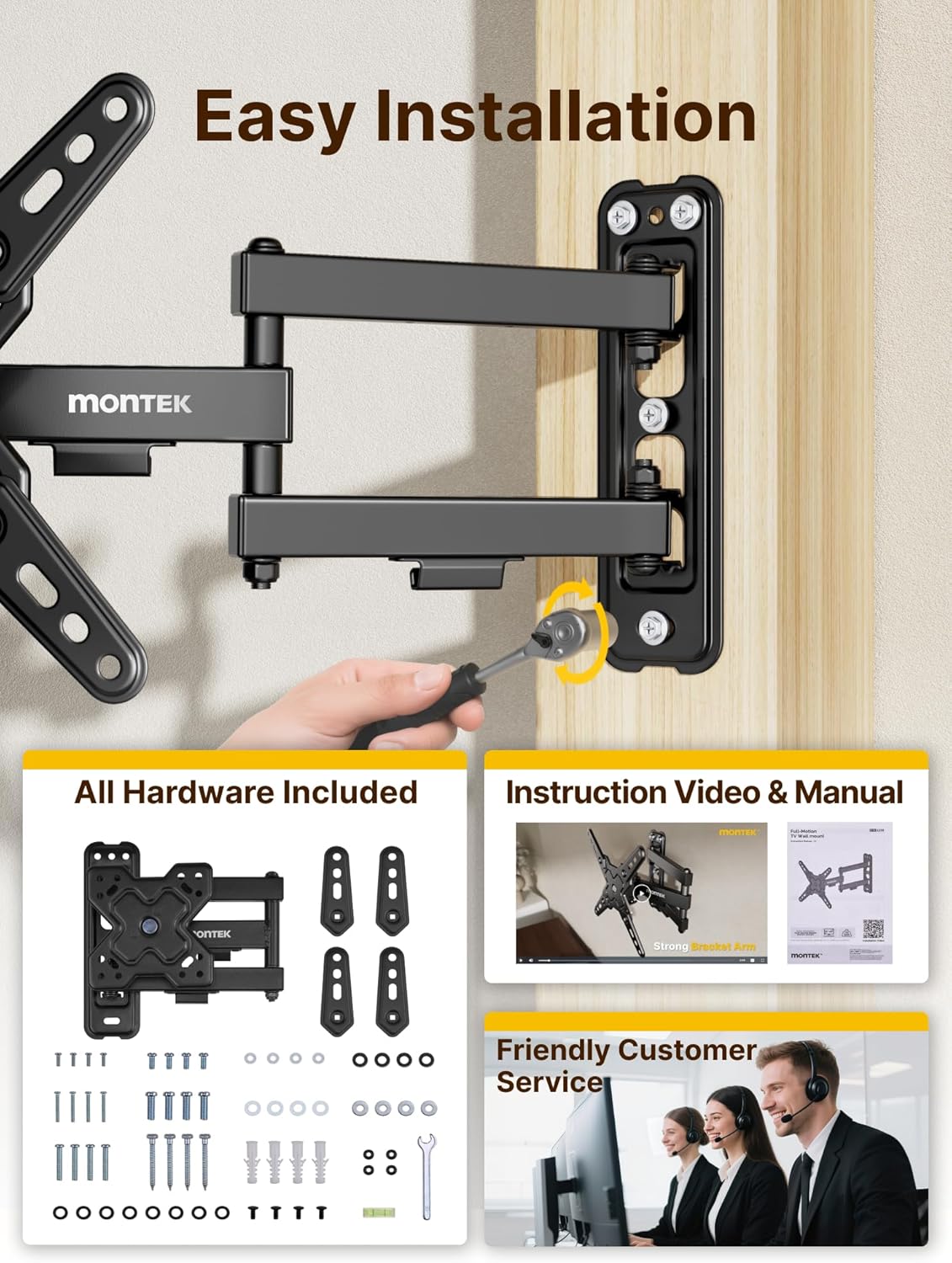
Image: All hardware included for the monTEK TV wall mount, showing various screws, washers, anchors, and tools.
4. Specifications
| Feature | Detail |
|---|---|
| Model Number | HW1239BK |
| Screen Size Compatibility | 13-43 inches |
| VESA Mounting Patterns | 75x75mm, 100x100mm, 100x200mm, 200x100mm, 200x200mm |
| Maximum Load Capacity | 44 lbs (20 kg) |
| Tilt Angle | +5° to -15° |
| Swivel Angle | ±90° |
| Screen Rotation | +5° to -90° (for landscape/portrait) |
| Extension from Wall | 2.6 inches (retracted) to 14.6 inches (extended) |
| Material | Alloy Steel |
| Color | Black |

Image: Diagram showing wide compatibility for the monTEK TV wall mount, including concrete, wood stud, and brick walls. It also highlights screen size compatibility (13-43 inches), VESA compatibility (Min: 75x75mm, Max: 200x200mm), and maximum load (44 lbs). A warning states: "DO NOT MOUNT ON DRYWALL ALONE!"

Image: Visual representation of various VESA mounting patterns supported by the monTEK TV wall mount, including 100x100mm, 75x75mm, 100x200mm, 200x100mm, and 200x200mm.
5. Setup and Installation
Follow these steps for a secure installation. Refer to the detailed instruction manual included in your package for specific hardware usage and drilling guidelines.
- Prepare the TV: Attach the detachable VESA plate to the back of your TV using the appropriate screws and washers from the hardware kit. Ensure a secure fit.
- Locate Mounting Position: Use a stud finder to locate a wood stud or choose a suitable concrete/brick wall location. Mark the drilling points using the wall plate as a template and a pencil.
- Drill Pilot Holes: Drill pilot holes according to the recommended size for your wall type (wood stud or concrete/brick). Insert concrete anchors if installing on concrete/brick.
- Mount Wall Plate: Secure the wall plate to the wall using the provided lag bolts and washers. Use the included bubble level to ensure the mount is perfectly horizontal.
- Hang the TV: Carefully lift your TV with the attached VESA plate and hook it onto the wall mount assembly. Secure the TV to the mount using the safety screws.

Image: Visual guide for easy 3-step installation: 1. Attach VESA plate to TV, 2. Attach wall plate, 3. Hang the TV.
Installation Video Guide
Video: Official monTEK Swivel TV Wall Mount Installation Video. This video provides a step-by-step visual guide to installing the TV wall mount, demonstrating how to attach the VESA plate to the TV, secure the wall plate, and hang the TV.
6. Operating Instructions
Your monTEK Full Motion TV Wall Mount offers versatile viewing options:
- Tilt Adjustment: The mount allows for a tilt range of +5° to -15° to reduce glare and achieve your preferred vertical viewing angle. Adjust the screws on the VESA plate to set the tilt.
- Swivel Adjustment: Swivel your TV up to ±90° horizontally to get the best view from any seat in the room.
- Screen Rotation: Rotate the screen from +5° to -90° to switch between landscape and portrait orientations, ideal for various content types or specific applications.
- Extension and Retraction: Extend your TV up to 14.6 inches from the wall for flexible positioning or retract it back to a slim 2.6 inches to save space when not in use.

Image: Illustration showing the monTEK TV wall mount supporting both portrait and landscape screen orientations with a +5° to -90° rotation range.

Image: Demonstrates the flexible viewing angles provided by the monTEK TV wall mount, highlighting its ±90° swivel capability to make every seat the best seat.

Image: Illustrates the space-saving design, showing the mount extending up to 14.6 inches and retracting to 2.6 inches from the wall. It also highlights the +5° to -15° tilt range for reducing glare.
Product Overview Video
Video: Official monTEK Full Motion TV Wall Mount Bracket for 13-43 Inch TVs. This video provides a general overview of the product's features and capabilities.
7. Maintenance
- Regular Inspection: Periodically check all screws and connections to ensure they remain tight and secure.
- Cleaning: Wipe the mount with a soft, dry cloth to remove dust. Avoid using abrasive cleaners or solvents.
- Lubrication: Moving parts are designed for smooth operation and generally do not require lubrication. If movement becomes stiff, consult customer support.
8. Troubleshooting
- Mount feels loose: Re-check all mounting screws on both the wall plate and the VESA plate. Ensure they are tightened securely. Verify that the mount is installed into a solid wood stud or properly anchored concrete/brick wall.
- Difficulty adjusting tilt/swivel: Check if any adjustment screws are overtightened. Loosen slightly to allow movement, then re-tighten to desired tension.
- TV not level: Use the integrated bubble level or a separate level to adjust the wall plate before final tightening. Small adjustments can be made by slightly loosening and re-tightening the mounting screws.
9. Warranty and Support
The monTEK TV wall mount is designed for durability and is backed by reliable after-sale service and free technical support. For any questions, concerns, or assistance with installation or operation, please feel free to contact us at any time. Our customer support team is ready to help.


