
Introduction
Welcome to the user manual for your new Relndoo T901 Android 15 Tablet. This device is designed to offer a versatile and powerful computing experience, combining the functionality of a tablet with the convenience of a laptop. Featuring the latest Android 15 OS, an Octa-Core processor, ample memory, and a suite of accessories, your tablet is ready for productivity, entertainment, and more.
Key features include:
- Latest Android 15 OS with Gemini AI integration
- 10.1-inch IPS Display (1280x800 pixels) with Widevine L1 support
- Octa-Core T606 Processor for smooth performance
- 26GB RAM (6GB physical + 20GB virtual) and 256GB internal storage, expandable up to 2TB via TF card
- 8000mAh Battery for extended use
- Dual-band 5G WiFi and Bluetooth 5.0 connectivity
- 5MP Front Camera and 13MP Rear Camera
- Included accessories: Bluetooth keyboard, mouse, stylus pen, protective case, screen protector, charging head, and USB-C cable.
What's in the Box
Upon unboxing your Relndoo T901 Tablet, you should find the following items:
- 1 x 10.1 inch Relndoo Android Tablet (Blue)
- 1 x Bluetooth Keyboard
- 1 x Wireless Mouse
- 1 x Stylus Pen
- 1 x Green Foldable Protective Case
- 1 x Screen Protector
- 1 x Charging Head
- 1 x USB-C Charger Cable
- 1 x User Manual

Setup Guide
1. Initial Power On
- Press and hold the Power button (located on the side of the tablet) for a few seconds until the Relndoo logo appears.
- Follow the on-screen prompts to select your language, connect to a Wi-Fi network, and complete the initial Android 15 setup.
2. Connecting Accessories (Keyboard and Mouse)
The included keyboard and mouse connect wirelessly via Bluetooth.
- For the Keyboard: Turn on the keyboard using the 'OFF/ON' switch. Press the 'Connect' button to put it into pairing mode.
- For the Mouse: Turn on the mouse. It should automatically enter pairing mode or have a small button on the bottom to initiate pairing.
- On your tablet, go to Settings > Connected devices > Bluetooth.
- Tap on Pair new device and select the keyboard and mouse from the list of available devices. Follow any on-screen prompts to complete pairing.

Operating the Tablet
1. Touchscreen Navigation
The 10.1-inch IPS display supports multi-touch gestures:
- Tap: Select an item or open an app.
- Swipe: Scroll through pages or menus.
- Pinch-to-Zoom: Zoom in or out on images and web pages.
- Long Press: Access contextual menus or move app icons.
2. Keyboard and Mouse Usage
Once connected, the Bluetooth keyboard and mouse transform your tablet into a portable workstation:
- Use the keyboard for efficient typing in documents, emails, and search bars.
- The mouse allows for precise cursor control, making navigation and selection easier, especially for detailed tasks.
3. Gemini AI Features
Your Relndoo T901 tablet integrates the Gemini AI engine, offering intelligent assistance and task optimization:
- Intelligent Task Optimization: Gemini AI helps manage background processes for faster app response and smoother overall performance.
- Smart Assistant: Utilize voice commands for quick searches, setting reminders, and controlling smart home devices.
- Content Creation & Analysis: Leverage AI for assistance with writing, summarizing information, and basic image analysis.

Display and Multimedia
1. 10.1-inch IPS Display
Experience vibrant visuals on the 10.1-inch IPS display with a resolution of 1280x800 pixels. The display is ideal for streaming, browsing, and productivity. With Widevine L1 certification, you can enjoy high-quality playback of premium content from major streaming platforms like Netflix in full HD.
2. Audio Features
The tablet is equipped with dual speakers for immersive audio. A dedicated 3.5mm headphone jack allows for private listening with wired headphones, even while charging.

Performance and Storage
1. Octa-Core Processor
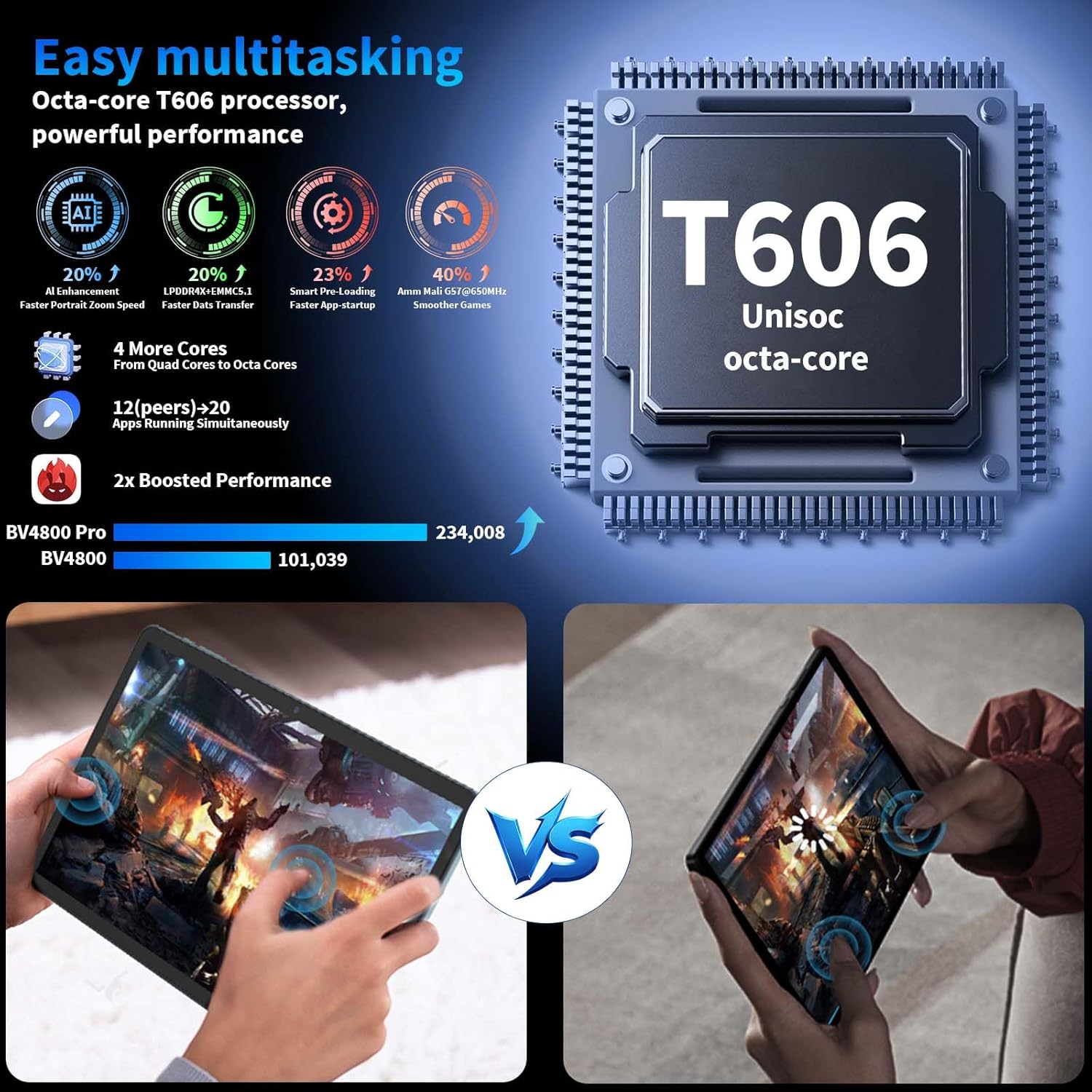
Powered by the T606 Octa-Core processor, the Relndoo T901 delivers excellent smoothness for multitasking, gaming, and everyday applications. Enjoy faster app response and efficient performance.
2. RAM and Storage
The tablet comes with 26GB of RAM (6GB physical + 20GB virtual) for seamless multitasking. It includes 256GB of built-in storage, expandable up to 2TB via a TF card (sold separately), providing ample space for photos, videos, apps, and large files.
Connectivity and Battery
1. 5G WiFi and Bluetooth 5.0
Stay connected with advanced dual-band Wi-Fi (2.4GHz & 5.0GHz) for stable, high-speed internet access. Bluetooth 5.0 ensures seamless wireless pairing with headphones, speakers, and other accessories.
2. 8000mAh Battery
The 8000mAh large-capacity battery provides exceptional battery life, easily powering through a full day of work, entertainment, or travel. The USB-C port supports bidirectional fast charging for quick recharges.

Cameras
Front and Rear Cameras
Capture your moments with the tablet's cameras: a 5MP front camera for video calls and selfies, and a 13MP rear camera for photos and videos. The cameras support 1080p FHD video recording.

Maintenance
1. Cleaning Your Tablet
- Use a soft, lint-free cloth to clean the screen and body. Avoid abrasive materials or harsh chemicals.
- For stubborn smudges, lightly dampen the cloth with water or a screen cleaner.
2. Battery Care
- To prolong battery life, avoid extreme temperatures.
- Charge the tablet regularly, but avoid leaving it plugged in for extended periods after it's fully charged.
3. Software Updates
Ensure your tablet's software is up-to-date for optimal performance and security. Go to Settings > System > System update to check for and install updates.
Troubleshooting
If you encounter issues with your Relndoo T901 Tablet, refer to the following common solutions:
- Tablet Not Powering On: Ensure the battery is charged. Connect the charger and wait a few minutes before attempting to power on again.
- Camera Not Working: Check app permissions in Settings > Apps > Camera > Permissions. Ensure camera access is allowed. Restarting the tablet may also resolve the issue.
- Charging Issues: Verify the USB-C cable and charging head are securely connected and undamaged. Try a different compatible charger and cable if available. Ensure the charging port is free of debris.
- Slow Performance: Close unused apps, clear cache, or restart the tablet. Consider uninstalling unnecessary applications to free up RAM and storage.
- Bluetooth Connectivity Problems: Ensure Bluetooth is enabled on both the tablet and the accessory. Unpair and re-pair the device. Move closer to the tablet to ensure a strong signal.
Technical Specifications
| Feature | Specification |
|---|---|
| Brand | Relndoo |
| Model Name | T901 |
| Operating System | Android 15 |
| Screen Size | 10.1 Inches |
| Max Screen Resolution | 1280*800 Pixels |
| Processor Brand | ARM (T606 Octa-Core) |
| RAM | 26GB (6GB physical + 20GB virtual) |
| Flash Memory Size | 256 GB |
| Memory Storage Capacity | 2 TB (Expandable via TF card) |
| Battery Capacity | 8000mAh |
| Average Battery Life | 12 Hours |
| Connectivity | 5G WiFi, Bluetooth 5.0, USB-C |
| Cameras | 5MP Front, 13MP Rear |
| Product Dimensions | 10.7 x 7.5 x 2.5 inches |
| Item Weight | 3.14 pounds |
Warranty and Support
Your Relndoo T901 Tablet comes with a standard manufacturer's warranty. Please refer to the warranty card included in your package for specific terms and conditions. For technical support, troubleshooting assistance, or warranty claims, please contact Relndoo customer service through the official channels provided with your product or visit the Relndoo store on Amazon.
For additional support and resources, you may visit the Relndoo Store on Amazon.