
Introduction
Thank you for choosing SUNTHIN Outdoor Landscape Lighting. This manual provides essential information for the safe and efficient installation, operation, and maintenance of your RGBW Color Changing Spot Uplights. Please read this manual thoroughly before use and retain it for future reference.
What's in the Box
- 6 x Spot Lights
- 1 x Power Supply
- 1 x Remote Control
- 1 x User Manual
Safety Information
To ensure safe operation, please observe the following precautions:
- Always disconnect power before installation or maintenance.
- Ensure the power adapter is protected from direct rain and moisture.
- Do not attempt to modify or repair the product yourself. Contact qualified personnel for service.
- Keep the product away from flammable materials.
- Ensure all connections are secure and waterproof to prevent electrical hazards.
- Use only with the provided power supply.
Setup
Your SUNTHIN landscape lights are designed for easy installation without the need for an electrician. Follow these steps to set up your lighting system:
- Unpack Components: Carefully remove all items from the packaging.
- Choose Installation Method: The spotlights can be inserted into the ground using the included stakes or mounted on a wall.
- Assemble Spotlights: Attach the spotlight head to the stake or wall mount bracket. The 270° adjustable head allows you to direct light precisely where needed.
- Connect Lights: Connect the individual spotlights using the waterproof twist connectors. Ensure connections are secure to prevent water ingress. The system is connectable and extendable.
- Connect to Power Supply: Connect the last spotlight in the chain to the power supply.
- Plug In: Plug the power supply into a 120V AC outdoor outlet. Ensure the outlet is protected from weather.

Figure 1: System Diagram and Dimensions. Shows the layout of 6 spotlights, power supply, and cable lengths.

Figure 2: Versatile Installation Options. Spotlights can be inserted into the ground or mounted on a wall.
Video 1: Installation and Operation Overview. This video demonstrates the physical setup and basic remote control functions of the spotlights.
Operating Instructions
Your SUNTHIN landscape lights are controlled via the included remote. The remote allows for brightness adjustment, color changing, timer functions, and group control.
Remote Control Functions:
- Power Button: Turns the lights On/Off.
- DIM +/-: Adjusts brightness. Single tap cycles through 5 preset levels (10%, 25%, 50%, 75%, 100%). Long press for smooth ramp up/down.
- MODE +/-: Cycles through preset static or dynamic lighting modes.
- AUTO: Activates automatic mode cycling through colors and effects.
- 2H/4H/8H: Sets the timer for 2, 4, or 8 hours.
- RGB: Activates RGB color changing mode.
- WW (Warm White): Activates Warm White mode.
Pairing/Unpairing Remote:
To pair or unpair the remote with your spotlights:
- Ensure the spotlights are powered on.
- Within 20 seconds of powering on, press and hold the remote control button (usually the power button or a dedicated pairing button) for 3-5 seconds.
- Three yellow flashes indicate successful pairing. Five yellow flashes indicate successful unpairing.
- Note: Pairing and unpairing must be performed alternately. Do not execute them consecutively. Ensure complete power-off for 3-5 seconds before each operation.
Memory Function:
The spotlights remember your last brightness, timer, and mode settings. These settings will be recalled automatically each time you power on the lights.

Figure 3: Remote Control. Use the remote to adjust settings and modes.
Video 2: Remote Control Functions. This video demonstrates pairing, dimming, and memory functions of the remote control.
Maintenance
To ensure the longevity and optimal performance of your SUNTHIN landscape lights, follow these maintenance guidelines:
- Clean Regularly: Periodically wipe the spotlight lenses with a soft, damp cloth to remove dirt and debris that may obstruct light output.
- Inspect Connections: Regularly check all waterproof twist connectors and the power supply connection for tightness and signs of wear. Ensure they remain sealed to prevent water ingress.
- Protect Power Adapter: While the spotlights are IP65 waterproof, the power adapter should be protected from direct rain and extreme weather conditions. Consider placing it in a weatherproof enclosure or a sheltered location.
- Avoid Harsh Chemicals: Do not use abrasive cleaners or solvents on the lights, as this may damage the finish or lens.

Figure 4: Waterproof Connector. Ensure all connections are securely twisted to maintain waterproof integrity.
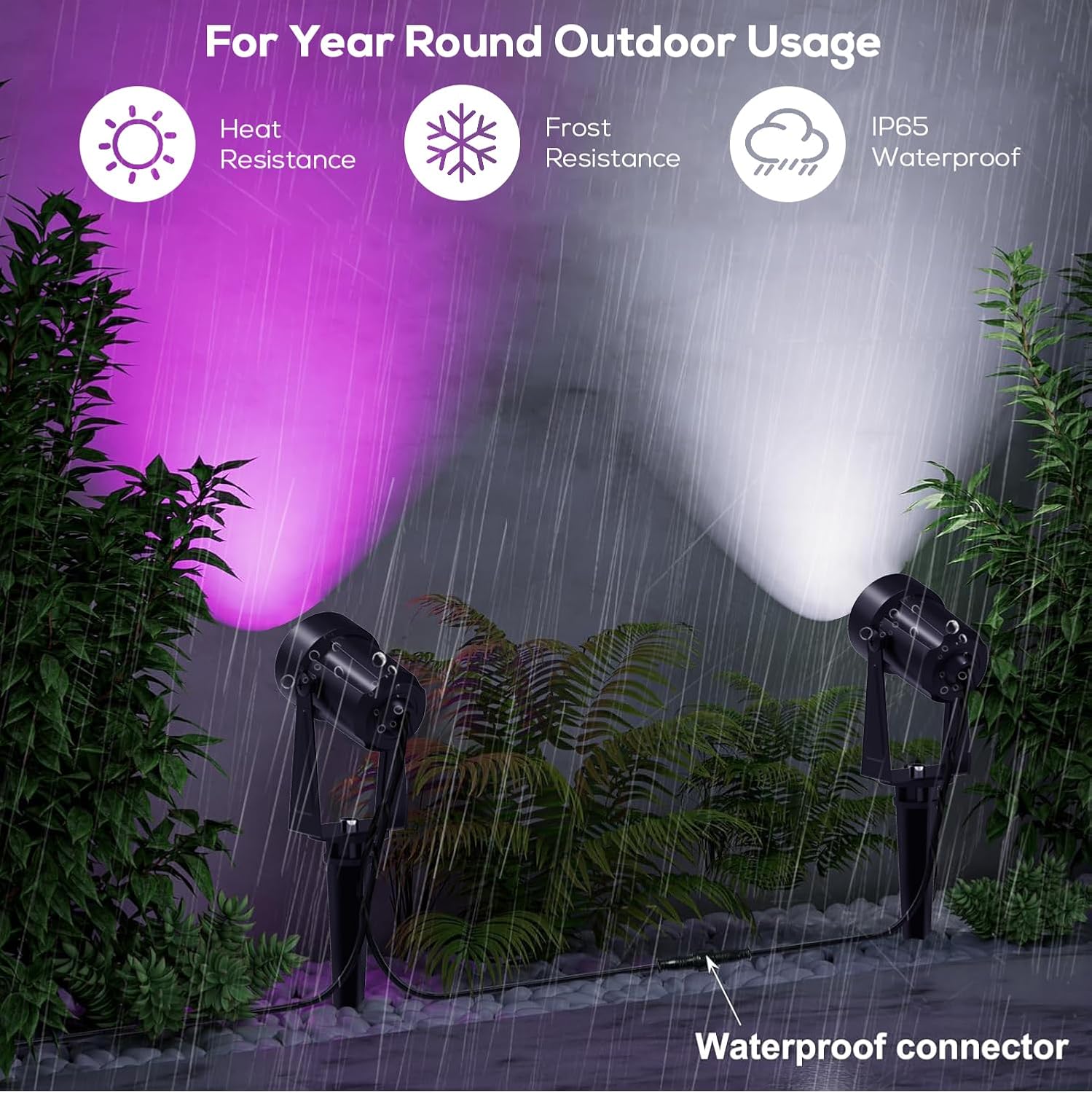
Figure 5: Weatherproof Design. The lights are designed to withstand various weather conditions, but the adapter needs protection.
Troubleshooting
If you encounter issues with your SUNTHIN landscape lights, refer to the following common problems and solutions:
| Problem | Possible Cause | Solution |
|---|---|---|
| Lights do not turn on. | No power, loose connection, faulty power supply. | Check power outlet, ensure all connections are secure, test power supply if possible. |
| Lights are dim or flickering. | Insufficient power, damaged cable, incompatible components. | Ensure power supply is adequate for the number of lights. Check cables for damage. Note: Mixing lights from different pack sizes (e.g., 4-pack lights with an 8-pack transformer) may cause dimming or malfunction due to specific transformer circuitry/voltage. Use components from the same pack size. |
| Remote control not working. | Battery depleted, remote not paired, obstruction. | Replace remote battery. Re-pair the remote following the instructions in the 'Operating Instructions' section. Ensure no obstructions between remote and lights. |
| Water inside spotlight lens. | Improperly sealed lens or cable exit. | Ensure the O-ring seal under the lens is correctly seated and the cable exit is properly sealed. |
Specifications
- Brand: SUNTHIN
- Model Name: BN162
- Color: Multicolor (RGBW)
- Material: Plastic
- Light Fixture Form: Spotlight
- Product Dimensions: 2.4"L x 1.7"W x 8.14"H
- Indoor/Outdoor Usage: Outdoor
- Power Source: AC/DC
- Installation Type: Ground Insert, Wall Mount
- Special Features: IP65 Waterproof, RGBW Color Changing, Timable, Corded, Connectable, Weatherproof, Extendable, Adjustable Lamp Head, Adjustable Brightness
- Control Method: Remote Control
- Light Source Type: LED
- Number of Light Sources: 6
- Voltage: 24 Volts (DC)
- Light Output Maximum: 720 Lumens
- Wattage: 18 Watts
- Water Resistance Level: Waterproof (IP65)
Warranty
This product comes with a 1-year manufacturer warranty from the date of purchase. Please retain your proof of purchase for warranty claims. The warranty covers defects in materials and workmanship under normal use. It does not cover damage caused by misuse, accidents, unauthorized modifications, or improper installation.
Support
For technical support, troubleshooting assistance, or warranty inquiries, please contact SUNTHIN customer service:
- Email: support@sunthin.com (example)
- Phone: 1-800-XXX-XXXX (example)
- Website: Visit the SUNTHIN Store on Amazon
Our customer service team is dedicated to ensuring your satisfaction with SUNTHIN products.