
1. Introduction
This manual provides essential information for the safe operation, maintenance, and troubleshooting of your WOIZAO 1/2 inch Cordless Impact Wrench. Please read this manual thoroughly before using the tool to ensure proper function and to prevent injury.

Image 1.1: WOIZAO 1/2 inch Cordless Impact Wrench with included batteries, charger, sockets, and drill bits.
2. Safety Instructions
Always follow basic safety precautions when using electrical tools to reduce the risk of fire, electric shock, and personal injury.
2.1 General Safety Rules
- Work Area Safety: Keep your work area clean and well-lit. Cluttered or dark areas invite accidents. Do not operate power tools in explosive atmospheres, such as in the presence of flammable liquids, gases, or dust.
- Electrical Safety: Avoid body contact with earthed or grounded surfaces. Do not expose power tools to rain or wet conditions. Water entering a power tool will increase the risk of electric shock.
- Personal Safety: Always wear eye protection. Use safety equipment such as dust masks, non-skid safety shoes, hard hats, or hearing protection when appropriate. Dress properly; avoid loose clothing or jewelry.
- Tool Use and Care: Do not force the power tool. Use the correct power tool for your application. Disconnect the plug from the power source and/or the battery pack from the power tool before making any adjustments, changing accessories, or storing power tools.
- Battery Tool Use and Care: Recharge only with the charger specified by the manufacturer. Use power tools only with specifically designated battery packs.
3. Package Contents
The WOIZAO 1/2 inch Cordless Impact Wrench kit includes the following items:
- 1x 1/2 inch Cordless Impact Wrench (800N.m / 650 ft. lbs.)
- 2x 4.0Ah Lithium-ion Battery Packs
- 1x Desktop Quick Charger
- 5x Impact Sockets (17mm, 18mm, 19mm, 21mm, 22mm)
- 4x Hexagonal Magnet Sockets (6mm, 8mm, 10mm, 12mm)
- 8x Impact Drills
- 6x Impact Screwdrivers
- 1x 1/2 inch to Hexagonal Adapter
- 1x Universal Hose
- 1x Portable Carrying Case
4. Product Features
The WOIZAO Cordless Impact Wrench is designed with several features to enhance performance and user experience:
- High Torque & Brushless Motor: Equipped with a high-efficiency brushless motor, delivering up to 800N.m (650 ft-lbs) of torque for demanding tasks.
- 3-in-1 Multifunctionality: Functions as an impact wrench, impact driller, and screwdriver, adapting to various work situations.
- 2 Adjustable Speed Control: Offers two speed modes (0-2000 RPM and 0-3000 RPM) for precise control and efficiency.
- Forward & Reverse with Brake-stop: Features forward and reverse rotation modes. In reverse, the brake-stop device activates upon loosening a nut or bolt, reducing speed and torque to prevent fasteners from falling off and protecting threads.
- Built-in LED Light: An integrated LED work light illuminates dark or narrow environments, improving visibility and accuracy.
- 4.0Ah High Capacity Batteries: Includes two 4.0Ah lithium-ion battery packs for extended operation, with overcurrent, over-pressure, and overheating protection, and quick charging capability.

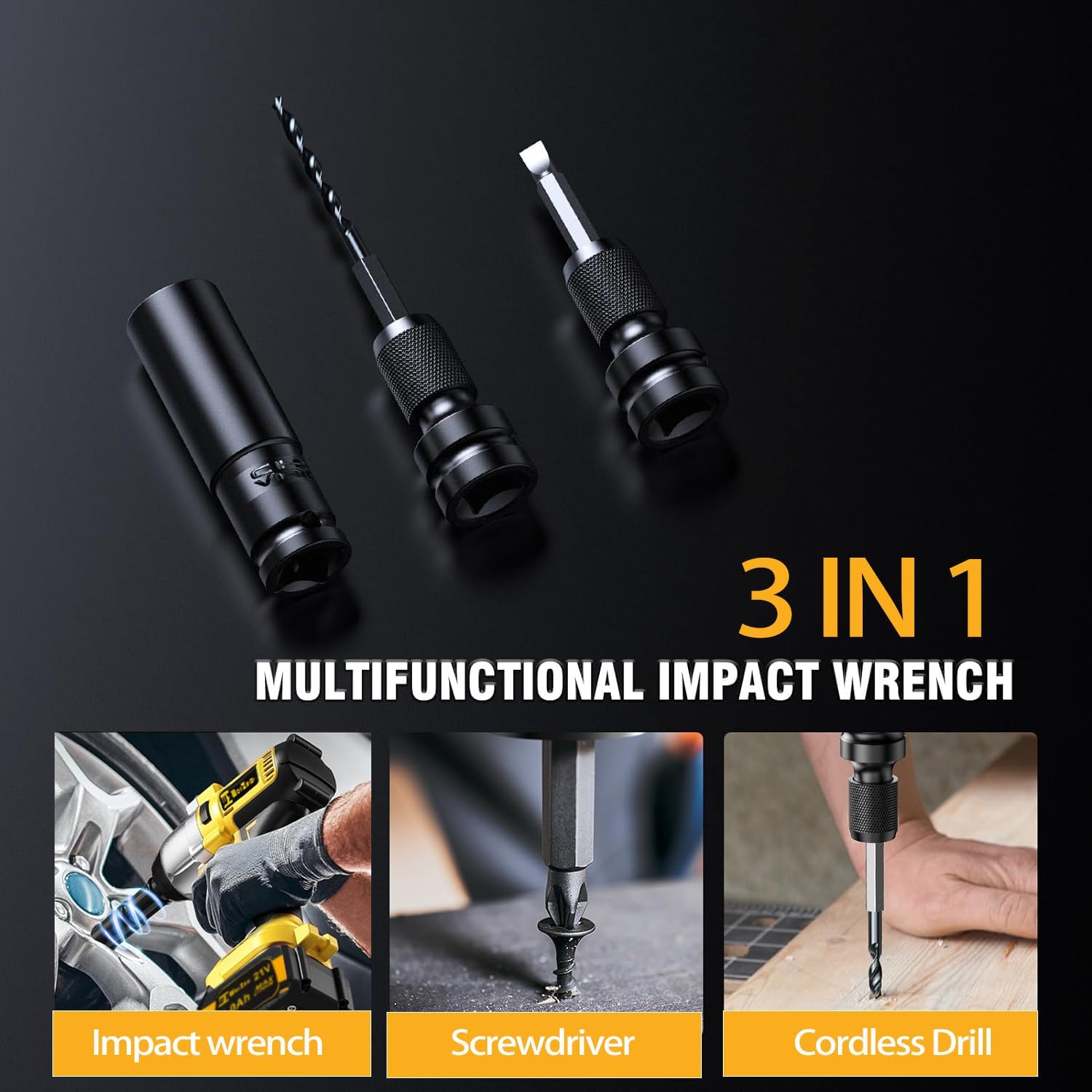


5. Setup and Charging
5.1 Battery Charging
- Ensure the battery pack is clean and dry before charging.
- Connect the desktop quick charger to a standard power outlet.
- Slide the battery pack onto the charger until it clicks into place.
- The charger's indicator light will show the charging status. Refer to the charger's specific instructions for light indications.
- Once fully charged, remove the battery pack from the charger. Do not overcharge the battery.

Image 5.1: Battery charging process with integrated protection features.
5.2 Attaching Accessories
- Ensure the tool is off and the battery is removed before attaching or removing accessories.
- For sockets: Align the square drive of the socket with the anvil of the impact wrench and push firmly until it locks into place.
- For drill bits/screwdriver bits: Use the 1/2 inch to hexagonal adapter. Insert the adapter into the anvil, then insert the desired drill or screwdriver bit into the adapter.
- Verify that the accessory is securely attached before operation.
6. Operation
6.1 Powering On/Off and Speed Selection
- Insert a charged battery pack into the tool handle until it clicks.
- To power on, press the trigger. The tool will start rotating.
- To select speed, use the speed control button or switch (refer to the tool's specific design). The tool offers two speeds: 0-2000 RPM (low) and 0-3000 RPM (high).
- To power off, release the trigger.
6.2 Forward and Reverse Rotation
- The tool features a forward/reverse selector switch, typically located above the trigger.
- Push the switch to the left for forward rotation (tightening screws/bolts).
- Push the switch to the right for reverse rotation (loosening screws/bolts).
- Ensure the switch is in the neutral (locked) position when not in use or when changing accessories.

Image 6.1: Forward/Reverse control and auto-stop system.
6.3 Brake-Stop Function (Reverse Mode)
When operating in reverse mode to loosen fasteners, the integrated brake-stop device will automatically activate once the nut or bolt is sufficiently loosened. This reduces the tool's speed and torque, preventing the fastener from falling off unexpectedly and protecting the bolt thread from damage.
6.4 Using the LED Work Light
The built-in LED light automatically activates when the trigger is pressed, providing illumination for your work area. This feature is particularly useful in dimly lit or confined spaces.
6.5 Applications
The WOIZAO impact wrench is suitable for various applications, including:
- Tire rotation and lug nut removal/installation.
- Metal construction and assembly.
- Woodworking tasks requiring drilling or driving screws.
- General tightening and loosening of bolts and nuts.
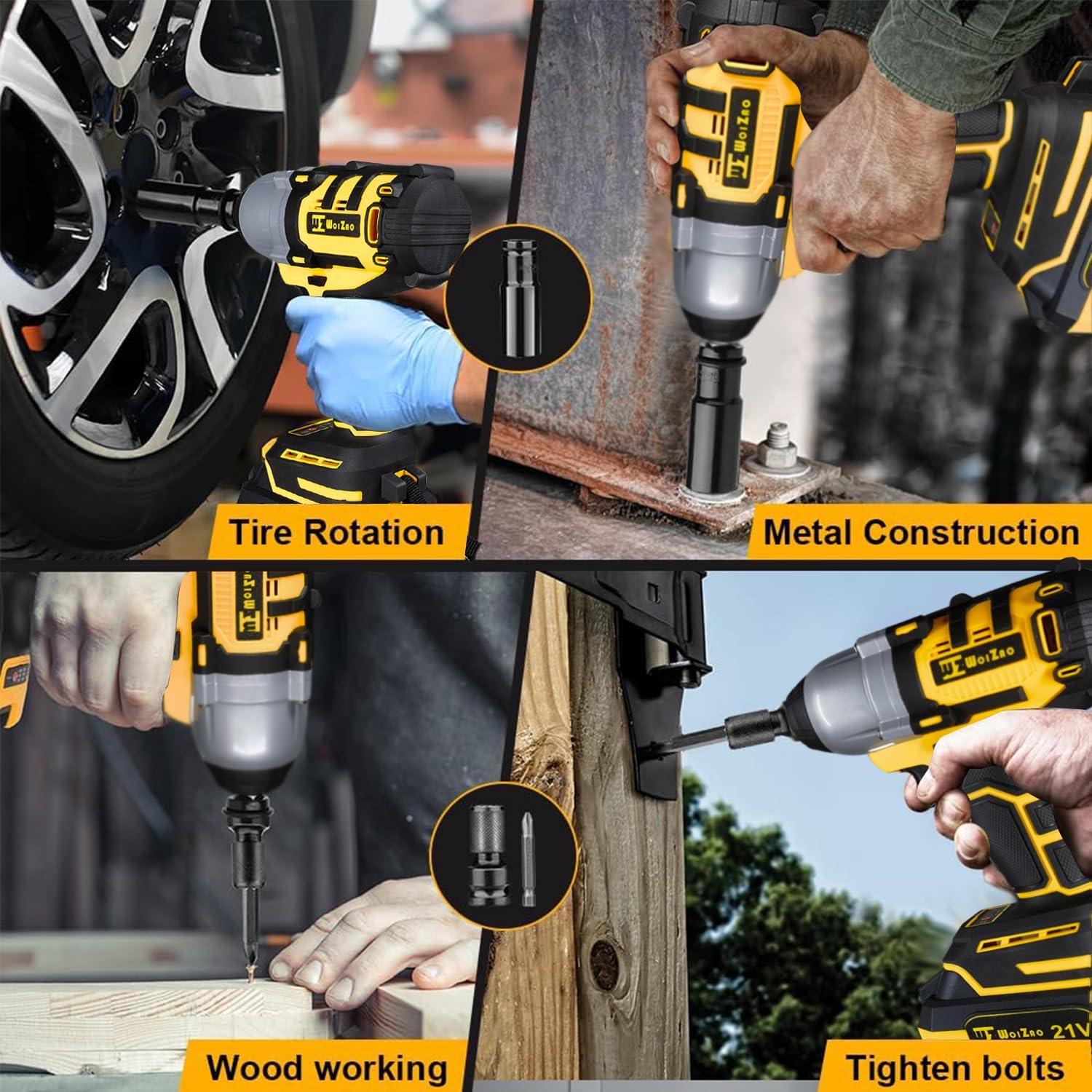
Image 6.2: Examples of the impact wrench's diverse applications.
7. Maintenance
Regular maintenance ensures the longevity and optimal performance of your tool.
7.1 Cleaning
- Always disconnect the battery pack before cleaning.
- Use a soft, damp cloth to wipe down the tool's exterior. Do not use harsh chemicals or abrasive cleaners.
- Keep the ventilation openings clear of dust and debris to prevent overheating. Use compressed air if necessary.
7.2 Battery Care
- Store battery packs in a cool, dry place away from direct sunlight and extreme temperatures.
- Do not store battery packs in a discharged state for extended periods. Recharge them periodically if not in use.
- Avoid dropping or subjecting battery packs to impact.
7.3 Storage
When not in use, store the impact wrench and its accessories in the provided portable carrying case, in a dry, secure location out of reach of children.
8. Troubleshooting
Refer to the table below for common issues and their solutions.
| Problem | Possible Cause | Solution |
|---|---|---|
| Tool does not start | Battery not charged or improperly inserted | Ensure battery is fully charged and correctly inserted. |
| Reduced power/torque | Low battery charge | Recharge the battery pack. |
| Accessory (socket/bit) not holding | Accessory not fully engaged or worn anvil | Push accessory firmly onto the anvil. Inspect anvil for wear; replace if necessary. |
| Tool overheats | Blocked ventilation slots or prolonged heavy use | Clear ventilation slots. Allow tool to cool down before further use. |
9. Specifications
| Feature | Specification |
|---|---|
| Brand | WOIZAO |
| Model Number | 0f974a96-6523-44cd-b2f9-3b2f84936c42 |
| Power Source | Battery Powered |
| Voltage | 21 Volts |
| Maximum Rotational Speed | 3000 RPM |
| Maximum Torque | 800 Newton Meters (650 Ft-lbs) |
| Number of Speeds | 2 (0-2000 RPM / 0-3000 RPM) |
| Battery Capacity | 4 Amp Hours (per battery) |
| Battery Cell Type | Lithium Ion |
| Material | Plastic |
| Item Weight | 11.97 pounds |
| Package Dimensions | 14.06 x 11.5 x 4.25 inches |
| Special Features | Adjustable Mode, Adjustable Torque, Auto Shut-Off, Brushless Motor, Built-In LED Working Light |
10. Warranty and Support
WOIZAO is committed to providing high-quality products and customer satisfaction. For any inquiries, technical assistance, or warranty claims, please contact our customer support team. WOIZAO offers 24-hour after-sales service to ensure your shopping experience.
Please retain your proof of purchase for warranty purposes.