
DJI Mini 4K
DJI Mini 4K Drone User Manual
Comprehensive Guide for Safe and Effective Operation
Introduction to the DJI Mini 4K
This user manual provides detailed instructions for the operation, maintenance, and safety of the DJI Mini 4K drone. Designed for both novice and experienced pilots, this guide covers essential features, flight procedures, and regulatory information to ensure a safe and enjoyable flight experience. The content is based on the comprehensive guide "DJI Mini 4K - The Practice Manual: Color Version" by Massimiliano Zeuli.
The DJI Mini 4K is a compact, lightweight, and highly capable drone, ideal for capturing stunning aerial photography and videography. Its user-friendly design and advanced features make it accessible for a wide range of users.

Image: Front cover of "DJI Mini 4K - The Practice Manual: Color Version" book. This manual serves as a detailed guide for operating the DJI Mini 4K drone.
1. Setup and Activation
1.1 Drone Preparation
Before your first flight, ensure the drone is properly prepared. This includes fully charging the Intelligent Flight Battery and the remote controller. Attach the propellers securely, ensuring they are correctly matched to their respective motor arms (indicated by markings). Remove the gimbal protector and any lens caps.
1.2 Product Activation
To activate your DJI Mini 4K, connect the drone to your mobile device via the remote controller and launch the DJI Fly application. Follow the on-screen prompts to complete the activation process. An internet connection is required for activation. Ensure your firmware is up to date during this process.
2. Operating the DJI Mini 4K
2.1 Remote Controller (RC-N1 / DJI RC-N1C)
The DJI Mini 4K can be controlled using the RC-N1 or DJI RC-N1C remote controller. Familiarize yourself with the control sticks, buttons, and mobile device holder. Ensure your mobile device is securely mounted and connected to the remote controller.
2.2 Flight Modes
The DJI Mini 4K offers various flight modes to suit different flying styles and scenarios:
- Normal Mode (N): Provides standard flight performance with GPS and vision system assistance for stable hovering and precise control.
- Sport Mode (S): Increases flight speed and responsiveness, ideal for dynamic shots and experienced pilots.
- Cine Mode (C): Slows down flight speed and braking distance for smoother, more cinematic footage.
2.3 Controlling the Aircraft
Use the control sticks on the remote controller to maneuver the drone. The left stick typically controls altitude and yaw (rotation), while the right stick controls forward/backward and left/right movement. Always take off in an open area, away from obstacles and people.
2.4 DJI Fly Application
The DJI Fly app is your primary interface for monitoring flight data, adjusting settings, and accessing intelligent flight modes. It displays real-time video feed, battery status, GPS signal strength, and various flight parameters. Explore the app's settings to customize your drone's behavior and camera output.
2.5 Camera and Gimbal Operation
The DJI Mini 4K features a high-quality camera mounted on a 3-axis mechanical gimbal for stable footage. Use the remote controller's dedicated buttons or the DJI Fly app to control camera tilt, take photos, and record videos. Adjust camera settings such as exposure, ISO, shutter speed, and white balance within the app for optimal image quality.
2.6 Advanced Aircraft Control
The drone includes intelligent flight modes to simplify complex shots:
- QuickShots: Automated flight paths for cinematic video clips (e.g., Dronie, Helix, Rocket, Circle, Boomerang, Asteroid).
- Pano: Capture panoramic photos with ease, including Sphere, 180°, and Wide-angle panoramas.
3. Advanced Safety Features
The DJI Mini 4K is equipped with features designed to enhance flight safety:
- Return To Home (RTH): Automatically brings the drone back to its recorded Home Point if the signal is lost, battery is low, or initiated manually. Ensure your Home Point is accurately recorded before each flight.
- Vision System: Utilizes downward vision sensors for precise hovering and obstacle avoidance in certain environments. Always fly in well-lit conditions for optimal performance of the vision system.
4. Maintenance
Regular maintenance ensures the longevity and optimal performance of your DJI Mini 4K.
4.1 Firmware Update
Periodically check for and install the latest firmware updates via the DJI Fly app. Firmware updates often include performance improvements, new features, and bug fixes. Ensure the drone and remote controller are fully charged before initiating an update.
4.2 Intelligent Flight Battery Care
Store batteries at approximately 50-60% charge if not used for extended periods. Avoid overcharging or completely discharging the battery. Use only official DJI chargers. Inspect batteries for any swelling or damage before each flight.
4.3 Calibration (Compass and IMU)
Calibrate the compass before the first flight in a new location or if the DJI Fly app prompts you to do so. Calibrate the IMU (Inertial Measurement Unit) if the drone exhibits unusual flight behavior or after a significant impact. Follow the in-app instructions for calibration.
4.4 Propeller Management
Regularly inspect propellers for cracks, bends, or damage. Replace damaged propellers immediately. Ensure propellers are securely attached and correctly oriented before each flight. Carry spare propellers for convenience.
4.5 DJI Care Refresh
Consider purchasing DJI Care Refresh for comprehensive protection against accidental damage. This service offers replacement units for a small fee, providing peace of mind for your investment.
5. Troubleshooting
This section addresses common issues you might encounter with your DJI Mini 4K.
| Problem | Possible Cause | Solution |
|---|---|---|
| Drone does not power on | Low battery, battery not inserted correctly | Charge the Intelligent Flight Battery fully. Ensure the battery is securely inserted until it clicks. |
| Weak or lost video transmission | Interference, drone too far, obstacles | Fly in an open area away from strong interference sources. Reduce distance between drone and remote controller. Ensure antennas are correctly oriented. |
| GPS signal weak or unavailable | Flying indoors, near tall buildings, or under heavy tree cover | Fly in an open outdoor area with a clear view of the sky. Wait for sufficient GPS satellites to connect before takeoff. |
| Gimbal abnormal or tilted | Gimbal protector still on, physical damage, calibration needed | Remove gimbal protector. Check for any obstructions. Perform gimbal auto-calibration via the DJI Fly app. If issues persist, contact support. |
6. Specifications
Below are general specifications for the DJI Mini 4K drone. For detailed and up-to-date specifications, please refer to the official DJI website or the "DJI Mini 4K - The Practice Manual: Color Version" book.
- Weight: Under 249 g (may vary by region)
- Max Flight Time: Approximately 31 minutes (with Intelligent Flight Battery)
- Max Transmission Range: Up to 10 km (FCC), 6 km (CE)
- Camera: 4K/30fps video, 12MP photos
- Gimbal: 3-axis mechanical stabilization
- Operating Frequency: 2.400-2.4835 GHz; 5.725-5.850 GHz
- Operating Temperature: 0° to 40° C (32° to 104° F)
7. Flight Limits and Regulations
Always adhere to local aviation regulations and flight restrictions. Before flying, check the rules in your specific region (EU, UK, US, etc.).
- No-Fly Zones: Avoid flying near airports, military bases, power plants, or other restricted areas. DJI Fly app provides geofencing warnings.
- Altitude Limits: Respect maximum altitude limits set by local authorities (e.g., 120 meters / 400 feet AGL in many regions).
- Visual Line of Sight (VLOS): Always maintain visual line of sight with your drone during flight.
- Privacy: Be mindful of privacy concerns when flying and recording.
- Registration: Depending on your region and drone weight, registration with aviation authorities may be required.
For detailed and up-to-date regulatory information, consult official aviation authority websites (e.g., EASA for EU, FAA for US, CAA for UK).
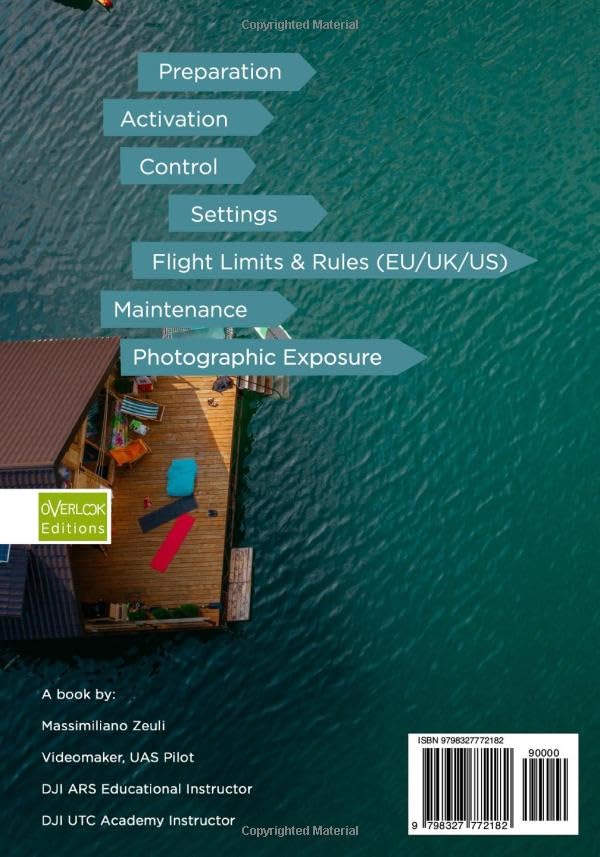
Image: Back cover of "DJI Mini 4K - The Practice Manual: Color Version" book, showing a summary of topics covered, including flight limits and rules.
8. Support and Warranty
For technical support, warranty claims, or service inquiries regarding your DJI Mini 4K drone, please visit the official DJI Support website or contact their customer service. Keep your proof of purchase for warranty purposes.
- Official DJI Support: www.dji.com/support
- Warranty Information: Details regarding your product's warranty period and coverage can be found on the DJI website or in the product packaging.
Related documentsMini 4K


Ask a question about this manual
Ask about setup, troubleshooting, compatibility, parts, safety, or missing instructions. Manuals+ will review the question and use this page’s manual context to help answer it.