
DJI Mini 4K
DJI Mini 4K - The Practice Manual
A Comprehensive Guide to Operating Your DJI Mini 4K Drone
Authored by Massimiliano Zeuli
Introduction
The DJI Mini 4K is designed for ease of use and safety, allowing anyone to experience the joy of flight. This manual provides a detailed analysis of all features and functionalities, guiding you through configuration, operation, and advanced settings to ensure safe and optimal use of your drone.
It covers everything from initial setup and flight control to advanced safety features, the DJI Fly Application, camera settings, and essential maintenance procedures. Additionally, it includes important information regarding flight regulations in the EU, UK, and US, along with useful tips and tricks to keep your DJI Mini 4K updated and performing at its best.
Setup and Activation
Before your first flight, proper preparation and activation of your DJI Mini 4K are crucial. This section details the steps required to get your drone ready for operation.
1.1 General Features
Understand the core features that make the DJI Mini 4K a safe and enjoyable drone for all users.
1.2 Drone Preparation and Product Activation
Follow these steps to prepare your drone for its initial use, including unboxing, battery charging, and propeller installation.
1.3 Product Activation
Learn how to activate your DJI Mini 4K through the DJI Fly app, linking it to your account and ensuring all functionalities are enabled.

Figure 1: The DJI Mini 4K drone, as featured on the manual's cover, highlighting its compact design and readiness for flight.
Operating the Aircraft
This section covers the essential aspects of controlling your DJI Mini 4K, from understanding the remote controller to utilizing various flight modes and advanced safety features.
2.1 The Remote Controller (RC-N1 / DJI RC-N1C)
Familiarize yourself with the layout and functions of the remote controller, including stick commands and button assignments.
2.2 Flight Modes
Learn about the different flight modes available (e.g., Normal, Sport, Cine) and when to use each for optimal performance and safety.
2.3 Controlling the Aircraft
Detailed instructions on basic flight maneuvers, including takeoff, landing, hovering, and directional control.
2.4 Signal Transmission
Information on maintaining a stable connection between the drone and the remote controller, and understanding signal strength indicators.
3.1 Return To Home (RTH)
Understand the RTH function, its triggers, and how to configure it for safe return of your drone.
3.2 Vision System
Details on how the drone's vision system assists with obstacle avoidance and precise positioning.
4.1 Control App (DJI Fly App)
An overview of the DJI Fly app, its interface, and how it serves as your primary control and monitoring tool.
4.2 Flight Interface
Explanation of the on-screen display during flight, including telemetry data, battery status, and GPS information.
4.3 App Settings
Navigate through the app settings to customize drone behavior, control sensitivities, and safety parameters.
5.1 Camera
Learn about the DJI Mini 4K's camera capabilities, including resolution, frame rates, and photo modes.
5.2 Remote Controller (Camera Control)
How to use the remote controller to adjust camera settings, take photos, and record videos.
5.3 Gimbal
Understanding the 3-axis gimbal for stable footage and how to control its tilt.
5.4 Camera Settings
In-depth guide to adjusting camera parameters such as ISO, shutter speed, white balance, and color profiles.
5.5 Exposure
Techniques for achieving optimal exposure in various lighting conditions for high-quality aerial photography.
5.6 Camera Control
Practical tips for effective camera operation during flight.
6.1 QuickShots
Explore the automated QuickShot modes (e.g., Dronie, Rocket, Circle, Helix, Boomerang, Asteroid) for cinematic footage with ease.
6.2 Pano
How to capture stunning panoramic photos using the drone's automated Pano modes.
7.1 Templates (Video Editing)
Utilize the in-app video editing templates to quickly create professional-looking videos from your footage.
7.2 PRO (Video Editing)
Advanced video editing features within the DJI Fly app for more customized post-production.
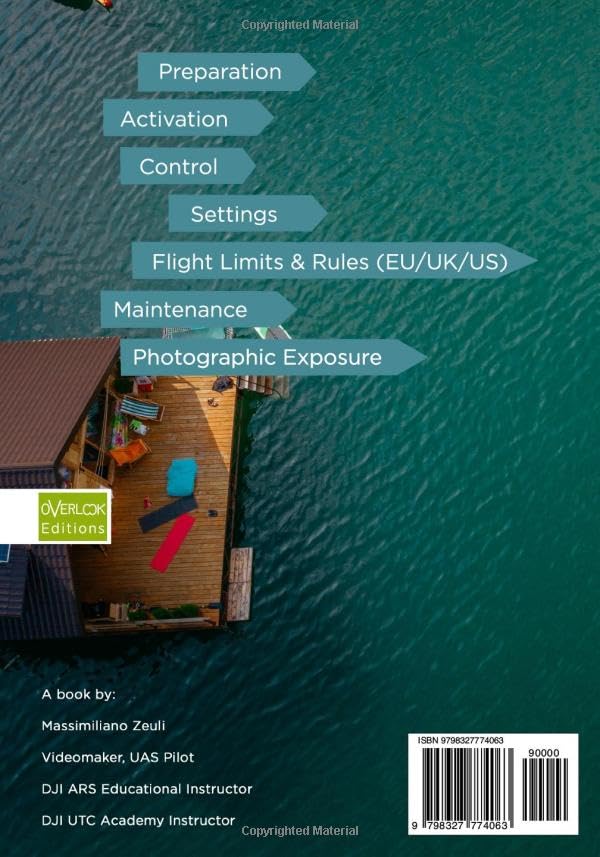
Figure 2: Overview of key topics covered in the manual, including preparation, control, settings, and maintenance.
Maintenance
Regular maintenance ensures the longevity and optimal performance of your DJI Mini 4K. This section provides guidance on essential upkeep procedures.
9.1 Firmware Update
Instructions on how to check for and install the latest firmware updates for your drone and remote controller.
9.2 Intelligent Flight Battery
Tips for proper battery care, charging, storage, and understanding battery status indicators.
9.3 Calibration (Compass and IMU) and Status LEDs
Guidance on calibrating the compass and IMU for accurate flight, and interpreting the drone's status LEDs.
9.4 Attaching and Detaching the Propellers
Correct procedures for safely attaching and detaching propellers.
Flight Limits and Regulations
Adhering to local regulations and understanding flight limits is paramount for safe and legal drone operation. This section provides an overview of important rules.
8.1 Flight Limits
Information on geofencing, altitude limits, and other built-in restrictions to prevent flights in restricted areas.
8.2 EU/UK/US Rules
An overview of general drone regulations and guidelines applicable in the European Union, United Kingdom, and United States. Users are advised to consult official local aviation authorities for the most current and specific regulations.
Specifications
| Attribute | Detail |
|---|---|
| ASIN | B0D6FTYGQ1 |
| Publisher | Independently published |
| Publication Date | June 6, 2024 |
| Language | English |
| Print Length | 178 pages |
| ISBN-13 | 979-8327774063 |
| Item Weight | 14.4 ounces |
| Dimensions | 7 x 0.41 x 10 inches |
Warranty and Support
For extended protection and support for your DJI Mini 4K, consider the DJI Care Refresh service.
9.5 DJI Care Refresh
Information on the DJI Care Refresh service, which provides comprehensive protection plans for your drone, including accidental damage and flyaway coverage. For details on purchasing and activating DJI Care Refresh, please refer to the official DJI website or authorized dealers.
For further technical support or inquiries not covered in this manual, please visit the official DJI support website or contact their customer service.
Related documentsMini 4K


Ask a question about this manual
Ask about setup, troubleshooting, compatibility, parts, safety, or missing instructions. Manuals+ will review the question and use this page’s manual context to help answer it.