
EUQQ YYK-Q28
EUQQ Bone Conduction Wireless Headphones User Manual
Model: YYK-Q28
Product Overview
The EUQQ Bone Conduction Wireless Headphones are designed to provide a comfortable and safe audio experience. Featuring an open-ear design, they allow you to stay aware of your surroundings while enjoying high-quality sound. These headphones are ideal for various activities, including sports, travel, and daily use, offering extended battery life and stable Bluetooth connectivity.
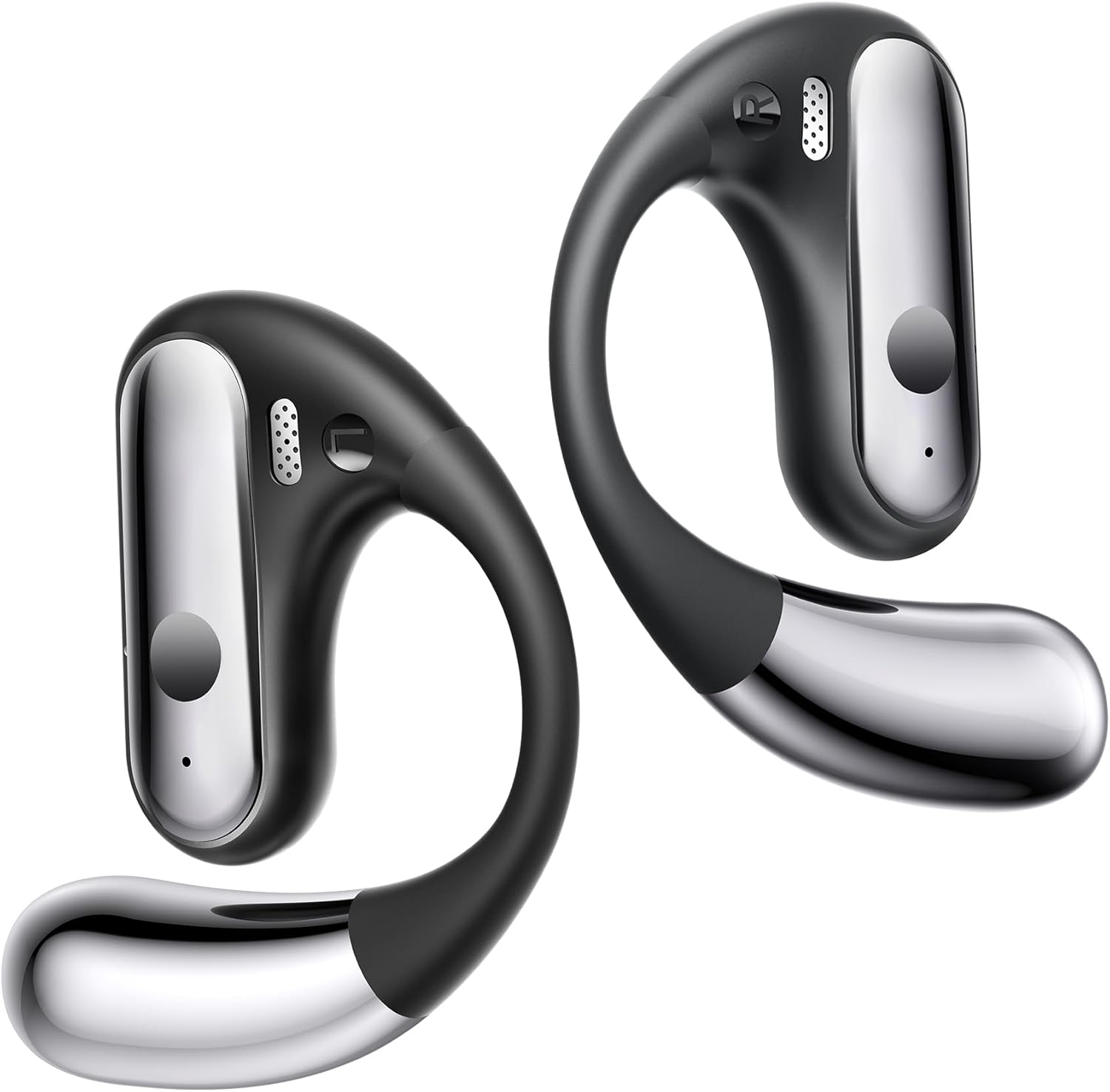
Image: The EUQQ Bone Conduction Wireless Headphones, showcasing their sleek, ergonomic design.
Key Features
- Open-Ear Comfort: Designed to avoid pressure on ears, reducing sweat accumulation and ensuring comfort during prolonged wear.
- Enhanced Environmental Awareness: Allows ambient sounds to be heard, crucial for safety and communication.
- Immersive Stereo Experience: Equipped with 16.3mm dynamic speakers for powerful stereo sound and clear calls.
- Extended Battery Life: Up to 10 hours on a single charge, with an additional 30 hours from the charging case, totaling 40 hours. Features quick charge: 5 minutes for 1 hour of playback.
- Advanced Bluetooth 5.3 Connectivity: Provides a stable and fast connection up to 10 meters, with automatic connection upon removal from the case.
- IPX7 Water Resistance: Designed to withstand splashes and sweat, making them suitable for workouts.
- Smart Touch Control: Intuitive controls for managing audio and calls.

Image: Illustrates the benefits of open-ear design compared to traditional in-ear headphones, highlighting comfort and reduced ear fatigue.
Setup Guide
1. Charging the Headphones
Before first use, ensure the headphones and charging case are fully charged. Place the headphones into the charging case. Connect the charging case to a power source using the provided USB cable. The indicator lights on the case will show the charging status.
- A full charge provides up to 10 hours of playback for the headphones.
- The charging case provides an additional 30 hours of battery life.
- Quick charge feature: 5 minutes of charging provides approximately 1 hour of playback.
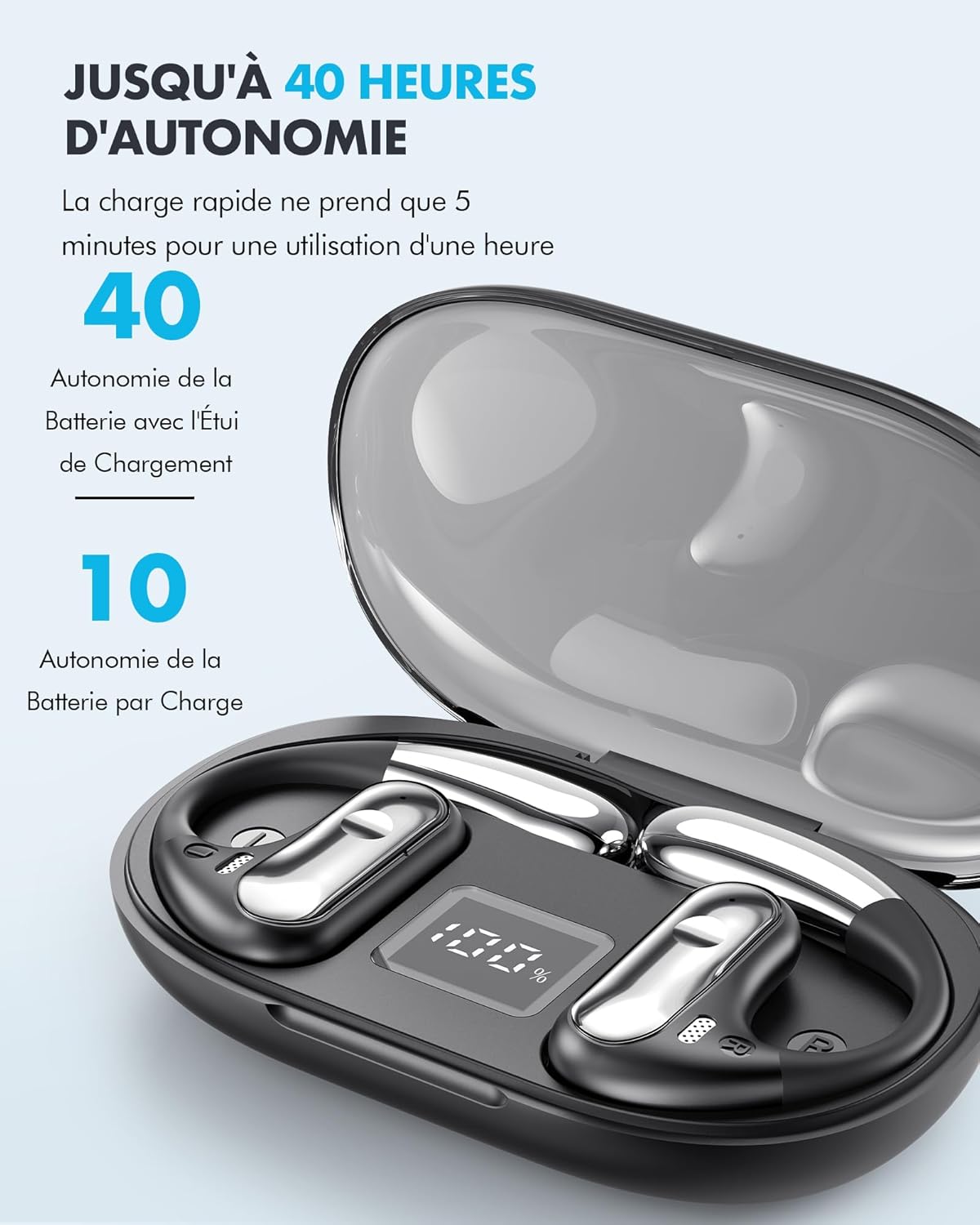
Image: The EUQQ headphones inside their charging case, illustrating the battery life indicators and charging capability.
2. Bluetooth Pairing
- Power On: Open the charging case, and the headphones will automatically power on and enter pairing mode.
- Activate Bluetooth: On your device (smartphone, tablet, etc.), enable Bluetooth.
- Select Device: Look for "YYK-Q28" or "EUQQ Headphones" in the list of available Bluetooth devices and select it to connect.
- Confirmation: Once connected, you will hear an audio prompt, and the indicator light on the headphones will change.
The headphones feature Bluetooth 5.3 for a stable connection up to 10 meters. They will automatically reconnect to the last paired device when taken out of the case.

Image: A detailed view of the Bluetooth 5.3 chip within the headphone, emphasizing its advanced connectivity.
Operating Instructions
Touch Controls
The EUQQ headphones feature intuitive touch controls located on the side of each earbud. Specific functions may vary slightly, but common controls include:
- Play/Pause: Single tap on either earbud.
- Next Track: Double tap on the right earbud.
- Previous Track: Double tap on the left earbud.
- Volume Up: Triple tap on the right earbud.
- Volume Down: Triple tap on the left earbud.
- Answer/End Call: Single tap during an incoming call.
- Reject Call: Press and hold for 2 seconds during an incoming call.
- Activate Voice Assistant: Press and hold for 2 seconds (when not on a call).

Image: An exploded view of the headphone's internal components, highlighting features like clear call technology, IPX7 water resistance, and smart touch control.
Wearing the Headphones
Gently place the headphones over your ears, ensuring the speaker part rests comfortably near your ear canal without entering it. The ergonomic design ensures a secure fit for various activities.

Image: A person wearing the EUQQ headphones, demonstrating how the open-ear design allows for awareness of surroundings while enjoying audio.

Image: A close-up showing the open-ear design of the headphone resting comfortably on the ear, illustrating its non-intrusive fit.
Maintenance and Care
- Cleaning: Use a soft, dry cloth to clean the headphones and charging case. Do not use abrasive cleaners or solvents.
- Water Resistance: The headphones are IPX7 water-resistant, meaning they can withstand splashes and sweat. Do not submerge them in water or expose them to strong jets of water. Ensure they are dry before placing them back in the charging case.
- Storage: Store the headphones in their charging case when not in use to protect them from dust and damage. Avoid extreme temperatures.
- Battery Care: To prolong battery life, avoid fully discharging the headphones frequently. Charge them regularly, even if not used for extended periods.
Troubleshooting
| Problem | Possible Cause | Solution |
|---|---|---|
| No sound from headphones. | Headphones not powered on; Not paired; Volume too low; Battery low. | Ensure headphones are powered on. Re-pair with your device. Increase volume on both headphones and device. Charge the headphones. |
| Cannot pair with device. | Bluetooth not enabled; Headphones not in pairing mode; Device too far; Interference. | Ensure Bluetooth is enabled on your device. Place headphones back in case and take them out to re-enter pairing mode. Move closer to your device. Avoid strong electromagnetic interference. |
| Intermittent connection. | Distance from device; Obstacles; Low battery. | Reduce distance between headphones and device. Remove obstacles. Charge the headphones. |
| Headphones not charging. | Charging cable faulty; Charging port dirty; Case battery empty. | Try a different USB cable. Clean the charging contacts. Ensure the charging case itself is charged. |
Specifications
| Feature | Detail |
|---|---|
| Brand | EUQQ |
| Model Name | YYK-Q28 |
| Connectivity Technology | Wireless (Bluetooth 5.3) |
| Color | Black |
| Form Factor | Over-Ear (Open-Ear Design) |
| Included Components | Headphones, Charging Case, USB Cable, User Manual |
| Speaker Size | 16.3mm Dynamic Drivers |
| Battery Life (Headphones) | Up to 10 hours |
| Total Battery Life (with Case) | Up to 40 hours |
| Water Resistance | IPX7 |
Warranty and Support
Specific warranty information for this product is not provided within this manual. Please refer to the product packaging or the official EUQQ website for detailed warranty terms and conditions.
For technical support, troubleshooting assistance, or any other inquiries, please visit the official EUQQ support page or contact their customer service through the contact information provided on their website.
Note: Always purchase from authorized retailers to ensure valid warranty coverage.
Ask a question about this manual
Ask about setup, troubleshooting, compatibility, parts, safety, or missing instructions. Manuals+ will review the question and use this page’s manual context to help answer it.