
Introduction
This manual provides detailed instructions for the installation, operation, and maintenance of your Bunn Axiom-DV-TC Commercial Thermal Coffee Brewer. This dual-voltage unit is designed for commercial use, offering efficient and consistent coffee brewing for various settings.
Important Safety Information
Failure to comply with these safety instructions may result in injury or damage to the equipment.
- Read the entire operating manual before using this product.
- This equipment must be installed with adequate backflow prevention to comply with national and local plumbing codes.
- To reduce the risk of electric shock, do not remove covers. There are no user-serviceable parts inside. Disconnect power before any servicing.
- Hot liquids and steam are present during operation. Exercise extreme caution to prevent burns.
- Always discard cracked or damaged thermal carafes.
- Do not heat empty carafes or place them on heating elements.
- The contents of the brew funnel are hot. Handle with care.

Image showing the back of the Bunn Axiom-DV-TC coffee brewer, highlighting important warning labels regarding electrical connections, plumbing requirements, and general safety.
Setup and Installation
The Bunn Axiom-DV-TC brewer requires a continuous water inlet connection and proper electrical wiring for operation.
Water Connection
- Connect the brewer to a 1/4-inch flare water line. A flare tool and flare nut are required for a secure and leak-free connection.
- Ensure adequate backflow prevention is installed in accordance with all applicable local plumbing codes.
Electrical Connection
- This unit is dual voltage adaptable and can operate at 120V/15 amp or 120/208-240V/20 amp. Consult a qualified electrician for proper wiring and installation.
- Ensure the electrical circuit is capable of handling the rated load of the brewer.
Initial Fill and Heating
- After securely connecting water and power, turn the main power switch on the back of the unit to the "ON" position.
- The brewer will automatically begin to fill its internal tank and heat the water to the optimal brewing temperature (approximately 200°F). This initial heating process may take several minutes.
- The digital display on the front panel will indicate "READY TO BREW" once the water reaches the set temperature.

The front panel of the Bunn Axiom-DV-TC coffee brewer, displaying the "READY TO BREW" status and water temperature. A thermal carafe is positioned below the brew funnel.
Operating Instructions
Brewing Coffee
- Place a clean thermal carafe (not included, must be purchased separately) under the brew funnel. The brewer accepts carafes up to 8.5 inches (21.6 cm) tall.
- Insert a paper filter into the brew funnel.
- Add the desired amount of commercially ground coffee to the filter.
- Carefully slide the brew funnel into its designated position.
- Press the "BREW" button on the control panel. The brewing process will commence.
- The brewer features programmable pre-infusion, pulse brew, and digital temperature control for optimized coffee extraction.
Hot Water Dispensing
The brewer is equipped with a hot water faucet for convenience.
- To dispense hot water, carefully open the hot water faucet lever located on the side of the unit.
- Exercise caution as the dispensed water is hot and can cause burns.
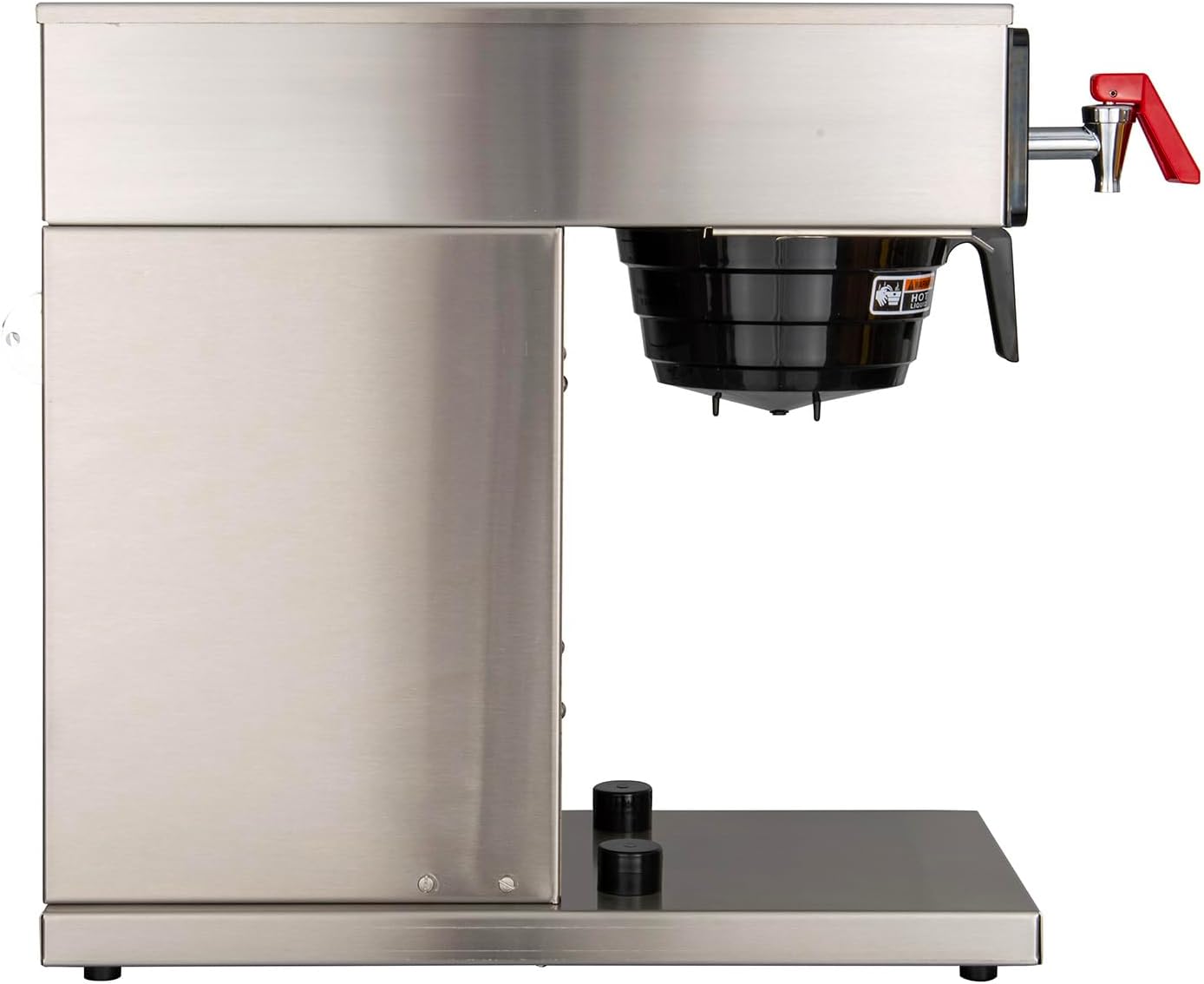
Side view of the Bunn Axiom-DV-TC coffee brewer, illustrating the hot water faucet on the right side.
Settings and Features
Energy-Saver Mode
The energy-saver mode is designed to reduce the internal tank temperature during periods of inactivity, thereby conserving energy.
- To activate or deactivate this mode, refer to the specific instructions provided in the comprehensive manual or on the control panel.
- When in energy-saver mode, it will take approximately 10-18 minutes for the brewer to return to the optimal brewing temperature.
Programmable Settings
The brewer allows for customization of various settings directly from the front panel, including brew level, cold brew lock-out, and tank temperature. Consult the full product manual for detailed programming steps and options.
Maintenance
Daily Cleaning
- After each use, remove and thoroughly clean the brew funnel and thermal carafe with mild soap and water.
- Wipe down the exterior surfaces of the brewer with a damp cloth. Do not use abrasive cleaners or scouring pads, as these can damage the finish.
Descaling
Regular descaling is crucial to maintain optimal performance and coffee quality, particularly in areas with hard water.
- Follow Bunn's recommended descaling procedures, which typically involve using a descaling solution and performing several flushing cycles.
- Refer to the comprehensive manual for detailed descaling instructions specific to your model.
Filter Replacement
Ensure a fresh coffee filter is used for each brew cycle to achieve the best coffee flavor and prevent clogs.
Troubleshooting
No Power
- Check the main ON/OFF switch located on the back of the unit.
- Verify that the power cord is securely plugged into a functional electrical outlet.
- Inspect the circuit breaker or fuse for the outlet to ensure it has not tripped.
No Water Flow
- Ensure the water supply valve connected to the brewer is fully open.
- Check the water line for any kinks or obstructions.
- Verify that the water pressure is adequate for the brewer's operation.
Coffee Not Brewing
- Ensure the brewer's display indicates "READY TO BREW," meaning it has reached the optimal temperature.
- Verify that the brew funnel is correctly and fully inserted into its position.
- Press the "BREW" button firmly to initiate the brewing cycle.
No Automatic Start-Up
This commercial unit does not feature an automatic start-up timer. It must be manually turned on or left in an "ON" state (with or without energy-saver mode activated) to maintain temperature and be ready for brewing.
Specifications
- Model: 38700.0011
- Brand: Bunn
- Dimensions (D x W x H): 22.5" x 9" x 17.8"
- Weight: 30 pounds
- Voltage: 120 Volts (Dual Voltage Adaptable: 120V/15A or 120/208-240V/20A)
- Coffee Maker Type: Drip Coffee Machine
- Special Feature: Thermal
- Included Components: Filter (Thermal carafes sold separately)
- Operation Mode: Fully Automatic
- Human Interface Input: Buttons
- Coffee Input Type: Manual

A diagram illustrating the physical dimensions of the Bunn Axiom-DV-TC coffee brewer, providing measurements for depth, width, and height.
Warranty and Support
For detailed warranty information and technical support, please contact Bunn customer service directly. Specific warranty terms and conditions may vary.
Bunn Customer Service: Refer to the official Bunn website or the documentation included with your purchase for current contact details and support options.
Online Resources: Visit the Bunn Store on Amazon for additional product information and accessories.


