
ECONTROLLY RSB10B
User Manual for ECONTROLLY RSB10B Replacement Remote Control
Model: RSB10B
Product Overview
The ECONTROLLY RSB10B is a replacement remote control designed for use with the Energy Connoisseur CS-30 Soundbar. This remote provides essential functions for controlling your soundbar, offering a direct replacement without the need for complex programming.

Figure 1: Front view of the RSB10B Remote Control. Key buttons include Power, Mute, 3D, Bluetooth, Volume Up, and Volume Down.
Key Features
- No Programming Required: Ready to use out of the box with compatible models.
- Durable Construction: Made from ABS material for wear resistance and long life.
- Direct Compatibility: Specifically designed to fit Energy Connoisseur CS-30 Soundbar (and RSB10B models).
- Ergonomic Design: Comfortable to hold and operate.
Setup
The ECONTROLLY RSB10B remote control is designed for immediate use with compatible soundbar models. No complex setup or programming is required.
- Insert Batteries: Open the battery compartment on the back of the remote control. Insert two AAA batteries (not included), ensuring correct polarity (+/-).
- Point and Use: Point the remote control directly at your Energy Connoisseur CS-30 Soundbar. The remote should function immediately.
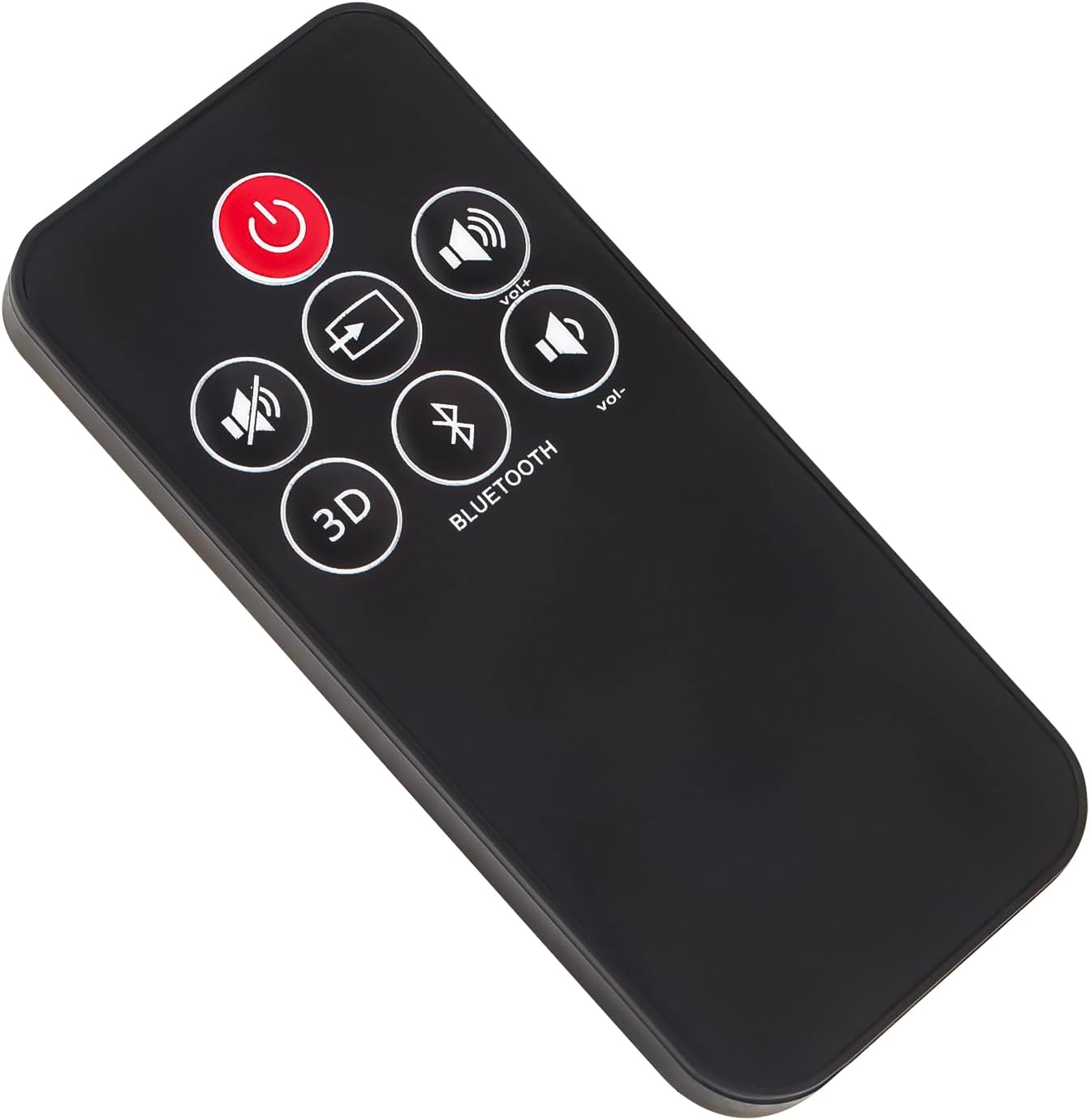
Figure 2: Angled view of the RSB10B Remote Control, showing its sleek design.
Operating Instructions
This section details the functions of the buttons on your RSB10B remote control.
- Power Button (⏻): Press to turn the soundbar on or off.
- Mute Button (🔇): Press to mute or unmute the soundbar audio.
- Volume Up Button (Vol+): Press to increase the soundbar volume.
- Volume Down Button (Vol-): Press to decrease the soundbar volume.
- 3D Button: Activates or deactivates the 3D audio mode on the soundbar.
- Bluetooth Button: Initiates or manages Bluetooth pairing mode on the soundbar.

Figure 3: Side view of the RSB10B Remote Control, illustrating its slim profile.
Maintenance
Proper maintenance ensures the longevity and optimal performance of your remote control.
- Cleaning: Wipe the remote control with a soft, dry cloth. Do not use liquid cleaners or abrasive materials.
- Battery Replacement: Replace batteries when the remote's responsiveness decreases. Always replace both batteries at the same time with new ones of the same type.
- Storage: Store the remote in a cool, dry place away from direct sunlight and extreme temperatures.
- Avoid Drops: While durable, repeated drops can damage internal components. Handle with care.
Troubleshooting
If you experience issues with your remote control, refer to the following common solutions:
| Problem | Possible Cause | Solution |
|---|---|---|
| Remote not responding. | Dead or incorrectly inserted batteries. | Replace batteries, ensuring correct polarity. |
| Remote has limited range. | Weak batteries or obstruction between remote and soundbar. | Replace batteries. Ensure a clear line of sight to the soundbar's IR receiver. |
| Certain buttons not working. | Dirt or debris under buttons, or internal malfunction. | Clean the remote surface. If problem persists, contact support. |
| Remote not compatible with my device. | Incorrect model for your soundbar. | Verify your soundbar model (Energy Connoisseur CS-30 or RSB10B). If it's not compatible, this remote will not work. |
Specifications
| Attribute | Detail |
|---|---|
| Model Number | RSB10B |
| Brand | ECONTROLLY |
| Compatible Models | Energy Connoisseur CS-30 Soundbar, RSB10B |
| Product Dimensions | 6 x 3 x 0.5 inches (15.24 x 7.62 x 1.27 cm) |
| Item Weight | 2 ounces (56.7 grams) |
| Color | Black |
| Material | ABS |
| Special Feature | Ergonomic |
| Country of Origin | China |

Figure 4: RSB10B Remote Control with approximate dimensions.
Warranty and Support
All ECONTROLLY products undergo rigorous testing to ensure proper functionality before shipping. If you encounter any issues or have questions regarding the compatibility or operation of your RSB10B remote control, please contact the seller or manufacturer for assistance.
For further inquiries, refer to the contact information provided by your retailer or on the product packaging.
Ask a question about this manual
Ask about setup, troubleshooting, compatibility, parts, safety, or missing instructions. Manuals+ will review the question and use this page’s manual context to help answer it.