1. Introduction
Thank you for choosing the Homvana Smart Humidifier H112. This advanced humidifier is designed to provide optimal humidity levels in your living spaces, offering both warm and cool mist options. With its large 7-liter capacity and intelligent features like MistIQ technology, it ensures a comfortable and healthy environment for your home, bedroom, nursery, or even for plant care. Please read this manual thoroughly before operation to ensure safe and efficient use.

Figure 1: Homvana Smart Humidifier H112
2. Important Safety Instructions
To reduce the risk of fire, electric shock, or injury, please observe the following safety precautions:
- Always place the humidifier on a firm, flat, waterproof surface at least 12 inches (30 cm) away from walls and appliances.
- Do not place the humidifier directly on carpet, wood floors, or surfaces that may be damaged by water or moisture.
- Unplug the humidifier from the power outlet before filling, cleaning, or performing any maintenance.
- Do not immerse the base unit in water or other liquids.
- Use only clean, cool tap water or distilled water. Do not use hot water.
- Do not add essential oils directly into the water tank. Use the dedicated aroma box for essential oils.
- Keep the humidifier out of reach of children and pets.
- Do not block the mist outlet or air intake vents.
- If the humidifier is damaged or malfunctions, discontinue use immediately and contact customer support.
3. Product Components
Familiarize yourself with the main parts of your Homvana H112 Humidifier:
- Mist Outlet Nozzle
- Water Tank (7L capacity)
- Base Unit with Control Panel and Display
- Water Inlet / Top-Fill Opening
- Aroma Box (for essential oils)
- Power Cord
4. Setup
4.1 Unpacking
- Carefully remove all components from the packaging.
- Remove any protective film or stickers from the unit.
- Ensure all parts are present and undamaged.
4.2 Placement
- Place the humidifier on a flat, stable, and water-resistant surface.
- Ensure there is at least 12 inches (30 cm) of space around the unit for proper air circulation.
- Avoid placing near heat sources, direct sunlight, or air conditioning vents.
- Do not place directly under furniture or near electronics that could be damaged by moisture.

Figure 2: Humidifier placement in different room types
4.3 Filling the Water Tank
- Ensure the humidifier is unplugged from the power outlet.
- Locate the top-fill opening on the top of the water tank.
- Pour clean, cool tap water or distilled water directly into the opening. Do not exceed the maximum fill line.
- The 7-liter tank provides extended operation, reducing the need for frequent refills.
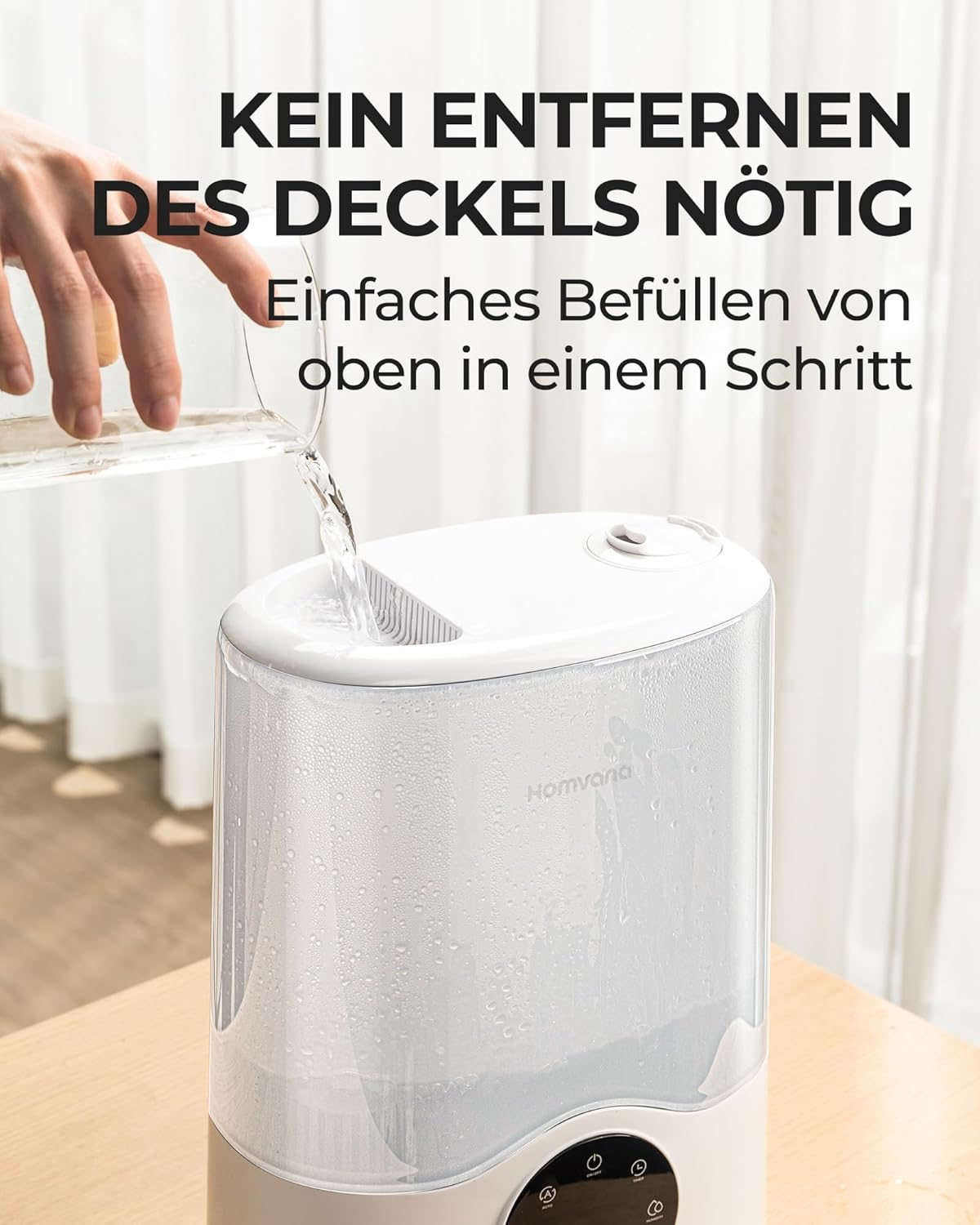
Figure 3: Easy top-fill water tank
5. Operating Instructions
5.1 Power On/Off
- Plug the power cord into a suitable electrical outlet.
- Press the Power button on the control panel to turn the unit on or off.
5.2 MistIQ™ Automatic Adjustment
The MistIQ™ technology automatically detects subtle changes in humidity and room conditions to control mist output, maintaining optimal ambient humidity. This feature prevents over-humidification and ensures efficiency.
- Press the Mode button until the MistIQ™ indicator is lit.
- The humidifier will automatically adjust mist levels based on the detected room humidity and size.

Figure 4: MistIQ™ intelligent adaptation
5.3 Warm and Cool Mist Selection
The H112 offers both warm and cool mist options for year-round comfort.
- Press the Warm Mist button to activate warm mist. This is ideal for cooler seasons and can help alleviate cold symptoms.
- Press the Cool Mist button for cool mist, suitable for most seasons and general humidification.
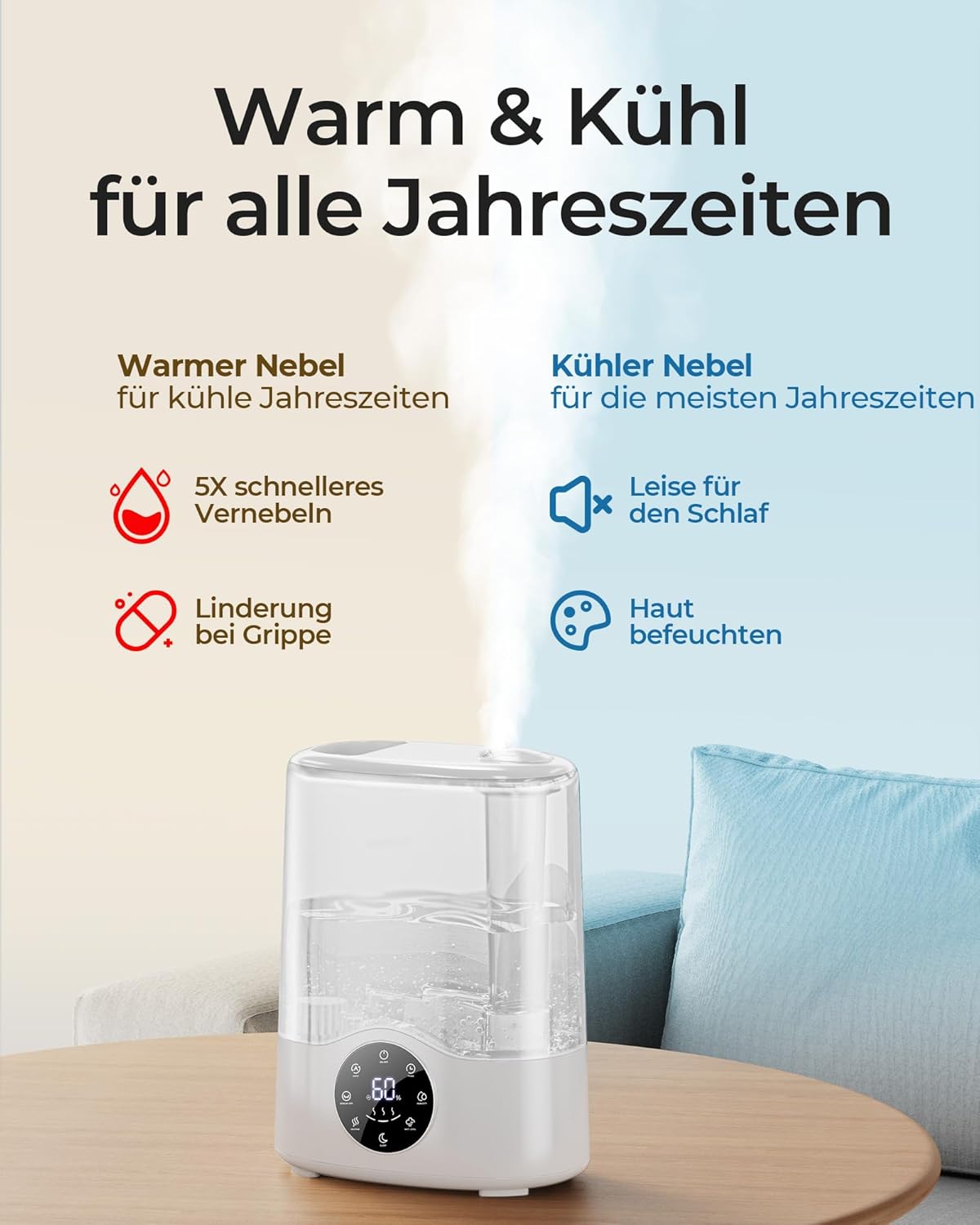
Figure 5: Warm & Cool Mist benefits
5.4 Mist Output Adjustment
- Use the Mist Level button to cycle through different mist output settings (e.g., Low, Medium, High).
- The humidifier can achieve up to 750 ml/h mist output for rapid humidification.
5.5 Sleep Mode
- Press the Sleep Mode button to activate a quiet operation mode, ideal for nighttime use. The display lights will dim.

Figure 6: Features for extended comfort, including Sleep Mode
5.6 Timer Function
- Press the Timer button to set an operating duration (e.g., 1, 2, 4, 8 hours). The humidifier will automatically turn off after the set time.
5.7 Aromatherapy Function
- Locate the aroma box (small drawer) at the back or side of the base unit.
- Pull out the aroma box and add a few drops of your preferred essential oil onto the aroma pad.
- Slide the aroma box back into the unit. The mist will diffuse the aroma into the air.
- Do not add essential oils directly into the water tank.
6. Maintenance and Cleaning
Regular cleaning is essential for optimal performance and hygiene.
6.1 Daily Maintenance
- Unplug the humidifier before cleaning.
- Empty any remaining water from the tank and base.
- Wipe the tank and base dry with a clean cloth.
6.2 Weekly Cleaning (Descaling)
- Unplug the humidifier.
- Pour 1 cup (240ml) of white vinegar into the water tank and base.
- Let it soak for 20-30 minutes to loosen mineral buildup.
- Use a soft brush or sponge to clean the inside of the tank and the ultrasonic transducer in the base.
- Rinse thoroughly with clean water until the vinegar smell is gone.
- Dry all parts completely before reassembling.
6.3 Aroma Pad Cleaning/Replacement
- Clean the aroma pad with mild soap and water, or replace it with a new one when it becomes discolored or hardened.
6.4 Storage
- Before long-term storage, ensure the humidifier is completely clean and dry.
- Store in a cool, dry place, preferably in its original packaging.
7. Troubleshooting
Refer to this section for common issues and their solutions.
| Problem | Possible Cause | Solution |
|---|---|---|
| No mist or low mist output |
|
|
| Unusual odor |
|
|
| Water leakage |
|
|
| White dust around unit |
|
|
8. Specifications
| Feature | Detail |
|---|---|
| Brand | Homvana |
| Model Number | H112 |
| Capacity | 7 Liters |
| Dimensions (L x W x H) | 19.99 x 34.9 x 43.99 cm (approx. 7.87 x 13.74 x 17.32 inches) |
| Weight | 650 g (approx. 1.43 lbs) |
| Voltage | 230 Volts (AC) |
| Material | Plastic |
| Mist Output | Up to 750 ml/h |
| Coverage Area | Up to 80 m² |
9. Warranty and Support
The Homvana Smart Humidifier H112 comes with a 3-year warranty, ensuring peace of mind and product quality.
For any questions, technical support, or warranty claims, please contact Homvana customer support through the retailer's platform or the official Homvana website. Please have your model number (H112) and purchase details ready when contacting support.


