
Introduction
Thank you for choosing the Bettdow J201 Bluetooth 5.3 Wireless Earbuds. These earbuds are designed to provide a superior audio experience with advanced features such as Bluetooth 5.3 connectivity, active hybrid noise cancellation, and a long-lasting battery. This manual will guide you through the setup, operation, and maintenance of your new earbuds to ensure optimal performance and longevity.
Key Features
- Advanced Bluetooth 5.3: Ensures stable and reliable connections with a transfer speed of 2Mbps and a range of up to 10 meters.
- Instant Pairing: Equipped with a Hall Switch, the earbuds connect instantly to your last paired device upon opening the charging case.
- Extended Playtime: Enjoy up to 7 hours of listening time on a single charge, with a total of 40 hours of combined playback using the charging case.
- Type-C Fast Charging: The charging case supports fast charging via a Type-C port, providing quick power-ups.
- Superior HiFi Sound: Features active hybrid noise cancellation and oversized 13.4mm drivers with Sound4 acoustic processing for detailed, CD-level audio.
- IPX6 Waterproof Rating: A nano-coating protects against water and sweat, making them suitable for sports and outdoor activities (not for swimming).
- Lightweight and Compact: Each earbud weighs only 0.14 oz, and the charging case measures 2.16 x 1.04 x 1.88 inches for easy portability.
- Intuitive Touch Controls: Manage music playback, volume, track skipping, calls, and voice control directly from the earbuds.
- Wide Compatibility: Compatible with most iOS and Android smartphones.
Package Contents
Please ensure all items are present in the package:
- Bettdow J201 Wireless Earbuds (Left and Right)
- Charging Case
- USB-C Charging Cable
- User Manual

Image: Bettdow J201 Wireless Earbuds and Charging Case. The image shows the white earbuds placed inside their matching white charging case, highlighting the compact design.
Setup
1. Initial Charging
Before first use, fully charge the earbuds and the charging case. Connect the provided USB-C cable to the charging port on the case and a power source. The indicator light on the case will show charging status.

Image: Bettdow J201 Earbuds Charging Case with USB-C Port. The image illustrates the charging case with a USB-C cable connected, indicating the charging method and battery life of 40 hours.
2. Pairing with Your Device
- Ensure the earbuds are in the charging case and the case is charged.
- Open the lid of the charging case. The earbuds will automatically enter pairing mode, and an indicator light will flash.
- On your smartphone or Bluetooth-enabled device, go to Bluetooth settings.
- Search for "J201" in the list of available devices and select it to connect.
- Once connected, the indicator light on the earbuds will stop flashing, and your device will confirm the connection.
Video: Demonstrates the unboxing and pairing process for the J201 earbuds. It shows how to remove the earbuds from the case, connect the charging cable, and pair them with a mobile device.
Operating Instructions
Touch Controls
The Bettdow J201 earbuds feature intuitive touch controls for easy management of audio and calls.
| Action | Function |
|---|---|
| Single Tap (Left/Right) | Play/Pause Music, Answer/End Call |
| Double Tap (Right) | Next Track |
| Double Tap (Left) | Previous Track |
| Triple Tap (Right) | Volume Up |
| Triple Tap (Left) | Volume Down |
| Long Press (2 seconds) | Activate Voice Assistant, Reject Call |
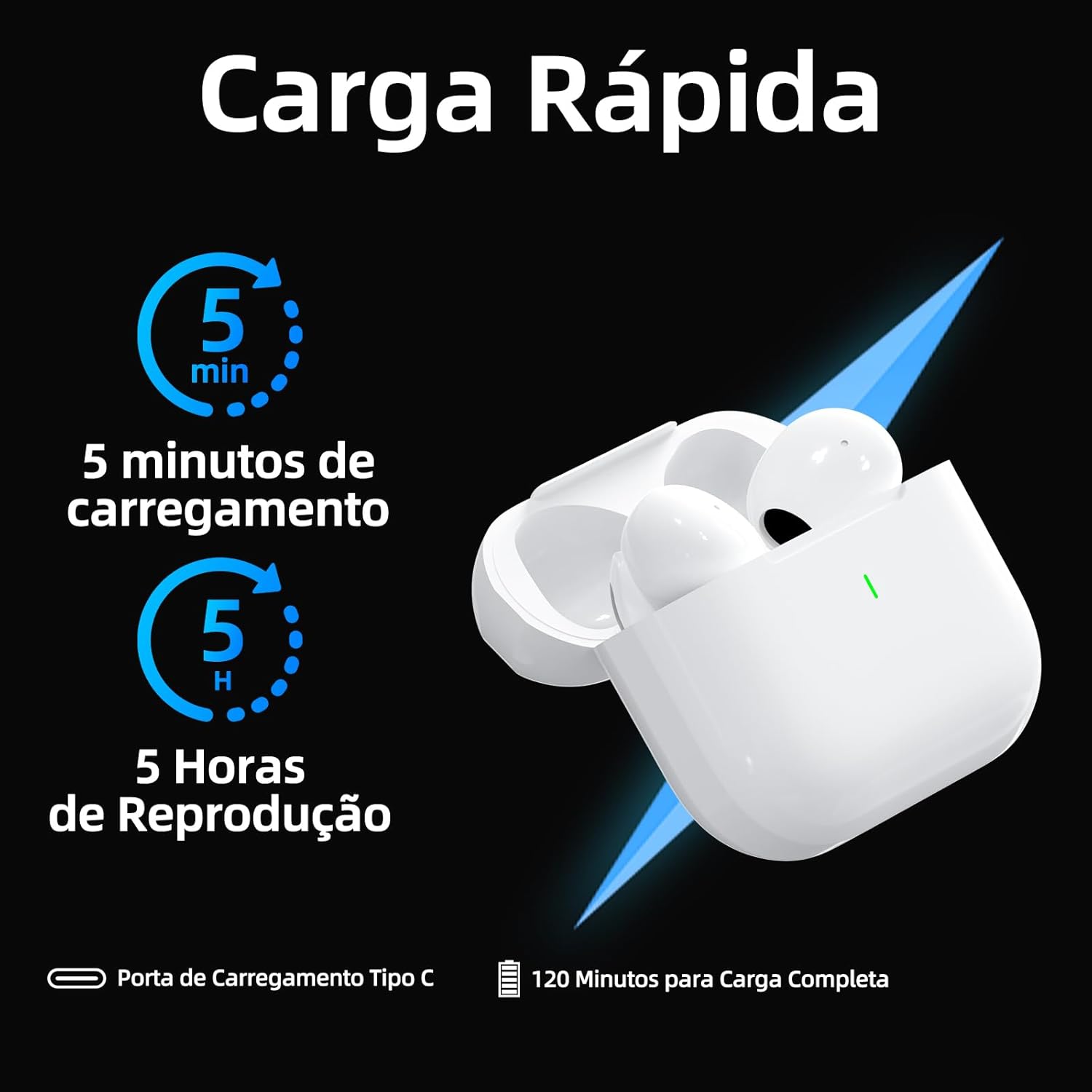
Image: Diagram illustrating the touch control functions on the Bettdow J201 earbuds, showing different tap patterns for various actions like play, pause, volume, and calls.
Wearing the Earbuds
Gently insert the earbuds into your ears, ensuring a comfortable and secure fit. Adjust them until the sound is clear and the noise cancellation is effective. The lightweight design ensures comfort during extended use.

Image: A person wearing the Bettdow J201 earbuds, demonstrating a comfortable and secure fit for daily use.
Maintenance
Cleaning
Regularly clean your earbuds and charging case to maintain optimal performance and hygiene. Use a soft, dry, lint-free cloth to wipe the surfaces. For the ear tips, gently remove them and clean with a mild soap solution, then rinse and dry thoroughly before reattaching.
Storage
When not in use, store the earbuds in their charging case to protect them from dust, damage, and to keep them charged. Avoid storing them in extreme temperatures or humid environments.
Water Resistance (IPX6)
The earbuds are IPX6 water-resistant, meaning they can withstand strong jets of water. This makes them suitable for workouts and light rain. However, they are not designed for submersion in water or swimming. Ensure the charging port is dry before charging.

Image: Bettdow J201 earbuds depicted with water droplets, emphasizing their IPX6 waterproof rating and lightweight design.
Troubleshooting
| Problem | Solution |
|---|---|
| Earbuds not pairing | Ensure earbuds are charged. Place them in the case, close the lid, then open it again to re-enter pairing mode. Check your device's Bluetooth settings and try reconnecting. |
| Only one earbud working | Place both earbuds back into the charging case, close the lid, and then open it again. This should reset the connection between them. If the issue persists, try re-pairing them with your device. |
| Low volume or poor sound quality | Check the volume levels on both your device and the earbuds. Ensure the ear tips are clean and properly seated in your ears for a good seal. |
| Charging issues | Verify the USB-C cable is securely connected to both the charging case and the power source. Try a different cable or power adapter. Ensure the charging contacts on the earbuds and inside the case are clean. |
| Earbuds frequently disconnect | Ensure your device is within the 10-meter Bluetooth range. Avoid obstacles between your device and the earbuds. Try disconnecting and re-pairing the earbuds. |
Specifications
- Model: J201
- Connectivity: Wireless (Bluetooth 5.3)
- Wireless Range: Up to 10 meters
- Drivers: 13.4mm
- Noise Cancellation: Active Hybrid
- Water Resistance: IPX6
- Earbud Weight: Approximately 0.14 oz (4g) per earbud
- Charging Case Dimensions: 2.16 x 1.04 x 1.88 inches (5.5 x 2.6 x 4.8 cm)
- Total Playtime: Up to 40 hours (with charging case)
- Single Charge Playtime: Up to 7 hours
- Charging Port: USB-C
- Material: Plastic or Silicone
- Color: White
- Compatible Devices: Cell phones, Notebooks, Tablets (iOS and Android)
Warranty and Support
For warranty information and customer support, please refer to the documentation included with your purchase or visit the official Bettdow website. Keep your proof of purchase for any warranty claims.
Return Policy: This product is eligible for a refund/replacement within 30 days of purchase, as per Amazon's return policy.