1. Introduction
The ASUS ProArt Display PA27JCV is a 27-inch 5K HDR professional monitor designed for content creators who demand exceptional color accuracy and visual clarity. This manual provides comprehensive instructions for setting up, operating, and maintaining your monitor to ensure optimal performance.
2. What's in the Box
Verify that all items are present in the packaging:
- PA27JCV Monitor
- Color pre-calibration report
- HDMI Cable
- Power cord
- USB-C Cable

Figure 2.1: Included accessories with the ASUS ProArt PA27JCV monitor. This includes the monitor unit, HDMI cable, USB-C cable, power cord, and a color pre-calibration report.
3. Setup
3.1 Assembling the Stand
Carefully attach the monitor panel to the stand base. Ensure all connections are secure. The stand allows for versatile adjustments including tilt, pivot, swivel, and height for ergonomic comfort.

Figure 3.1: Rear view of the monitor illustrating the stand assembly and cable routing options.

Figure 3.2: The monitor stand offers extensive ergonomic adjustments including tilt (+23° to -5°), pivot (90°), swivel (+30° to -30°), and height adjustment (+30 to -30 cm).
3.2 Connecting to a Computer
Connect the monitor to your computer using the provided HDMI or USB-C cable. The USB-C port supports DisplayPort connectivity, superfast data transfers, and 96-watt power delivery, allowing for a single-cable solution for compatible laptops.

Figure 3.3: The USB-C connection provides power, display signal, data transfer, and audio through a single cable.

Figure 3.4: Available ports on the monitor include HDMI 2.1, DisplayPort 1.4 (In), USB-C, USB hub, and Earphone Jack.
4. Operating the Monitor
4.1 Power On/Off
Press the power button located on the bottom right side of the monitor to turn it on or off.
4.2 On-Screen Display (OSD) Menu
Navigate the OSD menu using the buttons on the bottom bezel to adjust various settings such as brightness, contrast, color modes, and input selection.
4.3 Color Accuracy and Calibration
The PA27JCV is Calman Verified and factory pre-calibrated to Delta E<2 for exceptional color accuracy. It supports 99% DCI-P3, 100% sRGB, and 95% Adobe RGB color spaces.
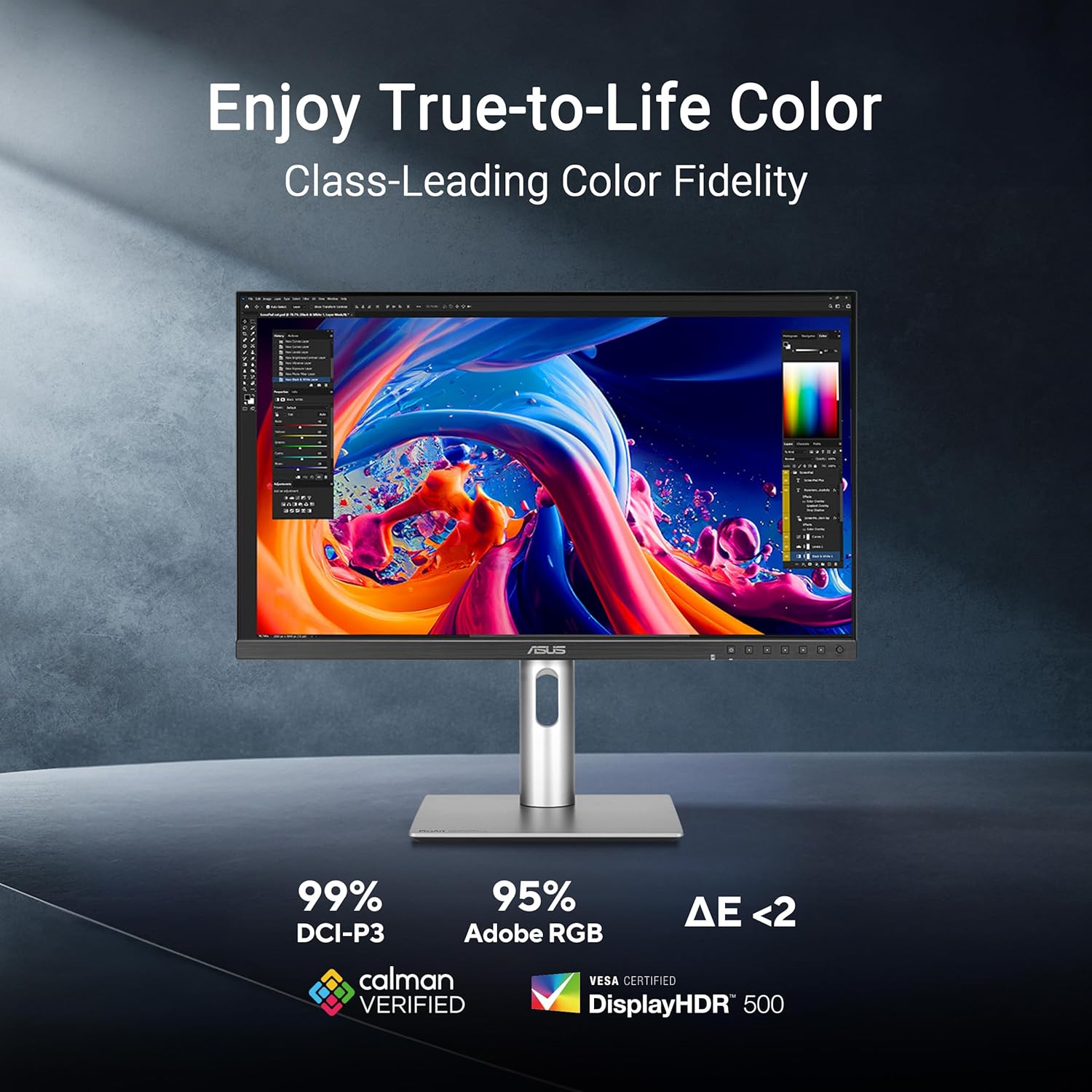
Figure 4.1: The monitor offers class-leading color fidelity with 99% DCI-P3, 95% Adobe RGB, and Delta E < 2 color accuracy.

Figure 4.2: Ambient light and backlight sensors automatically adjust visual settings to ensure brightness and color temperature accuracy.
4.4 Auto KVM Functionality
The built-in Auto KVM feature allows for seamless switching between two connected laptops or PCs using a single keyboard and mouse, enhancing multitasking efficiency.
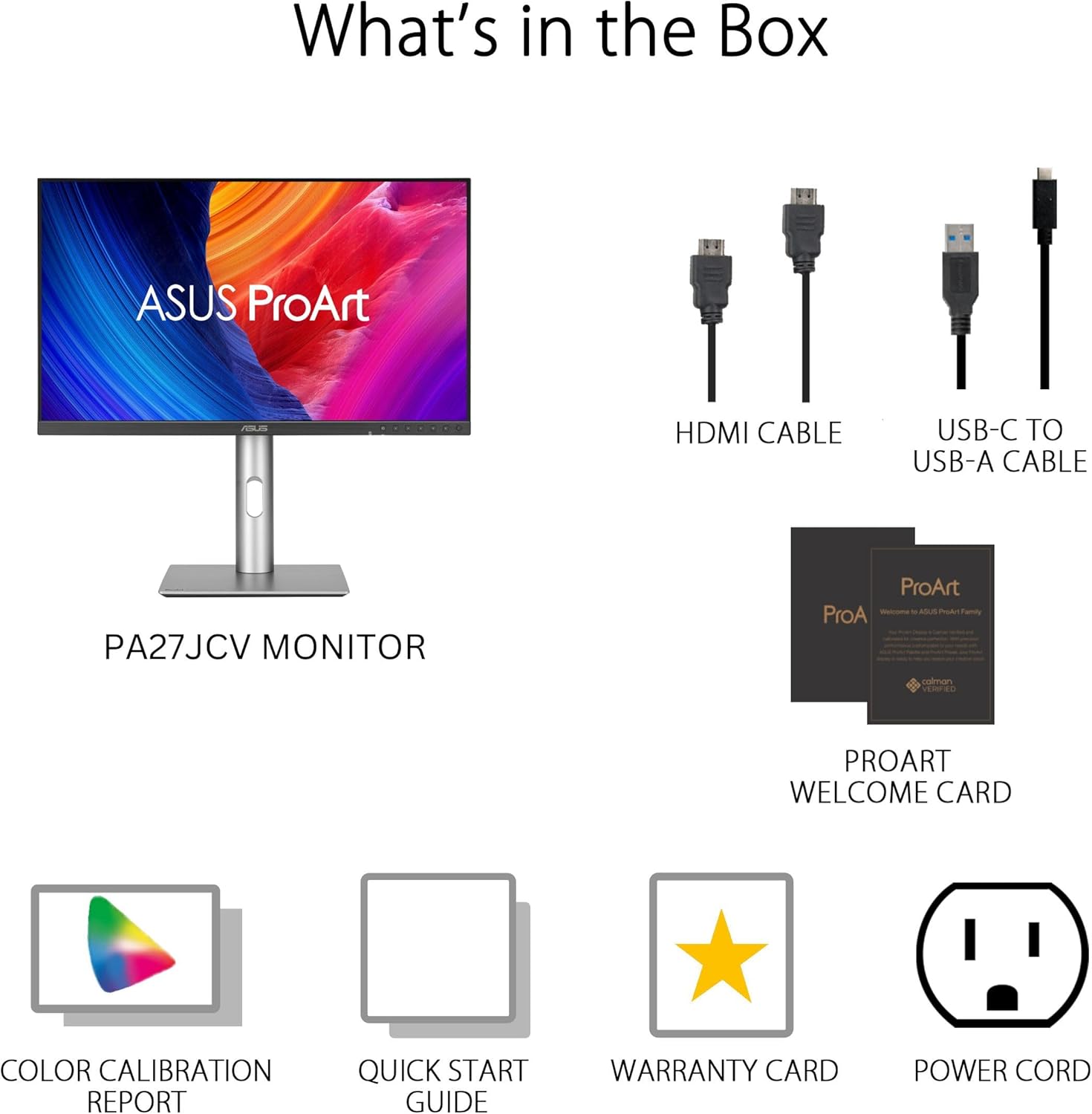
Figure 4.3: Seamless multitasking across two devices is possible with the built-in Auto KVM.
4.5 Eye Care Features
The monitor incorporates ASUS Eye Care technology, including Flicker-Free and Low Blue Light features, to reduce eye strain during prolonged use.
Video 4.1: This video demonstrates the ASUS Eyecare features, including anti-glare screen, blue light filter, flicker-free technology, and ergonomic design, all contributing to proper protection for better eye health.
5. Maintenance
5.1 Cleaning the Monitor
Use a soft, lint-free cloth to gently wipe the screen and chassis. Avoid using abrasive cleaners or solvents. For stubborn marks, lightly dampen the cloth with water or a mild, non-abrasive screen cleaner.
5.2 Environmental Considerations
Keep the monitor in a well-ventilated area, away from direct sunlight and heat sources. Avoid blocking the ventilation openings.

Figure 5.1: The ProArt Display PA27JCV meets world-leading sustainability certifications (EPEAT Gold, Energy Star) and uses eco-friendly, reusable packaging.
6. Troubleshooting
- No Power: Ensure the power cord is securely connected to both the monitor and a working power outlet. Check the power indicator light.
- No Signal: Verify that the video cable (HDMI or USB-C) is correctly connected to both the monitor and the computer. Ensure the correct input source is selected via the OSD menu.
- Flickering Screen: Check the video cable connection. Ensure the display refresh rate is set correctly in your computer's display settings.
- Poor Image Quality: Adjust brightness, contrast, and color settings through the OSD menu. Ensure the display resolution matches the native 5120 x 2880 resolution for optimal clarity.
- KVM Not Switching: Confirm that both computers are properly connected to the monitor's USB-C and other video inputs. Ensure the KVM function is enabled in the OSD settings.
7. Specifications
| Feature | Specification |
|---|---|
| Screen Size | 27 Inches |
| Screen Resolution | 5120 x 2880 Pixels (5K) |
| Display Type | LED-backlit HDR IPS Panel |
| Color Gamut | 99% DCI-P3, 100% sRGB, 95% Adobe RGB |
| Color Accuracy | Calman Verified, Delta E<2 |
| Connectivity | HDMI 2.1, DisplayPort 1.4 (In), USB-C (96W PD), USB Hub (4x USB 3.0), Earphone Jack |
| Ergonomics | Tilt, Pivot, Swivel, Height Adjustment |
| Weight | 13 pounds |
| Dimensions (LxWxH) | 27 x 7 x 15 inches |
| Model Number | PA27JCV |
8. Warranty and Support
The ASUS ProArt Display PA27JCV comes with a 3-year limited warranty. For technical support, troubleshooting assistance, or warranty claims, please visit the official ASUS support website or contact their customer service. Keep your purchase receipt and the product's serial number handy for faster service.
Additional protection plans may be available for purchase. Refer to your retailer for details.


