1. Introduction
Thank you for choosing the H'MASTON RS-53 Wireless Sport Earbuds. These earbuds are designed to provide a high-quality audio experience with features tailored for active lifestyles, including secure ear hooks, IPX5 water resistance, and a long-lasting battery. This manual will guide you through the setup, operation, and maintenance of your new earbuds to ensure optimal performance and longevity.
2. Safety Information
- Do not disassemble or modify the earbuds or charging case. This may cause malfunction or damage and will void the warranty.
- Keep the device away from extreme temperatures (hot or cold), direct sunlight, and moisture.
- Avoid dropping or subjecting the device to strong impacts.
- Clean the earbuds and charging case with a soft, dry cloth. Do not use harsh chemicals or detergents.
- Do not expose the device to fire or dispose of it in fire, as batteries may explode.
- Use only the provided charging cable or a certified equivalent.
- Prolonged exposure to loud sounds may cause hearing damage. Adjust volume to a moderate level.
3. Package Contents
Please check the package for the following items:
- H'MASTON RS-53 Wireless Sport Earbuds (Left and Right)
- Charging Case
- USB Charging Cable (Type-C)
- User Manual
- Additional Ear Tips (S, M, L sizes)
4. Product Overview
Familiarize yourself with the components of your H'MASTON RS-53 earbuds and charging case.

Image: The H'MASTON RS-53 wireless sport earbuds shown inside their charging case, which features a digital LED display indicating battery levels for both earbuds and the case.

Image: A person wearing the red H'MASTON RS-53 earbuds, highlighting the ergonomic design and secure ear hooks. Insets show the included S, M, L ear tip sizes and a close-up of the ear hook fitting around the ear.
Earbud Features:
- Touch Control Area: For managing music, calls, and voice assistant.
- Ear Hook: Provides a secure and comfortable fit during physical activity.
- LED Indicator: Shows pairing status and battery level.
- Microphone: For calls and voice assistant.
- Ear Tip: Ensures sound isolation and comfort. Replace with appropriate size for best fit.
Charging Case Features:
- Digital LED Display: Shows the remaining battery percentage of the charging case and individual battery levels for the left and right earbuds.
- USB-C Charging Port: For charging the case.
- Earbud Charging Slots: Securely holds and charges the earbuds.
5. Setup
5.1. Charging the Earbuds and Charging Case
Before first use, fully charge both the earbuds and the charging case.
- Place the earbuds into the charging case. Ensure they are correctly seated in their respective slots (L for left, R for right). The earbuds will automatically begin charging.
- Connect the USB-C charging cable to the charging port on the case and the other end to a USB power adapter (not included) or a computer's USB port.
- The digital LED display on the charging case will show the battery percentage of the case and the charging status of each earbud.
- A full charge for the case takes approximately 1.5 hours. The earbuds charge automatically when placed in the case.

Image: Illustrates the long battery life of the H'MASTON RS-53 earbuds, showing 15 hours of single charge playtime and 22 hours total with the charging case. It also depicts the USB-C charging port.

Image: Shows the dual digital LED display on the charging case, indicating the battery percentage of the case and the individual charge levels of the left and right earbuds.
5.2. Bluetooth Pairing
The earbuds will automatically enter pairing mode when taken out of the charging case.
- Open the charging case and take out both earbuds. They will automatically power on and connect to each other.
- Enable Bluetooth on your device (smartphone, tablet, computer).
- Search for "RS-53" in the list of available Bluetooth devices and select it to connect.
- Once connected, you will hear a confirmation tone, and the earbud LED indicators will turn off.
- The earbuds will automatically reconnect to the last paired device when taken out of the case, if Bluetooth is enabled on the device.
Note: If pairing fails, place the earbuds back into the charging case, close the lid, wait a few seconds, and then repeat the pairing process.
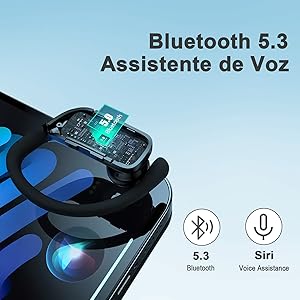
Image: Highlights the Bluetooth 5.3 connectivity and voice assistant compatibility (Siri) of the earbuds, shown with a smartphone.
6. Operating Instructions
The H'MASTON RS-53 earbuds feature intuitive touch controls. The following table outlines the various functions:
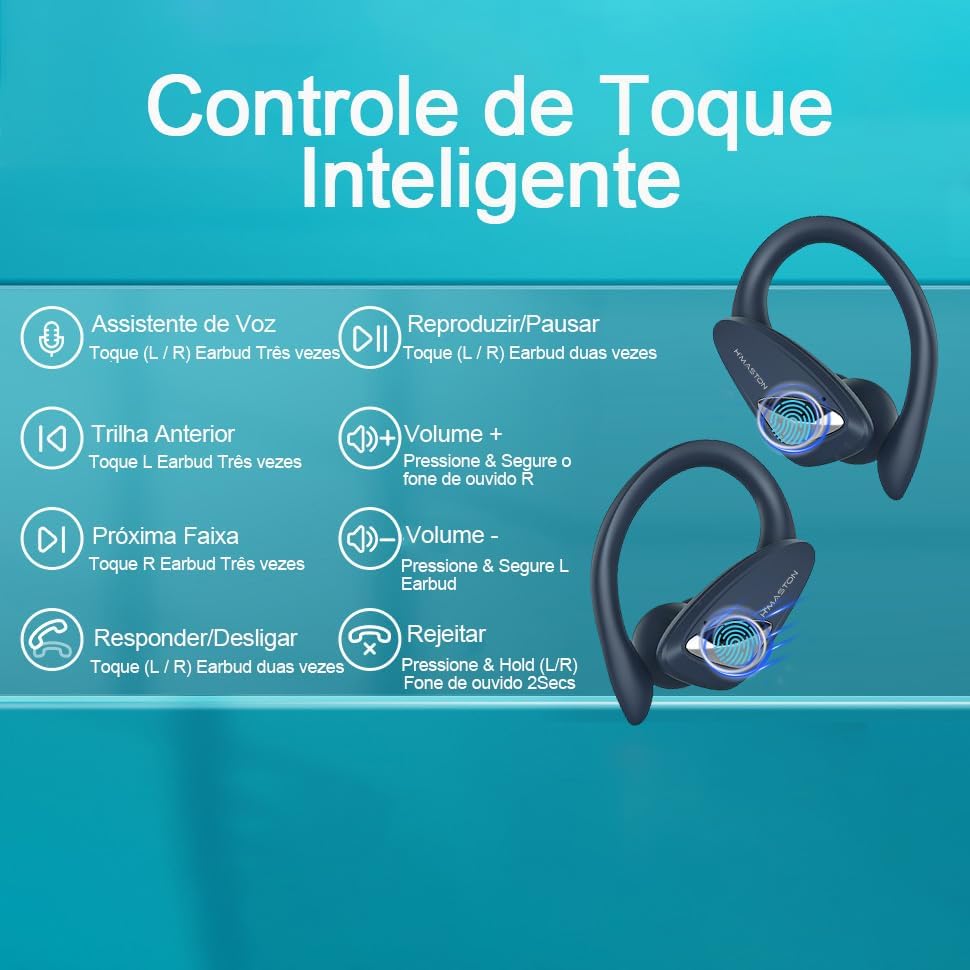
Image: A diagram illustrating the smart touch controls for the H'MASTON RS-53 earbuds, showing gestures for voice assistant, play/pause, track navigation, volume control, and call management.
| Function | Action |
|---|---|
| Power On | Take earbuds out of the charging case. |
| Power Off | Place earbuds back into the charging case. |
| Play/Pause Music | Double-tap either L or R earbud. |
| Next Track | Triple-tap R earbud. |
| Previous Track | Triple-tap L earbud. |
| Volume Up | Press and hold R earbud. |
| Volume Down | Press and hold L earbud. |
| Answer/End Call | Double-tap either L or R earbud. |
| Reject Call | Press and hold either L or R earbud for 2 seconds. |
| Activate Voice Assistant (Siri, Google Assistant, etc.) | Triple-tap either L or R earbud. |

Image: Demonstrates the HD clear call feature with built-in high-quality microphones, showing a phone call interface and the ability to activate voice assistants like Siri.
7. Maintenance
7.1. Cleaning
- Regularly clean the earbuds, especially the ear tips and charging contacts, to ensure optimal performance and hygiene.
- Use a soft, dry, lint-free cloth to wipe the surface of the earbuds and charging case.
- For ear tips, you can gently remove them and clean with a mild soap solution, then rinse thoroughly with water and allow them to dry completely before reattaching.
- Do not use abrasive cleaners, alcohol, or chemical solvents.
7.2. Storage
- When not in use, store the earbuds in their charging case to protect them from dust, scratches, and damage.
- Store the device in a cool, dry place, away from extreme temperatures and direct sunlight.
- If storing for an extended period, charge the earbuds and case at least once every three months to preserve battery life.
8. Troubleshooting
If you encounter issues with your H'MASTON RS-53 earbuds, try the following solutions:
| Problem | Possible Solution |
|---|---|
| Earbuds not powering on | Ensure earbuds are charged. Place them in the charging case and check the LED display. |
| Earbuds not pairing with device |
|
| Only one earbud working |
|
| Low volume or poor sound quality |
|
| Charging case not charging |
|
9. Specifications
| Feature | Detail |
|---|---|
| Model Name | RS-53 |
| Connectivity Technology | Wireless (Bluetooth 5.3) |
| Noise Control | Active Noise Cancellation (ANC) |
| Water Resistance Level | IPX5 (Resistant to water jets) |
| Control Method | Touch |
| Earbud Playtime (Single Charge) | Up to 15 Hours |
| Total Playtime with Charging Case | Up to 22 Hours |
| Charging Time | Approx. 1.5 Hours (for case) |
| Battery Composition | Lithium-Ion |
| Material | Plastic |
| Weight | 210 g (Product) |
| Impedance | 32 Ohm |
| Driver Size | 13 mm Dynamic Drivers |
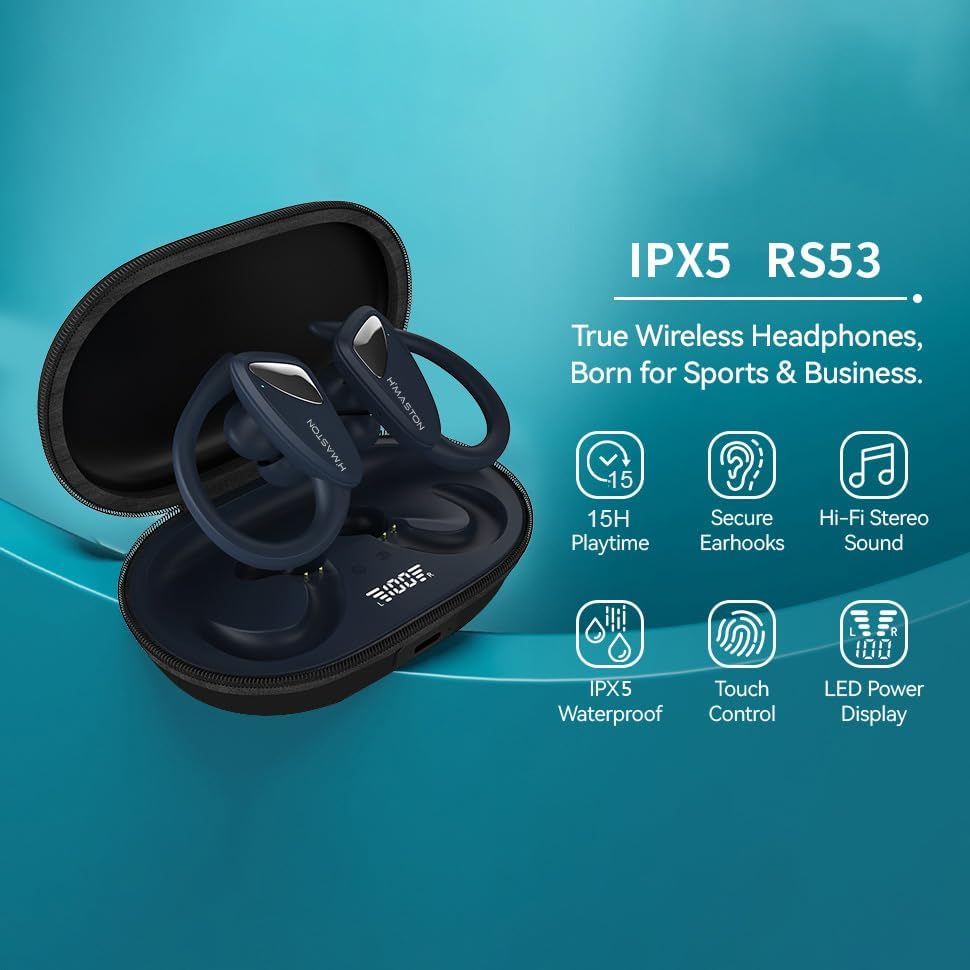
Image: An infographic highlighting key features: 15H Playtime, Secure Earhooks, Hi-Fi Stereo Sound, IPX5 Waterproof, Touch Control, and LED Power Display.
Image: A cutaway diagram showing the internal components responsible for Hi-Fi Stereo Sound, including 13mm Dynamic Drivers and a Biological Fiber Composite Diaphragm.
10. Warranty and Support
Your H'MASTON RS-53 Wireless Sport Earbuds come with a manufacturer's warranty. Please refer to the details below:
- Manufacturer's Warranty: 7 Days (as per product specifications). This warranty covers manufacturing defects.
- Extended Warranty Options: Additional extended warranty plans may be available for purchase separately (e.g., 12 or 24 months against failures and defects). Please check with your retailer for details.
- Returns Policy: This product is eligible for return within 30 days of receipt for a refund or replacement, subject to the retailer's return policy.
Customer Support:
For any questions, technical assistance, or warranty claims, please contact Hmaston customer support through the retailer's platform or visit the official Hmaston store:
Hmaston Official Store on Amazon
Please have your product model number (RS-53) and purchase details ready when contacting support.


