
Govee H70D1
Govee Icicle Lights H70D1 User Manual
Model: H70D1 | Brand: Govee
1. Important Safety Instructions
Read and follow all safety instructions:
- This product is designed for both indoor and outdoor use. Ensure proper installation for outdoor environments.
- The icicle lights are IP65 waterproof. However, the power adapter is IP44 rated and must be placed within a watertight box for outdoor use to prevent water damage.
- Do not immerse the power adapter in water.
- Do not connect the icicle lights to other lighting strings or electrical loads.
- Avoid damaging the insulation of the wires during installation.
- Ensure the power source voltage matches the product's requirements (120 Volts).
- Keep away from heat sources and open flames.
- Supervise children when near the product.
2. What's in the Box
Verify all components are present:
- Govee Icicle Lights (33ft) x 1
- Power Adapter x 1
- User Manual x 1
- Zip Ties x 45
- Clips x 45

Image: Contents of the Govee Icicle Lights package, including the 33ft icicle lights, power adapter, control box, zip ties, and clips.
3. Product Overview
The Govee Icicle Lights (Model H70D1) are smart RGBIC LED lights designed for decorative lighting. Key features include:
- RGBIC Lighting: Features an upgraded LED design for smooth, uniform lighting effects with 16 million color options.
- Length and LEDs: 33 feet in length with 400 bright LEDs, comprising 80 drops.
- Weather Resistance: IP65-rated waterproof and made from anti-UV material for year-round outdoor reliability in temperatures from -4°F to 104°F. (Note: The IP44-rated adapter requires protection from water).
- Smart Control: Compatible with Govee Home App, Amazon Alexa, Google Assistant, and Matter for versatile control options.
- Dynamic Modes: Offers 78+ preset scene modes, AI-generated lighting effects, DIY customization, and music synchronization.

Image: Govee Icicle Lights demonstrating year-round reliability with IP65 waterproof rating and UV-resistant material, suitable for various weather conditions.
4. Setup and Installation
Follow these steps for proper installation:
4.1 Preparing for Installation
- Uncoil the icicle lights carefully to prevent tangling.
- Identify the main cable and the individual drops.
- Plan the desired placement for the lights.
- Ensure the power adapter is placed in a location protected from direct water exposure, ideally within a watertight box for outdoor use.
4.2 Mounting the Lights
Use the provided clips and zip ties for secure mounting:
- Using Gutter Clips:
- Install the clips vertically onto a gutter.
- Hang the icicle's main cable from the hook on each clip.

Image: Step-by-step guide for installing icicle lights using gutter clips.
- Using Shingle Clips:
- Place the clips along the main cable at every third white-colored icicle light string connector.
- Slide the clips under roof shingles.

Image: Instructions for securing icicle lights by sliding clips under roof shingles.
- Using Zip Ties:
- Use the zip ties to attach and hang the icicle lights from a handrail or fence.

Image: Method for attaching icicle lights to a handrail using zip ties.
4.3 Connecting to Power
- Connect the icicle lights to the power adapter.
- Plug the power adapter into a standard 120V outdoor-rated power outlet.
- Ensure the power adapter is protected from moisture.
5. Operating Instructions
The Govee Icicle Lights can be controlled via the Govee Home App or voice commands.
5.1 Govee Home App Control
- Download the App: Search for "Govee Home" in the App Store (iOS) or Google Play Store (Android) and download the application.
- Register/Log In: Create an account or log in to your existing Govee account.
- Add Device: Follow the in-app instructions to add your Govee Icicle Lights (Model H70D1). Ensure Bluetooth and Wi-Fi are enabled on your smartphone.
- Control Features:
- RGBIC Lighting Effects: Customize each lamp bead with 16 million colors.
- Scene Modes: Select from 78+ dynamic preset scene modes for various occasions.
- DIY Mode: Create custom lighting patterns and colors.
- Music Sync: Utilize the built-in microphone to synchronize light effects with music.
- AI Light Show: Generate new lighting effects using text, audio, or image prompts.

Image: Immersive RGBIC lighting effects demonstrated on a house, showcasing individual lamp bead customization.

Image: Versatile preset scene modes available for Govee Icicle Lights, suitable for various occasions.

Image: Govee Home App's DIY mode, allowing users to create custom lighting effects.

Image: AI-generated lighting effects feature, allowing personalized ambiance through simple commands.
5.2 Voice Control
The lights support voice control via Amazon Alexa, Google Assistant, and Matter:
- Ensure your Govee device is linked to your Alexa, Google Home, or Matter account through the respective apps.
- Use commands such as "Alexa, turn on the Govee icicle lights" or "Hey Google, set icicle lights to Christmas mode."
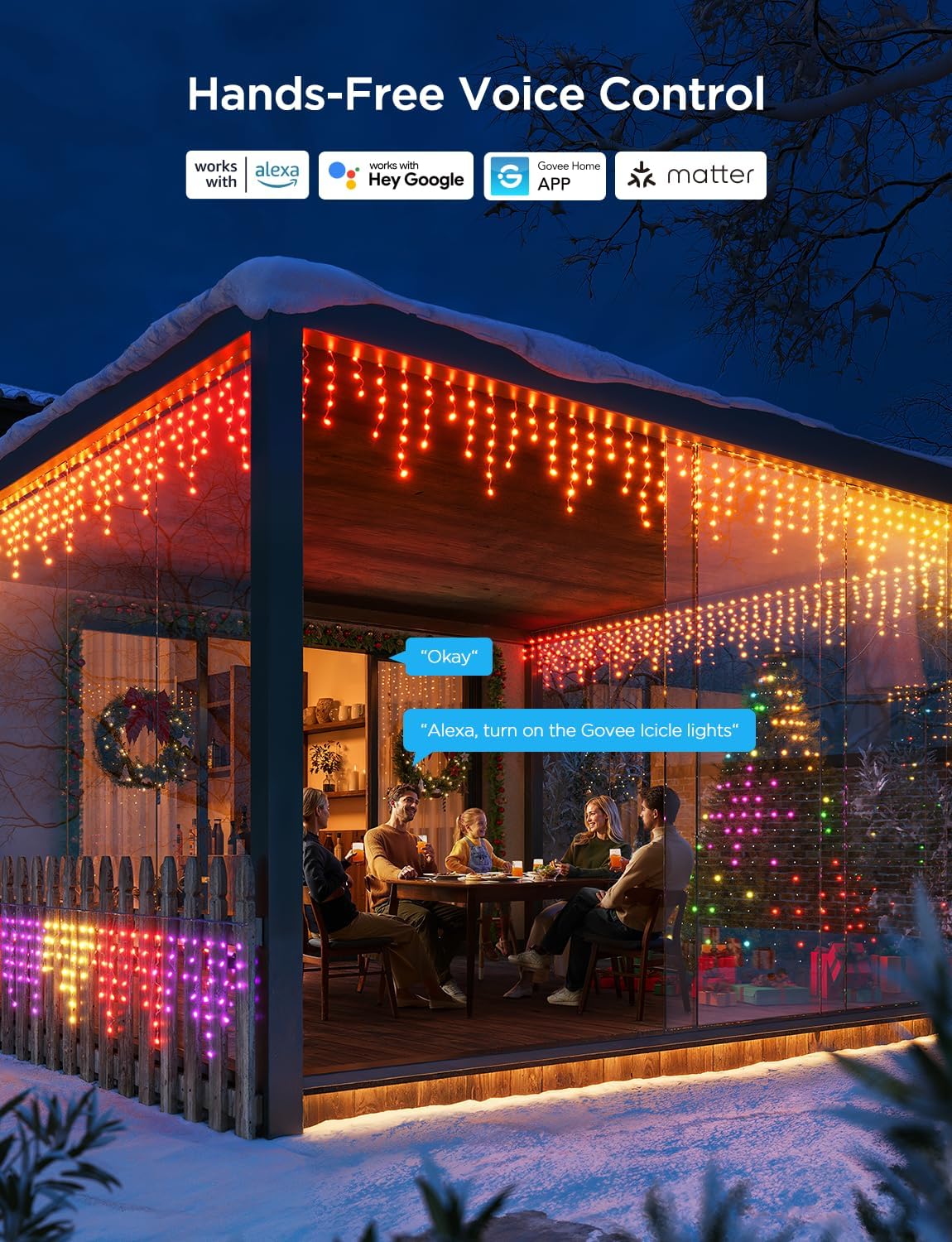
Image: Hands-free voice control integration with Amazon Alexa, Google Assistant, and Matter.
6. Maintenance
Proper maintenance ensures the longevity and performance of your Govee Icicle Lights:
- Cleaning: Gently wipe the lights with a soft, damp cloth. Do not use harsh chemicals or abrasive cleaners. Ensure the lights are unplugged before cleaning.
- Storage: When not in use, carefully coil the lights and store them in a cool, dry place away from direct sunlight and extreme temperatures. Avoid sharp objects that could damage the wiring.
- Inspection: Periodically inspect the lights, cables, and connections for any signs of wear, damage, or loose connections. Replace any damaged components immediately.
7. Troubleshooting
If you encounter issues with your Govee Icicle Lights, refer to the following common problems and solutions:
| Problem | Possible Cause | Solution |
|---|---|---|
| Lights do not turn on. | No power, loose connection, faulty adapter. | Check if the power adapter is securely plugged into a working outlet. Ensure all connections are tight. Test the outlet with another device. |
| Lights are not connecting to the Govee Home App. | Bluetooth/Wi-Fi off, incorrect pairing mode, app issues. | Ensure Bluetooth and Wi-Fi are enabled on your phone. Restart the Govee Home App. Unplug and replug the lights to reset them, then try pairing again. Ensure your Wi-Fi network is 2.4GHz. |
| Some sections of the lights are not working or displaying incorrect colors. | Damaged LEDs or wiring, internal fault. | Inspect the affected section for visible damage. Try resetting the lights by unplugging and replugging. If the issue persists, contact Govee customer support. |
| Voice control is not responding. | Incorrect setup with smart assistant, network issues. | Verify that the Govee device is correctly linked in your Amazon Alexa or Google Home app. Check your internet connection. Ensure your voice commands are clear and precise. |
8. Specifications
| Feature | Detail |
|---|---|
| Model Number | H70D1 |
| Length | 33ft (10m) |
| Number of LEDs | 400 |
| Number of Drops | 80 |
| Color | RGBIC (Multicolor) |
| Indoor/Outdoor Usage | Indoor, Outdoor |
| Water Resistance Level | Lights: IP65 Waterproof; Adapter: IP44 (requires watertight box for outdoor use) |
| Operating Temperature | -4°F to 104°F (-20°C to 40°C) |
| Power Source | Corded Electric |
| Voltage | 120 Volts |
| Wattage | 24 watts |
| Control Method | App Control (Govee Home), Voice Control (Amazon Alexa, Google Assistant, Matter) |
| Material | Plastic (Anti-UV) |
9. Warranty and Customer Support
Govee products come with a limited warranty. For detailed warranty information, please refer to the warranty card included with your product or visit the official Govee website.
If you have any questions, require technical assistance, or need to report an issue, please contact Govee Customer Support:
- Website: www.govee.com
- Email: Refer to the Govee Home App or official website for current support email.
Ask a question about this manual
Ask about setup, troubleshooting, compatibility, parts, safety, or missing instructions. Manuals+ will review the question and use this page’s manual context to help answer it.