
Introduction

Figure 1: The W-KING D9-1 speaker features a convenient built-in handle, making it highly portable for various outdoor activities.
Thank you for purchasing the W-KING D9-1 Full-Range Portable Bluetooth Speaker. This manual provides detailed instructions on how to set up, operate, and maintain your speaker. Please read this manual thoroughly before using the product to ensure proper operation and to maximize its lifespan. Keep this manual for future reference.
Safety Information
- Do not expose the speaker to extreme temperatures, direct sunlight, or open flames.
- While the speaker is IPX6 waterproof, do not submerge it in water. IPX6 protects against powerful water jets, not immersion.
- Avoid dropping or subjecting the speaker to strong impacts.
- Do not attempt to disassemble, repair, or modify the speaker yourself. This will void the warranty and may cause damage or injury.
- Use only the provided charging cable and a compatible power adapter.
- Keep out of reach of children.
- Listen at moderate volume levels to avoid hearing damage.
Package Contents
Please check the package for the following items:
- W-KING D9-1 Full-Range Portable Wireless Speaker
- Charging Cable
- 3.5mm AUX Cable
- User Manual (this document)
Product Overview

Figure 2: Front view of the W-KING D9-1 Full-Range Portable Bluetooth Speaker, showcasing its robust design and front grille.
The W-KING D9-1 speaker features a durable metal construction with an integrated handle for portability. The front grille protects the dual full-range drivers and passive bass radiator. The top panel houses the control buttons and indicators.

Figure 3: An internal view highlighting the two full-range drivers and the large passive bass radiator, contributing to the speaker's powerful 80W PEAK stereo sound and rich bass.
Control Buttons and Ports (General Description)
- Power Button: Used to turn the speaker on or off.
- Bluetooth Button: Activates Bluetooth pairing mode.
- Volume Up/Down Buttons: Adjusts the playback volume.
- Play/Pause Button: Controls music playback.
- Mode Button: Switches between input modes (Bluetooth, AUX, USB, TF Card).
- EQ Button: Cycles through different equalizer presets.
- Charging Port: For connecting the charging cable.
- AUX-in Port: For wired audio connection via 3.5mm cable.
- USB Port: For USB disk playback.
- TF Card Slot: For TF card playback.
Setup
1. Charging the Speaker

Figure 4: The W-KING D9-1 speaker offers up to 40 hours of playtime on a single charge, ensuring extended enjoyment.
- Connect the provided charging cable to the speaker's charging port.
- Connect the other end of the charging cable to a compatible USB power adapter (not included) or a computer's USB port.
- The charging indicator light will illuminate, typically red, during charging. It will turn off or change color (e.g., blue or green) when fully charged.
- A full charge provides up to 40 hours of playtime at medium volume.
2. Powering On/Off
- To Power On: Press and hold the Power button for a few seconds until you hear an audible prompt and the indicator lights illuminate.
- To Power Off: Press and hold the Power button again for a few seconds until you hear an audible prompt and the indicator lights turn off.
Operating Instructions
1. Bluetooth Pairing
- Ensure the speaker is powered on and in Bluetooth mode. If not, press the Mode button to switch to Bluetooth. The Bluetooth indicator will flash, indicating it's ready for pairing.
- On your Bluetooth-enabled device (smartphone, tablet, laptop), go to the Bluetooth settings and enable Bluetooth.
- Search for available devices. You should see "W-KING D9-1" or a similar name in the list.
- Select "W-KING D9-1" to connect. Once connected, the Bluetooth indicator will stop flashing and remain solid, and you will hear a confirmation sound.
- You can now play audio from your device through the speaker.
2. True Wireless Stereo (TWS) Pairing
TWS allows you to pair two W-KING D9-1 speakers together for a true stereo sound experience.

Figure 5: Two W-KING D9-1 speakers wirelessly connected to create a True Wireless Stereo sound system, ideal for larger outdoor gatherings.
- Ensure both W-KING D9-1 speakers are powered on and not connected to any Bluetooth device.
- On one of the speakers (this will be the primary speaker), press and hold the TWS button (often combined with the Bluetooth button or a dedicated button, refer to your speaker's specific button layout if different).
- The speaker will enter TWS pairing mode, indicated by a flashing light.
- The two speakers will automatically connect to each other. Once connected, you will hear a confirmation sound, and the TWS indicator on both speakers will become solid.
- Now, connect your Bluetooth device to the primary speaker as described in the "Bluetooth Pairing" section. Audio will play through both speakers in stereo.
3. Multiple Connection Methods (AUX, USB, TF Card)
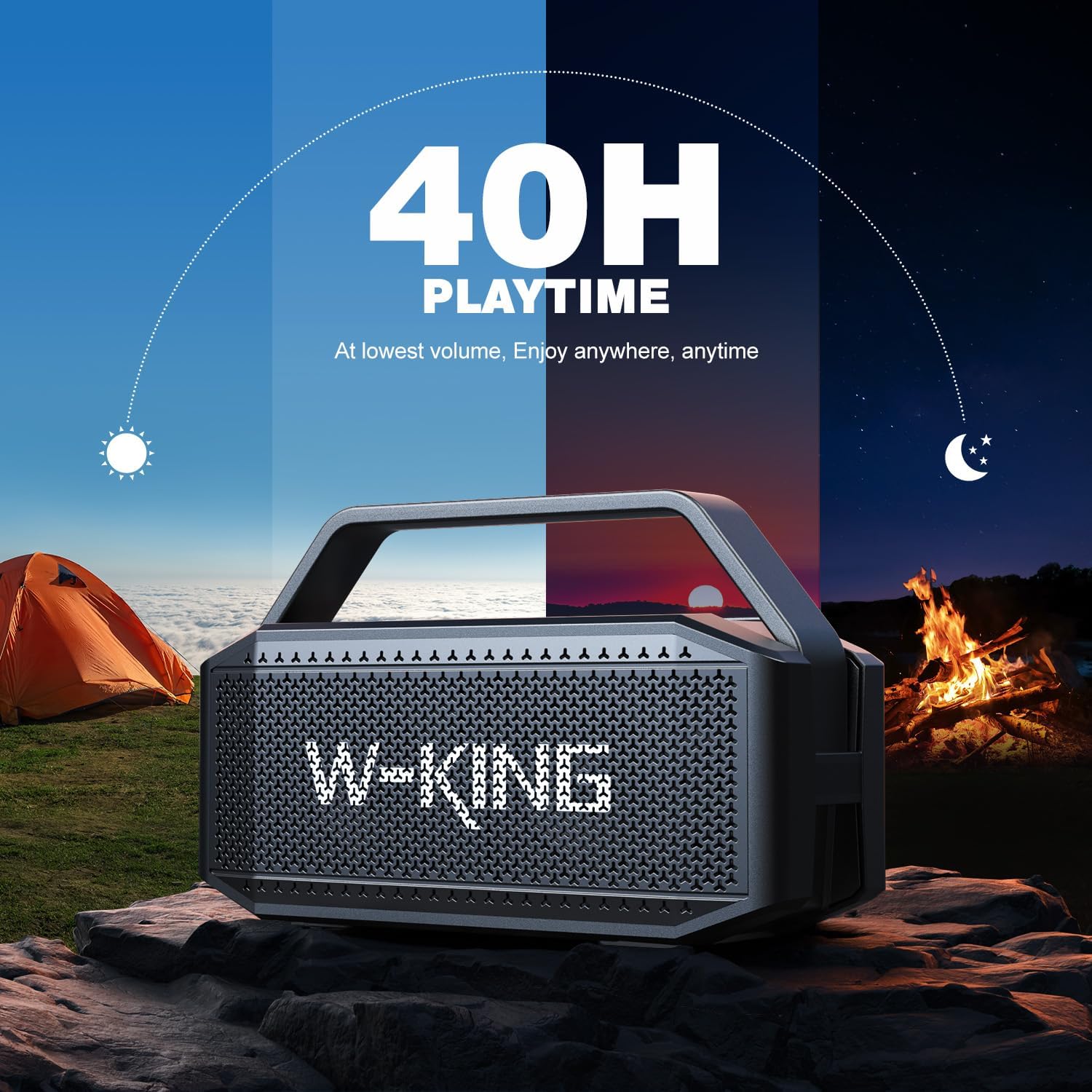
Figure 6: The W-KING D9-1 speaker supports multiple audio input methods, including Bluetooth 5.3, TF card, USB drive, and 3.5mm AUX cable for versatile connectivity.
- AUX-in Mode: Connect one end of the 3.5mm AUX cable to the speaker's AUX-in port and the other end to the audio output jack of your device (e.g., MP3 player, computer). The speaker will automatically switch to AUX mode, or you may need to press the Mode button.
- USB Disk Playback: Insert a USB flash drive containing audio files (MP3, WAV, etc.) into the speaker's USB port. The speaker will automatically switch to USB mode and begin playing the audio files.
- TF Card Playback: Insert a TF (microSD) card containing audio files into the speaker's TF card slot. The speaker will automatically switch to TF card mode and begin playing the audio files.
4. Audio Playback and EQ
- Play/Pause: Press the Play/Pause button to start or pause playback.
- Volume Control: Use the Volume Up (+) and Volume Down (-) buttons to adjust the speaker's volume.
- Track Navigation: (If applicable, usually long press volume buttons or dedicated buttons) Press and hold Volume Up for next track, Volume Down for previous track.
- EQ Modes: Press the EQ button to cycle through different sound equalization presets (e.g., Bass Boost, Vocal, Standard). Select the mode that best suits your listening preference.
Maintenance
Cleaning
- Before cleaning, ensure the speaker is powered off and disconnected from any power source.
- Wipe the exterior of the speaker with a soft, damp cloth. Do not use abrasive cleaners, alcohol, or chemical solvents.
- Do not allow water to enter any ports or openings.
Storage
- Store the speaker in a cool, dry place away from direct sunlight and extreme temperatures.
- If storing for an extended period, charge the battery to approximately 50% every few months to maintain battery health.
IPX6 Waterproofing

Figure 7: The W-KING D9-1 speaker is designed with IPX6 waterproofing, making it suitable for outdoor environments and resistant to strong water jets and dust.
The W-KING D9-1 speaker is rated IPX6 waterproof, meaning it is protected against powerful water jets from any direction. This makes it suitable for outdoor use, near pools, or in light rain. However, it is not designed to be submerged in water. Ensure all port covers are securely closed before exposing the speaker to water.
Troubleshooting
| Problem | Possible Cause | Solution |
|---|---|---|
| Speaker does not power on. | Battery is low or depleted. | Charge the speaker fully. |
| No sound from speaker. | Volume is too low; incorrect input mode; device not connected. | Increase volume; press Mode button to select correct input; ensure Bluetooth device is paired or AUX/USB/TF card is properly connected. |
| Bluetooth pairing fails. | Speaker is too far from device; speaker is connected to another device; device's Bluetooth is off. | Move speaker closer to device; disconnect from other devices; ensure Bluetooth is enabled on your device and try pairing again. |
| TWS pairing fails. | Speakers are too far apart; one speaker is already connected to a Bluetooth device. | Ensure speakers are within range; disconnect both speakers from any Bluetooth devices before initiating TWS pairing. |
Specifications
| Feature | Detail |
|---|---|
| Model Name | D9-1 Full-Range |
| Speaker Type | Outdoor |
| Special Feature | Waterproof, Bluetooth |
| Recommended Uses | For General Use with Bluetooth-enabled Devices, Outdoor/Portable Audio Setups |
| Compatible Devices | Smartphone, Tablet, MP3 Player, Laptop |
| Is Waterproof | True (IPX6) |
| Control Method | Touch |
| Wireless Communication Technology | Bluetooth 5.3 |
| Power Source | Battery Powered |
| Audio Driver Type | Dynamic Driver (Two full-range drivers) |
| Speaker Maximum Output Power | 80W PEAK |
| Connectivity Technology | Auxiliary, Bluetooth, USB |
| Audio Output Mode | Stereo |
| Material | Metal |
| Playtime | Up to 40 hours (at medium volume) |
Warranty and Support
The W-KING D9-1 Full-Range Portable Wireless Speaker comes with a 12-month warranty from the date of purchase. This warranty covers manufacturing defects and workmanship under normal use.
If you encounter any issues with your product or have questions, please refer to the troubleshooting section first. If the problem persists or you require further assistance, please contact W-KING customer service. Contact information is typically found on the product packaging or the official W-KING website. Please have your purchase receipt and product model number ready when contacting support.
