
1. Introduction
The TIMESS Indoor/Outdoor Thermo-Hygrometer is a battery-free, analog device designed to accurately measure both temperature and humidity. Its large, easy-to-read dual dial display makes it suitable for various environments, including patios, nurseries, storage areas, and general indoor/outdoor use. This manual provides detailed instructions for the proper setup, operation, and maintenance of your thermo-hygrometer.
Key Features:
- 2-in-1 Functionality: Measures temperature from -40 to 140°F (-40 to 60°C) and humidity from 0 to 100%RH.
- Battery-Free Operation: No batteries or external power source required, ensuring hassle-free use.
- Durable Construction: Features a robust plastic enclosure with a crystal-clear, shatterproof, and fade-resistant cover for long-lasting outdoor use.
- Easy to Read: Large, bold numbers and contrasting dial graphics with sun and snow icons for quick reference.
- Wide Application: Suitable for homes, gardens, offices, laboratories, balconies, storage rooms, warehouses, and more.
- Automatic Calibration: Self-calibrates within 2 hours of initial placement.

Figure 1: Front view of the TIMESS Indoor/Outdoor Thermo-Hygrometer. This image shows the blue dial with large white numbers for temperature and a smaller dial for humidity, both with clear pointers.
2. Package Contents
Please ensure all items are present upon unboxing:
- 1 x TIMESS Indoor/Outdoor Thermo-Hygrometer (Blue)
- Mounting accessories (Traceless Nail, Nail-Free Hooks)

Figure 2: The thermo-hygrometer shown with its mounting accessories, including a traceless nail and nail-free hooks, suitable for various wall surfaces like wood paneling, brick, concrete, and drywall.
3. Product Diagram

Figure 3: Front view of the thermo-hygrometer highlighting key components such as the large numbers for temperature, Celsius and Fahrenheit scales, the thermometer pointer, and the hygrometer pointer.
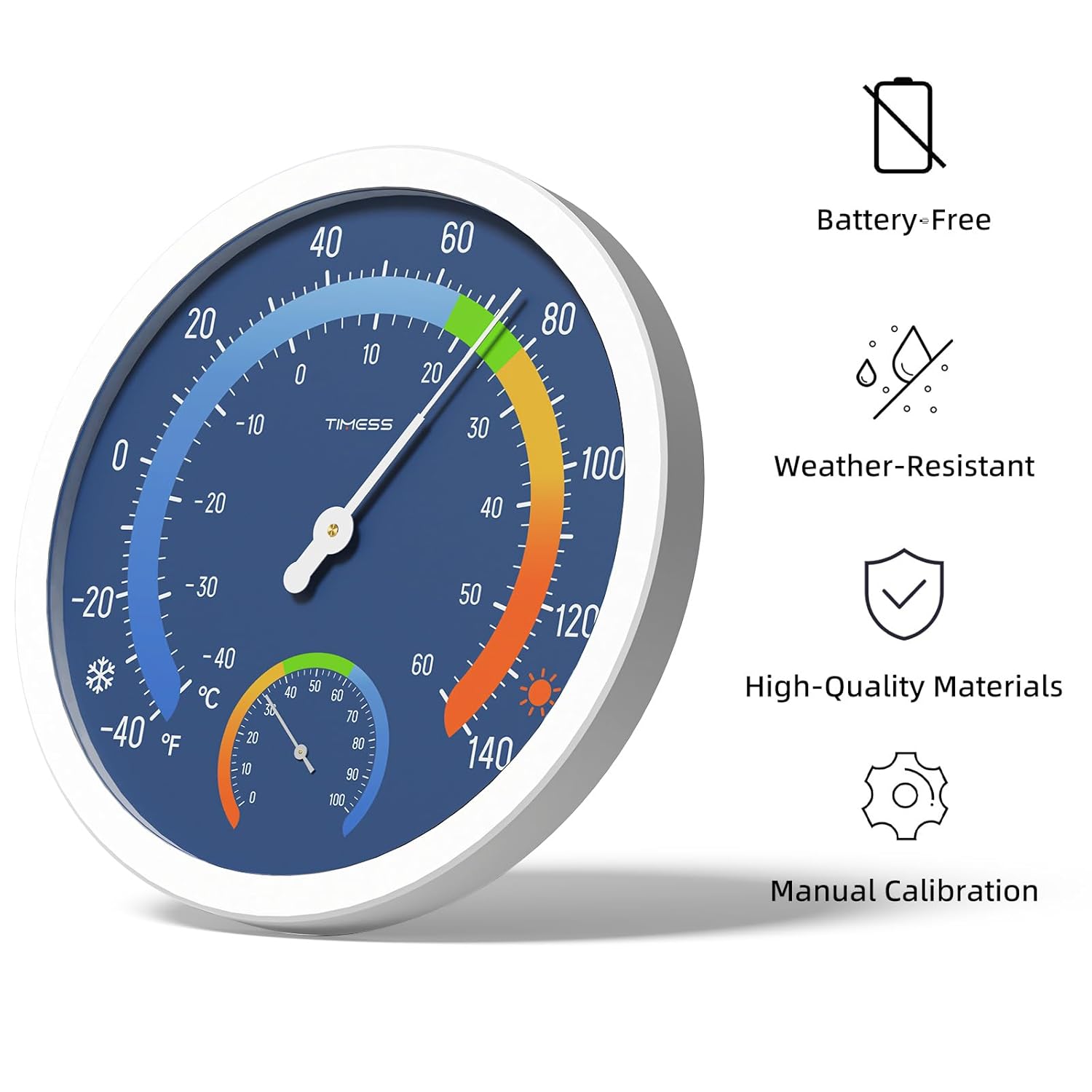
Figure 4: Back view of the thermo-hygrometer showing the hanging hole for mounting, and the thermometer and hygrometer adjustment knobs. Dimensions are also indicated: 9.76 inches diameter and 1.25 inches thickness.
4. Setup and Installation
The TIMESS Thermo-Hygrometer is designed for easy installation and requires no batteries or complex wiring.
4.1 Choosing a Location:
- For indoor use, select a central location away from direct heat sources (e.g., radiators, direct sunlight through windows) or drafts (e.g., air conditioning vents) to ensure accurate readings.
- For outdoor use, choose a shaded area that is protected from direct sunlight and heavy precipitation. Direct sunlight can cause inaccurate temperature readings.
- The device is suitable for patios, gardens, nurseries, storage rooms, offices, and more.

Figure 5: Examples of indoor and outdoor placement for the thermo-hygrometer, demonstrating its versatility.
4.2 Mounting the Device:
- Identify a suitable mounting spot on a wall or vertical surface.
- Use the hanging hole on the back of the device (refer to Figure 4) to mount it securely.
- Utilize the provided traceless nail or nail-free hooks for quick and stable mounting on various surfaces such as wood paneling, brick, concrete, or drywall.
4.3 Initial Calibration:
Upon initial setup or after significant environmental changes, the thermo-hygrometer will automatically calibrate itself. Allow approximately 2 hours for the device to stabilize and provide accurate readings.
5. Operation
Operating your TIMESS Thermo-Hygrometer is straightforward due to its analog design.
5.1 Reading Temperature:
- The larger, outer dial displays the temperature.
- Read the temperature indicated by the longer, white pointer.
- The scale includes both Fahrenheit (°F) and Celsius (°C) readings.
- Temperature range: -40°F to 140°F (-40°C to 60°C).
5.2 Reading Humidity:
- The smaller, inner dial displays the relative humidity (RH).
- Read the humidity percentage indicated by the shorter pointer on the inner dial.
- Humidity range: 0%RH to 100%RH.

Figure 6: Visual representation of the wide measurement range for both temperature and humidity, highlighting the device's capability to operate in extreme conditions.
5.3 Accuracy Considerations:
- The device uses a precision-made sensor coil for accurate readings.
- For optimal accuracy, especially outdoors, ensure the device is not exposed to direct sunlight, which can artificially inflate temperature readings.
6. Maintenance
The TIMESS Thermo-Hygrometer is designed to be low-maintenance and durable.
6.1 Cleaning:
- Wipe the clear cover and outer casing with a soft, damp cloth.
- Do not use abrasive cleaners or solvents, as these may damage the finish or the clear cover.
- Ensure no water enters the internal mechanism.
6.2 Durability:
The device features a robust plastic enclosure and a crystal-clear, shatterproof, and fade-resistant cover, ensuring long-lasting performance even in outdoor conditions.

Figure 7: Depiction of the high-quality materials, including long-lasting clarity and fade-resistant components, used to ensure the durability and clear visibility of the thermo-hygrometer.
7. Troubleshooting
If you encounter issues with your thermo-hygrometer, please refer to the following common solutions:
| Problem | Possible Cause | Solution |
|---|---|---|
| Inaccurate Temperature Reading | Direct sunlight exposure (outdoor use) Proximity to heat/cold sources (indoor use) Insufficient calibration time | Relocate the device to a shaded area. Move away from radiators, vents, or windows. Allow 2 hours for automatic calibration after relocation or initial setup. |
| Inaccurate Humidity Reading | Proximity to moisture sources (e.g., humidifier, open water) Insufficient calibration time | Relocate the device away from direct moisture. Allow 2 hours for automatic calibration. |
| Pointer Not Moving | No change in environmental conditions Device malfunction | Verify if the environment's temperature/humidity is stable. If conditions change and pointer still doesn't move, contact customer support. |
8. Specifications
| Feature | Detail |
|---|---|
| Product Name | Indoor Outdoor Thermo-Hygrometer |
| Model Number | Indoor Outdoor Thermometer Hygrometer |
| Brand | TIMESS |
| Color | Blue |
| Temperature Range | -40°F to 140°F (-40°C to 60°C) |
| Humidity Range | 0%RH to 100%RH |
| Product Dimensions | 10 x 10 x 10 inches; 11.99 ounces |
| Power Source | Battery-Free / No Power Needed |
| Material | Robust plastic enclosure, crystal-clear shatterproof and fade-resistant cover |
| First Available Date | June 6, 2024 |
9. Warranty and Support
For any questions, concerns, or support needs regarding your TIMESS Indoor/Outdoor Thermo-Hygrometer, please contact the manufacturer or refer to the official brand store for assistance.
TIMESS Official Store: Visit the TIMESS Store on Amazon
Please retain your purchase receipt for any warranty claims, if applicable.