
Introduction
Welcome to your new Bettdow Mini Portable Projector. This device is designed to provide a high-quality visual experience with its advanced features and portable design. Please read this manual carefully to ensure proper use and optimal performance. This guide will assist you with setup, operation, maintenance, and troubleshooting.
Important Safety Information
- Do not block the ventilation openings. Ensure adequate airflow around the projector.
- Do not look directly into the projector lens when the lamp is on. The bright light can cause eye damage.
- Keep the projector away from water or any liquids. Do not operate in wet environments.
- Use only the power adapter provided with the projector.
- Avoid placing the projector on unstable surfaces to prevent falls and damage.
- Do not attempt to disassemble or repair the projector yourself. Refer all servicing to qualified personnel.
Package Contents
Please check the box for the following items:
- 1 * Projector
- 1 * Remote control
- 1 * Power cable
- 1 * HDMI cable
- 1 * Height adjustment screw
- 1 * User Manual
Product Overview
The Bettdow Mini Portable Projector is designed for ease of use and versatility. Below is an image of the projector highlighting its main components.

A front view of the Bettdow Mini Portable Projector, showcasing its compact design and lens.
Key components include the projection lens, power input, various connectivity ports (HDMI, USB, AV), and control buttons (if any, typically on the remote).
Key Features
This projector offers a range of features designed to enhance your viewing experience:
- Electric Focus: Easily adjust image sharpness with a single click via the remote control, eliminating manual adjustments.
- Portable Design: Compact and lightweight, making it convenient for travel and use in various locations.
- Native 1080P & 4K Support: Delivers native 1080p resolution and is compatible with 4K content, providing crisp and detailed images.
- High Brightness & Contrast: Features 9000 lumens brightness and a 10,000:1 contrast ratio for vibrant and rich visuals.
- Automatic Keystone Correction: Equipped with ±45° vertical electric keystone correction to automatically adjust distorted images.
- Large Screen Projection: Supports projection sizes from 30 to 150 inches, with a projection distance of 1.5-6 meters.
- Wide Compatibility: Multiple ports including HDMI, USB, AV, and 3.5mm audio jack for connecting various media devices.
- Android TV 9.0 OS: Provides access to popular streaming apps like Google Play, YouTube, Disney, Netflix, and Amazon Prime.
- Dual-Band Wi-Fi (5G+2.4G): Ensures stable and fast wireless mirroring and streaming.
- Bluetooth 5.0: Allows connection to external Bluetooth speakers or headphones for enhanced audio.
Setup Guide
1. Powering On
- Connect the power cable to the projector's power input and then to a power outlet.
- Press the power button on the projector or the remote control to turn on the device.
2. Placement and Screen Adjustment
Position the projector on a stable surface. The projector can be placed on a table, mounted on the ceiling, or used with a tripod.

The projector features automatic keystone correction, adjusting the image to be perfectly rectangular even when projected at an angle.
The automatic keystone correction will help square the image. You can also manually adjust the zoom function (50% to 100%) to fit your screen without moving the projector.

The projector supports a wide range of screen sizes, from 30 to 150 inches, allowing for flexible viewing distances and immersive experiences.
3. Initial Focus Adjustment
Once the projector is powered on and displaying an image, use the dedicated focus button on the remote control to achieve a clear and sharp picture. The electric focus feature allows for quick and precise adjustment.
Operating Instructions
1. Navigating the Interface
Use the arrow keys and OK button on the remote control to navigate through the projector's menu and select options. The Android TV 9.0 operating system provides a user-friendly interface.
2. Source Selection
To switch between input sources (HDMI, USB, AV, or internal apps), press the 'Source' button on your remote control and select the desired input.
3. Adjusting Settings
Access the 'Settings' menu to adjust various parameters such as picture mode, sound settings, network configuration, and system preferences.
Connectivity
1. Wi-Fi Connection (2.4G/5G)
The projector supports dual-band Wi-Fi (2.4G and 5G) for stable and fast internet access and screen mirroring.
- Go to 'Settings' > 'Network' > 'Wi-Fi'.
- Select your desired Wi-Fi network from the list.
- Enter the password if prompted and connect.
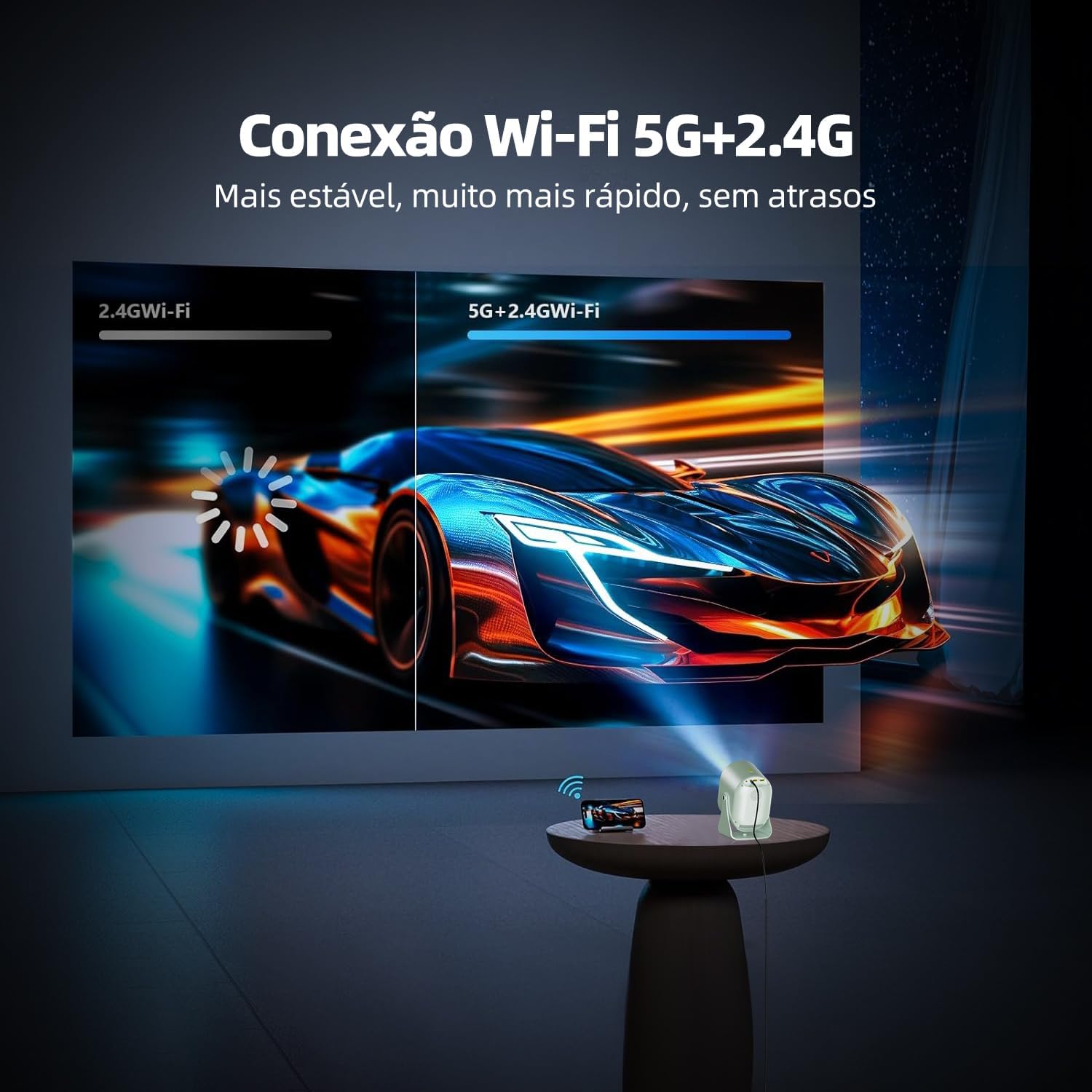
Equipped with dual-band 5G and 2.4G Wi-Fi, the projector ensures stable and fast wireless streaming without delays.
2. Bluetooth Connection
Connect external Bluetooth devices like speakers or headphones for an enhanced audio experience.
- Go to 'Settings' > 'Bluetooth'.
- Turn on Bluetooth and search for available devices.
- Select your device from the list to pair.
3. Wired Connections (HDMI, USB, AV)
The projector provides multiple physical ports for connecting various devices:
- HDMI: Connect laptops, gaming consoles, Blu-ray players, and TV boxes.
- USB: Play media files directly from USB drives.
- AV: Connect older devices using an AV cable.
- 3.5mm Audio Jack: Connect wired headphones or external speakers.
4. Screen Mirroring (AirPlay, Miracast)
Wirelessly mirror content from your smartphone or tablet:
- For iOS devices (AirPlay): Ensure both projector and iOS device are on the same Wi-Fi network. Select 'AirPlay' on the projector and then 'Screen Mirroring' on your iOS device.
- For Android devices (Miracast): Ensure both projector and Android device are on the same Wi-Fi network. Select 'Miracast' or 'Wireless Display' on the projector and then enable screen mirroring on your Android device (names may vary, e.g., Smart View, Cast, Wireless Projection).
Specifications
Below are the technical specifications for the Bettdow Mini Portable Projector:
| Feature | Specification |
|---|---|
| Brand | Bettdow |
| Manufacturer | Bettdow |
| Year | 2024 |
| Product Type | Electronics, Portable Projector |
| Hardware Interface | AV, HDMI, USB |
| Compatible Devices | Laptop, Smartphone, Tablet, DVD Player, HDMI Devices |
| Number of Units | 1 |
| Display Type | LCD, DLP or LED |
| Contrast Ratio | 5000:1 |
| Aspect Ratio | 16:9 |
| Native Screen Resolution | 1280 x 720 |
| Maximum Display Resolution | 1920 x 1080 Pixels |
| Voltage | 240 Volts |
| Power Source Type | AC/DC |
| Battery Operated | No |
| Refresh Rate | 60 Hz |
| Connectivity Technology | Bluetooth, 3.5 mm Jack, Wi-Fi |
| Mounting Type | Freestanding, Ceiling Mount, Tabletop Mount |
| Color | Gray |
| Product Weight | 40 g |
| Package Dimensions | 30.3 x 24.6 x 18.7 cm |
| ASIN | B0D6B2M9V7 |
Maintenance
Proper maintenance ensures the longevity and optimal performance of your projector.
- Cleaning the Lens: Use a soft, lint-free cloth specifically designed for optical lenses. Do not use abrasive cleaners or cloths.
- Cleaning the Exterior: Wipe the projector's exterior with a soft, dry cloth. For stubborn dirt, slightly dampen the cloth with water.
- Ventilation: Regularly check that the ventilation openings are clear of dust and debris to prevent overheating.
- Storage: When not in use for extended periods, store the projector in a cool, dry place, away from direct sunlight and extreme temperatures.
Troubleshooting
If you encounter any issues, refer to the following common problems and solutions:
| Problem | Possible Solution |
|---|---|
| No image displayed | Ensure the projector is powered on and the correct input source is selected. Check all cable connections. |
| Image is blurry | Use the electric focus function on the remote control to adjust the image sharpness. Ensure the projection distance is within the recommended range. |
| No sound | Check the volume settings on both the projector and the connected device. Ensure external speakers or headphones are properly connected and selected as the audio output. |
| Wi-Fi connection issues | Ensure the projector is within range of your Wi-Fi router. Verify the Wi-Fi password. Try restarting both the projector and the router. |
| Remote control not working | Check the batteries in the remote control and replace them if necessary. Ensure there are no obstructions between the remote and the projector's IR receiver. |
Warranty and Support
The Bettdow Mini Portable Projector comes with a manufacturer's warranty. Please refer to the warranty card included in your package for specific terms and conditions.
- Manufacturer's Warranty: 30 days (as per product specifications).
- For technical support or warranty claims, please contact Bettdow customer service through the retailer where you purchased the product.