
Introduction
Thank you for choosing the Fitpolo IDW19H Smart Watch. This manual provides essential information for setting up, operating, and maintaining your device. The Fitpolo IDW19H is a versatile fitness tracker and smartwatch designed to monitor your health, track your activities, and keep you connected. It features a 1.8-inch touchscreen, Bluetooth calling, Alexa Built-in, and comprehensive health monitoring capabilities.

Image: The Fitpolo IDW19H Smart Watch, showcasing its sleek design and digital display on a user's wrist.
What's Included
- Fitpolo IDW19H Smart Watch
- Charging Cable
- User Manual
Setup
1. Charging the Device
Before initial use, fully charge your smartwatch. Connect the magnetic charging cable to the charging points on the back of the watch. Plug the USB end into a power adapter (not included) or a computer's USB port. The watch display will indicate charging status. A full charge typically takes about 2 hours and provides up to 7-10 days of use depending on usage patterns.
2. App Installation
To unlock all features and synchronize data, download the VeryFit app on your smartphone. The app is compatible with Android 5.0 and newer, and iOS 10.0 and later. Search for "VeryFit" in the Google Play Store or Apple App Store.
3. Pairing with Your Phone
- Ensure Bluetooth is enabled on your smartphone.
- Open the VeryFit app and follow the on-screen instructions to create an account or log in.
- Tap 'Add Device' or 'Bind Device' within the app.
- Select the Fitpolo IDW19H from the list of nearby devices.
- Confirm the pairing request on both your phone and the smartwatch.
Note: The smartwatch is compatible with smartphones only, not with PCs or tablets.
Operating the Smartwatch
1. Touchscreen Navigation
The 1.8-inch HD touchscreen allows for intuitive navigation. Swipe up, down, left, or right to access different menus and features. Tap to select options.

Image: The smartwatch screen showing multiple customizable watch face options, including a personalized photo dial.
2. Customizable Watch Faces
Personalize your smartwatch with a variety of watch faces available through the VeryFit app. You can also upload your own photos to create unique dials.
3. Bluetooth Calls
With a built-in microphone and loudspeaker, you can make and receive calls directly from your wrist when your phone is nearby. Enjoy clear communication without needing to reach for your phone.
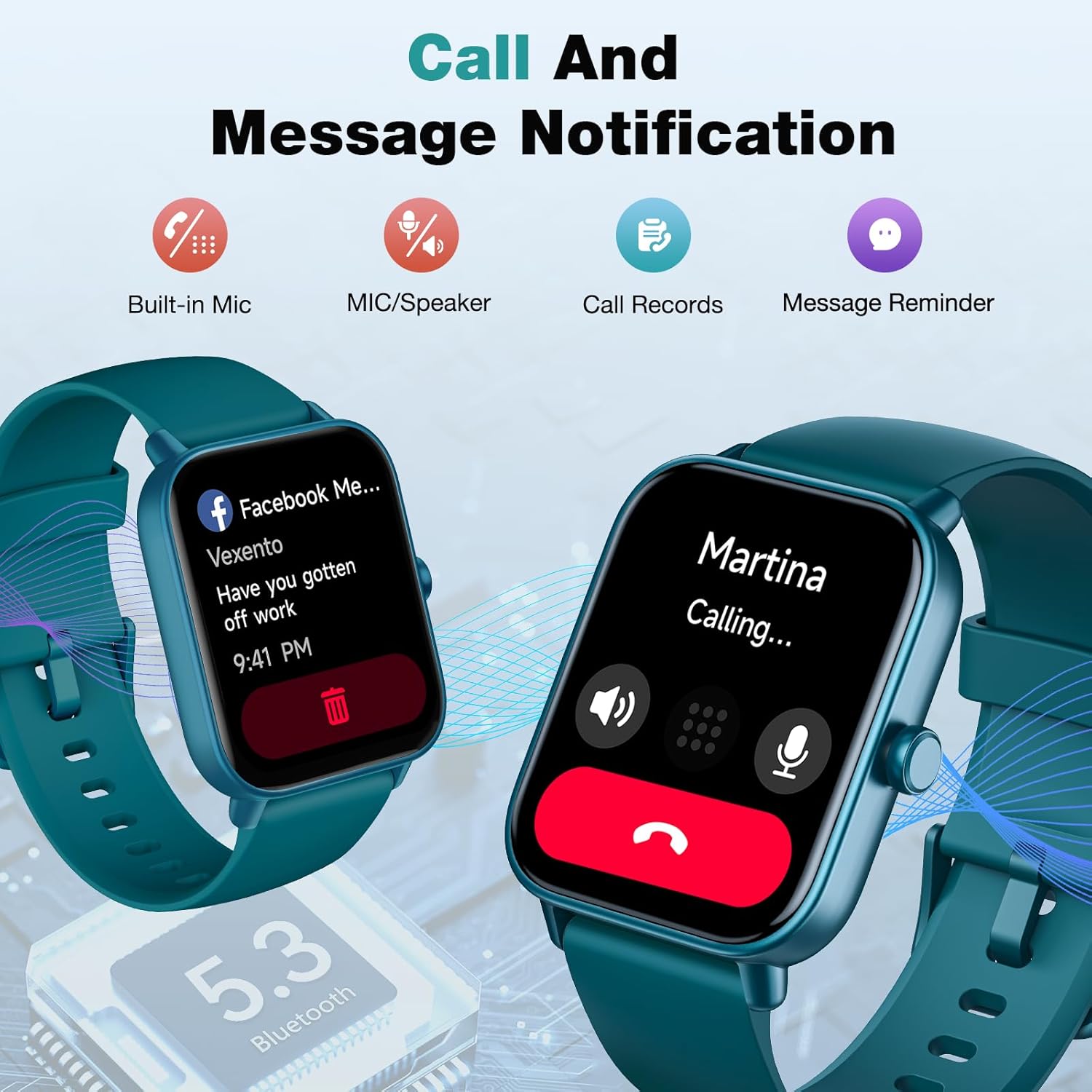
Image: The smartwatch displaying a message notification from Facebook and an incoming call from 'Martina'.
4. Alexa Built-in
Utilize Alexa Built-in for hands-free control. Ask questions, set alarms, check the weather, and more using simple voice commands directly from your watch.

Image: A user interacting with the smartwatch using Alexa voice commands, with examples displayed on the screen.
5. Notifications
Receive real-time notifications for calls, texts, and app alerts (e.g., Facebook, Twitter, WhatsApp, LinkedIn, Instagram) directly on your wrist, ensuring you stay informed.
6. Music Control
Control your smartphone's music playback directly from your smartwatch. Play, pause, skip tracks, and adjust volume without taking out your phone.
7. Camera Remote
Use your smartwatch as a remote shutter for your phone's camera, making it easier to take group photos or selfies.
8. Find My Phone
If you misplace your phone, use the 'Find Phone' feature on your smartwatch to make your phone ring, helping you locate it quickly.
9. Other Utilities
The smartwatch includes additional useful tools such as a calculator, flashlight, stopwatch, timer, and weather forecasts.
Health Monitoring
The Fitpolo IDW19H Smart Watch provides comprehensive health monitoring features to help you maintain a healthy lifestyle. Note: This device is not a medical device and its measurements are for reference only.

Image: The smartwatch screen showing real-time data for heart rate (86 bpm), SpO2 (94%), and pressure (29 Relax).
1. 24/7 Heart Rate Monitoring
Continuously tracks your heart rate throughout the day, providing insights into your cardiovascular health.
2. SpO2 (Blood Oxygen) Tracking
Monitors your blood oxygen saturation levels, helping you understand your body's oxygen uptake.
3. Sleep Tracking
Automatically monitors and analyzes your sleep quality, including deep sleep, light sleep, REM sleep, and awake times. View detailed reports in the VeryFit app.

Image: The smartwatch screen showing sleep analysis data, including Awake (15 min), Light Sleep (4h 22m), and Deep Sleep (47m).
4. Stress Level Monitoring
Helps you track and manage your stress levels throughout the day.
5. Female Menstrual Cycle Reminders
Offers female health tracking features to log periods, track your cycle, and gauge ovulation.
6. Breathe Training
Provides guided breathing exercises to help you relax and reduce stress.
7. Hydration Reminders
Set personalized reminders to drink water, promoting healthy hydration habits.
8. Sedentary Alert
The watch will vibrate to remind you to move if you have been inactive for a long period.
Fitness Tracking
The Fitpolo IDW19H is an advanced fitness tracker that helps you achieve your fitness goals.

Image: The smartwatch screen showing various sport mode icons and real-time running statistics like duration, distance, calories, steps, and heart rate.
1. 100+ Sport Modes
Monitor over 100 activities, including walking, running, cycling, fitness, hiking, mountaineering, treadmill, dynamic cycling, yoga, swimming, and more. Receive real-time stats directly on your wrist.
2. Step Counting, Calories, and Distance
Tracks your daily steps, calories burned, and distance covered to keep you informed of your activity levels.
3. Auto-Detection
The watch can automatically detect when you are walking or running and record your stats in the VeryFit app.
Specifications
| Feature | Detail |
|---|---|
| Model Number | IDW19H |
| Screen Size | 1.8 inches (45 Millimeters) |
| Product Dimensions | 10.11 x 1.57 x 0.48 inches |
| Item Weight | 1.34 ounces (38 Grams) |
| Battery Capacity | 300 Milliamp Hours |
| Battery Type | 1 Lithium Ion battery (included) |
| Connectivity Technology | Bluetooth |
| Wireless Communication Standard | Bluetooth |
| Operating System | Android Wear 1.0 |
| Memory Storage Capacity | 128 MB |
| Special Features | Personalize watch faces, Alexa built-in, Bluetooth calls, Blood oxygen monitor (non-medical use) |
| GPS | No GPS |
| Shape | Square |

Image: A diagram illustrating the dimensions of the Fitpolo Smart Watch (10.1 inches length, 38mm width, 45mm height) and suitable wrist sizes (5.8 to 8.6 inches).
Maintenance
1. IP68 Waterproof Rating
The smartwatch has an IP68 waterproof rating, making it suitable for swimming, showering, and daily use. Note: It is not suitable for use in seawater.
2. Cleaning
Wipe the watch regularly with a soft, dry cloth. Avoid using harsh chemicals or abrasive materials that could damage the screen or casing.
3. Battery Care
To prolong battery life, avoid fully discharging the watch frequently. Charge it when the battery level is low. Store the watch in a cool, dry place when not in use for extended periods.
Troubleshooting
- Watch not turning on: Ensure the watch is fully charged. Connect it to the charging cable and a power source.
- Unable to pair with phone: Make sure Bluetooth is on, the VeryFit app is open, and the watch is within range. Restart both the phone and the watch if necessary.
- Inaccurate health data: Ensure the watch is worn snugly on your wrist, not too tight or too loose. Clean the sensors regularly. Remember, this is not a medical device.
- Notifications not appearing: Check app permissions in your phone settings to ensure the VeryFit app has access to notifications. Also, verify notification settings within the VeryFit app.
Official Product Video
Video: An official product video from Amazon showcasing the features and functionality of the Fitpolo VeryFit Smart Watch.
Warranty and Support
For warranty information and customer support, please refer to the documentation included with your product or visit the official Fitpolo website. You can also contact Fitpolo customer service through the VeryFit app or the Amazon product page.


