
WhalesBot A7
WhalesBot A7 Coding Robot Kit Instruction Manual
Model: A7-EN | Brand: WhalesBot
1. Introduction
This manual provides comprehensive instructions for the assembly, operation, and maintenance of your WhalesBot A7 Coding Robot Kit. Designed for children aged 3 and up, this kit offers an engaging way to learn basic coding concepts through hands-on building and interactive play. Please read this manual thoroughly before use to ensure proper functionality and safety.
2. What's Included
Your WhalesBot A7 kit contains the following components:
- 24 Electronic Components
- 142 Structural Components
- 2 Instruction Manuals
- 7 Storybooks
- 11 Play Cards
- 1 Part List and Quick Start Card
Please verify all components are present before beginning assembly.

Image: Overview of the WhalesBot A7 kit contents, including electronic and structural parts, books, and cards.
3. Setup and Assembly
The WhalesBot A7 kit utilizes large, rounded blocks for easy and safe assembly. Follow the included user guides and storybooks for step-by-step building instructions for over 36 different models.
3.1 Quick Start Guide
- Pick up the Controller: Select one of the two provided controllers. Ensure it is charged if necessary.
- Connect the Blocks: Snap together the structural blocks to form your desired robot model. Integrate electronic parts (sensors, actuators) into the structure.
- Start the Program: Connect the electronic blocks to the controller. The magnetic design allows for intuitive connection. Refer to the Quick Start Card for basic programming concepts.

Image: Visual representation of the quick start process: picking up the controller, connecting blocks, and starting the program.

Image: Detailed diagram of electronic and structural parts, including controllers, sensors, actuators, logical blocks, and various building components.
4. Operation
The WhalesBot A7 allows for various modes of operation, from simple remote control to advanced coding sequences.
4.1 Remote Control Operation
Use the provided remote control to guide your robot models. The remote control features directional buttons and power controls.

Image: Diagram illustrating the functions of the remote control, including forward/backward, left/right, indicator lights, power, and pairing buttons.
4.2 Coding with Magnetic Blocks
The core of the WhalesBot A7 experience is coding through snap-together magnetic electronic blocks. These blocks represent different functions:
- Controllers: Main control units.
- Sensors: Detect environmental input (e.g., touch, light, sound, infrared).
- Actuators: Perform actions (e.g., motors, buzzers, LEDs).
- Logic Gates: (AND, OR, NOT) for creating complex behaviors.
Connect these blocks in sequence to create programs that make your robot move, make sounds, or react to its environment. Refer to the storybooks and play cards for guided coding challenges and model ideas.

Image: A child engaging with the WhalesBot A7 kit, connecting electronic blocks to program a robot.
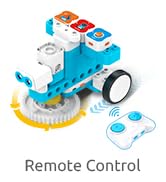
Image: Examples of robot models built using one or two controllers, demonstrating the versatility of the WhalesBot A7 kit.
5. Maintenance
- Cleaning: Wipe blocks and electronic parts with a dry, soft cloth. Do not use harsh chemicals or immerse in water.
- Storage: Store all components in the provided storage case when not in use to prevent loss and damage.
- Battery Care: Ensure controllers are charged regularly. If storing for extended periods, charge batteries partially (around 50%) and store in a cool, dry place.
- Inspection: Periodically check for any damaged or worn parts. Replace as necessary.
6. Troubleshooting
| Problem | Possible Cause | Solution |
|---|---|---|
| Robot does not respond. | Low battery in controller or electronic parts. Incorrect connection of electronic blocks. | Charge controllers and electronic parts. Recheck all connections to ensure they are secure and correctly oriented. |
| Remote control not working. | Remote control battery low. Not paired correctly. | Replace remote control batteries. Follow pairing instructions in the user guide. |
| Robot performs unexpected actions. | Incorrect coding sequence. Sensor interference. | Review the connected electronic blocks and their sequence. Ensure sensors are not obstructed or receiving unintended input. |
7. Specifications
- Model: A7-EN
- Product Dimensions: 9.8 x 7 x 3.8 inches
- Item Weight: 9 pounds
- Manufacturer Recommended Age: 3 years and up
- Language: English
- Manufacturer: WhalesBot
8. Warranty and Support
The WhalesBot A7 Coding Robot Kit comes with a 1-year warranty from the date of purchase. This warranty covers manufacturing defects under normal use conditions.
For technical support, warranty claims, or any questions regarding your product, please contact WhalesBot customer service through the official brand channels. Refer to the packaging or the WhalesBot website for contact information.
Online Resources: For additional building ideas, coding tutorials, and frequently asked questions, visit the official WhalesBot website.
Related documentsA7


Ask a question about this manual
Ask about setup, troubleshooting, compatibility, parts, safety, or missing instructions. Manuals+ will review the question and use this page’s manual context to help answer it.